
LetsView- Wireless Screen Cast
Screen Share Android and iOS Screen Wirelessly
- Installs
- 6.81M
- Measured
- Rating
- 2.91
- Ratings
- 7.4K
- 320 reviews
- Version
- 1.5.29
- Updated 29 Oct 2026
- Released
- 13 Oct 2019
- Tracked since 10 May 2026
- Size
- —
- Needs 5.0
Screenshots

About LetsView- Wireless Screen Cast
The description on the store listing
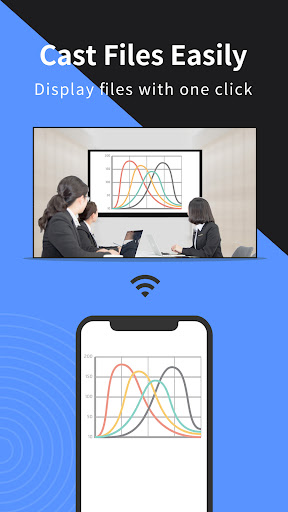
Looking for high-quality and free screen mirroring app? Look no further than LetsView! Easily mirror or cast your phone, tablet, or computer screen to your TV, PC, or Mac. With LetsView, you'll have endless possibilities for communication and entertainment in your daily life.
★★Key Features★★
⭐️<b>Screen mirroring between mobile phones and PCs</b>
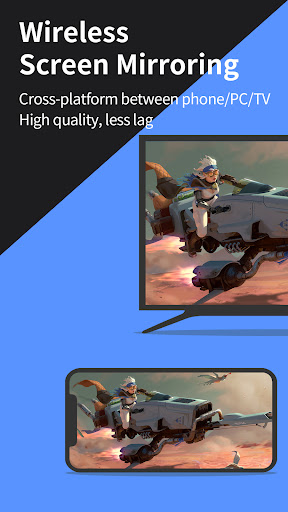
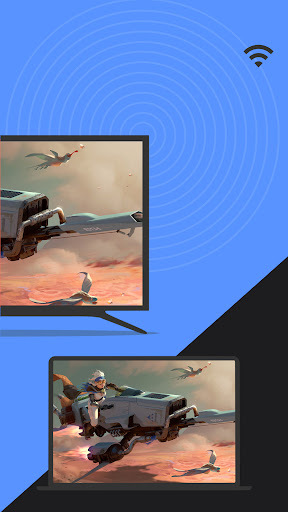
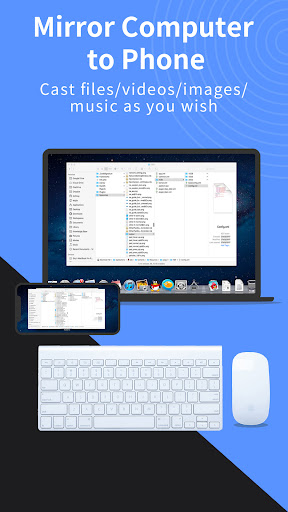
Mirror your phone screen to your Mac or Windows computer, enhance your favorite live stream viewing experience, or present content on a bigger screen without any limitations of your phone's screen size. You can even cast your phone screen to multiple devices.
⭐️<b>Control PC from a phone</b>
Once your computer and smartphone are connected, …
Read the full description
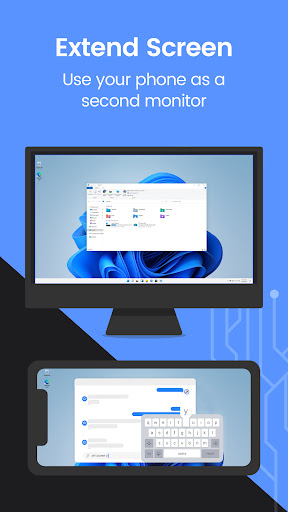
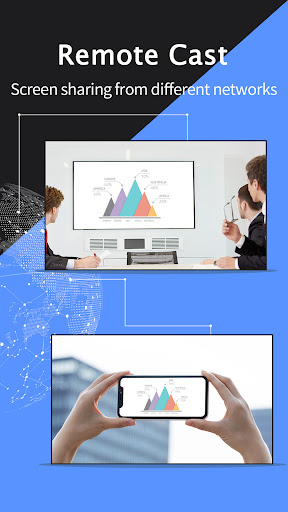
Looking for high-quality and free screen mirroring app? Look no further than LetsView! Easily mirror or cast your phone, tablet, or computer screen to your TV, PC, or Mac. With LetsView, you'll have endless possibilities for communication and entertainment in your daily life. ★★Key Features★★ ⭐️<b>Screen mirroring between mobile phones and PCs</b> Mirror your phone screen to your Mac or Windows computer, enhance your favorite live stream viewing experience, or present content on a bigger screen without any limitations of your phone's screen size. You can even cast your phone screen to multiple devices. ⭐️<b>Control PC from a phone</b> Once your computer and smartphone are connected, the smartphone can act as a makeshift keyboard or mouse, allowing you full control over your computer screen with just your fingertips. Moreover, it is also possible to control the mobile phone with a Windows computer. ⭐️<b>Screen mirroring between mobile phone and TV</b> Whether you're watching a movie, watching a sporting event with the family, or giving a business presentation on TV, mirroring your phone's screen to a larger display has never been easier with LetsView. LetsView perfectly fit most of the TVs on the market. ⭐️<b>Screen mirroring between PC/tablet and TV</b> In addition to the mobile version, LetsView covers various platforms. The desktop version also enables mirroring between PC to PC, and PC to TV. ⭐️<b>Extend screen</b> Turn your phone into a secondary monitor for your computer, allowing you to focus on main tasks on the primary screen while simultaneously handling auxiliary activities on your phone's screen, thus significantly boosting your productivity. ⭐️<b>Remote screen mirroring</b> Screen mirroring is also possible when you are on a different network. The remote screen mirroring feature will help you cross the network, just enter the remote cast code, and the two devices will share the screen over a distance. ⭐️<b>Additional features</b> Drawing, whiteboard, document presentation, screen capture, and screen recording of a mobile phone screen are also available. 👍🏻Why LetsView? ● Ad-free. ● Uninterrupted and unlimited usage. ● HD screen mirroring. ● HD screen recording. 🌸Primary use cases: 1. Family Entertainment Mirroring movies, games, photos, and more onto a larger screen for a better visual experience. 2. Business Presentations Share your PC or mobile phone screen content onto a large screen for presentations or meetings, demonstrate your product to potential customers remotely. 3. Online teaching Share the teacher's device screen and combine it with the whiteboard, enhancing the visual experience of your online classes. 4. Live stream gameplay Broadcast gaming content on a big screen, share gameplay with followers, and keep wonderful moments. 🌸Easy to Connect: Connecting your devices is easy with 3 available methods: direct connection, QR code connection, or passkey connection. Ensure that all your devices are connected to the same Wi-Fi network, and your device will be automatically detected for easy connection. If your device isn't detected, simply scan the QR code or enter the passkey to establish the connection. 📢Contact: We appreciate all your feedback! Contact us at [email protected] or send feedback from Me > Feedback on the LetsView app for suggestions, comments, questions, or concerns. LetsView supports Windows PC & Mac and Android 5.0 and above.
Installs, last 30 days Measured
Exact Google Play install counts, collected daily
Ratings
7,416 ratings, 320 reviews
- 5 ★36%
- 4 ★3.9%
- 3 ★8.9%
- 2 ★4.9%
- 1 ★46%
Recent reviews
Latest public reviews from the store
- 17 May 2026
GitMind is one of the most beautiful ai mind map app I use this year. it is simple, smart, and fast to use.
- 14 May 2026
it was an amazing app it helped me very well in my sem exam preparation. thank you so much . I was like why didn't I got to know about this app before . this is a life-saver
- 24 Apr 2026
Love this app user friendly
- 12 Mar 2026
good for making diagram form pdf to diagram and prompt to diagram
What reviewers bring up
Topics mentioned in the latest 50 reviews, by how many reviews mention them
Liked in good reviews (30 reviews)
- mind 8
- maps 4
- interface 3
- intuitive 3
- helps 3
- clean 3
- real-time collaboration 2
- documents 2
Raised in bad reviews (20 reviews)
- data 3
- expensive 2
- delete 2
- create 2
- nodes 2
- waste 2
- able 2
- real 2
Top chart positions
Latest Google Play chart ranks by country, last 10 days
Not in any tracked top chart in the last 10 days.
LetsView- Wireless Screen Cast history
Release, install milestones, listing and store changes
- Reached 5,000,000+ installs 6 Sep 2025
- Reached 1,000,000+ installs 28 Mar 2021
- Reached 500,000+ installs 8 Oct 2020
- Reached 100,000+ installs 18 Apr 2020
- Reached 50,000+ installs 21 Mar 2020
- Moved from Productivity to Tools 21 Mar 2020
- Reached 10,000+ installs 28 Dec 2019
- Reached 5,000+ installs 14 Dec 2019
Update frequency
How often LetsView- Wireless Screen Cast ships a new version, month by month
4 updates in the last 12 months. More often than most similar apps: they shipped a median of 0 updates in the same year.
Recent versions
Current version 1.5.29
- Version 1.5.2929 Oct 2026
- Version 1.5.275 Jun 2026
- Version 1.5.2629 Apr 2026
- Version 1.5.2411 Feb 2026
Listing keywords
Words and phrases LetsView- Wireless Screen Cast repeats most in its store listing
Top phrases: screen mirroring (8), mirroring between (4), mobile phone (4), phone screen (4), screen mirroring between (3).
Highlighted words also appear in the title. Counts cover the title, short description and description.
Business model and tech
From the store listing and declared permissions
- Business model
- Free to downloadIn-app purchases
- Sensitive access
- No sensitive permission declared
Compliance
What the listing and the app package show
- Store status
- Live
- Upkeep
- Updated 29 Oct 2026
- Registered in
- Hong Kong SAR China
- Privacy policy
- Linked on the listing
- Advertising
- No ads declared
- In-app purchases
- Offered
- Age rating
- Everyone
Apps like LetsView- Wireless Screen Cast
LED Strip Music Bulb RemoteCards3.4M installs★ 4.12
List, Copy And InviteManuelitaGG145K installs★ 4.4
Recover Deleted Messages AppAllied Clicks126K installs★ 4.3
Digital Dashboard GPSluozirui628K installs★ 3.44
Battery Health TemperatureSimpleEvo Apps1.1M installs★ 4.09
বাংলা ঘড়ি (Bangla Clock)Md. Sahedul Hasan1.4M installs★ 4.46
MyScript Calculator 2MyScript301K installs★ 4.61
WiFi Extract كشف الواى فاىKharphonk1.9M installs★ 3.79
StaytrackBossjob13.4K installs★ 4.96
LetsView- Wireless Screen Cast: questions and answers
How many downloads does LetsView- Wireless Screen Cast have?
LetsView- Wireless Screen Cast has 6,813,937 installs on Google Play, measured from the store's own count on 19 Nov 2026.
Who makes LetsView- Wireless Screen Cast?
LetsView- Wireless Screen Cast is published by WangxuTech, a developer based in HK.
When was LetsView- Wireless Screen Cast last updated?
The latest version (1.5.29) was released on 29 Oct 2026.
Is LetsView- Wireless Screen Cast free?
Yes. LetsView- Wireless Screen Cast is free to download and offers in-app purchases.
Is LetsView- Wireless Screen Cast still available?
Yes. LetsView- Wireless Screen Cast is live on Google Play as of 19 Nov 2026.
Track LetsView- Wireless Screen Cast and its competitors
Watch any app for new versions, rating drops, chart moves and removals. Free plan, no card.