Liquid OCR 〜AI高精度OCRアプリ〜
An app that allows OCR using ultra-high precision character recognition AI
- Installs
- 248
- Measured
- Rating
- —
- Ratings
- —
- Version
- Varies with device
- Updated 12 Nov 2025
- Released
- 31 Oct 2021
- Tracked since 13 May 2026
- Size
- —
Also on App Store: Liquid OCR 〜AI高精度OCRアプリ〜
Screenshots



About Liquid OCR 〜AI高精度OCRアプリ〜
The description on the store listing
Liquid OCR is a paid app that uses AI and artificial intelligence for character recognition to achieve ultra-high precision OCR (machine character recognition).
●Very easy to use!
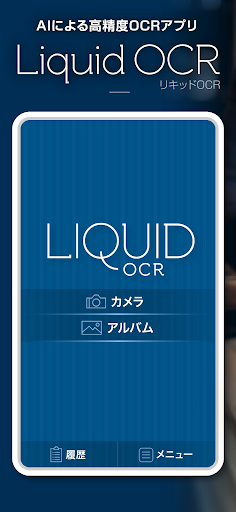
When you select an image taken with a camera or from an album on the app, high-precision OCR is automatically performed using AI and the result is displayed on the screen. Of course, you can also edit it on the spot.
-Supports vertical writing and handwritten characters
Even vertically written characters in newspapers and books can be OCRed with ultra-high precision. In addition to that, it can also recognize handwritten characters. Recognition accuracy is excellent.
●Equipped with powerful text …
Read the full description
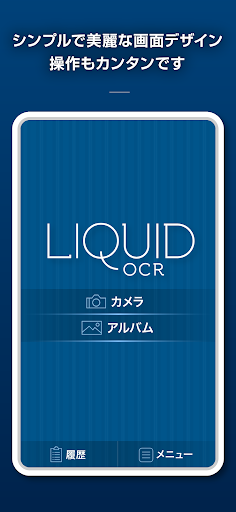
Liquid OCR is a paid app that uses AI and artificial intelligence for character recognition to achieve ultra-high precision OCR (machine character recognition). ●Very easy to use! When you select an image taken with a camera or from an album on the app, high-precision OCR is automatically performed using AI and the result is displayed on the screen. Of course, you can also edit it on the spot. -Supports vertical writing and handwritten characters Even vertically written characters in newspapers and books can be OCRed with ultra-high precision. In addition to that, it can also recognize handwritten characters. Recognition accuracy is excellent. ●Equipped with powerful text conversion function It is equipped with many convenient and powerful conversion functions such as converting Chinese numerals in OCR text to arithmetic numerals and converting full-width to half-width. ◇Delete line break OCRing multiple lines of text generates text with line breaks for each line. With other general OCR apps, it takes time to manually delete line breaks one by one, but with Liquid OCR, you can delete all line breaks with a single button press. ◇Symbol Full-width ↔ Half-width conversion 『? ”, “+”, and “()” can be switched between full-width and half-width. ◇Alphanumeric characters Full-width ↔ Half-width conversion Switch between full-width and half-width alphabets and numbers. ◇Punctuation mark conversion ``,'' ``. "of","". ”. Use this when you want to convert sentences written in "comma-period" format, such as scientific journals and papers, to general "ten-maru" format. ◇ Kanji numerals → Arithmetic numerals conversion In Japanese vertical writing, kanji numerals are usually used for numbers. Using this function, you can replace kanji numerals with arithmetic numerals. Replaces kanji numerals in dates and amounts, but does not convert kanji numerals in people's names, place names, or words. For example, "128 yen" will be converted into "128 yen", but the program will automatically determine parts that would be strange if they were converted into arithmetic numerals, such as "seven turns eight falls" and "123 san", and leave them as they are without converting them. . ◇One-shot copy You can copy OCR scanned text just by pressing the "Copy" button, so you can quickly send OCR scanned text to other apps. ◇Batch export of multiple OCR scanned texts Text that has been OCR scanned so far is displayed in a list on the "History" screen. You can select only the necessary text items from the text items displayed here and export them all at once. This is useful when you want to perform OCR all at once, and then copy the text all at once and use it in another application. ●Simple and beautiful screen design (UI/UX) The simple and beautiful screen design provides comfortable operability. Easy for anyone to use. ●Simple operability and reliability that can only be achieved with a paid app Liquid OCR is a paid app with a monthly fee. That's why you can use it comfortably without annoying or questionable banner ads or forced video ads. There is no need to log into an unknown service to use it, and OCR scanned text is not sent to external parties, so you can use it safely and securely. ●Japanese domestically developed app Liquid OCR is a product planned, developed, and sold in Japan. ●About using Liquid OCR and paying for regular purchases This app is provided as a free trial version, and to use the editing and copying functions of OCR scanned text, you must subscribe to a paid subscription that includes an initial free trial period.
Installs since 13 Nov 2026 Measured
Exact Google Play install counts, collected daily
Daily history starts once this app is in our daily install sample.
Ratings
- 5 ★0.0%
- 4 ★0.0%
- 3 ★0.0%
- 2 ★0.0%
- 1 ★0.0%
Recent reviews
Latest public reviews from the store
No reviews in our sample for this app yet.
Top chart positions
Latest Google Play chart ranks by country, last 10 days
Not in any tracked top chart in the last 10 days.
Liquid OCR 〜AI高精度OCRアプリ〜 history
Release, install milestones, listing and store changes
- First released on the store 31 Oct 2021
Recent versions
Current version Varies with device
- Version 2.3.112 Nov 2025
- Version 2.3.014 Oct 2025
- Version 2.2.012 Aug 2025
Listing keywords
Words and phrases Liquid OCR 〜AI高精度OCRアプリ〜 repeats most in its store listing
Top phrases: liquid ocr (6), ocr scanned (6), full width (5), half width (5), kanji numerals (5).
Highlighted words also appear in the title. Counts cover the title, short description and description.
Business model and tech
From the store listing and declared permissions
- Business model
- Free to downloadIn-app purchases
- Subscriptions and payments
- Google Play billing
- Sensitive access
- Photos, videos and files
8 permissions
0 special access, 4 sensitive, 4 standard
- Change or delete shared storageSensitive
- Read photosREAD_MEDIA_IMAGESSensitive
- Read shared storageSensitive
- Read videosREAD_MEDIA_VIDEOSensitive
- Full internet accessStandard
- See network connectionsStandard
- Internal app permissionDYNAMIC_RECEIVER_NOT_EXPORTED_PERMISSIONStandard
- In-app purchases with Google PlayStandard
Compliance
What the listing and the app package show
- Store status
- Live
- Upkeep
- Updated 12 Nov 2025
- Registered in
- Japan
- Privacy policy
- Linked on the listing
- Advertising
- No ads declared
- In-app purchases
- Offered
- Age rating
- Everyone
- Sensitive permissions
- 4 sensitive of 8
- Location access
- No
- Camera and microphone
- Neither
Apps like Liquid OCR 〜AI高精度OCRアプリ〜
영산강 안심 알림eICT융합소프트 & 스마트오더18.3K installs★ 4.0
JBLETRADOC Mobile10.3K installs★ 4.5
Two Point HeightOmega Centauri Software15.3K installs★ 2.22
Sheridan RecyclesCity of Sheridan634 installs★ 4.67
NAFNorges Automobil-Forbund200K installs★ 3.9
Ipsos Adria CAPIIpsos Serbia7.4K installs★ 3.9
Clock: Alarm Clock & TimerIntratech so36.1K installs★ 3.79
Süzme Sayaç HesaplamaNotsup30.3K installs★ 3.6
Cattle & Goat Record KeepingVetzKin10.3K installs★ 2.5
Liquid OCR 〜AI高精度OCRアプリ〜: questions and answers
How many downloads does Liquid OCR 〜AI高精度OCRアプリ〜 have?
Liquid OCR 〜AI高精度OCRアプリ〜 has 248 installs on Google Play, measured from the store's own count on 13 Nov 2026.
Who makes Liquid OCR 〜AI高精度OCRアプリ〜?
Liquid OCR 〜AI高精度OCRアプリ〜 is published by KAIHAWK, a developer based in JP.
When was Liquid OCR 〜AI高精度OCRアプリ〜 last updated?
The latest version (Varies with device) was released on 12 Nov 2025.
Is Liquid OCR 〜AI高精度OCRアプリ〜 free?
Yes. Liquid OCR 〜AI高精度OCRアプリ〜 is free to download and offers in-app purchases.
Is Liquid OCR 〜AI高精度OCRアプリ〜 still available?
Yes. Liquid OCR 〜AI高精度OCRアプリ〜 is live on Google Play as of 13 Nov 2026.
Track Liquid OCR 〜AI高精度OCRアプリ〜 and its competitors
Watch any app for new versions, rating drops, chart moves and removals. Free plan, no card.