
Locker Password Manager
A cross-platform vault for securing and managing online accounts & passwords
- Installs
- 62.90K
- Measured
- Rating
- 4.0
- Ratings
- 426
- 21 reviews
- Version
- 2.24
- Updated 20 Oct 2026
- Released
- 28 Apr 2022
- Tracked since 12 May 2026
- Size
- —
Also on App Store: Locker Password Manager (13 ratings), Locker - Password Manager (2 ratings)
Screenshots


About Locker Password Manager
The description on the store listing
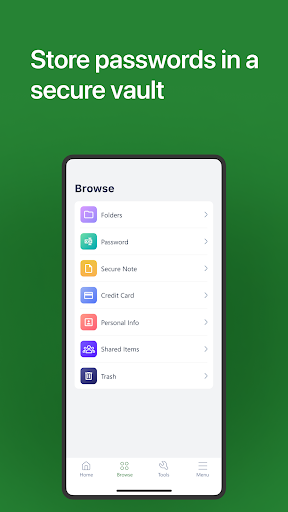
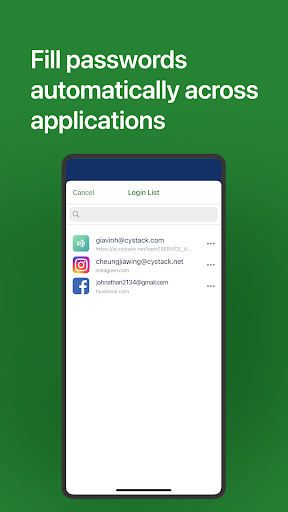
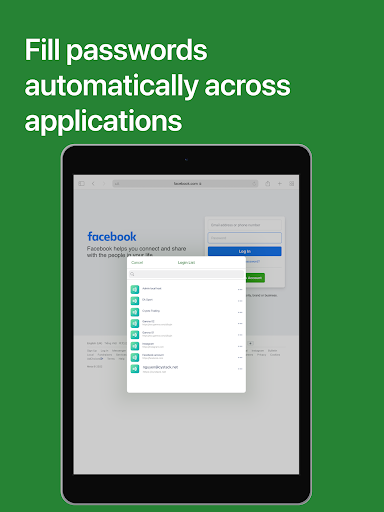
Locker is a cross-platform vault that helps users secure sensitive data such as logins and passwords, secret notes, payment cards, and online identities. It also offers additional features to enhance your browsing experiences like password autofill, item sharing, and more.
Why choose Locker over other password managers?
1. Security
Locker uses military-grade encryption to secure your data. AES-256bit encryption combined with PBKDF2 and RSA algorithm makes your data un-crackable.
Your vault is encrypted with a Master Password, which is the only key to decrypt your data.
2. Privacy & Transparency
Your Master Password is only yours. Nobody, even us, can see your Master Password …
Read the full description
Locker is a cross-platform vault that helps users secure sensitive data such as logins and passwords, secret notes, payment cards, and online identities. It also offers additional features to enhance your browsing experiences like password autofill, item sharing, and more. Why choose Locker over other password managers? 1. Security Locker uses military-grade encryption to secure your data. AES-256bit encryption combined with PBKDF2 and RSA algorithm makes your data un-crackable. Your vault is encrypted with a Master Password, which is the only key to decrypt your data. 2. Privacy & Transparency Your Master Password is only yours. Nobody, even us, can see your Master Password thanks to Zero-knowledge architecture and End-to-end encryption. Locker is an open-source product. Everyone can inspect its source code. We believe transparency is the key to better security. 3. Unlimited Sync Once you add, edit, or remove items in your Locker on a device, the data will be synced across all other devices. 4. OTP is integrated right into the app Protect your online accounts with an extra layer that is integrated right into Locker. One-time password (time-based) enables you to block hackers from accessing your accounts even when they've got the passwords. Let's open 2FA (two-factor authenticator) in your critical accounts and start using our authenticator feature. 5. Bring Your Passwords with You With Offline Mode, you can use Locker anywhere, anytime, even when your phone is not connected to the internet. No more password hassle. Free Your Mind. Install Locker. *Data is encrypted before leaving the current device. **Offline Mode is only available on Locker mobile application.
Installs since 29 Aug 2026 Measured
Exact Google Play install counts, collected daily
Ratings
426 ratings, 21 reviews
- 5 ★65%
- 4 ★10%
- 3 ★2.4%
- 2 ★5.0%
- 1 ★17%
Recent reviews
Latest public reviews from the store
No reviews in our sample for this app yet.
Top chart positions
Latest Google Play chart ranks by country, last 10 days
Not in any tracked top chart in the last 10 days.
Locker Password Manager history
Release, install milestones, listing and store changes
- Reached 50,000+ installs 22 Nov 2023
- Reached 10,000+ installs 16 Sep 2022
- Reached 5,000+ installs 19 Aug 2022
- Reached 1,000+ installs 22 Jul 2022
- Reached 100+ installs 8 Jul 2022
- Reached 50+ installs 12 May 2022
- First released on the store 28 Apr 2022
Update frequency
How often Locker Password Manager ships a new version, month by month
6 updates in the last 12 months. More often than most similar apps: they shipped a median of 2 updates in the same year.
Recent versions
Current version 2.24
- Version 2.2220 Oct 2026
- Improve the private email UI tool.
- Version 2.1826 Aug 2026
- Fix bugs
- Version 2.122 Jun 2026
• Added support for selecting the encryption algorithm for the Master Password.
- Version 2.1116 Apr 2026
- Fix push notification bugs
Listing keywords
Words and phrases Locker Password Manager repeats most in its store listing
Top phrases: master password (3), cross platform vault (2), cross platform (2), offline mode (2), online accounts (2).
Highlighted words also appear in the title. Counts cover the title, short description and description.
Business model and tech
From the store listing and declared permissions
- Business model
- Free to downloadIn-app purchases
- Sensitive access
- No sensitive permission declared
Compliance
What the listing and the app package show
- Store status
- Live
- Upkeep
- Updated 20 Oct 2026
- Registered in
- Vietnam
- Privacy policy
- Linked on the listing
- Advertising
- No ads declared
- In-app purchases
- Offered
- Age rating
- Everyone
Apps like Locker Password Manager
SignUpGeniusSignUpGenius, Inc.303K installs★ 1.56
CFOP TrainerVivaLabs - Vivaldo Roque169K installs★ 4.59
生词本 - 英语背单词与词汇学习Lilyreading Software Studio32.9K installs★ 4.67
Building StackBuilding Stack™35.5K installs★ 4.5
EZFiD-Link Corporation90.7K installs★ 2.77
Amharic አባባሎች ና ጥቅሶች QuotesOromNet Software and Application Development247K installs★ 4.0
Remote UtilitiesRemote Utilities95.6K installs★ 2.7
Humanize AI: AI Text HumanizerGwyn Play Private Limited21.9K installs★ 4.43
Muslim Athan & Hijri CalendarMoveStar33.5K installs★ 4.89
Locker Password Manager: questions and answers
How many downloads does Locker Password Manager have?
Locker Password Manager has 62,903 installs on Google Play, measured from the store's own count on 21 Nov 2026.
Who makes Locker Password Manager?
Locker Password Manager is published by CyStack, a developer based in VN.
When was Locker Password Manager last updated?
The latest version (2.24) was released on 20 Oct 2026.
Is Locker Password Manager free?
Yes. Locker Password Manager is free to download and offers in-app purchases.
Is Locker Password Manager still available?
Yes. Locker Password Manager is live on Google Play as of 21 Nov 2026.
Track Locker Password Manager and its competitors
Watch any app for new versions, rating drops, chart moves and removals. Free plan, no card.