
Macrorify - Image Auto Clicker
Auto Clicker with Image Detection and Text Recognition
- Installs
- 3.03M
- Measured
- Rating
- 4.54
- Ratings
- 54.3K
- 248 reviews
- Version
- 1.6.0.2
- Updated 7 Jan 2025
- Released
- 20 Apr 2021
- Tracked since 13 May 2026
- Size
- 8 MB
- Needs 4.4
Screenshots


About Macrorify - Image Auto Clicker
The description on the store listing
<b>Tell Me About Yourself</b>
Hi, I’m Macrorify and I’m a Macro Maker. You might know me as an Auto Clicker.
However, I can do more than any other auto clicker. Using Image Detection and Text Recognition, I can help make your macros as powerful as possible.
<b>What Are Your Strengths?</b>
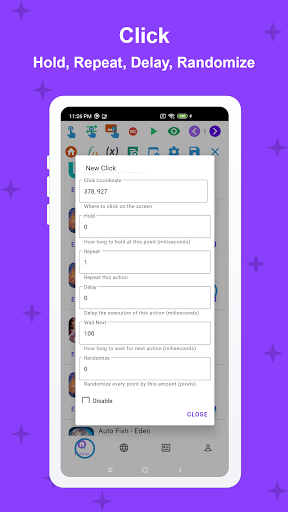
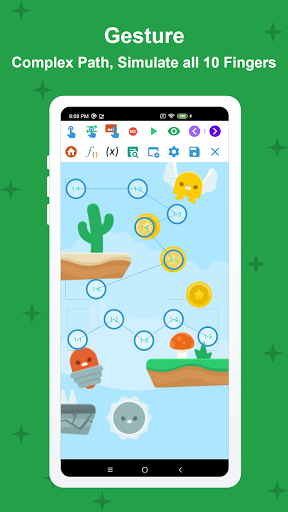
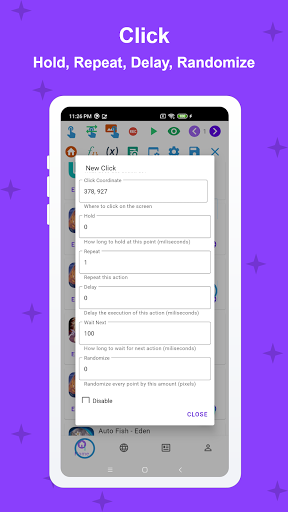
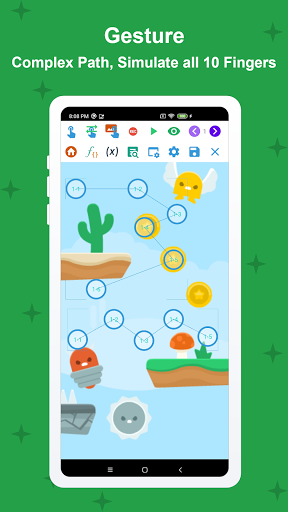
• <b>Click, Swipe</b>: Long clicks, double clicks,...Any swipes or gestures (drag and drop, pinch, zoom,...) and I can do it with all 10 fingers!
• <b>Record and Replay</b>: Record your touches and replay them. This recording can be edited freely, mixed and matched in any order, played at different speeds and intervals. You can even randomize every touch point in it.
• <b>Image Detection</b>: This …
Read the full description
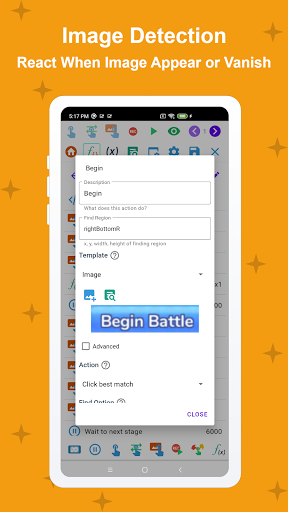
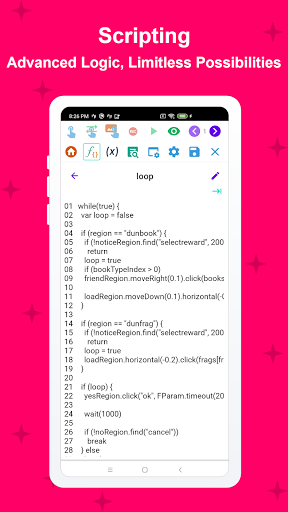
<b>Tell Me About Yourself</b> Hi, I’m Macrorify and I’m a Macro Maker. You might know me as an Auto Clicker. However, I can do more than any other auto clicker. Using Image Detection and Text Recognition, I can help make your macros as powerful as possible. <b>What Are Your Strengths?</b> • <b>Click, Swipe</b>: Long clicks, double clicks,...Any swipes or gestures (drag and drop, pinch, zoom,...) and I can do it with all 10 fingers! • <b>Record and Replay</b>: Record your touches and replay them. This recording can be edited freely, mixed and matched in any order, played at different speeds and intervals. You can even randomize every touch point in it. • <b>Image Detection</b>: This is what I do best. I click on an image when it appears and react to it when it disappears. I can detect multiple images, one after another, and chain multiple triggers together to create complex conditional logic statements. • <b>Text Recognition</b>: I can also see words too, those are images too right?. I can recognize if there is text on the screen or not and let you decide what you want me to do from there. • <b>Intuitive UI</b>: Everything from simple clicks and swipes to Image Detection can be set up in an easy-to-use interface. You can even create your own custom UI. • <b>Compatibility</b>: Best of all, you don't need to root your device! It works from Kitkat onwards and even in emulators! • <b>Optional Scripting</b>: You can write code with me. EMScript is easy to learn and work with. If you're looking to up your macro-making game, this will open the door to limitless possibilities! • <b>Built-in Macro Store</b>: Don’t feel like doing the work? You can also download macros from other users and earn rewards from uploading your own. <b>What Are Your Hobbies and Interests?</b> Some other things I'm good at? Well, I can: • Auto turn screen off to save battery life. • Pause and resume macros. • Adjust the area you want me to click. • Limit the number of items shown on screen. • Run specific actions for testing purposes. <b>What Are Your Weaknesses?</b> In an app my size, there are bound to be mistakes, bugs. Please contact my developer on my website or reach them on Discord if you run into any problems. ** For Android 6 and below users: You need to install a Native Service using a PC for me to work correctly. Please follow the Installation Guide in the app carefully <b>Thank you for your time, we’ll get back to you soon</b> Thank you for having me. I hope you'll give me a chance to show you just how much I can do. <b>Note</b> The app requires Accessibility Service to perform auto-clicking, paste text, press navigation button, etc. No data is collected or shared
Installs, last 30 days Measured
Exact Google Play install counts, collected daily
Ratings
54,318 ratings, 248 reviews
- 5 ★76%
- 4 ★8.3%
- 3 ★0.8%
- 2 ★5.8%
- 1 ★9.2%
Recent reviews
Latest public reviews from the store
- 19 Apr 2026
It's better than every other macro app I've found, but there are still some features I need. One of them is editable hold duration and swipe duration, also when you set the delay to less than 500 it just keeps spamming the image selected for a bit, I also need a feature where the condition follows the image. Other than all it lacks, it's still better most macro apps because of the variables and conditions of actions.
- 12 Apr 2026
I really like this app and would recommend it. It works very well for automation tasks. I suggest adding a feature in Actions called “Edit Detect Location” where one detection area automatically applies to all images, colors, and text in that action. Right now we have to set the same width, height, and location for every single element, which takes a lot of time. Having one universal detection region would make everything much faster and easier to set up.
- 17 Jan 2026
I installed this app to automate camera controls in another app for timelapses. Unfortunately, it seems this app is not really free, and requires a premium payment / some credit system to run for extended periods of time (which is exactly what I need it to do). Uninstalled as I am not interested in fiddling with something that may stop running because because of an artificially imposed limit.
- 1 Mar 2025
The best macro customizer I've seen on the Apps Store, easy to understand, and now it has 2 ways to make macro (Abstract and Details). Unfortunately, the monthly subscription costs means you've got to sacrifice a few days without food in my country. otherwise, it's superb. (I know reputation exist, but those 9 reputations doesn't work by seconds. because each 1st 10 minutes will consume 1 reputation), hopefully dev will add some ads as a way to pay full dailies for them who can't afford it.
What reviewers bring up
Topics mentioned in the latest 10 reviews, by how many reviews mention them
Liked in good reviews (5 reviews)
- requires little 2
- functionality 2
- automation 2
- variables 2
- detection 2
- feature 2
- actions 2
- better 2
Raised in bad reviews (1 reviews)
No topic comes up twice.
Top chart positions
Latest Google Play chart ranks by country, last 10 days
- Countries ranked
- 2
- Best rank
- #86
- Top 10 placements
- 0
- of 2 chart placements
- Average rank
- #112.5
Best countries on Google Play
- 🇰🇷 South Korea · Top grossing, Tools#86
- 🇮🇩 Indonesia · Top grossing, Tools#139
| Country | Chart | Category | Rank | Best (10 days) | Date |
|---|---|---|---|---|---|
| 🇰🇷 South Korea | Top grossing | Tools | #86 | #83 | 18 Nov 2026 |
| 🇮🇩 Indonesia | Top grossing | Tools | #139 | #139 | 14 Nov 2026 |
Macrorify - Image Auto Clicker history
Release, install milestones, listing and store changes
- Reached 1,000,000+ installs 11 Sep 2021
- Reached 500,000+ installs 30 Aug 2021
- Reached 100,000+ installs 16 Aug 2021
- Reached 50,000+ installs 19 Jul 2021
- Reached 10,000+ installs 21 Jun 2021
- Reached 5,000+ installs 7 Jun 2021
- Reached 1,000+ installs 10 May 2021
- Reached 500+ installs 1 May 2021
Update frequency
How often Macrorify - Image Auto Clicker ships a new version, month by month
0 updates in the last 12 months. Less often than most similar apps: they shipped a median of 2 updates in the same year.
Recent versions
Current version 1.6.0.2
- Version 1.6.0.26 Jan 2025
1.6.0.1-1.6.0.2 - Fix crash in Custom Action list - Fix delete resource in Abstract 1.6.0 - Add Custom Setting for job and variable in Abstract Mode. - Add resource management in Abstract Mode. - Fix toast on newer Android.
- Version 1.6.0.12 Jan 2025
- Version 1.6.024 Dec 2024
- Version 1.5.221 Oct 2024
Listing keywords
Words and phrases Macrorify - Image Auto Clicker repeats most in its store listing
Top phrases: auto clicker (4), image detection (4), text recognition (3), detection and text (2).
Highlighted words also appear in the title. Counts cover the title, short description and description.
Business model and tech
From the store listing, the SDKs in the app package and its declared permissions
- Business model
- Free to downloadIn-app purchases
- Built with
- No cross-platform framework or game engine detected
- Ad networks (0)
- None detected
- Subscriptions and payments
- Google Play billing
- Sensitive access
- Draws over other apps
0 ad, attribution and analytics SDKs detected. SDKs are read from the app package and permissions from the store listing, so code that loads later is not seen.
Technology
13 SDKs found in the app package
8 permissions
1 special access, 0 sensitive, 7 standard
- Draw over other appsSpecial access
- Foreground service (media projection)FOREGROUND_SERVICE_MEDIA_PROJECTIONStandard
- Keep the phone awakeStandard
- Run a foreground serviceFOREGROUND_SERVICEStandard
- Full internet accessStandard
- See network connectionsStandard
- Internal app permissionDYNAMIC_RECEIVER_NOT_EXPORTED_PERMISSIONStandard
- In-app purchases with Google PlayStandard
Compliance
What the listing and the app package show
- Store status
- Live
- Upkeep
- Updated 7 Jan 2025
- Privacy policy
- Linked on the listing
- Advertising
- No ads declared
- In-app purchases
- Offered
- Age rating
- Everyone
- Sensitive permissions
- 0 sensitive, 1 special access of 8
- Location access
- No
- Camera and microphone
- Neither
Apps like Macrorify - Image Auto Clicker
WiFi Connection Managerroamingsoft11.3M installs★ 3.61
Sticker Maker – WA Stickershighsecure6.3M installs★ 4.29
Mega Zoom Camera - xZoomJust4Fun Utilities7.6M installs★ 4.38
Gallery Photo Lock, GalleryA+XiX Tech3.2M installs★ 4.78
Video Downloader for Twitter XAculix Technologies LLP2.3M installs★ 4.63
Android Device PolicyGoogle LLC504M installs★ 3.62
Recover Deleted Photos - DSDetective Studio9.7M installs★ 3.68
Game Booster Pro: Turbo ModeScoteam589K installs★ 4.48
Home WiFi AlertDoubleDot Studios25M installs★ 4.16
Macrorify - Image Auto Clicker: questions and answers
How many downloads does Macrorify - Image Auto Clicker have?
Macrorify - Image Auto Clicker has 3,027,347 installs on Google Play, measured from the store's own count on 20 Nov 2026.
Who makes Macrorify - Image Auto Clicker?
Macrorify - Image Auto Clicker is published by KoK-CODE.
When was Macrorify - Image Auto Clicker last updated?
The latest version (1.6.0.2) was released on 7 Jan 2025.
Is Macrorify - Image Auto Clicker free?
Yes. Macrorify - Image Auto Clicker is free to download and offers in-app purchases.
Is Macrorify - Image Auto Clicker still available?
Yes. Macrorify - Image Auto Clicker is live on Google Play as of 20 Nov 2026.
Track Macrorify - Image Auto Clicker and its competitors
Watch any app for new versions, rating drops, chart moves and removals. Free plan, no card.