
Map & Draw: Draw on Map
Draw routes, mark areas & make custom maps with this ultimate Map Creator tool
- Installs
- 275K
- Measured
- Rating
- 3.0
- Ratings
- 588
- 34 reviews
- Version
- 4.4.6
- Updated 1 Nov 2026
- Released
- 16 Nov 2014
- Tracked since 14 May 2026
- Size
- 5 MB
- Needs 4.1
Screenshots




About Map & Draw: Draw on Map
The description on the store listing
Draw on maps, plan routes, mark boundaries, and create your own custom maps — all in one easy-to-use app. Map & Draw turns your device into a powerful map sketching tool for school, travel, real estate, and more.
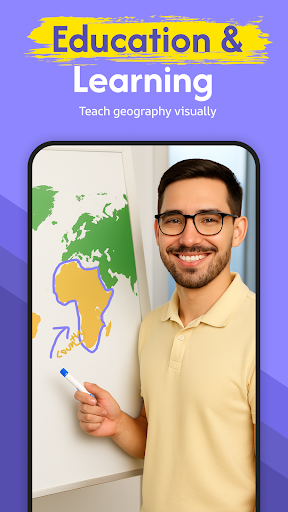
Whether you're a parent helping your child understand geography, a teacher designing creative lessons, or a professional planning site layouts or field routes, Map & Draw offers intuitive tools for any level of user.
✏️ <b>Draw, Sketch & Customize Maps Easily</b>
Use freehand drawing tools to draw on Google Maps, highlight areas, scribble notes, and mark important locations. Choose from different pen colors and thicknesses to create maps that are informative and unique.
• …
Read the full description
Draw on maps, plan routes, mark boundaries, and create your own custom maps — all in one easy-to-use app. Map & Draw turns your device into a powerful map sketching tool for school, travel, real estate, and more. Whether you're a parent helping your child understand geography, a teacher designing creative lessons, or a professional planning site layouts or field routes, Map & Draw offers intuitive tools for any level of user. ✏️ <b>Draw, Sketch & Customize Maps Easily</b> Use freehand drawing tools to draw on Google Maps, highlight areas, scribble notes, and mark important locations. Choose from different pen colors and thicknesses to create maps that are informative and unique. • Draw routes on map and plan your trips visually • Customize maps with drawing tools • Sketch borders, regions, or property lines • Doodle on maps for fun or planning 📍 <b>Real-Time GPS Integration</b> Watch your location update live on the map as you draw. GPS-based route drawing is perfect for hikers, bikers, and surveyors. Track your movement and create custom trails on the go. • Live GPS map drawing • Plan and track outdoor routes • Map hiking or cycling trails 🎓 <b>Educational Tool for Students & Teachers</b> Perfect for classrooms! Teachers can use the app to demonstrate regions, paths, and key locations. Students can engage with maps by drawing country borders, mapping journeys, or solving assignments visually. • Students drawing on maps for school • Teachers create interactive geography lessons • Use doodle maps for learning 🏘️ <b>Ideal for Real Estate, Surveying & Urban Planning</b> Professionals can mark plots, draw property lines, and label custom zones with ease. Great for field teams, real estate agents, or urban planners. • Real estate boundary drawing tool • App to draw survey plots on map • Create tactical maps for planning 🌍 <b>Custom Maps for Everyone</b> Whether you're a DIY mapper, traveler, outdoor enthusiast, or educator, Map & Draw is your companion for creating clear, useful, and beautiful maps. • Make your own maps • Draw routes on map • Map maker with freehand drawing tools • Visual map route planner • Customize Google Maps with drawings • Use maps offline (with saved screenshots or shared maps) 💡 <b>Why Map & Draw?</b> • Easy map drawing for all ages • Designed for students, teachers, travelers & professionals • Intuitive tools with powerful customization • Creative freedom and practical value in one app 🚀 <b>Download Map & Draw Now</b> Start creating, planning, and teaching with custom maps today! Highlight what matters. Customize your world. Make your own maps.
Installs since 27 Aug 2026 Measured
Exact Google Play install counts, collected daily
Ratings
588 ratings, 34 reviews
- 5 ★33%
- 4 ★11%
- 3 ★15%
- 2 ★11%
- 1 ★31%
Recent reviews
Latest public reviews from the store
- 2 Feb 2025
Not just a flaslight it's a Sos strobe light as well. Lamp mode works perfectly for reading or as a night light. Kudos to the developer 👍
- 30 Apr 2023
Good when a REAL flashlight isn't immediately available, good in a pinch sort to say.
- 12 Nov 2021
I've been using this app for years and have really loved it, but all of a sudden the ads have become much more intrusive and annoying. I dont think you can pay for an ad free version - so unfortunately I am going to dump it and look for something else.
- 18 May 2019
now I have it
What reviewers bring up
Topics mentioned in the latest 19 reviews, by how many reviews mention them
Liked in good reviews (14 reviews)
- flashlight 4
- bright 2
- screen 2
- torch 2
Raised in bad reviews (2 reviews)
No topic comes up twice.
Top chart positions
Latest Google Play chart ranks by country, last 10 days
Not in any tracked top chart in the last 10 days.
Map & Draw: Draw on Map history
Release, install milestones, listing and store changes
- Moved from Tools to Maps & Navigation 15 Mar 2025
- Reached 100,000+ installs 29 Jan 2022
- Reached 50,000+ installs 10 Jul 2020
- Reached 10,000+ installs 13 Jul 2017
- Reached 5,000+ installs 5 Dec 2016
- Reached 1,000+ installs 20 Feb 2016
- Reached 500+ installs 19 Sep 2015
- Moved from Social to Tools 29 May 2015
Update frequency
How often Map & Draw: Draw on Map ships a new version, month by month
17 updates in the last 12 months. More often than most similar apps: they shipped a median of 1 updates in the same year.
Recent versions
Current version 4.4.6
- Version 4.4.51 Nov 2026
- Added in-app map save feature, now you can pick up right where you left off - Bug fixes - Added dashed pattern for drawing - Added the most asked featured i.e. ability to move/zoom the map while drawing - Added My Location - Added Undo & Redo - Added option to remove ads - Fixed map not saving bug on Android 13
- Version 4.3.814 Aug 2026
- Added in-app map save feature, now you can pick up right where you left off - Bug fixes - Added dashed pattern for drawing - Added the most asked featured i.e. ability to move/zoom the map while drawing - Added My Location - Added Undo & Redo - Added option to remove ads - Fixed map not saving bug on Android 13
- Version 4.3.45 Jul 2026
- Added in-app map save feature, now you can pick up right where you left off - Bug fixes - Added dashed pattern for drawing - Added the most asked featured i.e. ability to move/zoom the map while drawing - Added My Location - Added Undo & Redo - Added option to remove ads - Fixed map not saving bug on Android 13
- Version 4.3.329 Jun 2026
- Added in-app map save feature, now you can pick up right where you left off - Bug fixes - Added dashed pattern for drawing - Added the most asked featured i.e. ability to move/zoom the map while drawing - Added My Location - Added Undo & Redo - Added option to remove ads - Fixed map not saving bug on Android 13
Listing keywords
Words and phrases Map & Draw: Draw on Map repeats most in its store listing
Top phrases: map draw (6), custom maps (4), real estate (4), draw routes (3), drawing tools (3).
Highlighted words also appear in the title. Counts cover the title, short description and description.
Business model and tech
From the store listing and declared permissions
- Business model
- Free to downloadIn-app purchasesShows ads
- Sensitive access
- No sensitive permission declared
Compliance
What the listing and the app package show
- Store status
- Live
- Upkeep
- Updated 1 Nov 2026
- Registered in
- Pakistan
- Privacy policy
- Linked on the listing
- Advertising
- Shows ads
- In-app purchases
- Offered
- Age rating
- Everyone
Apps like Map & Draw: Draw on Map
Total TrafficiHeartMedia, Inc.80.8K installs★ 2.97
CycleStreets journey plannerCycleStreets Ltd136K installs★ 3.0
Park EvanstonPassport Labs, Inc.102K installs★ 3.93
1899대리운전1899대리운전185K installs★ 4.1
CRE ToolboxCR England65.9K installs★ 3.05
Coordinate Converter PlusTennyson Chingombe200K installs★ 4.03
DashCam (Dashboard Camera)Hamerkop Ltd192K installs★ 2.75
BusWhere for SchoolsBusWhere51K installs★ 4.38
Pame AppCyprus Public Transport164K installs★ 2.42
Map & Draw: Draw on Map: questions and answers
How many downloads does Map & Draw: Draw on Map have?
Map & Draw: Draw on Map has 275,084 installs on Google Play, measured from the store's own count on 14 Nov 2026.
Who makes Map & Draw: Draw on Map?
Map & Draw: Draw on Map is published by Applab Studios, a developer based in PK.
When was Map & Draw: Draw on Map last updated?
The latest version (4.4.6) was released on 1 Nov 2026.
Is Map & Draw: Draw on Map free?
Yes. Map & Draw: Draw on Map is free to download and offers in-app purchases, and it shows ads.
Is Map & Draw: Draw on Map still available?
Yes. Map & Draw: Draw on Map is live on Google Play as of 14 Nov 2026.
Track Map & Draw: Draw on Map and its competitors
Watch any app for new versions, rating drops, chart moves and removals. Free plan, no card.