
Millimeter Pro - screen ruler
Accurate screen ruler to measure length, area, angle,TPI. Real full screen ruler
- Installs
- 188K
- Measured
- Rating
- 4.61
- Ratings
- 1.4K
- 69 reviews
- Version
- Varies with device
- Updated 6 Sep 2025
- Released
- 25 Sep 2012
- Tracked since 13 May 2026
- Size
- 3 MB
- Needs 4.0.3
Also on App Store: Millimeter Pro - screen ruler (109 ratings)
Screenshots
About Millimeter Pro - screen ruler
The description on the store listing
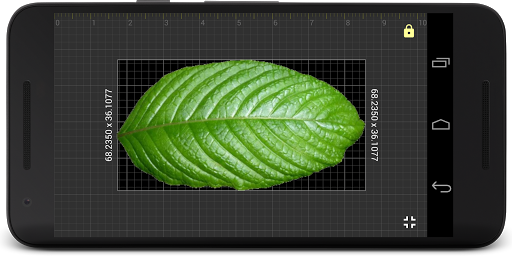
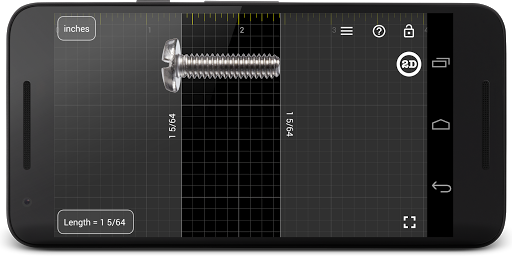
Millimeter is a screen ruler app. It uses the full screen of Android devices for distance and length measurements as a caliper or tape measure. Place an object on the scale paper screen and simply touch and move rulers to measure it. Check features for more details. Pro version measures area, circle, radius and diameter, angle, ratio, and splits into equal parts.
NO POP-UP ADS on your screen in the app unlike other free ruler apps on market. The best and real full-screen ruler.
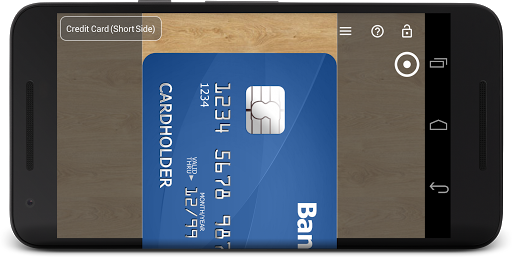
☛ ANY DEVICE can be calibrated for accurate measurements in Calibration Mode, where common standard objects (coins, credit cards, etc) can be used as a reference.
More about the app: goo.gl/aF9L9Q
Posts …
Read the full description
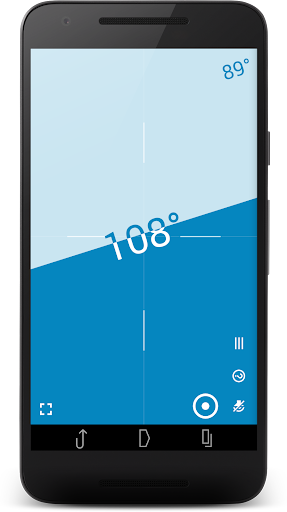
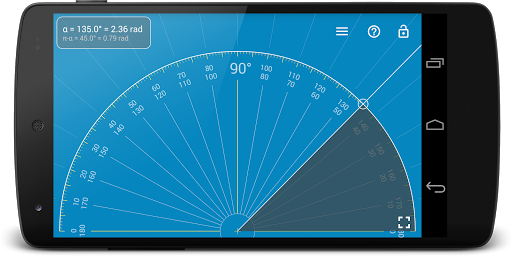
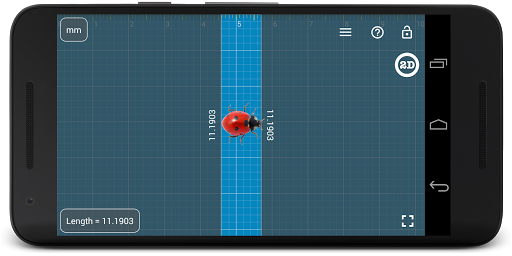
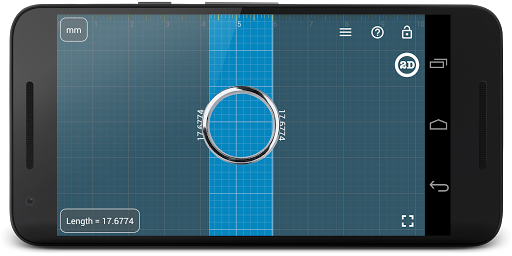
Millimeter is a screen ruler app. It uses the full screen of Android devices for distance and length measurements as a caliper or tape measure. Place an object on the scale paper screen and simply touch and move rulers to measure it. Check features for more details. Pro version measures area, circle, radius and diameter, angle, ratio, and splits into equal parts. NO POP-UP ADS on your screen in the app unlike other free ruler apps on market. The best and real full-screen ruler. ☛ ANY DEVICE can be calibrated for accurate measurements in Calibration Mode, where common standard objects (coins, credit cards, etc) can be used as a reference. More about the app: goo.gl/aF9L9Q Posts about the app: http://goo.gl/304nJB 📏 What you can do in Pro version: - Calibrate Millimeter with custom or standard objects (💳) - Ruler Mode for measure in metric and imperial units: mm and inch - Use fractions for inch units - Use the app as a standard ruler - Use full-screen mode for better user experience in Ruler mode - Additional vertical ruler for 2D measurements (📐) - Area measurement for 2D measurements (⬛) - Calculate the W/H ratio of the rectangular objects in 2D - Parts Mode to split length into equal parts - Thread per inch ( TPI ) measurement pattern (🔩) in Parts mode (https://youtu.be/M1Qrbs2bgCY) - Spirit/bubble level for checking incline or tilt angle 🔮 - Circle Mode to measure circular objects (🔴) - Split circle into equal sectors - Protractor / Goniometer Mode to measure angles (⚪) - Lock / Unlock rulers in any mode for better usability (🔒) - Set exact size, length, diameter, number of parts manually with keyboard input (⌨) - Change background to BW night mode for power saving (🔋) and better visualization (🌓) - turn on/of the fine grid (1 mm for millimeter units) - Read interactive Help / Guide about all available features in a mode Use this screen ruler in different projects where you need to measure small objects that fit your screen: jewelry, rings 💍, screws and bolts, buttons and beads, nuts and washers, knitting pattern, insects, hooks, thread, etc. Units: millimeter (mm), inch (in). Fractions are supported for inch units. Supported languages: - English, German, Russian, Japanese, and French. ☎ If you have any problems with the app on your device, please contact [email protected] first and we will help you. Thank you. VisTech.Projects Team. Note: measurement range limited by the size of your screen and with fine calibration, the app gives you accuracy comparable to a standard ruler or measure tape.
Installs, last 30 days Measured
Exact Google Play install counts, collected daily
Ratings
1,432 ratings, 69 reviews
- 5 ★84%
- 4 ★6.9%
- 3 ★2.5%
- 2 ★1.9%
- 1 ★5.0%
Recent reviews
Latest public reviews from the store
- 28 Nov 2022
😅
- 25 Sep 2022
Love it, a bit of learning curve, but once there it rocks
- 20 Sep 2022
👍
- 27 Jan 2022
Very useful when a ruler or tape measure isn't at hand
What reviewers bring up
Topics mentioned in the latest 45 reviews, by how many reviews mention them
Liked in good reviews (29 reviews)
- accurate 4
- measure 4
- screen 3
- ruler 3
- partometer 2
- responsive 2
- developer 2
- solution 2
Raised in bad reviews (10 reviews)
- measurement 3
- money 3
- measuring 2
- accuracy 2
- android 2
- picture 2
- first 2
Top chart positions
Latest Google Play chart ranks by country, last 10 days
Not in any tracked top chart in the last 10 days.
Millimeter Pro - screen ruler history
Release, install milestones, listing and store changes
- First released on the store 25 Sep 2012
Update frequency
How often Millimeter Pro - screen ruler ships a new version, month by month
0 updates in the last 12 months. Less often than most similar apps: they shipped a median of 1 updates in the same year.
Recent versions
Current version Varies with device
- Version 2.3.65 Sep 2025
- Version 2.3.52 Jan 2025
- Version 2.3.43 Nov 2023
- Version 2.3.33 May 2023
Listing keywords
Words and phrases Millimeter Pro - screen ruler repeats most in its store listing
Top phrases: screen ruler (6), full screen (4), full screen ruler (2), mode for better (2), mode to measure (2).
Highlighted words also appear in the title. Counts cover the title, short description and description.
Business model and tech
From the store listing, the SDKs in the app package and its declared permissions
- Business model
- Paid, $3.99
- Built with
- No cross-platform framework or game engine detected
- Ad networks (0)
- None detected
- Analytics and crash reports
- Firebase
- Sensitive access
- Advertising ID
1 ad, attribution and analytics SDKs detected. SDKs are read from the app package and permissions from the store listing, so code that loads later is not seen.
Technology
17 SDKs found in the app package
7 permissions
0 special access, 0 sensitive, 7 standard
- Read how it was installed (install referrer)BIND_GET_INSTALL_REFERRER_SERVICEStandard
- Read the advertising IDAD_IDStandard
- Control vibrationStandard
- Keep the phone awakeStandard
- Full internet accessStandard
- See network connectionsStandard
- Google Play license checkStandard
Compliance
What the listing and the app package show
- Store status
- Live
- Upkeep
- Updated 6 Sep 2025
- Registered in
- United States
- Privacy policy
- Linked on the listing
- Advertising
- No ads declared
- In-app purchases
- None declared
- Age rating
- Everyone
- Sensitive permissions
- 0 sensitive of 7
- Location access
- No
- Camera and microphone
- Neither
Apps like Millimeter Pro - screen ruler
JobNimbus: All-In-One Roof AppJobNimbus, LLC48.1K installs★ 4.61
CSEntry CSPro Data EntryUS Census Bureau1.2M installs★ 4.0
Secure Notes Lock - Notepad -NewSoftwares LLC135K installs★ 4.07
MVola ComoresYAS Madagascar123K installs★ 4.5
EFL Joy of SellingEureka Forbes56.2K installs★ 3.6
Korean KeyboardAbbott Cullen309K installs★ 3.54
Beit QRcode(Accurate Read)Ma Dav2.8M installs★ 3.88
My GoodBarberGoodBarber SAS349K installs★ 3.37
SMS by Voice - Voice to TextGalaxy Apps Center503K installs★ 4.14
Millimeter Pro - screen ruler: questions and answers
How many downloads does Millimeter Pro - screen ruler have?
Millimeter Pro - screen ruler has 187,835 installs on Google Play, measured from the store's own count on 20 Nov 2026.
Who makes Millimeter Pro - screen ruler?
Millimeter Pro - screen ruler is published by vistech.projects, a developer based in US.
When was Millimeter Pro - screen ruler last updated?
The latest version (Varies with device) was released on 6 Sep 2025.
Is Millimeter Pro - screen ruler free?
No. Millimeter Pro - screen ruler is a paid app priced at $3.99.
Is Millimeter Pro - screen ruler still available?
Yes. Millimeter Pro - screen ruler is live on Google Play as of 20 Nov 2026.
Track Millimeter Pro - screen ruler and its competitors
Watch any app for new versions, rating drops, chart moves and removals. Free plan, no card.