Mirror Link
Looking to connect your phone to your car screen? Mirror Link is the solution.
- Installs
- 2.14M
- Measured
- Rating
- 3.16
- Ratings
- 23K
- 399 reviews
- Version
- 41.0
- Updated 17 Sep 2026
- Released
- 31 Aug 2020
- Tracked since 13 May 2026
- Size
- 4 MB
- Needs 4.4
Screenshots
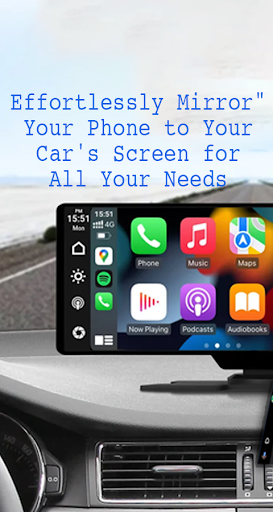
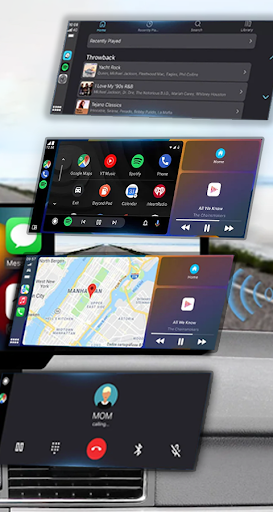
About Mirror Link
The description on the store listing
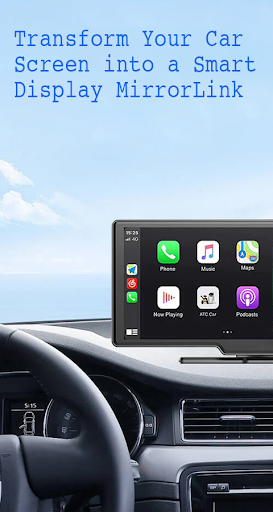
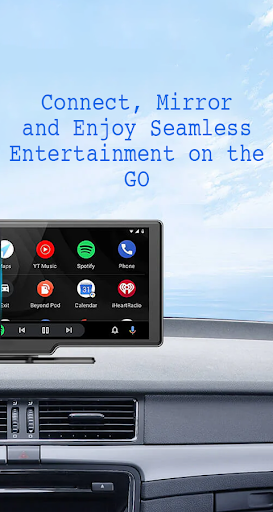
With Mirror Link , you can connect your phone to your car's screen wirelessly or via USB. This app allows you to display your phone's screen on your car's screen and other devices, enhancing driving safety by providing easy access to your phone's features.
Features:
- Static Screen Sharing: Share your smartphone screen with your car screen easily and stably.
- WIRELESS AND USB CONNECTION: Connect your phone to your car's display without any cables using wireless connectivity options.
- Screen Sharing and Communication: Simple and fast connection with one click.
- Multimedia Access: Listen to music, watch movies, text, call, and view maps on your car screen.
- Automation: You can …
Read the full description
With Mirror Link , you can connect your phone to your car's screen wirelessly or via USB. This app allows you to display your phone's screen on your car's screen and other devices, enhancing driving safety by providing easy access to your phone's features. Features: - Static Screen Sharing: Share your smartphone screen with your car screen easily and stably. - WIRELESS AND USB CONNECTION: Connect your phone to your car's display without any cables using wireless connectivity options. - Screen Sharing and Communication: Simple and fast connection with one click. - Multimedia Access: Listen to music, watch movies, text, call, and view maps on your car screen. - Automation: You can play and pause music automatically when your device connects to the car display. - Full Mirror Link: Enjoy the phone with full mirror link on the car screen. - Smart mirror link: Works with old and new cars. - Universal Compatibility: Compatible with all car brands and devices with built-in web browsers. - Mirrorlink Car Play: Seamlessly integrates with Mirror Link CarPlay and Android Auto systems. Turn your phone into a convenient control panel for using various applications via your car's touchscreen, watch movies and listen to music on YouTube and other platforms, and utilize Apple CarPlay and Android Auto for hands-free calling, navigation maps, and music streaming. Enhance road safety with easy access to your phone's features, allowing you to focus on driving. Additionally, use a simple car starter app to connect your phone to your car's TV without any screen sharing cable. how to use: 1. Make sure your phone and car have Miracast/Wireless display options. 2. In the car's Dashbroid, turn on the "Miracast" function. 3. Open the Mirror Link app, select “Connect Car”, and wait for the device to be searched. 4. Create a connection to mirror your phone screen with car screen easily. Mirror Link is an easy app to cast to any car screen, providing a great mirror experience. Enable Mirrorlink for your car to enjoy web video streaming, photo streaming, audio streaming, and simple automation screen connections. Automatically play and pause when your mobile phone connects to your car's screen. Disclaimer: Mirror Link is owned by us and we are not affiliated, associated, authorized, sponsored, or endorsed by, or in any way officially connected with any other apps or companies.
Installs, last 30 days Measured
Exact Google Play install counts, collected daily
Ratings
23,013 ratings, 399 reviews
- 5 ★46%
- 4 ★3.3%
- 3 ★8.5%
- 2 ★2.6%
- 1 ★39%
Recent reviews
Latest public reviews from the store
- 7 Jun 2025
good
- 14 May 2025
i like it very clear view
- 2 May 2025
well & good
- 27 Jan 2025
Very handy instead of having to carry a mirror.
What reviewers bring up
Topics mentioned in the latest 50 reviews, by how many reviews mention them
Liked in good reviews (35 reviews)
- mirror 4
- clear 4
- handy 3
- hair 2
Raised in bad reviews (13 reviews)
- trying 2
- paid 2
Top chart positions
Latest Google Play chart ranks by country, last 10 days
Not in any tracked top chart in the last 10 days.
Mirror Link history
Release, install milestones, listing and store changes
- Reached 1,000,000+ installs 5 May 2022
- Reached 500,000+ installs 10 Apr 2021
- Reached 100,000+ installs 31 Oct 2020
- Reached 50,000+ installs 6 Oct 2020
- Reached 10,000+ installs 15 Sep 2020
- Reached 5,000+ installs 12 Sep 2020
- Reached 1,000+ installs 8 Sep 2020
- Reached 500+ installs 7 Sep 2020
Update frequency
How often Mirror Link ships a new version, month by month
1 updates in the last 12 months. Less often than most similar apps: they shipped a median of 4 updates in the same year.
Recent versions
Current version 41.0
- Version 41.016 Dec 2025
- Version 40.020 Sep 2025
- Version 38.08 Jul 2025
- Version 36.028 Nov 2024
Listing keywords
Words and phrases Mirror Link repeats most in its store listing
Top phrases: mirror link (10), car screen (6), connect your phone (4), car's screen (3), screen sharing (3).
Highlighted words also appear in the title. Counts cover the title, short description and description.
Business model and tech
From the store listing, the SDKs in the app package and its declared permissions
- Business model
- Free to downloadShows ads
- Built with
- No cross-platform framework or game engine detected
- Ad networks (1)
- AdMob
- Analytics and crash reports
- Firebase
- Sensitive access
- ContactsPhone and callsAdvertising ID
2 ad, attribution and analytics SDKs detected. SDKs are read from the app package and permissions from the store listing, so code that loads later is not seen.
Technology
31 SDKs found in the app package
Ad networks
Advertising and install-attribution SDKs found in the app package
- AdMob
13 permissions
0 special access, 3 sensitive, 10 standard
- Read contactsSensitive
- Show notificationsPOST_NOTIFICATIONSSensitive
- Call phone numbersSensitive
- Ad attribution (Privacy Sandbox)ACCESS_ADSERVICES_ATTRIBUTIONStandard
- Ad topics (Privacy Sandbox)ACCESS_ADSERVICES_TOPICSStandard
- Read the advertising IDAD_IDStandard
- Read the advertising ID (Privacy Sandbox)ACCESS_ADSERVICES_AD_IDStandard
- Keep the phone awakeStandard
- Run a foreground serviceFOREGROUND_SERVICEStandard
- Full internet accessStandard
- See network connectionsStandard
- See Wi-Fi connectionsStandard
Compliance
What the listing and the app package show
- Store status
- Live
- Upkeep
- Updated 17 Sep 2026
- Registered in
- Israel
- Privacy policy
- Linked on the listing
- Advertising
- Shows ads
- In-app purchases
- None declared
- Age rating
- Everyone
- Sensitive permissions
- 3 sensitive of 13
- Location access
- No
- Camera and microphone
- Neither
Apps like Mirror Link
My CureCentre for Good Governance, Hyderabad1.3M installs★ 3.49
TP-LINK tpCameraTP-LINK SYSTEMS INC.1.3M installs★ 4.07
PPSS22 Emulator - PS2 EmulatorBlue Oliver's4.4M installs★ 3.22
Mods & Map for MCPE MinecraftRETRO GAMING LABS1.6M installs★ 4.37
Connected Wifi InfoFa9ssa701K installs★ 3.88
Update Software App: UpdatesVidmark Inc.4.9M installs★ 3.92
App Cloner Premium & Add-onsApp Listo10.2M installs★ 1.92
MirrorLinkBoss Inc1.6M installs★ 4.28
IP Pro(VR Cam, EseeCloud)Wu peilin4M installs★ 1.71
Mirror Link: questions and answers
How many downloads does Mirror Link have?
Mirror Link has 2,142,307 installs on Google Play, measured from the store's own count on 19 Nov 2026.
Who makes Mirror Link?
Mirror Link is published by Flavapp, a developer based in IL.
When was Mirror Link last updated?
The latest version (41.0) was released on 17 Sep 2026.
Is Mirror Link free?
Yes. Mirror Link is free to download, and it shows ads.
Is Mirror Link still available?
Yes. Mirror Link is live on Google Play as of 19 Nov 2026.
Track Mirror Link and its competitors
Watch any app for new versions, rating drops, chart moves and removals. Free plan, no card.