
Mobile Forms App - Zoho Forms
Forms app for everyone. Create mobile forms and collect data online or offline.
- Installs
- 906K
- Measured
- Rating
- 3.94
- Ratings
- 3.1K
- 90 reviews
- Version
- 3.29.0
- Updated 26 Oct 2026
- Released
- 3 Mar 2015
- Tracked since 13 May 2026
- Size
- 13 MB
- Needs 4.0
Screenshots

About Mobile Forms App - Zoho Forms
The description on the store listing
Zoho Forms is a form-building app that empowers you to create forms, collect and analyse data, and generate insights with ease. Our form builder is packed with powerful features that simplify data collection—even in places with no internet connection—making it the perfect forms app for businesses of all sizes.
Our custom form maker offers a convenient way to distribute paperless forms among your team members instantly and enable data collection on smartphones and tablets—all without coding.
Key features that set Zoho Forms apart:
Offline forms: Effortlessly switch to offline mode when faced with limited mobile data or network connection issues. Zoho Forms operates effectively as an …
Read the full description
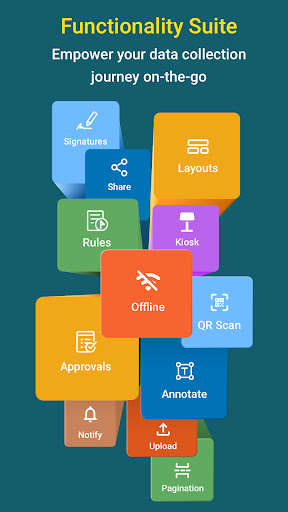
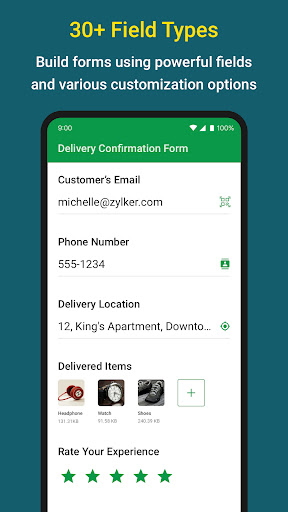
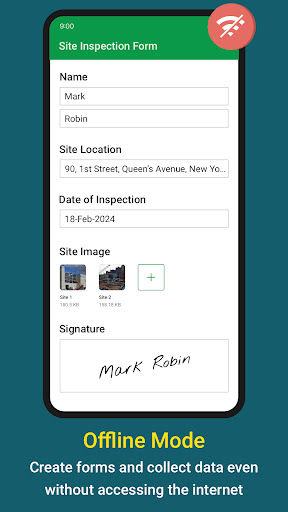
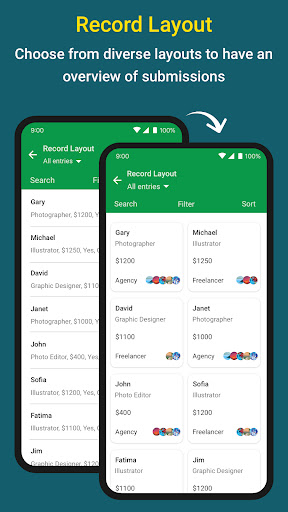
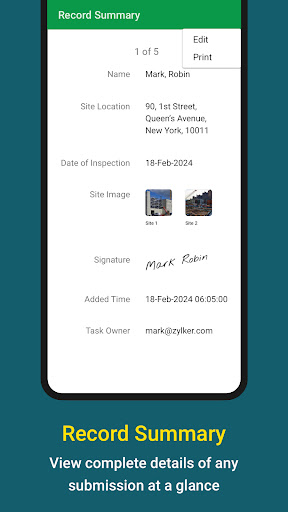
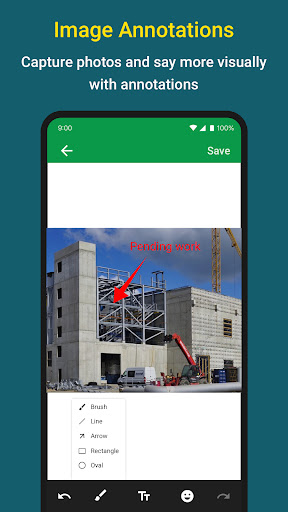
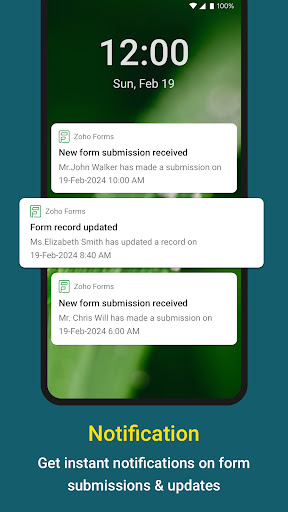
Zoho Forms is a form-building app that empowers you to create forms, collect and analyse data, and generate insights with ease. Our form builder is packed with powerful features that simplify data collection—even in places with no internet connection—making it the perfect forms app for businesses of all sizes. Our custom form maker offers a convenient way to distribute paperless forms among your team members instantly and enable data collection on smartphones and tablets—all without coding. Key features that set Zoho Forms apart: Offline forms: Effortlessly switch to offline mode when faced with limited mobile data or network connection issues. Zoho Forms operates effectively as an offline data collection tool, enabling you to sync data with your account when you regain internet connectivity. Kiosk mode: Transform your device into a data-collection kiosk, facilitating the collection responses at events. Image annotation: Capture and upload images with annotations and labels for contextual analysis. Barcode and QR code scanning: Automatically populate fields by scanning codes with your device's camera, enhancing data accuracy. Signatures: Collect digital signatures to streamline workflows and process documents. Capture locations: Capture a device's location coordinates to autofill address details on forms, for accuracy and convenience. Folders: Organize all your business forms with folders, simplifying form management for everyone in your organization. Record layout: Choose from a variety of available layouts to optimize your forms data for review. What makes Zoho Forms the best choice for your data collection needs? Form builder With 30+ field types, it's easy to create digital forms and offline forms. Media fields Embrace versatile data collection with media fields enabling users to upload images, audio files, videos, and more. Sharing options Share forms with your team, publish it on websites and distribute it via emails. Notifications Stay informed about form entries and updates with email, SMS, push, and WhatsApp notifications. Logic and formulas Use conditional logic to trigger smart operations and set up formulas to perform calculations. Approvals and tasks Collaborate with your team delegate entries as tasks, and configure multilevel approval workflows for business automation. Tools to view and export data Filter entries, export them as CSV or PDF files, and send the data to your business apps for further processing. Security Ensure secure storage of mobile form data with encryption and maintain compliance with data protection standards. Integrations Push data to apps such as Zoho CRM, Salesforce, Google Sheets, Google Drive, Microsoft Teams, and Google Calendar, by configuring integrations via online form builder. Here's how Zoho Forms can transform your work: Construction: Ensure compliance by providing checklists and completing incident reports promptly with mobile forms--even while you're working offline. Healthcare: Create intake form and health questionnaires to simplify processes for your patients. Education: Streamline student admissions, course evaluations, and student attendance. Nonprofits: Efficiently manage donation collection, volunteer sign-ups and event registrations. Real estate: Conduct property inspections, and collect client feedback. Hospitality: Enhance booking processes and collect detailed feedback. Retail: Drive customer engagement with product feedback forms and order forms. Government: Simplify services like permit applications and vehicle registration. Manufacturing: Optimize supply chain activities and drive product development. Freelancers: Manage client projects and streamline invoicing. Zoho Forms is free to use forever, with subscription plans available for organizations with more complex needs. We are committed to making your work process easy and efficient with our mobile forms app. If you have any questions, reach out to us at [email protected].
Installs, last 30 days Measured
Exact Google Play install counts, collected daily
Ratings
3,119 ratings, 90 reviews
- 5 ★55%
- 4 ★13%
- 3 ★14%
- 2 ★4.9%
- 1 ★13%
Recent reviews
Latest public reviews from the store
No reviews in our sample for this app yet.
Top chart positions
Latest Google Play chart ranks by country, last 10 days
Not in any tracked top chart in the last 10 days.
Mobile Forms App - Zoho Forms history
Release, install milestones, listing and store changes
- First released on the store 3 Mar 2015
Update frequency
How often Mobile Forms App - Zoho Forms ships a new version, month by month
10 updates in the last 12 months. More often than most similar apps: they shipped a median of 4 updates in the same year.
Recent versions
Current version 3.29.0
- Version 3.29.026 Oct 2026
3.29.0 - Office Use Only Section: Add fields for internal use that remain hidden from respondents. - Dependent Dropdown Field: Create multi-level dropdowns that display groups first and show choices based on the selected group. - Move Back in Approvals: Allow approvers to move submissions back to a previous approval level for re-review. - Bug fixes and performance enhancements.
- Version 3.27.017 Aug 2026
3.27.0 - Welcome page: Welcome Page is now supported, giving respondents an introduction before they start filling out the form. - Multiple Geofences: Add geofences for multiple locations and restrict form access to the specified geographical areas. - Custom Entry Format: Single Line fields now support custom input formats using predefined character patterns in live forms. - Bug fixes and performance enhancements.
- Version 3.26.028 Jul 2026
3.26.0 – Regex Field Ensure respondent input follows your required format using custom patterns in live form. – Image Slider Field Showcase multiple images in a carousel format within live form. – Field Rules Automatically set field values and hide or disable fields in live form using Set Value actions. – PDF Embed Field View PDF documents directly in live form. – Matrix Choice Fields Collect different input types in a single matrix choice field. – Bug fixes and performance enhancements.
- Version 3.25.011 Jun 2026
3.25.0 - Form Encryption: Access form data in encrypted forms securely using an access code. - Large List Field: Large List field is now supported in live forms to handle a large number of choices efficiently. - Bug fixes and performance enhancements.
Listing keywords
Words and phrases Mobile Forms App - Zoho Forms repeats most in its store listing
Top phrases: zoho forms (7), data collection (6), mobile forms (4), form builder (3), media fields (2).
Highlighted words also appear in the title. Counts cover the title, short description and description.
Business model and tech
From the store listing, the SDKs in the app package and its declared permissions
- Business model
- Free to downloadIn-app purchases
- Built with
- No cross-platform framework or game engine detected
- Ad networks (0)
- None detected
- Subscriptions and payments
- Google Play billing
- Analytics and crash reports
- Firebase
- Sensitive access
- LocationCameraMicrophoneContactsPhotos, videos and files
1 ad, attribution and analytics SDKs detected. SDKs are read from the app package and permissions from the store listing, so code that loads later is not seen.
Technology
39 SDKs found in the app package
22 permissions
0 special access, 7 sensitive, 15 standard
- Record audioSensitive
- Take photos and videosSensitive
- Read contactsSensitive
- Change or delete shared storageSensitive
- Read shared storageSensitive
- Precise locationSensitive
- Show notificationsPOST_NOTIFICATIONSSensitive
- Use accounts on the deviceStandard
- Add home screen shortcutsStandard
- Change audio settingsStandard
- Control vibrationStandard
- Keep the phone awakeStandard
Compliance
What the listing and the app package show
- Store status
- Live
- Upkeep
- Updated 26 Oct 2026
- Registered in
- United States
- Privacy policy
- Linked on the listing
- Advertising
- No ads declared
- In-app purchases
- Offered
- Age rating
- Everyone
- Sensitive permissions
- 7 sensitive of 22
- Location access
- Yes, while in use
- Camera and microphone
- Both
Apps like Mobile Forms App - Zoho Forms
Secretcv - İş İlanı Ara & BulSecretcv.com1M installs★ 1.0
Morni ProviderMorni Holding (KSA)62.1K installs★ 4.12
NMAC Account ManagerNissan USA595K installs★ 1.79
E-PASS Toll AppCentral Florida Expressway Authority846K installs★ 4.55
Moje VSEVýchodoslovenská energetika holding, a.s.90.3K installs★ 5.0
100 USDTAppART34.9K installs★ 4.35
Tableau MobileSalesforce, Inc.807K installs★ 4.3
Steadfast CourierZavisoft1.2M installs★ 3.11
MEI Gratis - CNPJ, DAS, VendasCodex Tecnologia492K installs★ 4.33
Mobile Forms App - Zoho Forms: questions and answers
How many downloads does Mobile Forms App - Zoho Forms have?
Mobile Forms App - Zoho Forms has 906,281 installs on Google Play, measured from the store's own count on 18 Nov 2026.
Who makes Mobile Forms App - Zoho Forms?
Mobile Forms App - Zoho Forms is published by Zoho Corporation, a developer based in US.
When was Mobile Forms App - Zoho Forms last updated?
The latest version (3.29.0) was released on 26 Oct 2026.
Is Mobile Forms App - Zoho Forms free?
Yes. Mobile Forms App - Zoho Forms is free to download and offers in-app purchases.
Is Mobile Forms App - Zoho Forms still available?
Yes. Mobile Forms App - Zoho Forms is live on Google Play as of 18 Nov 2026.
Track Mobile Forms App - Zoho Forms and its competitors
Watch any app for new versions, rating drops, chart moves and removals. Free plan, no card.