
Mobizen Screen Recorder
Screen Record, create GIF, edit, AutoTap, all from one single app, Mobizen!
- Installs
- 230M
- Measured
- Rating
- 4.27
- Ratings
- 3.3M
- 75.7K reviews
- Version
- 3.10.17.5
- Updated 1 Jul 2026
- Released
- 9 May 2012
- Tracked since 10 May 2026
- Size
- 33 MB
- Needs 4.4
Screenshots
About Mobizen Screen Recorder
The description on the store listing
<h2>The Screen Recorder you were looking for</h2>
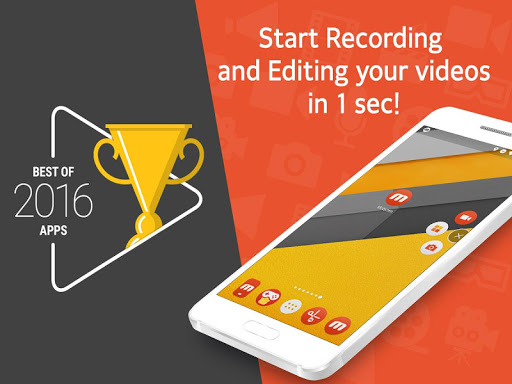
▶ The “<b>Best of 2016 Apps</b>” selected by Google.
▶ Screen recorder selected by <b>global 200 million users</b>.
▶ <b>Featured in Google Play</b>.
----- Featured in many countries such as Korea, USA, Europe, Japan, North and South America
▶ Screen recording, capture, and editing functions are <b>free</b>.
▶ The video recorded with the Mobizen app is <b>not saved on the server, only on the user device</b>, so use it with confidence!
▶ Use it immediately <b>without signing up</b> (login).
▶ Meet Auto Tap and screen recording on Mobizen!
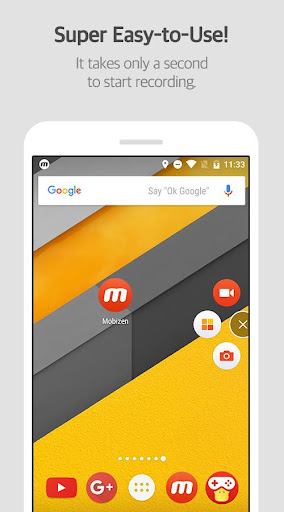
<b>Download Mobizen Screen Recorder, which can start recording easily with one click, and …
Read the full description
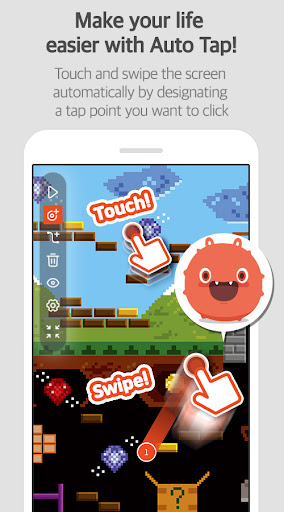
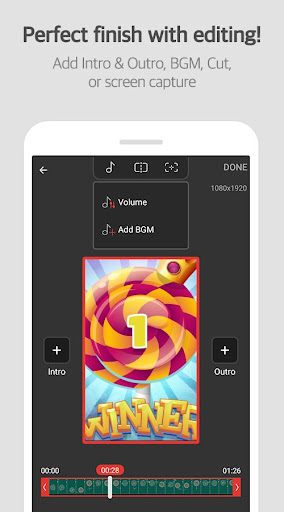
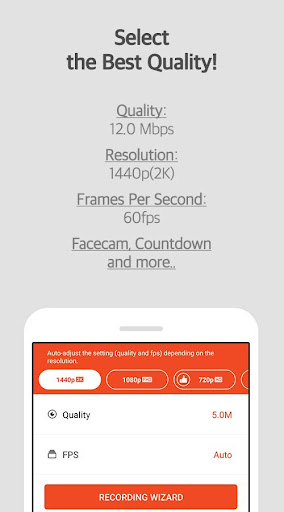
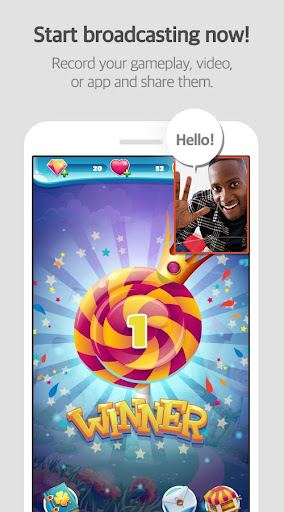
<h2>The Screen Recorder you were looking for</h2> ▶ The “<b>Best of 2016 Apps</b>” selected by Google. ▶ Screen recorder selected by <b>global 200 million users</b>. ▶ <b>Featured in Google Play</b>. ----- Featured in many countries such as Korea, USA, Europe, Japan, North and South America ▶ Screen recording, capture, and editing functions are <b>free</b>. ▶ The video recorded with the Mobizen app is <b>not saved on the server, only on the user device</b>, so use it with confidence! ▶ Use it immediately <b>without signing up</b> (login). ▶ Meet Auto Tap and screen recording on Mobizen! <b>Download Mobizen Screen Recorder, which can start recording easily with one click, and start recording gameplay, video, and live broadcasting easily and conveniently!</b> <h2>Do you want your first screen recording to be perfect?</h2> ㆍClean screen recording <b>without a record button</b> through Hide Air Circle mode! ㆍRecord the screen <b>without watermark for free</b> using Clean mode! ㆍ<b>Not only FULL HD (FHD) screen recording, but also QUAD HD (QHD, 2K) screen recording! Supported maximum recording quality ▷ Recording resolution 1440P, recording quality 24.0Mbps, frame rate 60fps</b> ㆍ<b>Facecam</b> function! Express your reactions freely and record game sounds and voices together! ㆍ<b>Save to external memory (SD card)!</b> Record long screen recordings of more than an hour without worrying about memory! ㆍ<b>Various image editing functions</b> Increase the quality of the recorded video! <h2>Only in Mobizen</h2> ㆍProvide <b>Auto Tap and Auto Swiping functions!</b> ㆍHighlight important points through the <b>drawing function!</b> ㆍCreate your <b>own watermark!</b> ㆍ<b>Create a GIF</b> and create a fun meme! ㆍChoose the <b>type of Air Circle!</b> (mini type, time bar type, transparent type) <h2>Mobizen Recorder adopts AccessibilityService API to enable the core features Auto Tap and Auto Swiping.</h2> 1. Why is AccessibilityService API required? ▶ The AccessibilityService API allows to perform features such as Auto Tap and Auto Swiping. 2. Do you collect and/or transmit any personal data using AccessibilityService? ▶ No, we do not collect and/or transmit any personal data using AccessibilityService API. <h2>Download it now and try it!</h2> ===== ㆍHelpdesk: support.mobizen.com ㆍYoutube channel: youtube.com/mobizenapp Do you have any unnatural sounding text while using the Mobizen app? ㆍSuggest a language☞ https://goo.gl/forms/pHGNRoD7nvalOU5l1 ※ App access rights ㆍRequired access rights Storage: Used for saving and editing recorded video & image files. ㆍOptional access rights - Camera: Used for Facecam settings and Air Circle custom when recording screens. - Microphone: Used for sound recording function during screen recording. - Draw on top of other apps: To open Mobizen's Air Circle, you need to grant permission to draw on top of other apps. - Notification: Used for top notification bar and some other functions from Mobizen. * Please note that you can use the app even if you do not agree to the optional access rights. * From Android OS 6.0 or higher, you can set and revoke access rights. * If you are using Android OS version less than 6.0, you can modify the permissions after updating the software. ----
Installs, last 30 days Measured
Exact Google Play install counts, collected daily
Ratings
3,341,810 ratings, 75,731 reviews
- 5 ★73%
- 4 ★7.7%
- 3 ★4.6%
- 2 ★3.2%
- 1 ★12%
Recent reviews
Latest public reviews from the store
- 11 Apr 2026
ok
- 17 Feb 2026
I can interal record because it have soo many bugs is like the original one if this app fix this problem I just delete it + there's 22 bugs why
- 18 Jan 2026
It 's great app use it and you will love it and with premuim you call colour so download !!!!!!!
- 25 Aug 2025
quay tốt mà sao ko bật tiếng khi quay vậy , bật cái tùy chọn cho người ta tự do bật tắt tiếng bộ khó lắm à
What reviewers bring up
Topics mentioned in the latest 50 reviews, by how many reviews mention them
Liked in good reviews (39 reviews)
- record 3
- quality 2
- audio 2
- other 2
- add 2
Raised in bad reviews (7 reviews)
- screen 2
- video 2
Top chart positions
Latest Google Play chart ranks by country, last 10 days
- Countries ranked
- 5
- Best rank
- #84
- Top 10 placements
- 0
- of 6 chart placements
- Average rank
- #107.8
Best countries on Google Play
- 🇰🇷 South Korea · Top grossing, Productivity#84
- 🇮🇩 Indonesia · Top grossing, Productivity#85
- 🇯🇵 Japan · Top grossing, Productivity#95
- 🇧🇷 Brazil · Top grossing, Productivity#112
- 🇬🇧 United Kingdom · Top grossing, Productivity#125
| Country | Chart | Category | Rank | Best (10 days) | Date |
|---|---|---|---|---|---|
| 🇰🇷 South Korea | Top grossing | Productivity | #84 | #84 | 19 Nov 2026 |
| 🇮🇩 Indonesia | Top grossing | Productivity | #85 | #85 | 19 Nov 2026 |
| 🇯🇵 Japan | Top grossing | Productivity | #95 | #95 | 19 Nov 2026 |
| 🇧🇷 Brazil | Top grossing | Productivity | #112 | #112 | 19 Nov 2026 |
| 🇬🇧 United Kingdom | Top grossing | Productivity | #125 | #125 | 19 Nov 2026 |
| 🇧🇷 Brazil | Top free | Productivity | #146 | #109 | 19 Nov 2026 |
Mobizen Screen Recorder history
Release, install milestones, listing and store changes
- First released on the store 9 May 2012
Update frequency
How often Mobizen Screen Recorder ships a new version, month by month
5 updates in the last 12 months. Less often than most similar apps: they shipped a median of 9 updates in the same year.
Recent versions
Current version 3.10.17.5
- Version 3.10.17.528 Jan 2026
A new version has been released. - Fixed an issue with internal audio recording on Pixel 8/9 devices. - Added recording settings presets and a snapshot feature.
- Version 3.10.17.426 Jan 2026
- Version 3.10.17.319 Jan 2026
- Version 3.10.16.45 Dec 2025
Listing keywords
Words and phrases Mobizen Screen Recorder repeats most in its store listing
Top phrases: screen recording (7), access rights (5), accessibilityservice api (4), air circle (4), auto tap (4).
Highlighted words also appear in the title. Counts cover the title, short description and description.
Business model and tech
From the store listing and declared permissions
- Business model
- Free to downloadIn-app purchasesShows ads
- Sensitive access
- No sensitive permission declared
Compliance
What the listing and the app package show
- Store status
- Live
- Upkeep
- Updated 1 Jul 2026
- Registered in
- South Korea
- Privacy policy
- Linked on the listing
- Advertising
- Shows ads
- In-app purchases
- Offered
- Age rating
- Everyone
Apps like Mobizen Screen Recorder
UMANGMeitY, Government Of India139M installs★ 4.87
HP Print Service PluginHP Inc.1B installs★ 4.11
Google DocsGoogle LLC2B installs★ 4.72
Document Scanner - PDF CreatorLUFICK TECHNOLOGY PRIVATE LIMITED100M installs★ 4.74
QR & Barcode ScannerTeaCapps459M installs★ 4.61
Meta AI - Assistant & GlassesMeta Platforms, Inc.129M installs★ 4.6
ColorNote Notepad NotesNotes207M installs★ 4.88
Google SheetsGoogle LLC1.8B installs★ 4.75
Instabridge: WiFi Hotspot MapInstabridge Sweden AB325M installs★ 4.24
Mobizen Screen Recorder: questions and answers
How many downloads does Mobizen Screen Recorder have?
Mobizen Screen Recorder has 230,098,472 installs on Google Play, measured from the store's own count on 19 Nov 2026.
Who makes Mobizen Screen Recorder?
Mobizen Screen Recorder is published by MOBIZEN, a developer based in KR.
When was Mobizen Screen Recorder last updated?
The latest version (3.10.17.5) was released on 1 Jul 2026.
Is Mobizen Screen Recorder free?
Yes. Mobizen Screen Recorder is free to download and offers in-app purchases, and it shows ads.
Is Mobizen Screen Recorder still available?
Yes. Mobizen Screen Recorder is live on Google Play as of 19 Nov 2026.
Track Mobizen Screen Recorder and its competitors
Watch any app for new versions, rating drops, chart moves and removals. Free plan, no card.