
mSecure - Password Manager
The easiest and most secure way to manage your sensitive data
- Installs
- 765K
- Measured
- Rating
- 4.4
- Ratings
- 6.7K
- 1.4K reviews
- Version
- 7.0.1
- Updated 29 Sep 2026
- Released
- 8 May 2017
- Tracked since 10 May 2026
- Size
- —
Screenshots
About mSecure - Password Manager
The description on the store listing
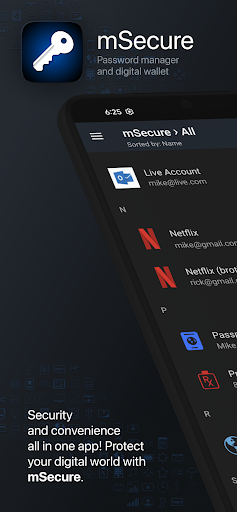
Don't take any chances with your passwords and private information. mSecure is the most secure and straightforward solution to managing your sensitive information across your devices.
Protect, store, and share your sensitive information with mSecure. Simplify your digital world and securely access it at your convenience. Create secure notes, generate passwords, and safely backup your information to never lose your data again.
Trust mSecure to protect your most vital and private information. mSecure 6 provides the organizational flexibility you need, the convenience of auto-fill right from your web browser, and the ability to share select data securely with other mSecure users. Your …
Read the full description
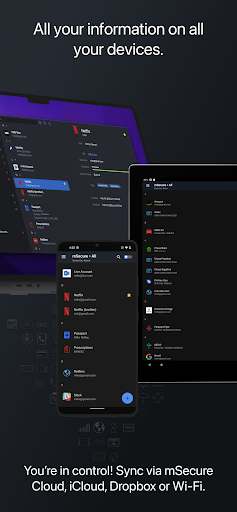
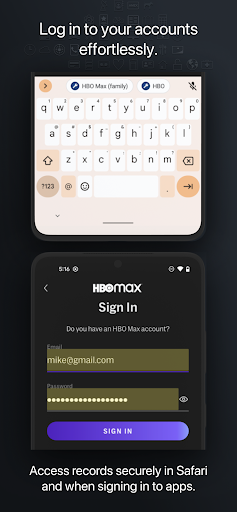
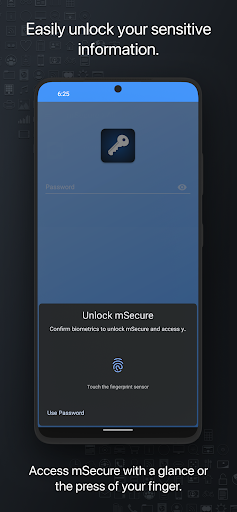
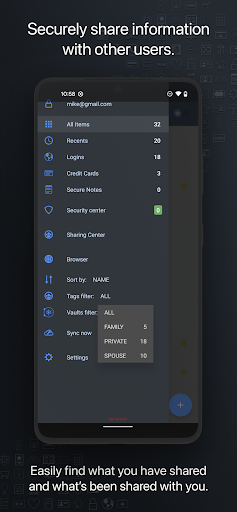
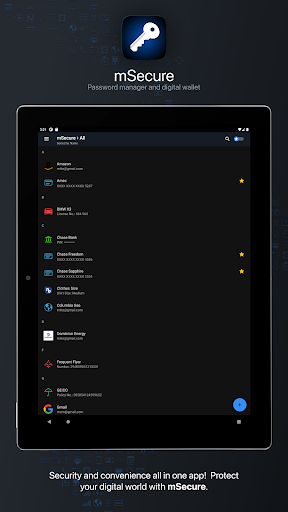
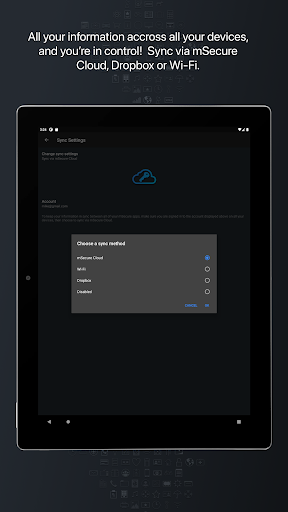
Don't take any chances with your passwords and private information. mSecure is the most secure and straightforward solution to managing your sensitive information across your devices. Protect, store, and share your sensitive information with mSecure. Simplify your digital world and securely access it at your convenience. Create secure notes, generate passwords, and safely backup your information to never lose your data again. Trust mSecure to protect your most vital and private information. mSecure 6 provides the organizational flexibility you need, the convenience of auto-fill right from your web browser, and the ability to share select data securely with other mSecure users. Your information is easier to access, easier to manage, and always secure with industry-standard AES-encryption. Elevate your password managing experience with mSecure today! <b>Keep Your Digital Wallet Organized and Secure</b> mSecure is for more than just passwords. Safeguard your financial information, personal documents, sensitive files, and anything else you need to protect all in one place. <b>Ideal For Families and Teams</b> Share select information with family members or teammates with ease. Utilize Shared Vaults to house sensitive information and secrets you and your family or team need under one mSecure subscription. <b>Get More Than What You Pay For</b> ● Choose a plan to fit your needs - Essentials, Premium, Family, or Team. ● Enable full access to all features that mSecure has to offer with a Premium subscription. <b>NEW FEATURES</b> ● Two-Factor Authentication via email, phone, or an authenticator app (like Authy or Google Authenticator)* ● Family and Team Plans ● Login Password History ● Attach any type of file* <i>*Available with a Premium subscription</i> <b>SECURE - Protect your sensitive information with confidence</b> ● Encrypt your data using industry-standard AES 256-bit encryption ● Password Generator creates and stores random, complex, and unique passwords ● Auto-lock and Auto-backup features keep data safe with enhanced security ● Biometric authentication allows quick, secure access using facial recognition or your fingerprint <b>SIMPLE - Easily add, find, manage, and organize passwords and data</b> ● Auto-fill credentials in Chrome and 3rd party apps with Android Autofill ● Find the information you need fast with powerful organizational features ● Over 20 built-in templates for quick and easy data entry with the ability to create custom templates ● Integrated search, along with intelligent sorting, filtering, and grouping simplifies the process of organizing and finding your information ● *Import your data from 1Password via a 1PIF or CSV file ● *Import your data via a CSV file from Dashlane, Keeper, BitWarden, and more <i>*Requires mSecure running on Mac or PC</i> <b>SEAMLESS - Sync all of your devices seamlessly</b> Choose to sync via mSecure Cloud, Dropbox, or Wi-Fi to access your records on all of your devices across multiple platforms (iOS, Android, Mac, and Windows). Don't take any chances with your passwords and private information. Keep your data safe and secure with mSecure! <b>SUPPORT</b> If you have any questions or comments, please share them on our support forum: https://discussions.msecure.com/categories/msecure-for-android. You can also email us directly at [email protected].
Installs, last 30 days Measured
Exact Google Play install counts, collected daily
Ratings
6,655 ratings, 1,400 reviews
- 5 ★86%
- 4 ★6.6%
- 3 ★0.9%
- 2 ★0.9%
- 1 ★5.7%
Recent reviews
Latest public reviews from the store
- 29 Jul 2025
nice
- 9 Jan 2025
Nice apps sir
- 17 Oct 2024
Good app
- 12 Sep 2024
Good
What reviewers bring up
Topics mentioned in the latest 20 reviews, by how many reviews mention them
Liked in good reviews (10 reviews)
No topic comes up twice.
Raised in bad reviews (9 reviews)
- paisa 2
- kati 2
- mero 2
- hola 2
Top chart positions
Latest Google Play chart ranks by country, last 10 days
Not in any tracked top chart in the last 10 days.
mSecure - Password Manager history
Release, install milestones, listing and store changes
- Reached 500,000+ installs 21 Nov 2024
- Reached 100,000+ installs 22 Nov 2020
- Reached 50,000+ installs 25 Jul 2018
- Reached 10,000+ installs 18 Jun 2017
- Reached 5,000+ installs 29 May 2017
- Reached 1,000+ installs 15 May 2017
- First released on the store 8 May 2017
Update frequency
How often mSecure - Password Manager ships a new version, month by month
3 updates in the last 12 months. More often than most similar apps: they shipped a median of 2 updates in the same year.
Recent versions
Current version 7.0.1
- Version 7.0.129 Sep 2026
• Added new biometric settings to support all levels of Android Biometrics security • Bug fixes
- Version 7.0.022 Jun 2026
● Fixed the crasher that took place when clicking on the Field Settings button ● Fixed wrong FAB icon for adding pdf files to records
- Version 6.1.710 Feb 2026
Dropbox SDK updated to fix bug that caused syncing to fail
- Version 6.1.627 Aug 2025
Listing keywords
Words and phrases mSecure - Password Manager repeats most in its store listing
Top phrases: sensitive information (4), private information (3), family or team (2), import your data (2), industry standard aes (2).
Highlighted words also appear in the title. Counts cover the title, short description and description.
Business model and tech
From the store listing and declared permissions
- Business model
- Free to downloadIn-app purchases
- Subscriptions and payments
- Google Play billing
- Sensitive access
- LocationCameraPhotos, videos and filesDraws over other appsAdvertising ID
30 permissions
3 special access, 6 sensitive, 21 standard
- Act as an accessibility serviceBIND_ACCESSIBILITY_SERVICESpecial access
- Draw over other appsSpecial access
- See every installed appQUERY_ALL_PACKAGESSpecial access
- Take photos and videosSensitive
- Change or delete shared storageSensitive
- Read shared storageSensitive
- Approximate locationSensitive
- Precise locationSensitive
- Show notificationsPOST_NOTIFICATIONSSensitive
- Ad attribution (Privacy Sandbox)ACCESS_ADSERVICES_ATTRIBUTIONStandard
- Read how it was installed (install referrer)BIND_GET_INSTALL_REFERRER_SERVICEStandard
- Read the advertising IDAD_IDStandard
Compliance
What the listing and the app package show
- Store status
- Live
- Upkeep
- Updated 29 Sep 2026
- Registered in
- United States
- Privacy policy
- Linked on the listing
- Advertising
- No ads declared
- In-app purchases
- Offered
- Age rating
- Everyone
- Sensitive permissions
- 6 sensitive, 3 special access of 30
- Location access
- Yes, while in use
- Camera and microphone
- Camera
Apps like mSecure - Password Manager
Touch Calendar FTouchable Apps1.2M installs★ 3.73
AI Notes & Transcribe MemoNewway Apps1.2M installs★ 4.17
ScanAll - QR code & BarcodesGlilab525K installs★ 5.0
RICOH Smart Device ConnectorRicoh Co., Ltd.3.3M installs★ 3.16
Sleep Time - Alarm CalculatorOleg Filimonov1.5M installs★ 4.6
AdsCoin - Easy Mobile EarningsCDM Apps263K installs★ 3.37
TIM Segurança DigitalFS SECURITY SERVIÇOS DE TECNOLOGIA S A328K installs★ 4.69
All Document Reader - ViewerDragster Production2.1M installs★ 3.37
Habit Tracker - Habit RadarGoal Tracker203K installs★ 4.48
mSecure - Password Manager: questions and answers
How many downloads does mSecure - Password Manager have?
mSecure - Password Manager has 765,030 installs on Google Play, measured from the store's own count on 20 Nov 2026.
Who makes mSecure - Password Manager?
mSecure - Password Manager is published by mSeven Software LLC, a developer based in US.
When was mSecure - Password Manager last updated?
The latest version (7.0.1) was released on 29 Sep 2026.
Is mSecure - Password Manager free?
Yes. mSecure - Password Manager is free to download and offers in-app purchases.
Is mSecure - Password Manager still available?
Yes. mSecure - Password Manager is live on Google Play as of 20 Nov 2026.
Track mSecure - Password Manager and its competitors
Watch any app for new versions, rating drops, chart moves and removals. Free plan, no card.