Music Tutor Sight Read
Learn to read and write music (+flats, sharps, keys) with MusicTutor SightRead
- Installs
- 22.14K
- Measured
- Rating
- 4.73
- Ratings
- 2.3K
- 484 reviews
- Version
- Varies with device
- Updated 29 Aug 2024
- Released
- 27 Feb 2011
- Tracked since 13 May 2026
- Size
- —
Screenshots

About Music Tutor Sight Read
The description on the store listing
Learn to sight-read music with MusicTutor SightRead (MTSR). MTSR is a quiz game designed for music students, for learning to read (and write) music in an easy and pleasant way.
*
** Gameplay
The quiz games included in MTSR work this way:
1) The program ask a question, which is shown on a panel (question panel)
2) The user answers, using another panel (answer panel). If the answer is correct, a sound is played, corresponding to the question made; if not, a failure sound is played.
These are the included games:
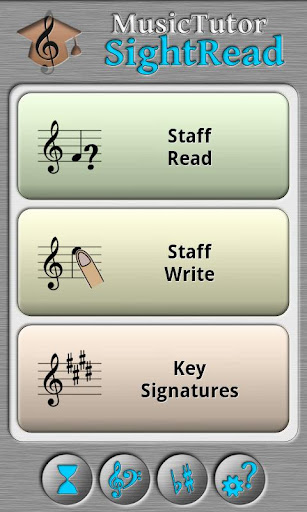
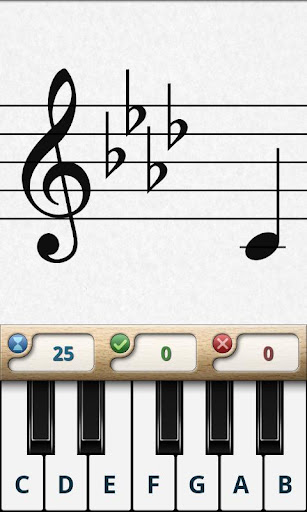
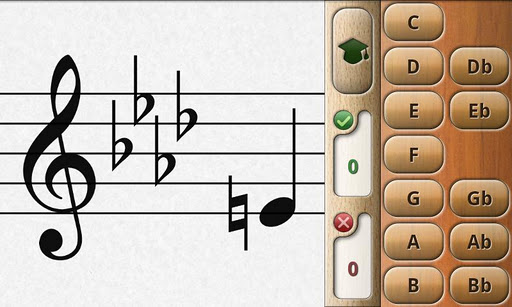
1) Read staff: The programs draws a staff in question panel, and a note in its position. The user must answer with a keyboard (piano or buttons)
2) Write staff: The …
Read the full description
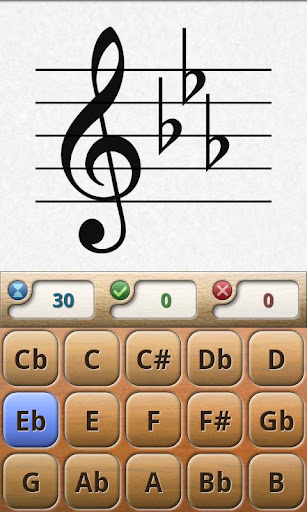
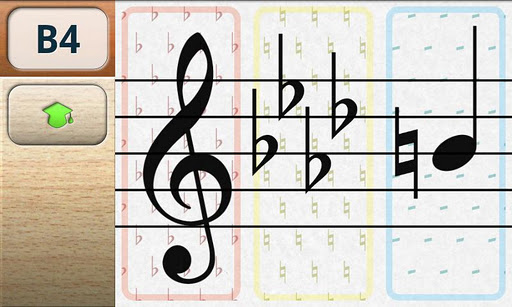
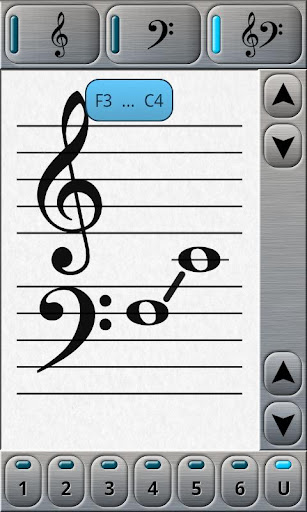
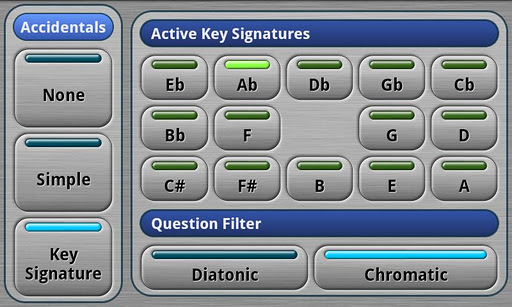
Learn to sight-read music with MusicTutor SightRead (MTSR). MTSR is a quiz game designed for music students, for learning to read (and write) music in an easy and pleasant way. * ** Gameplay The quiz games included in MTSR work this way: 1) The program ask a question, which is shown on a panel (question panel) 2) The user answers, using another panel (answer panel). If the answer is correct, a sound is played, corresponding to the question made; if not, a failure sound is played. These are the included games: 1) Read staff: The programs draws a staff in question panel, and a note in its position. The user must answer with a keyboard (piano or buttons) 2) Write staff: The program shows a note name in question panel. The user must answer using the answer panel (which draws a staff) dragging the note to its correct height. 3) Key signature: The program shows a staff with some key signature, and the user must answer, choosing such key within a keyboard. * ** Game modes 1) Timed tests: during the selected time interval, the user answers questions. Correct and wrong answers are accounted, and when the time is over, a score (based on correct&wrong answers and time) is shown. 2) Study: the user answers questions without any time limit. In this mode, the "Learn" button is available, and it changes program behaviour. 3) Learn: in this mode, the user touches the answer panel, and the program shows the question (or questions) which would have been answered by given answer. * ** Notation Systems - English (C, D, E, F, G, A, B) - Italian (Do, Re, Mi, Fa, Sol, La, Si) - German (C, D, E, F, G, A, H) * ** Time options Game time can be chosen. If "0" is chosen, the game has no time limit and "Learn" mode can be activated. Stored results from previous tests can be shown. * ** Key and Range options Three clef types can be chosen: 1) Treble clef 2) Bass clef 3) Grand clef (union of Treble and Bass clefs) For every one of the three clef types, a range can be chosen: a) predefined, to be choosen between 6 ranges b) manually defined by user * ** Accidental options There are three accidental modes: 1) Natural: only natural notes are to be asked 2) Simple: natural, flats and sharp notes can be asked 3) Key signature: questions are made, in the context of a key. Natural mode has no associated options. Simple accidentals asks natural or accidental notes. The user can choose between only sharps, only flats or both. Key Signature mode lets the user choose one or more keys. If more than one key is chosen, every new question changes the key randomly. In this mode, the user can choose between two question filters: A) Diatonic: only notes belonging to the current key are asked. B) Chromatic: any note will be asked (whether or not it belongs to current key). * ** General options For "Read Staff" game, the user can choose the type of keyboard for answering: 1) Piano keyboard (with or without note names on keys) 2) Buttons with note names. The main difference between both keyboards lies on enharmonic notes. With piano there is no difference between, for example, F# and Gb, but with buttons, they can be differenciated. Sound volume is adjustable (and muteable) User can choose the program behaviour when asking a question wrongly: A) A new question is made, even when previous one has not been correctly answered. B) The same question is repeated, until the users answers correctly. * ** MTSR is designed to work in any screen orientation (portrait, landscape), and screen sizes (phone, 7" tablet, 10" tablet). Help is included. Learn and enjoy with MSTR!
Installs, last 30 days Measured
Exact Google Play install counts, collected daily
Ratings
2,259 ratings, 484 reviews
- 5 ★81%
- 4 ★13%
- 3 ★4.0%
- 2 ★1.9%
- 1 ★0.0%
Recent reviews
Latest public reviews from the store
No reviews in our sample for this app yet.
Top chart positions
Latest Google Play chart ranks by country, last 10 days
Not in any tracked top chart in the last 10 days.
Music Tutor Sight Read history
Release, install milestones, listing and store changes
- Reached 10,000+ installs 31 Jul 2014
- Reached 5,000+ installs 7 Oct 2012
- Reached 1,000+ installs 3 Sep 2011
- Reached 500+ installs 4 Jun 2011
- Reached 100+ installs 29 Mar 2011
- Reached 50+ installs 19 Mar 2011
- First released on the store 27 Feb 2011
Update frequency
How often Music Tutor Sight Read ships a new version, month by month
0 updates in the last 12 months. Less often than most similar apps: they shipped a median of 1 updates in the same year.
Recent versions
Current version Varies with device
- Version 2.242 Jun 2018
- Version 2.2314 Nov 2016
- Version 2.2222 Feb 2016
- Version 2.2112 Dec 2014
Listing keywords
Words and phrases Music Tutor Sight Read repeats most in its store listing
Top phrases: user can choose (4), key signature (4), user must answer (3), answer panel (3), must answer (3).
Highlighted words also appear in the title. Counts cover the title, short description and description.
Business model and tech
From the store listing, the SDKs in the app package and its declared permissions
- Business model
- Paid, $1.99
- Built with
- No cross-platform framework or game engine detected
- Ad networks (0)
- None detected
- Sensitive access
- No sensitive permission declared
0 ad, attribution and analytics SDKs detected. SDKs are read from the app package and permissions from the store listing, so code that loads later is not seen.
Technology
22 SDKs found in the app package
1 permissions
0 special access, 0 sensitive, 1 standard
- Internal app permissionDYNAMIC_RECEIVER_NOT_EXPORTED_PERMISSIONStandard
Compliance
What the listing and the app package show
- Store status
- Live
- Upkeep
- No update since 29 Aug 2024
- Registered in
- Spain
- Privacy policy
- Linked on the listing
- Advertising
- No ads declared
- In-app purchases
- None declared
- Age rating
- Everyone
- Sensitive permissions
- 0 sensitive of 1
- Location access
- No
- Camera and microphone
- Neither
Apps like Music Tutor Sight Read
Learn Hindi PhrasesBravolol - Language Learning173K installs★ 4.61
RedShelf eReaderRedShelf99.5K installs★ 2.63
English PronunciationoCoder App488K installs★ 4.66
Dua e QunootJOYFUN WORLD643K installs★ 5.0
Nemo PolishNemo Apps LLC136K installs★ 4.27
الدكتور في الفيزياء 2026DerasaTech | دراسة تكنولوجي599K installs★ 4.03
vnEdu TeacherVNPT Group663K installs★ 4.6
五色學倉頡 (附字典)Kotech Services Co.298K installs★ 4.5
رسالة من الله القران والتفسيرTikneek86K installs★ 4.6
Music Tutor Sight Read: questions and answers
How many downloads does Music Tutor Sight Read have?
Music Tutor Sight Read has 22,137 installs on Google Play, measured from the store's own count on 19 Nov 2026.
Who makes Music Tutor Sight Read?
Music Tutor Sight Read is published by VirtualCode.es, a developer based in ES.
When was Music Tutor Sight Read last updated?
The latest version (Varies with device) was released on 29 Aug 2024.
Is Music Tutor Sight Read free?
No. Music Tutor Sight Read is a paid app priced at $1.99.
Is Music Tutor Sight Read still available?
Yes. Music Tutor Sight Read is live on Google Play as of 19 Nov 2026.
Track Music Tutor Sight Read and its competitors
Watch any app for new versions, rating drops, chart moves and removals. Free plan, no card.