
My Files
My Files 2026: Powerful file manager for quick, easy storage optimization
- Installs
- 641K
- Measured
- Rating
- 4.0
- Ratings
- 2.1K
- 5 reviews
- Version
- 64.12.10.26
- Updated 12 Oct 2026
- Released
- 13 Dec 2023
- Tracked since 13 May 2026
- Size
- —
Screenshots





About My Files
The description on the store listing
My Files 2026 is a versatile and powerful file management application compatible with Android devices available on Google Play. It serves as a comprehensive file explorer, enabling users to efficiently manage their files stored on their devices. With this app, you can easily navigate through your storage space, organize your files, and free up valuable storage by identifying and removing unnecessary data.
This my file manager 2026 provides a user-friendly interface for accessing and manipulating your files faster. Whether it's browsing through documents, images, videos, or other types of files, My File 2026 allows quick and easy access to your stored content.
Key Features for File …
Read the full description
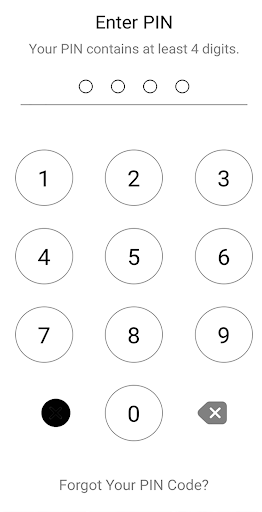
My Files 2026 is a versatile and powerful file management application compatible with Android devices available on Google Play. It serves as a comprehensive file explorer, enabling users to efficiently manage their files stored on their devices. With this app, you can easily navigate through your storage space, organize your files, and free up valuable storage by identifying and removing unnecessary data. This my file manager 2026 provides a user-friendly interface for accessing and manipulating your files faster. Whether it's browsing through documents, images, videos, or other types of files, My File 2026 allows quick and easy access to your stored content. Key Features for File explorer 2026: • File Browser: Easily navigate through your device's storage. • Storage Space Management: Efficiently manage and organize files to free up space. • Quick File Access: Access your files quickly and effortlessly. • Comprehensive File Manager: Handle various file types with ease. • User-Friendly Interface: Intuitive design for smooth navigation. • Optimization Tools: Identify and delete redundant files to optimize storage. • Pro Version: Currently unavailable. • Powerful Performance: Manage files efficiently and effectively. • Management All files: Management image, video, audio, APK, download, document, Compress, In addition to moving files of interest to favorites • file storage management: Manage folders and my files by device memory and memory card • Manage all files: MP4, MP3, MOV, OGG, WAV, JPG, PNG, DOC, PDF, PPT, EXCEL, TXT, APK... • Search: Easily search for files and sort them by date, size, name... • Recent: Shows new and recently worked files. • compression: Compress and decompress ZIP/RAR • Multiple languages supported: The application supports more than 63 languages. • File Transfer: This file manager app can move or delete any files on SD cards or internal storage easily. • private Locker: Keep your privacy by with built-in app lock. My Files 2026 and file organizer is the go-to application for users seeking a reliable, user-friendly, and powerful file manager to streamline file organization Android devices Thank you for your wonderful comments 😊 😊
Installs, last 30 days Measured
Exact Google Play install counts, collected daily
Ratings
2,078 ratings, 5 reviews
- 5 ★58%
- 4 ★25%
- 3 ★17%
- 2 ★0.0%
- 1 ★0.0%
Recent reviews
Latest public reviews from the store
- 15 Mar 2026
exceptional good
- 25 Jan 2026
Excellent wonderful app. l love it too much. Thanks.
- 26 Jul 2024
Im using this for over a year and suddenly stopped, thumbnails dont show up,nothing...empty
- 5 Jul 2024
Great app, highly recommend for movie lovers
What reviewers bring up
Topics mentioned in the latest 50 reviews, by how many reviews mention them
Liked in good reviews (33 reviews)
- movie 5
- other 2
- far 2
Raised in bad reviews (8 reviews)
- headings 2
Top chart positions
Latest Google Play chart ranks by country, last 10 days
Not in any tracked top chart in the last 10 days.
My Files history
Release, install milestones, listing and store changes
- Reached 100,000+ installs 21 May 2024
- Reached 50,000+ installs 22 Mar 2024
- Reached 10,000+ installs 1 Feb 2024
- Reached 5,000+ installs 25 Jan 2024
- Reached 1,000+ installs 11 Jan 2024
- Reached 100+ installs 27 Dec 2023
- First released on the store 13 Dec 2023
Update frequency
How often My Files ships a new version, month by month
9 updates in the last 12 months. More often than most similar apps: they shipped a median of 1 updates in the same year.
Recent versions
Current version 64.12.10.26
- Version 64.12.10.2612 Oct 2026
- Version 60.13.04.2613 Apr 2026
- Version 59.08.04.268 Apr 2026
- Version 58.04.04.264 Apr 2026
Listing keywords
Words and phrases My Files repeats most in its store listing
Top phrases: file manager (5), powerful file (3), user friendly (3), powerful file manager (2), user friendly interface (2).
Highlighted words also appear in the title. Counts cover the title, short description and description.
Business model and tech
From the store listing and declared permissions
- Business model
- Free to downloadShows ads
- Sensitive access
- Photos, videos and filesAdvertising ID
25 permissions
3 special access, 3 sensitive, 19 standard
- Ask to uninstall appsREQUEST_DELETE_PACKAGESSpecial access
- Change system settingsWRITE_SETTINGSSpecial access
- Manage all filesMANAGE_EXTERNAL_STORAGESpecial access
- Change or delete shared storageSensitive
- Read shared storageSensitive
- Show notificationsPOST_NOTIFICATIONSSensitive
- Ad attribution (Privacy Sandbox)ACCESS_ADSERVICES_ATTRIBUTIONStandard
- Ad topics (Privacy Sandbox)ACCESS_ADSERVICES_TOPICSStandard
- Read how it was installed (install referrer)BIND_GET_INSTALL_REFERRER_SERVICEStandard
- Read the advertising IDAD_IDStandard
- Read the advertising ID (Privacy Sandbox)ACCESS_ADSERVICES_AD_IDStandard
- App icon badge countsBADGE_COUNT_READStandard
Compliance
What the listing and the app package show
- Store status
- Live
- Upkeep
- Updated 12 Oct 2026
- Registered in
- Germany
- Privacy policy
- Linked on the listing
- Advertising
- Shows ads
- In-app purchases
- None declared
- Age rating
- Everyone
- Sensitive permissions
- 3 sensitive, 3 special access of 25
- Location access
- No
- Camera and microphone
- Neither
Apps like My Files
Day & Date Calendar Widgetoxdb.net439K installs★ 3.95
Calculator Volt/Amp/Watt/OhmAktham Ahmed486K installs★ 4.5
AI Poem GeneratorAllMath73.7K installs★ 4.62
Pixolor - Live Color PickerHanping293K installs★ 4.14
DNS Changer Pro (No Root)GreatStuffApps172K installs★ 4.24
Safe Clean Browsermusicchamsmobile111K installs★ 4.33
Megaphone & Voice AmplifierJan Augustyniak110K installs★ 4.0
Multi Timer with AdsCatfantom232K installs★ 4.28
SmartCleaner--Photo&FileWH1546HHMM2.7M installs★ 3.98
My Files: questions and answers
How many downloads does My Files have?
My Files has 641,223 installs on Google Play, measured from the store's own count on 20 Nov 2026.
Who makes My Files?
My Files is published by LiteApps.inc, a developer based in DE.
When was My Files last updated?
The latest version (64.12.10.26) was released on 12 Oct 2026.
Is My Files free?
Yes. My Files is free to download, and it shows ads.
Is My Files still available?
Yes. My Files is live on Google Play as of 20 Nov 2026.
Track My Files and its competitors
Watch any app for new versions, rating drops, chart moves and removals. Free plan, no card.