
My Password Manager: Keep Pass
In Password Manager App you can store your password and login details securely.
- Installs
- 227
- Measured
- Rating
- —
- Ratings
- —
- Version
- Varies with device
- Updated 27 Nov 2024
- Released
- 23 Jan 2023
- Tracked since 12 May 2026
- Size
- —
Screenshots
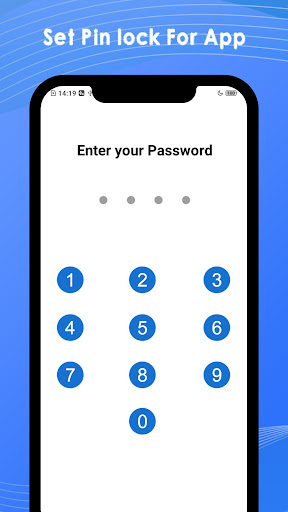
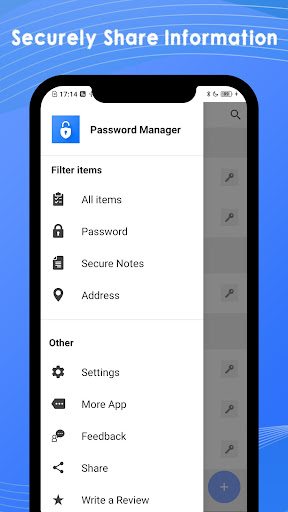
About My Password Manager: Keep Pass
The description on the store listing
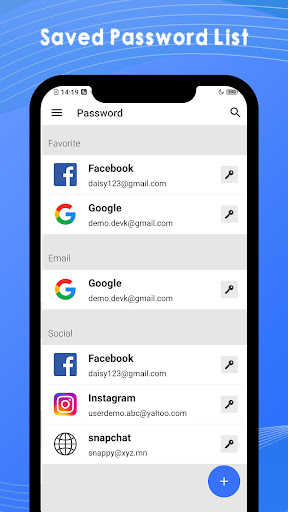
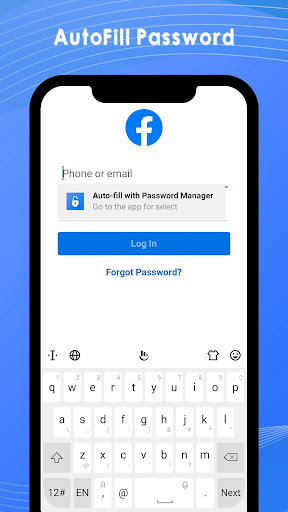
This is one of the best password manager apps where you can securely store your personal information, username, government ID, etc. in an encrypted password vault. Keep Pass android password manager app automatically fills emails, usernames and passwords through your keyboard if it is saved.
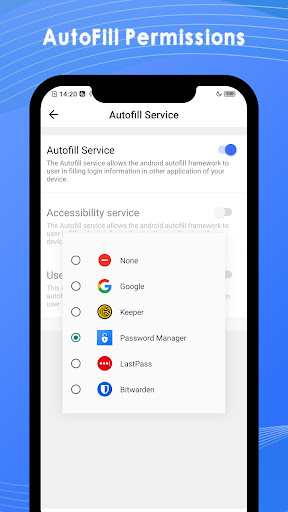
The Autofill service allows the android framework to user by filling the login information in another application of your device. This app autofill your username and password when you visit the website whose password is already saved in password saver.
On older devices or in situations where autofill isn't functioning properly, the Keepass Android Password Manager App offers the option to use the …
Read the full description
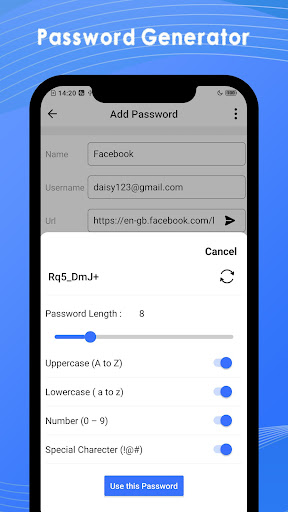
This is one of the best password manager apps where you can securely store your personal information, username, government ID, etc. in an encrypted password vault. Keep Pass android password manager app automatically fills emails, usernames and passwords through your keyboard if it is saved. The Autofill service allows the android framework to user by filling the login information in another application of your device. This app autofill your username and password when you visit the website whose password is already saved in password saver. On older devices or in situations where autofill isn't functioning properly, the Keepass Android Password Manager App offers the option to use the Accessibility Service to supplement it. Features:- - One of the best free password manager app - Autofill username, email and password for any website & any browser you visit. - Free Password Manager securely stores your password, username and email in an encrypted vault. - Generate strong password directly through this app. - This app securely stores important notes and card information like credit cards, PAN card, driving license, etc. - Launch any website or app directly from My Password Manager App. - You can also store different home or business addresses in this app with images. - No internet required for using this app. - Store unlimited numbers of notes and information. - App Lock secures access to your content. - Dark mode/light mode feature. - Log in to My Password Manager to securely access the app. - Securely store recording and images. - Automatically logout of app after session timeout when screen is off. Password:- In this Keep Pass Password Manager App, you can generate strong, unique, random passwords based on security requirements for each Web site you visit. This creates the appropriate field IDs when a match for the application or site is located and inserts the identifiers. Create and store unlimited numbers of password information. Secure Notes:- Securely store your important notes in this password saver app itself so that you don’t have to carry your documents everywhere in this digital life. You can store your document image; name and information directly in this app like a credit card, PAN card, driving license, voter id, etc. You can also store voice recorded in Secure Notes filed. Addresses:- You can securely store unlimited numbers of Addresses and notes in this Keepass Android Password Manager app. Store your address in address field so that you do not have to remember or write address in any diary in this digital life. Accessibility Service:- The Accessibility Service can be used to look for login fields in apps and websites when it is enabled. When a match for the app or site is discovered, this creates the necessary field IDs and enters credentials. Except for entering credentials, My Password Manager App does not retain data or manage any on-screen elements while the Accessibility Service is in use. So, download this best free password manager app and secure your personal details, passwords and usernames in Password Vault.
Installs since 14 Nov 2026 Measured
Exact Google Play install counts, collected daily
Daily history starts once this app is in our daily install sample.
Ratings
- 5 ★0.0%
- 4 ★0.0%
- 3 ★0.0%
- 2 ★0.0%
- 1 ★0.0%
Recent reviews
Latest public reviews from the store
- 2 Sep 2017
Great for growers
Top chart positions
Latest Google Play chart ranks by country, last 10 days
Not in any tracked top chart in the last 10 days.
My Password Manager: Keep Pass history
Release, install milestones, listing and store changes
- Reached 100+ installs 27 Nov 2024
- Reached 50+ installs 21 Aug 2023
- First released on the store 23 Jan 2023
Listing keywords
Words and phrases My Password Manager: Keep Pass repeats most in its store listing
Top phrases: password manager (13), accessibility service (4), securely store (4), android password manager (3), store unlimited numbers (3).
Highlighted words also appear in the title. Counts cover the title, short description and description.
Business model and tech
From the store listing and declared permissions
- Business model
- Free to downloadShows ads
- Sensitive access
- CameraMicrophonePhotos, videos and filesAccounts on the deviceDraws over other appsAdvertising ID
16 permissions
1 special access, 5 sensitive, 10 standard
- Draw over other appsSpecial access
- Record audioSensitive
- Take photos and videosSensitive
- See accounts on the deviceSensitive
- Change or delete shared storageSensitive
- Read shared storageSensitive
- Read the advertising IDAD_IDStandard
- Keep the phone awakeStandard
- Run a foreground serviceFOREGROUND_SERVICEStandard
- Start when the phone turns onStandard
- Use fingerprint or face unlockUSE_BIOMETRICStandard
- Use the fingerprint readerUSE_FINGERPRINTStandard
Compliance
What the listing and the app package show
- Store status
- Live
- Upkeep
- Updated 27 Nov 2024
- Privacy policy
- Linked on the listing
- Advertising
- Shows ads
- In-app purchases
- None declared
- Age rating
- Everyone
- Sensitive permissions
- 5 sensitive, 1 special access of 16
- Location access
- No
- Camera and microphone
- Both
Apps like My Password Manager: Keep Pass
영산강 안심 알림eICT융합소프트 & 스마트오더18.3K installs★ 4.0
JBLETRADOC Mobile10.3K installs★ 4.5
Two Point HeightOmega Centauri Software15.3K installs★ 2.22
Sheridan RecyclesCity of Sheridan634 installs★ 4.67
NAFNorges Automobil-Forbund200K installs★ 3.9
Ipsos Adria CAPIIpsos Serbia7.4K installs★ 3.9
Clock: Alarm Clock & TimerIntratech so36.1K installs★ 3.79
Süzme Sayaç HesaplamaNotsup30.3K installs★ 3.6
Cattle & Goat Record KeepingVetzKin10.3K installs★ 2.5
My Password Manager: Keep Pass: questions and answers
How many downloads does My Password Manager: Keep Pass have?
My Password Manager: Keep Pass has 227 installs on Google Play, measured from the store's own count on 14 Nov 2026.
Who makes My Password Manager: Keep Pass?
My Password Manager: Keep Pass is published by Continuum App.
When was My Password Manager: Keep Pass last updated?
The latest version (Varies with device) was released on 27 Nov 2024.
Is My Password Manager: Keep Pass free?
Yes. My Password Manager: Keep Pass is free to download, and it shows ads.
Is My Password Manager: Keep Pass still available?
Yes. My Password Manager: Keep Pass is live on Google Play as of 14 Nov 2026.
Track My Password Manager: Keep Pass and its competitors
Watch any app for new versions, rating drops, chart moves and removals. Free plan, no card.