
Navigation Gestures
Control Android with swipe gestures control, fast and smooth
- Installs
- 1.13M
- Measured
- Rating
- 3.41
- Ratings
- 3K
- 20 reviews
- Version
- 3.1.2
- Updated 21 Oct 2026
- Released
- 11 Mar 2019
- Tracked since 13 May 2026
- Size
- 4 MB
- Needs 4.2
Screenshots
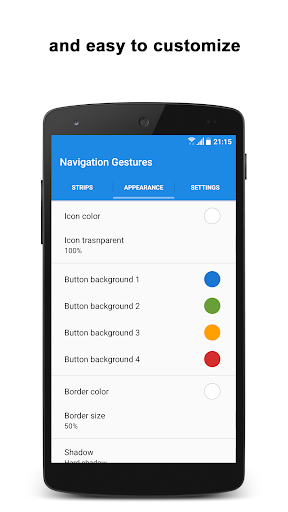

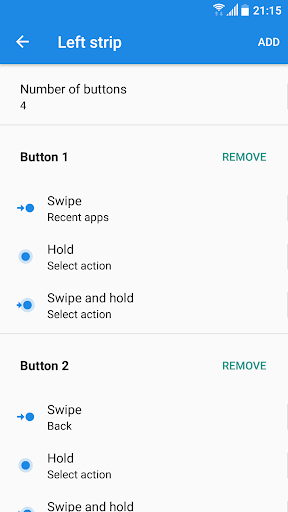

About Navigation Gestures
The description on the store listing
<h1>Bring Seamless Navigation Gestures to Any Android Device!</h1>
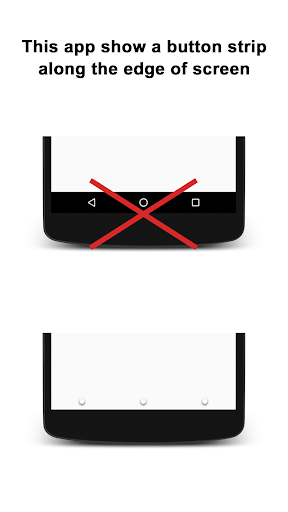
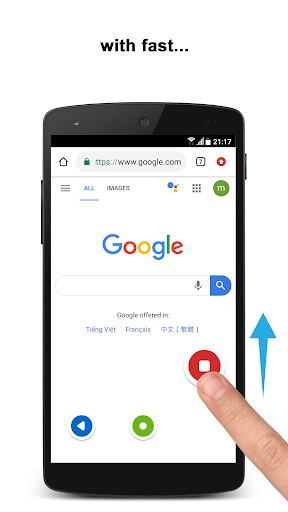
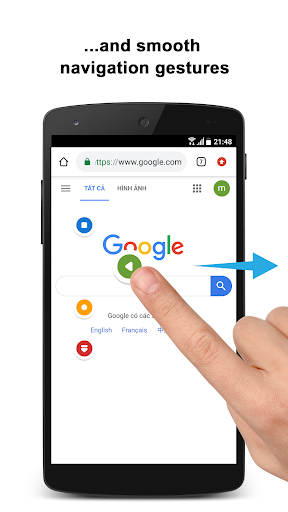
⭐ Experience the smooth and intuitive navigation gestures of Samsung Galaxy OneUI on any Android device. With fast and fluid animations, our app ensures a seamless transition between tasks, enhancing your smartphone experience with efficient swipe control.
Tired of buttons? Try this easy gesture control app for Android and swipe your way around.
<h2>Comprehensive Gesture Controls</h2>
<b>Gestures:</b>
✅ Tap and hold;
✅ Swipe;
✅ Swipe and hold.
You can also tap once on the strip to temporarily hide it, making your navigation effortless and unobtrusive. Our gesture control app for Android provides a variety of …
Read the full description
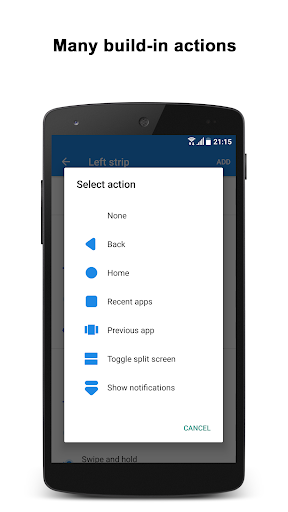
<h1>Bring Seamless Navigation Gestures to Any Android Device!</h1> ⭐ Experience the smooth and intuitive navigation gestures of Samsung Galaxy OneUI on any Android device. With fast and fluid animations, our app ensures a seamless transition between tasks, enhancing your smartphone experience with efficient swipe control. Tired of buttons? Try this easy gesture control app for Android and swipe your way around. <h2>Comprehensive Gesture Controls</h2> <b>Gestures:</b> ✅ Tap and hold; ✅ Swipe; ✅ Swipe and hold. You can also tap once on the strip to temporarily hide it, making your navigation effortless and unobtrusive. Our gesture control app for Android provides a variety of gestures to meet your needs. <h2>Extensive Action Options</h2> <b>Actions:</b> + Home; + Back; + Recent apps; + Toggle split-screen (Android Nougat+); + Open previous app (Android Nougat+); + Hide strip; + Pull down notifications; + Pull down quick settings; + Open power menu; + Show keyboard switch dialog; + Launch app; + Launch shortcut; + Lock screen (Android Pie+); + Take screenshot; + Toggle WiFi; + Toggle Bluetooth; + Toggle auto sync; + Toggle flashlight; + Toggle screen auto rotation; + Toggle screen auto brightness; + Toggle Ring/Vibration; + Volume control; + Change screen brightness. <h2>A stylish gesture control app for Android that feels natural</h2> <b>Appearance and Behavior</b> ✅ Customize the number of buttons; ✅ Customize buttons' color, style, and more; ✅ Adjust sensitivity; ✅ Set size and position; ✅ Adjust transparency; ✅ Customize haptic feedback; ✅ Blacklist to hide strips in selected apps. Our gesture control - navigation gestures app allows you to tailor every aspect of your navigation experience, providing unmatched flexibility and control. The swipe gesture control app for Android features make every interaction with your device smooth and intuitive. <h2>Why Choose Our Swipe Control App?</h2> ✅ Effortless Navigation: Enjoy quick and easy access to essential functions with intuitive swipe gesture control app for Android. ✅ Highly Customizable: Personalize your device's navigation to match your preferences perfectly. ✅ Enhanced Productivity: Switch between apps, access settings, and control your device with simple gestures, saving you time and effort. ✅ Seamless Integration: Bring the advanced navigation gestures of top-tier devices to any Android smartphone. <h2>Download Now Gesture Controls - Swipe Control App!</h2> Transform your Android device with our advanced swipe control and gesture control app for Android. Experience the convenience and efficiency of modern navigation gestures today. Download now and take control of your device with effortless swipes and taps! No more pressing buttons—this gesture control app for Android lets you do everything with a swipe. 🌟 <i>Use of Accessibility Service: Navigation Gestures Bar app uses the Accessibility Service API to provide the best possible experience. - We do not collect any personal information through accessibility services. - We will not read your screen's sensitive data or any content. - For this app to function properly, we need the Accessibility Permission. Accessibility services are required to receive a response from the system and to activate button strips.</i>
Installs, last 30 days Measured
Exact Google Play install counts, collected daily
Ratings
2,970 ratings, 20 reviews
- 5 ★49%
- 4 ★8.5%
- 3 ★4.2%
- 2 ★6.4%
- 1 ★32%
Recent reviews
Latest public reviews from the store
No reviews in our sample for this app yet.
Top chart positions
Latest Google Play chart ranks by country, last 10 days
- Countries ranked
- 2
- Best rank
- #121
- Top 10 placements
- 0
- of 2 chart placements
- Average rank
- #123
Best countries on Google Play
- 🇮🇳 India · Top grossing, Personalization#121
- 🇲🇽 Mexico · Top grossing, Personalization#125
| Country | Chart | Category | Rank | Best (10 days) | Date |
|---|---|---|---|---|---|
| 🇮🇳 India | Top grossing | Personalization | #121 | #11 | 19 Nov 2026 |
| 🇲🇽 Mexico | Top grossing | Personalization | #125 | #107 | 20 Nov 2026 |
Navigation Gestures history
Release, install milestones, listing and store changes
- First released on the store 11 Mar 2019
Update frequency
How often Navigation Gestures ships a new version, month by month
1 updates in the last 12 months. More often than most similar apps: they shipped a median of 0 updates in the same year.
Recent versions
Current version 3.1.2
- Version 3.1.221 Oct 2026
Fixed touch screen not responding on Android 12
- Version 2.628 Jul 2024
Fixed touch screen not responding on Android 12
Listing keywords
Words and phrases Navigation Gestures repeats most in its store listing
Top phrases: gesture control (8), navigation gestures (7), swipe control (4), android device (3), control app h2 (2).
Highlighted words also appear in the title. Counts cover the title, short description and description.
Business model and tech
From the store listing and declared permissions
- Business model
- Free to downloadIn-app purchasesShows ads
- Sensitive access
- No sensitive permission declared
Compliance
What the listing and the app package show
- Store status
- Live
- Upkeep
- Updated 21 Oct 2026
- Registered in
- Israel
- Privacy policy
- Linked on the listing
- Advertising
- Shows ads
- In-app purchases
- Offered
- Age rating
- Everyone
Apps like Navigation Gestures
Anime Wallpapers 4K (Otaku)7Fon Wallpapers Apps807K installs★ 4.47
Pink Selfie Girl Keyboard BackTheme Design Apps for Android606K installs★ 4.61
Keyboard - Colorful Unicorn Th2021 Cool Keyboard for Android514K installs★ 4.38
WASticker -Love Stickers StoryWASTicker946K installs★ 4.59
Glitter butterfly wallpapersLive wallpapers for everyone637K installs★ 4.74
Snowman Live WallpaperBlackBird Wallpapers359K installs★ 4.43
Polygon Wolf Keyboard Theme2025 Tech Cool Theme for Android606K installs★ 4.8
TV LauncherColorBox Technology1M installs★ 4.05
My Photo Phone DialerMirror Matrix2.5M installs★ 4.54
Navigation Gestures: questions and answers
How many downloads does Navigation Gestures have?
Navigation Gestures has 1,125,054 installs on Google Play, measured from the store's own count on 20 Nov 2026.
Who makes Navigation Gestures?
Navigation Gestures is published by GeniusTools Labs, a developer based in IL.
When was Navigation Gestures last updated?
The latest version (3.1.2) was released on 21 Oct 2026.
Is Navigation Gestures free?
Yes. Navigation Gestures is free to download and offers in-app purchases, and it shows ads.
Is Navigation Gestures still available?
Yes. Navigation Gestures is live on Google Play as of 20 Nov 2026.
Track Navigation Gestures and its competitors
Watch any app for new versions, rating drops, chart moves and removals. Free plan, no card.