
Net Optimizer: Optimize Ping
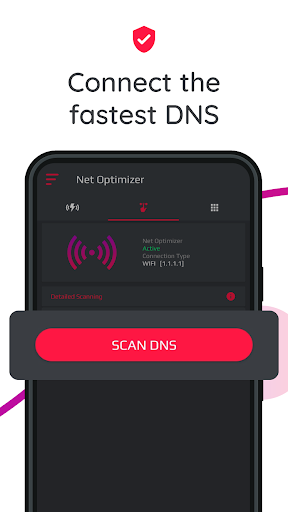
Connect to fastest DNS Server with speed test. Optimize the internet speed.
- Installs
- 13.79M
- Measured
- Rating
- 4.52
- Ratings
- 356K
- 8K reviews
- Version
- 1393-2r
- Updated 8 Sep 2026
- Released
- 25 Sep 2018
- Tracked since 11 May 2026
- Size
- 12 MB
- Needs 4.1
Also on App Store: Net Optimizer : Optimize Ping (3.1K ratings)
Screenshots




About Net Optimizer: Optimize Ping
The description on the store listing
What is the benefit of Net Optimizer?
-Find & Connect the fastest DNS server based on your location & network.
-Improve web surfing speed with faster response time.
-Fix lag and reduce latency (ping time) on online games for better gaming experience.
Features
-Just one touch to find & connect fastest DNS server to optimize your connection.
-Automatically detect connection changes and optimize the network.
-Scan manually all DNS servers with one touch to see all details yourself.
-Works for both mobile data (3G/4G/5G) and WiFi connection
-Supported DNS Servers: Cloudflare, Level3, Verisign, Google, DNS Watch, Comodo Secure, OpenDNS, SafeDNS, OpenNIC, SmartViper, Dyn, FreeDNS, …
Read the full description
What is the benefit of Net Optimizer? -Find & Connect the fastest DNS server based on your location & network. -Improve web surfing speed with faster response time. -Fix lag and reduce latency (ping time) on online games for better gaming experience. Features -Just one touch to find & connect fastest DNS server to optimize your connection. -Automatically detect connection changes and optimize the network. -Scan manually all DNS servers with one touch to see all details yourself. -Works for both mobile data (3G/4G/5G) and WiFi connection -Supported DNS Servers: Cloudflare, Level3, Verisign, Google, DNS Watch, Comodo Secure, OpenDNS, SafeDNS, OpenNIC, SmartViper, Dyn, FreeDNS, Alternate DNS, Yandex DNS, UncensoredDNS, puntCAT How it works? If you have a high-speed Internet connection but notice that your web browsing speed isn’t all that it’s cracked up to be, then your problem may lie in the DNS. By optimizing your device's DNS records, you can find the fastest routes for your data packets to take when traveling the Internet. It won’t boost to your download/upload speed, but in some cases it can result in quite a noticeable improvement in web browsing time. At times, you may experience slow hiccups while trying to use the internet from your device. Sometimes, these problems can be attributed to your provider's DNS settings because your ISP may not always have the best DNS server speeds. Your default DNS server directly affects how fast you’ll be able to connect to a website. So choosing the fastest server according to your location will help speed up browsing. With Net Optimizer, you can find the fastest DNS server and connect to it with just one touch! So your browsing speed and gaming experience (ping and latency) can be improved. (But you should remember that DNS settings will not affect your internet download / upload speed but response time) Results Test results showed a 132.1 percent improvement from using Google's DNS servers over using the stock DNS servers, but in real world usage, it might not be exactly that much faster. Still, this one tweak might get you finally feeling like you have a blazing connection to the internet! <b>Required Permissions And Privacy Notes</b> Overlay Permission: To show Auto Optimize pop-up, we ask for display over other apps permission. VPNService: Net Optimizer uses VPNService base class to create DNS connection. When your Android device connects to the Internet from a specific network, your address on the Internet (the location of your Android device in the virtual network) is called the IP address. And the IP address is a code system consisting of encrypted numbers. Net Optimizer processes these numbers as site addresses by using DNS servers, and the address can be reached when searched in this way.
Installs, last 30 days Measured
Exact Google Play install counts, collected daily
Ratings
355,600 ratings, 8,049 reviews
- 5 ★76%
- 4 ★13%
- 3 ★4.1%
- 2 ★1.2%
- 1 ★5.7%
Recent reviews
Latest public reviews from the store
- 18 May 2026
my phone is no SIM and I connected Wi-Fi and I experience very best Internet quality of this app I rating 10 out of 10 this app
- 17 May 2026
wow
- 17 May 2026
wow
- 17 May 2026
nothing now it's new
What reviewers bring up
Topics mentioned in the latest 50 reviews, by how many reviews mention them
Liked in good reviews (47 reviews)
- internet 4
- wow 3
- net optimizer 2
- developer 2
- network 2
- useful 2
- quite 2
- wifi 2
Raised in bad reviews (3 reviews)
No topic comes up twice.
Top chart positions
Latest Google Play chart ranks by country, last 10 days
Not in any tracked top chart in the last 10 days.
Net Optimizer: Optimize Ping history
Release, install milestones, listing and store changes
- Reached 10,000,000+ installs 27 Nov 2023
- Reached 5,000,000+ installs 3 Apr 2021
- First released on the store 25 Sep 2018
Update frequency
How often Net Optimizer: Optimize Ping ships a new version, month by month
3 updates in the last 12 months. Less often than most similar apps: they shipped a median of 4 updates in the same year.
Recent versions
Current version 1393-2r
- Version 1393-2r8 Sep 2026
We are working hard to provide you a seamless experience.
- Version 1391-1r4 Mar 2026
We are working hard to provide you a seamless experience.
- Version 13914 Mar 2026
- Version 13866 Feb 2025
Listing keywords
Words and phrases Net Optimizer: Optimize Ping repeats most in its store listing
Top phrases: dns server (6), dns servers (5), net optimizer (5), fastest dns server (4), fastest dns (4).
Highlighted words also appear in the title. Counts cover the title, short description and description.
Business model and tech
From the store listing, the SDKs in the app package and its declared permissions
- Business model
- Free to downloadIn-app purchasesSubscriptionsShows ads
- Built with
- No cross-platform framework or game engine detected
- Ad networks (7)
- AdColonyAdMobAmazon Mobile AdsAppLovinInMobiIronsourceUnity Ads
- Subscriptions and payments
- RevenueCatGoogle Play billing
- Attribution and measurement
- Open Measurement
- Analytics and crash reports
- FirebaseFlurry AnalyticsGoogle Analytics
- Sign-in and social
- Sensitive access
- Advertising ID
10 ad, attribution and analytics SDKs detected. SDKs are read from the app package and permissions from the store listing, so code that loads later is not seen.
Technology
50 SDKs found in the app package
Ad network libraries
Ad networks
Advertising and install-attribution SDKs found in the app package
- AdColony
- AdMob
- Amazon Mobile Ads
- AppLovin
- InMobi
- Ironsource
- Open Measurement
- Unity Ads
19 permissions
0 special access, 1 sensitive, 18 standard
- Show notificationsPOST_NOTIFICATIONSSensitive
- Ad attribution (Privacy Sandbox)ACCESS_ADSERVICES_ATTRIBUTIONStandard
- Ad topics (Privacy Sandbox)ACCESS_ADSERVICES_TOPICSStandard
- Read how it was installed (install referrer)BIND_GET_INSTALL_REFERRER_SERVICEStandard
- Read the advertising IDAD_IDStandard
- Read the advertising ID (Privacy Sandbox)ACCESS_ADSERVICES_AD_IDStandard
- Foreground service (system exempted)FOREGROUND_SERVICE_SYSTEM_EXEMPTEDStandard
- Keep the phone awakeStandard
- Run a foreground serviceFOREGROUND_SERVICEStandard
- Start when the phone turns onStandard
- Full internet accessStandard
- See network connectionsStandard
Compliance
What the listing and the app package show
- Store status
- Live
- Upkeep
- Updated 8 Sep 2026
- Registered in
- Türkiye
- Privacy policy
- Linked on the listing
- Advertising
- Shows ads
- In-app purchases
- Offered
- Age rating
- Everyone
- Sensitive permissions
- 1 sensitive of 19
- Location access
- No
- Camera and microphone
- Neither
Apps like Net Optimizer: Optimize Ping
Mp3 Music downloader all songsFast Mp3 Music Download Offline Apps11.4M installs★ 4.72
Link2SDBülent Akpınar42.7M installs★ 3.42
Surfshark: Secure VPN serviceSurfshark B.V.28.4M installs★ 4.6
Game Remote Play ControllerMethods Studio19M installs★ 4.48
FreeScan© QR Code ScannerEasy to Use QR Code Scanner & Barcode Reader52.9M installs★ 4.4
Girls Skins for Minecraft PECrone26.9M installs★ 4.5
Status Saver- Video DownloaderNative Craft - Status Images, Photo & Video Saver77.9M installs★ 4.64
TunnelBear VPNTunnelBear, LLC47.8M installs★ 3.4
WiFimanUbiquiti Inc.10.2M installs★ 4.75
Net Optimizer: Optimize Ping: questions and answers
How many downloads does Net Optimizer: Optimize Ping have?
Net Optimizer: Optimize Ping has 13,793,598 installs on Google Play, measured from the store's own count on 19 Nov 2026.
Who makes Net Optimizer: Optimize Ping?
Net Optimizer: Optimize Ping is published by BGN CAPITAL, a developer based in TR.
When was Net Optimizer: Optimize Ping last updated?
The latest version (1393-2r) was released on 8 Sep 2026.
Is Net Optimizer: Optimize Ping free?
Yes. Net Optimizer: Optimize Ping is free to download and offers in-app purchases, and it shows ads.
Is Net Optimizer: Optimize Ping still available?
Yes. Net Optimizer: Optimize Ping is live on Google Play as of 19 Nov 2026.
Track Net Optimizer: Optimize Ping and its competitors
Watch any app for new versions, rating drops, chart moves and removals. Free plan, no card.