
Noteshelf - Notes, Annotations
Note taking, handwriting, record audio, PDF annotation, planner & journal
- Installs
- 356K
- Measured
- Rating
- 4.35
- Ratings
- 16.8K
- 1.1K reviews
- Version
- 9.0.10
- Updated 20 Jan 2025
- Released
- 18 Dec 2018
- Tracked since 12 May 2026
- Size
- 186 MB
- Needs 7.0
Also on App Store: Noteshelf - Notes, Annotations (360 ratings)
Screenshots


About Noteshelf - Notes, Annotations
The description on the store listing
A new version of Noteshelf is available on the Play Store as a free download. Search for "Noteshelf 3" on the Play Store to find it. We’ll continue to support “Noteshelf 2" (this app). However, if you are a new user, we recommend "Noteshelf 3". It has the latest features to enhance your note-taking experience.
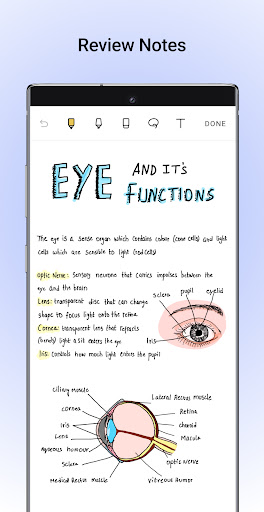
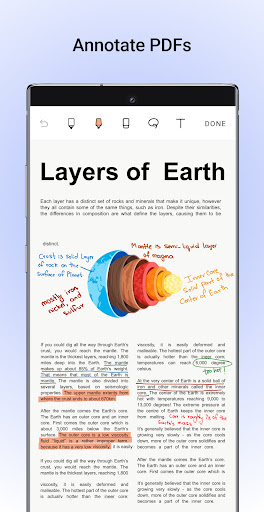
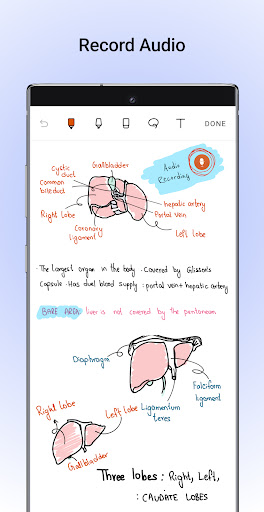
Take beautiful handwritten notes, annotate & markup PDFs, record audio notes, and more with Noteshelf for Android- a note-taking app designed for students, teachers, and professionals to create and organize their digital notes.
✍️ NATURAL HANDWRITING
- Experience handwriting that feels just right with our range of realistic pens and highlighters.
- Play around with colors, …
Read the full description
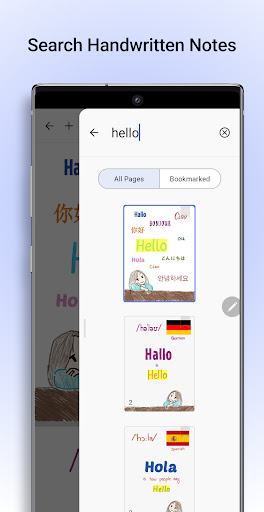
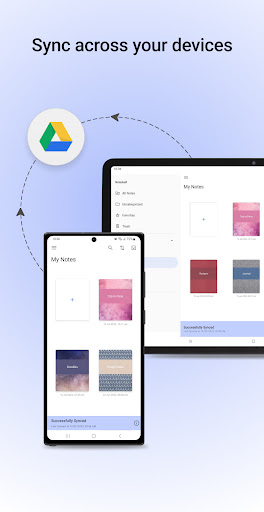
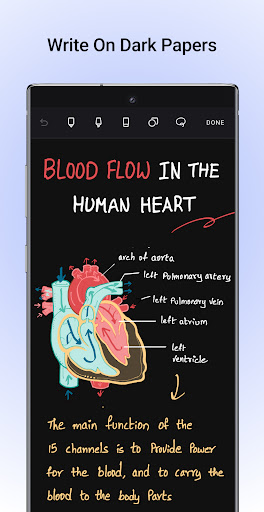
A new version of Noteshelf is available on the Play Store as a free download. Search for "Noteshelf 3" on the Play Store to find it. We’ll continue to support “Noteshelf 2" (this app). However, if you are a new user, we recommend "Noteshelf 3". It has the latest features to enhance your note-taking experience. Take beautiful handwritten notes, annotate & markup PDFs, record audio notes, and more with Noteshelf for Android- a note-taking app designed for students, teachers, and professionals to create and organize their digital notes. ✍️ NATURAL HANDWRITING - Experience handwriting that feels just right with our range of realistic pens and highlighters. - Play around with colors, shapes, and images to create your own notes. So, taking your best class notes or meeting memos is now colorful and fun too! - We support a variety of stylus for taking beautiful handwritten notes. You will never miss using a pen and notepad again! On Samsung Galaxy Note devices, we also support a quick-erase option with the S-pen button. 📝 ANNOTATE PDFs & WRITE ON IMAGES - Import PDFs or images into Noteshelf to highlight, underline, or markup with our convenient formatting tools. - You can edit school notes, grade papers, fill out forms, and sign documents too! 🔍 SEARCH & CONVERT HANDWRITTEN NOTES TO TEXT/ OCR - Search through your notes written in your handwriting. We support handwriting recognition in 65 languages. - Convert your handwritten notes to typed text seamlessly. 🎁 FIND A TEMPLATE FOR EVERY NEED - Explore a vast library of 200+ templates created by the Noteshelf team. Find templates for student notes, lesson plans, to-do lists, health trackers, bullet journaling and a lot more. - Plan and organize your days with a collection of beautiful digital diaries and journals. 🤖NOTESHELF AI - Introducing Noteshelf AI, an intelligent assistant that can understand your handwriting and help you power through tasks. - Watch Noteshelf AI generate beautiful handwritten notes on any topic. - Use Noteshelf AI to create study notes, summarize an entire page of your handwritten notes, translate text, explain complex terms, and more. 📓PERSONALIZE YOUR NOTE-TAKING - Take notes on lined, dotted, or grid papers in different colors and customizable line spacing. - Select from packs of beautifully crafted covers to add a personal touch to your notebooks. - Type your notes and choose from various styles and formatting options. - Record audio as you take notes so you never miss anything important at school or work. Add as many recordings as you want during lectures and meetings and play them back anytime, even as you take handwritten notes. - Convert your strokes into perfectly drawn shapes or choose from an array of different shapes to create flowcharts and diagrams. 📚STAY ORGANIZED - Keep your personal and business notes separate. Drag and drop notebooks into groups or categories quickly to organize them. - Bookmark important pages, name and color them to create your very own table of contents for your notes. 🗄️KEEP YOUR NOTES SAFE AND ACCESS THEM ANYTIME - Sync your notes via Google Drive and easily access them on any Android device. - Auto-backup your notes to Google Drive, OneDrive, Dropbox or WebDAV - Automatically publish your notes to Evernote and access them from any location. ➕ SOME MORE FEATURES - Share your notes as images - Illustrate your notes with visuals from the UNSPLASH and PIXABAY libraries Say goodbye to screen glare and embrace a soothing, eye-friendly dark color scheme. 📣Stay tuned for more Noteshelf is continually evolving, with many exciting features on the way. Have a suggestion? Reach out to us at [email protected]. We'd love to hear from you! Happy note-taking! “Noteshelf—Digital Note-Taking, Simplified!”
Installs, last 30 days Measured
Exact Google Play install counts, collected daily
Ratings
16,849 ratings, 1,075 reviews
- 5 ★69%
- 4 ★13%
- 3 ★5.2%
- 2 ★2.6%
- 1 ★10%
Recent reviews
Latest public reviews from the store
No reviews in our sample for this app yet.
Top chart positions
Latest Google Play chart ranks by country, last 10 days
Not in any tracked top chart in the last 10 days.
Noteshelf - Notes, Annotations history
Release, install milestones, listing and store changes
- First released on the store 18 Dec 2018
Update frequency
How often Noteshelf - Notes, Annotations ships a new version, month by month
0 updates in the last 12 months. Less often than most similar apps: they shipped a median of 7 updates in the same year.
Recent versions
Current version 9.0.10
- Version 9.0.1020 Jan 2025
Bring all your notebooks, favorite pens, and custom templates to Noteshelf 3! Simply go to Settings and tap on “Migrate to Noteshelf 3”. ~ Noteshelf—Digital Note-Taking, Simplified! ~
- Version 9.0.826 Dec 2024
- Version 9.0.722 Nov 2024
- Version 9.0.68 Nov 2024
Listing keywords
Words and phrases Noteshelf - Notes, Annotations repeats most in its store listing
Top phrases: handwritten notes (7), note taking (6), noteshelf ai (4), beautiful handwritten notes (3), beautiful handwritten (3).
Highlighted words also appear in the title. Counts cover the title, short description and description.
Business model and tech
From the store listing and declared permissions
- Business model
- Paid, $7.99
- Sensitive access
- No sensitive permission declared
Compliance
What the listing and the app package show
- Store status
- Live
- Upkeep
- Updated 20 Jan 2025
- Registered in
- Singapore
- Privacy policy
- Linked on the listing
- Advertising
- No ads declared
- In-app purchases
- None declared
- Age rating
- Everyone
Apps like Noteshelf - Notes, Annotations
Alarm Clock LauncherAtomApplications2M installs★ 4.27
Porn Block PlusPixster Studio429K installs★ 4.46
My OptimumCSC Holdings, LLC.656K installs★ 4.11
File Manager - Expert ViewerSMARTWHO3.8M installs★ 4.1
Roubit: Daily Habit TrackerTsurutan2M installs★ 4.21
Najm | نجمNajm for Insurance Services3.6M installs★ 2.81
OmaPostiPosti2.1M installs★ 3.0
Win-X LauncherInternity Labs1.5M installs★ 4.5
App Lock: Lock App,FingerprintLitter Penguin5.1M installs★ 4.42
Noteshelf - Notes, Annotations: questions and answers
How many downloads does Noteshelf - Notes, Annotations have?
Noteshelf - Notes, Annotations has 355,855 installs on Google Play, measured from the store's own count on 19 Nov 2026.
Who makes Noteshelf - Notes, Annotations?
Noteshelf - Notes, Annotations is published by Fluid Touch, a developer based in SG.
When was Noteshelf - Notes, Annotations last updated?
The latest version (9.0.10) was released on 20 Jan 2025.
Is Noteshelf - Notes, Annotations free?
No. Noteshelf - Notes, Annotations is a paid app priced at $7.99.
Is Noteshelf - Notes, Annotations still available?
Yes. Noteshelf - Notes, Annotations is live on Google Play as of 19 Nov 2026.
Track Noteshelf - Notes, Annotations and its competitors
Watch any app for new versions, rating drops, chart moves and removals. Free plan, no card.