
Office Word Reader
Office Word Reader all in one - Powerful word office reader app
- Installs
- 1.06M
- Measured
- Rating
- 4.11
- Ratings
- 1.9K
- 8 reviews
- Version
- 1.4.4
- Updated 14 May 2026
- Released
- 14 Aug 2022
- Tracked since 13 May 2026
- Size
- —
Screenshots


About Office Word Reader
The description on the store listing
📚Office Word Reader : Powerful office viewer app!
Office Word Reader helps you open the office and read all files. You can easily open documents without the Internet. Manage documents and view documents anytime, anywhere.
❓ No need to open the computer, only with your mobile, you can manage all files and read all documents in PDF, PPT, XLS, TXT or WORD file format.
🔥<b> This is what this powerful office app can bring to you : </b>🔥
✅ Document manager, file opener
📘 Read Doc, Docx files
📕 PDF reader: Open, view PDF
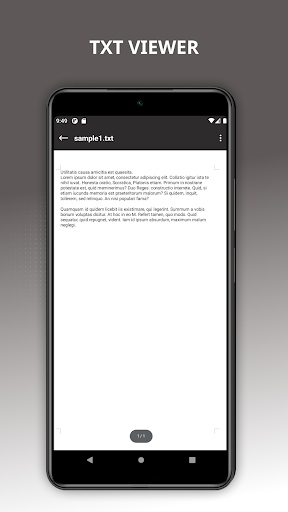
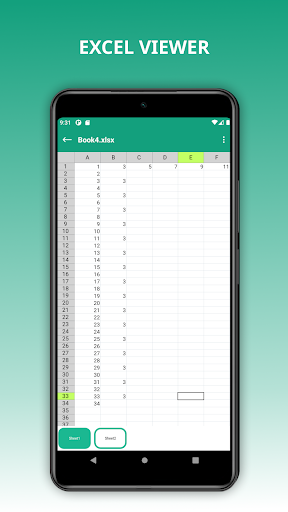
📗 Read XLSX files: viewer txt, excel, xls files with high quality view
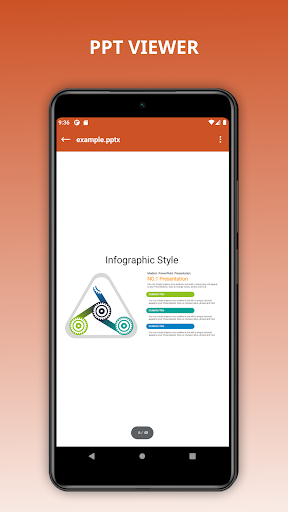
📙 Read PPT, PPTX files
✅ Sort files: Sort by time and name
✅ History of files read …
Read the full description
📚Office Word Reader : Powerful office viewer app! Office Word Reader helps you open the office and read all files. You can easily open documents without the Internet. Manage documents and view documents anytime, anywhere. ❓ No need to open the computer, only with your mobile, you can manage all files and read all documents in PDF, PPT, XLS, TXT or WORD file format. 🔥<b> This is what this powerful office app can bring to you : </b>🔥 ✅ Document manager, file opener 📘 Read Doc, Docx files 📕 PDF reader: Open, view PDF 📗 Read XLSX files: viewer txt, excel, xls files with high quality view 📙 Read PPT, PPTX files ✅ Sort files: Sort by time and name ✅ History of files read over time ✅ Quickly search file with simple search option ✅ Bookmark important files ✅ Basic customization: rename, delete, share files ✅ Document opener, documents viewer ✅ Supports multiple formats ⭐️ You can also open documents that are stored on the internal memory of SD cards (External Storage), as well as files that you downloaded or that were sent to you as email attachments. It is very simple and easy to use because of this. ⭐PDF scanner, document scanner - Convert images to PDF - Select images from the gallery or scan all kinds of documents with your camera and convert to PDF file. - Resize, crop and rotate images as you want. Quality optimization, scans for high quality PDF output ⭐️This file reader for all format app is definitely an efficient office and productivity tool for reading document files. Use our Office Word Reader app to read all files with all the functionality. Share all document reader apps today and start collaborating your work with this office reader app. ❤️ Thank you for taking the time to use the Office Word Reader Viewer app. If you're happy with our application, don't forget to leave a good rate.
Installs, last 30 days Measured
Exact Google Play install counts, collected daily
Ratings
1,904 ratings, 8 reviews
- 5 ★68%
- 4 ★8.8%
- 3 ★2.9%
- 2 ★2.9%
- 1 ★18%
Recent reviews
Latest public reviews from the store
- 12 Apr 2026
Great
- 24 Jan 2026
very well
- 2 Jan 2026
I am happy
- 29 Dec 2025
nice 👍👍👍👍👍👍
What reviewers bring up
Topics mentioned in the latest 50 reviews, by how many reviews mention them
Liked in good reviews (37 reviews)
- convenient 2
- documents 2
- word 2
- hope 2
Raised in bad reviews (9 reviews)
- open 2
Top chart positions
Latest Google Play chart ranks by country, last 10 days
Not in any tracked top chart in the last 10 days.
Office Word Reader history
Release, install milestones, listing and store changes
- Reached 1,000,000+ installs 1 Apr 2026
- Reached 500,000+ installs 22 Nov 2024
- Reached 100,000+ installs 1 May 2023
- Reached 50,000+ installs 17 Feb 2023
- Reached 10,000+ installs 23 Dec 2022
- Reached 5,000+ installs 9 Dec 2022
- Reached 1,000+ installs 14 Oct 2022
- Reached 500+ installs 14 Sep 2022
Update frequency
How often Office Word Reader ships a new version, month by month
1 updates in the last 12 months. About as often as similar apps, which shipped a median of 1 updates in the same year.
Recent versions
Current version 1.4.4
- Version 1.4.414 May 2026
- Version 1.4.226 Sep 2025
- Version 1.3.715 Jul 2024
- Version 1.3.616 Jun 2024
Listing keywords
Words and phrases Office Word Reader repeats most in its store listing
Top phrases: office word reader (6), office word (6), word reader (6), read all files (2), files sort (2).
Highlighted words also appear in the title. Counts cover the title, short description and description.
Business model and tech
From the store listing, the SDKs in the app package and its declared permissions
- Business model
- Free to downloadShows ads
- Built with
- No cross-platform framework or game engine detected
- Ad networks (1)
- AdMob
- Sensitive access
- CameraPhotos, videos and filesAdvertising ID
1 ad, attribution and analytics SDKs detected. SDKs are read from the app package and permissions from the store listing, so code that loads later is not seen.
Technology
28 SDKs found in the app package
Ad networks
Advertising and install-attribution SDKs found in the app package
- AdMob
20 permissions
1 special access, 4 sensitive, 15 standard
- Manage all filesMANAGE_EXTERNAL_STORAGESpecial access
- Take photos and videosSensitive
- Change or delete shared storageSensitive
- Read shared storageSensitive
- Show notificationsPOST_NOTIFICATIONSSensitive
- Ad attribution (Privacy Sandbox)ACCESS_ADSERVICES_ATTRIBUTIONStandard
- Ad topics (Privacy Sandbox)ACCESS_ADSERVICES_TOPICSStandard
- Privacy Sandbox ads (custom audience)ACCESS_ADSERVICES_CUSTOM_AUDIENCEStandard
- Read how it was installed (install referrer)BIND_GET_INSTALL_REFERRER_SERVICEStandard
- Read the advertising IDAD_IDStandard
- Read the advertising ID (Privacy Sandbox)ACCESS_ADSERVICES_AD_IDStandard
- Control the flashlightStandard
Compliance
What the listing and the app package show
- Store status
- Live
- Upkeep
- Updated 14 May 2026
- Privacy policy
- Linked on the listing
- Advertising
- Shows ads
- In-app purchases
- None declared
- Age rating
- Everyone
- Sensitive permissions
- 4 sensitive, 1 special access of 20
- Location access
- No
- Camera and microphone
- Camera
Apps like Office Word Reader
Day & Date Calendar Widgetoxdb.net439K installs★ 3.95
Calculator Volt/Amp/Watt/OhmAktham Ahmed486K installs★ 4.5
DNS Changer Pro (No Root)GreatStuffApps172K installs★ 4.24
Pixolor - Live Color PickerHanping293K installs★ 4.14
AI Poem GeneratorAllMath73.6K installs★ 4.62
Multi Timer with AdsCatfantom232K installs★ 4.28
Megaphone & Voice AmplifierJan Augustyniak110K installs★ 4.0
Safe Clean Browsermusicchamsmobile111K installs★ 4.33
USB BackupSamsung R&D Institute India Noida221M installs★ 4.43
Office Word Reader: questions and answers
How many downloads does Office Word Reader have?
Office Word Reader has 1,058,173 installs on Google Play, measured from the store's own count on 19 Nov 2026.
Who makes Office Word Reader?
Office Word Reader is published by ShinzApp.
When was Office Word Reader last updated?
The latest version (1.4.4) was released on 14 May 2026.
Is Office Word Reader free?
Yes. Office Word Reader is free to download, and it shows ads.
Is Office Word Reader still available?
Yes. Office Word Reader is live on Google Play as of 19 Nov 2026.
Track Office Word Reader and its competitors
Watch any app for new versions, rating drops, chart moves and removals. Free plan, no card.