
One Password Locker
An offline password keeper that can store data securely and many more.
- Installs
- 2.17K
- Measured
- Rating
- 4.0
- Ratings
- 43
- 8 reviews
- Version
- 1.4.1
- Updated 1 Nov 2025
- Released
- 5 Sep 2020
- Tracked since 13 May 2026
- Size
- 3 MB
- Needs 4.1
Screenshots




About One Password Locker
The description on the store listing
Do you find it irritating to forget multiple passwords and data?
We are introducing the best password manager for free.
One Password Locker is an offline application. It works as a password manager, which stores all of your passwords, addresses, bank card details, private, secure notes, and important confidential information in the phone's storage. The advantage of password saver is that it is a free password manager and it stores data in encrypted format for Android mobiles.
The app does not send private data to the internet or to any other devices.
You don't have to remember all your confidential information, One Password Locker will do it for you.
<b>Security :</b>
We apply a …
Read the full description
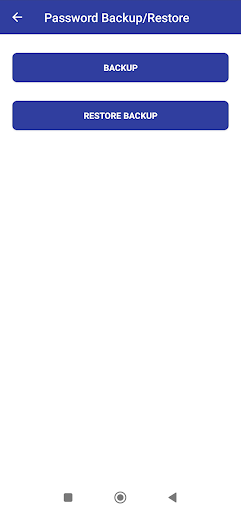
Do you find it irritating to forget multiple passwords and data? We are introducing the best password manager for free. One Password Locker is an offline application. It works as a password manager, which stores all of your passwords, addresses, bank card details, private, secure notes, and important confidential information in the phone's storage. The advantage of password saver is that it is a free password manager and it stores data in encrypted format for Android mobiles. The app does not send private data to the internet or to any other devices. You don't have to remember all your confidential information, One Password Locker will do it for you. <b>Security :</b> We apply a higher security model, even the app and the developer don't know how the data has been encrypted. Only the user knows how to access their credentials. We do not provide fingerprint access because someone could use your fingerprint to gain access and steal the sensitive data. We fully respect your privacy. <b>Features :</b> * Free Android password saver * User friendly interface * Quick and simple access * Advanced Encryption Standard (AES) used * Easy to update and delete data * Easy to back up and restore data * An offline application does not require Internet access * Can store a large amount of secure information * If the screen is turned off, the application will close automatically. <b>Why do you need One Password Locker?</b> Keeping track of passwords for various services, accounts, and physical items is a significant challenge. We need a solution that can take care of these problems, and we created it for the user to make their life easier. The One Password Locker can remember all of your secret data, so you don't have to remember it. The application assists you in keeping passwords, bank internet details, cards, and other useful information. Users have the freedom to save anything they desire. The end user is only required to remember their login password. <b>Backup & Restore: </b> If you have multiple devices, you can easily share your backup with all your devices without having to retype them. Create a backup on one device and transfer it to another device, where it can be restored using the same master password. <b>Note : </b> • There is no automatic synchronization between devices as this is an offline password manager application. • Recovering stored data is impossible if the master password is lost
Installs since 26 Aug 2026 Measured
Exact Google Play install counts, collected daily
Ratings
43 ratings, 8 reviews
- 5 ★57%
- 4 ★21%
- 3 ★0.0%
- 2 ★7.1%
- 1 ★14%
Recent reviews
Latest public reviews from the store
- 17 Mar 2026
Wah
- 16 Mar 2026
excellente
- 15 Mar 2026
সহজ হয়ে এক্সক্সক্সগজকম্লল
- 5 Mar 2026
only because of my indecision, one of those wallets thats very much needed if dealing with other currency hut ur own .
Top chart positions
Latest Google Play chart ranks by country, last 10 days
Not in any tracked top chart in the last 10 days.
One Password Locker history
Release, install milestones, listing and store changes
- Reached 1,000+ installs 20 Apr 2021
- Reached 500+ installs 25 Jan 2021
- Reached 100+ installs 16 Nov 2020
- Reached 50+ installs 17 Oct 2020
- First released on the store 5 Sep 2020
Update frequency
How often One Password Locker ships a new version, month by month
0 updates in the last 12 months. Less often than most similar apps: they shipped a median of 1 updates in the same year.
Recent versions
Current version 1.4.1
- Version 1.4.11 Nov 2025
We keep working behind the scenes to improve the app for you, bug fixes and performance upgrades. Try it now! Thank you.
- Version 1.4.028 Jul 2025
- Version 1.3.910 Dec 2024
- Version 1.3.724 Aug 2024
Listing keywords
Words and phrases One Password Locker repeats most in its store listing
Top phrases: password locker (5), password manager (4), confidential information (2), master password (2), offline application (2).
Highlighted words also appear in the title. Counts cover the title, short description and description.
Business model and tech
From the store listing, the SDKs in the app package and its declared permissions
- Business model
- Free to downloadShows ads
- Built with
- No cross-platform framework or game engine detected
- Ad networks (1)
- AdMob
- Sensitive access
- Photos, videos and filesAdvertising ID
1 ad, attribution and analytics SDKs detected. SDKs are read from the app package and permissions from the store listing, so code that loads later is not seen.
Technology
13 SDKs found in the app package
Ad networks
Advertising and install-attribution SDKs found in the app package
- AdMob
12 permissions
0 special access, 3 sensitive, 9 standard
- Change or delete shared storageSensitive
- Read photosREAD_MEDIA_IMAGESSensitive
- Read shared storageSensitive
- Ad attribution (Privacy Sandbox)ACCESS_ADSERVICES_ATTRIBUTIONStandard
- Ad topics (Privacy Sandbox)ACCESS_ADSERVICES_TOPICSStandard
- Read the advertising IDAD_IDStandard
- Read the advertising ID (Privacy Sandbox)ACCESS_ADSERVICES_AD_IDStandard
- Keep the phone awakeStandard
- Run a foreground serviceFOREGROUND_SERVICEStandard
- Full internet accessStandard
- See network connectionsStandard
- Internal app permissionDYNAMIC_RECEIVER_NOT_EXPORTED_PERMISSIONStandard
Compliance
What the listing and the app package show
- Store status
- Live
- Upkeep
- Updated 1 Nov 2025
- Registered in
- India
- Privacy policy
- Linked on the listing
- Advertising
- Shows ads
- In-app purchases
- None declared
- Age rating
- Everyone
- Sensitive permissions
- 3 sensitive of 12
- Location access
- No
- Camera and microphone
- Neither
Apps like One Password Locker
Live Bluetooth MicrophoneSH Solu21.5K installs★ 2.6
Persons with Disabilities RegiBytize, Inc.31.1K installs★ 4.3
Rok Remote For Smart TVNight-Dev Solutions7.2K installs★ 3.41
ЛапЭкспертЧетыре Лапы33.4K installs★ 2.7
FaB CounterStefanKarlsson10.7K installs★ 4.67
TestApp.ioTestApp.io17.6K installs★ 3.75
My Christmas BuddyMyBuzz Technologies Ltd13.4K installs★ 3.92
Camera Suite for HeroM-Apps3.6K installs★ 2.7
Seguridad Internet TelmexTelmex59.3K installs★ 3.8
One Password Locker: questions and answers
How many downloads does One Password Locker have?
One Password Locker has 2,174 installs on Google Play, measured from the store's own count on 18 Nov 2026.
Who makes One Password Locker?
One Password Locker is published by SKDevop, a developer based in IN.
When was One Password Locker last updated?
The latest version (1.4.1) was released on 1 Nov 2025.
Is One Password Locker free?
Yes. One Password Locker is free to download, and it shows ads.
Is One Password Locker still available?
Yes. One Password Locker is live on Google Play as of 18 Nov 2026.
Track One Password Locker and its competitors
Watch any app for new versions, rating drops, chart moves and removals. Free plan, no card.