One Shade: Custom Notification
Custom Notifications and Quick Settings! Customize your phone & enjoy using it!
- Installs
- 8.87M
- Measured
- Rating
- 3.89
- Ratings
- 77.3K
- 946 reviews
- Version
- 18.5.11
- Updated 22 Dec 2024
- Released
- 15 Feb 2020
- Tracked since 13 May 2026
- Size
- 10 MB
- Needs 5.0
Screenshots


About One Shade: Custom Notification
The description on the store listing
One Shade - Custom Notifications and Custom Quick Settings!
Your device, your rules.
One Shade app makes your phone usage much more enjoyable! With the One Shade app, you can create custom notifications, quick settings and personalize your phone as you like! Custom quick settings is a great feature that will change the way you use your device!
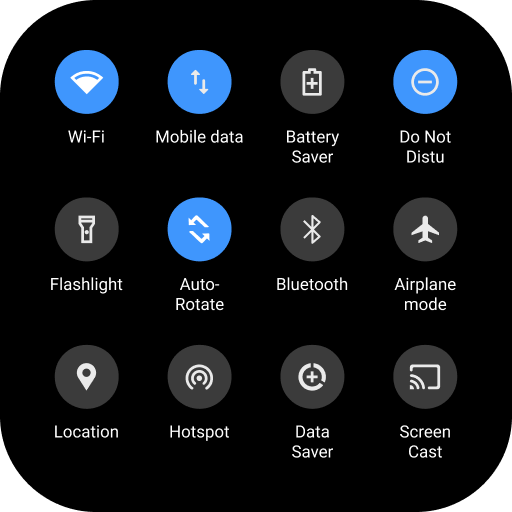
One Shade will replace your phone's notification bar with a modern, fully customizable version. In addition to a new personalized experience, it also brings extra utilities that can make your life easier.
<b><font color="#4196FD">Key Features</font></b>
<b><font color="#4196FD"></font></b> Take the base layout and personalize all the …
Read the full description
One Shade - Custom Notifications and Custom Quick Settings! Your device, your rules. One Shade app makes your phone usage much more enjoyable! With the One Shade app, you can create custom notifications, quick settings and personalize your phone as you like! Custom quick settings is a great feature that will change the way you use your device! One Shade will replace your phone's notification bar with a modern, fully customizable version. In addition to a new personalized experience, it also brings extra utilities that can make your life easier. <b><font color="#4196FD">Key Features</font></b> <b><font color="#4196FD"></font></b> Take the base layout and personalize all the elements as you wish. <b><font color="#4196FD">◎ Advanced custom notifications:</font></b> Get, read, snooze or dismiss it. <b><font color="#4196FD">◎ Advanced music:</font></b> Dynamic colors based on the currently playing album artwork. You can skip to any part of the track right from the notification's progress bar. <b><font color="#4196FD">◎ Quick reply:</font></b> Reply to your messages as soon as you see them. For all Android devices. <b>◎ Auto bundled:</b> Tired of that one app that spams you with notifications? Now they're all grouped together in the notification bar, for easy control. <b>Custom background picture:</b> Pick your favorite image to be displayed in the shade. <b>◎ Notification card themes:</b> Android 10 inspired. - Light: your ordinary notifications - Colored: dynamically uses the notification's color as the card background. - Dark: blend all your notifications with a pure black background (great on AMOLED screens). <b><font color="#4196FD">◎ Quick settings control panel</font></b> - Choose a different color for the background or foreground (icons) of the quick settings panel. - Change brightness slider color. - Useful icons with your current device information. - Choose your profile picture to be displayed in the Shade. - Choose between many tile icon shapes (circle, square, teardrop, gradients, and more) - (Pro) Change quick settings grid layout (i.e., number of columns and rows). You are walked through every step to set up the app and get it running in no time, so you can change your quick settings area and be in complete control. You don't need a custom ROM or root to adjust these settings anymore. Much more features are available inside, like auto-expanding notifications and repositioning elements wherever you want. Use of Accessibility Service: One Shade app uses the AccessibilityService API to provide the best possible experience. - We do not collect any personal information through accessibility services. - We will not read your screen's sensitive data or any content. - For this app to function properly, we need the Accessibility Permission. Accessibility services are required to receive a response from the system when the top of the screen is touched to trigger the shade and to retrieve window content: Required for automatic clicking of some settings after the user chooses they want to toggle them in the app-provided interface.
Installs, last 30 days Measured
Exact Google Play install counts, collected daily
Ratings
77,279 ratings, 946 reviews
- 5 ★67%
- 4 ★4.9%
- 3 ★4.1%
- 2 ★5.3%
- 1 ★18%
Recent reviews
Latest public reviews from the store
- 20 Apr 2026
great app for screentime limiting as it can boost your productivity when you are not distracted, but sometimes it stops working and u have to re-set it up again.
- 27 Feb 2026
I'll rate this app 11 more stars of I could, I love it. it helped me block unhealthy sites on my phone and I'm super grateful!!! WELLDONE😊❤❤❤
- 21 May 2024
The app did exactly what I needed it to do. It's a real chef's kiss and the premium plans are all at reasonable prices, nothing much to cry about.
- 28 May 2023
It would be good to add a timer to the enanle, disable button, where the user can set a time in the settings: say a week, so when they click to disable it, it starts the timer and does not disable until the period has expired. And you would not beable to change the timer duration while the blocker is activated. Preventing users from turning off there timer and then deactivating the block
What reviewers bring up
Topics mentioned in the latest 10 reviews, by how many reviews mention them
Liked in good reviews (6 reviews)
- sites 2
- click 2
- rate 2
- user 2
- add 2
Raised in bad reviews (4 reviews)
- block websites 2
- subscription 2
Top chart positions
Latest Google Play chart ranks by country, last 10 days
Not in any tracked top chart in the last 10 days.
One Shade: Custom Notification history
Release, install milestones, listing and store changes
- Reached 5,000,000+ installs 28 Jul 2022
- Reached 1,000,000+ installs 4 Oct 2020
- Reached 500,000+ installs 30 May 2020
- Reached 100,000+ installs 17 Mar 2020
- Reached 50,000+ installs 4 Mar 2020
- Reached 10,000+ installs 24 Feb 2020
- Reached 5,000+ installs 22 Feb 2020
- First released on the store 15 Feb 2020
Update frequency
How often One Shade: Custom Notification ships a new version, month by month
0 updates in the last 12 months. Less often than most similar apps: they shipped a median of 3 updates in the same year.
Recent versions
Current version 18.5.11
- Version 18.5.1120 Dec 2024
◎ Updated expanded WIFI menu design ◎ Improved support for Android 13 ◎ Better explanation for location permission ◎ Crash fixes
- Version 18.5.9.231 Jul 2024
- Version 18.5.8.13 Apr 2024
- Version 18.5.625 Jan 2024
Listing keywords
Words and phrases One Shade: Custom Notification repeats most in its store listing
Top phrases: quick settings (8), font color 4196fd (6), color 4196fd (6), font color (6), custom notifications (4).
Highlighted words also appear in the title. Counts cover the title, short description and description.
Business model and tech
From the store listing and declared permissions
- Business model
- Free to downloadIn-app purchasesShows ads
- Subscriptions and payments
- Google Play billing
- Sensitive access
- LocationPhone and callsPhotos, videos and filesNearby devicesAdvertising ID
41 permissions
3 special access, 12 sensitive, 26 standard
- Change Do Not DisturbACCESS_NOTIFICATION_POLICYSpecial access
- Change system settingsSpecial access
- See which apps are usedPACKAGE_USAGE_STATSSpecial access
- Change or delete shared storageSensitive
- Read photosREAD_MEDIA_IMAGESSensitive
- Read shared storageSensitive
- Read videosREAD_MEDIA_VIDEOSensitive
- Approximate locationSensitive
- Location in the backgroundACCESS_BACKGROUND_LOCATIONSensitive
- Precise locationSensitive
- Connect to paired Bluetooth devicesBLUETOOTH_CONNECTSensitive
- Find nearby Bluetooth devicesBLUETOOTH_SCANSensitive
Compliance
What the listing and the app package show
- Store status
- Live
- Upkeep
- Updated 22 Dec 2024
- Registered in
- Israel
- Privacy policy
- Linked on the listing
- Advertising
- Shows ads
- In-app purchases
- Offered
- Age rating
- Everyone
- Sensitive permissions
- 12 sensitive, 3 special access of 41
- Location access
- Yes, also in the background
- Camera and microphone
- Neither
Apps like One Shade: Custom Notification
4K Wallpaper ExpertHDW26.8M installs★ 4.5
Anime Wallpaper HD 4KLive Wallpapers 4K13.8M installs★ 4.66
Super S10 Launcher, Galaxy S10Super Launcher Serie5.3M installs★ 4.52
Show Wifi Password: Wifi ListProp studio12.2M installs★ 4.23
iMore KeyboardiMore Cool Fonts Keyboard Dev.15.5M installs★ 4.62
Flaming Skull Theme2021 Cool Keyboard for Android17.6M installs★ 4.67
3D wallpapers in 4KPro Wallpapers 4K12.4M installs★ 3.79
Edge Lighting: LED BorderlightMaxlabs Personalization Tools11M installs★ 4.58
Widget Lab:Wallpapers & ThemesYIFU9.4M installs★ 4.36
One Shade: Custom Notification: questions and answers
How many downloads does One Shade: Custom Notification have?
One Shade: Custom Notification has 8,865,305 installs on Google Play, measured from the store's own count on 19 Nov 2026.
Who makes One Shade: Custom Notification?
One Shade: Custom Notification is published by ZipoApps, a developer based in IL.
When was One Shade: Custom Notification last updated?
The latest version (18.5.11) was released on 22 Dec 2024.
Is One Shade: Custom Notification free?
Yes. One Shade: Custom Notification is free to download and offers in-app purchases, and it shows ads.
Is One Shade: Custom Notification still available?
Yes. One Shade: Custom Notification is live on Google Play as of 19 Nov 2026.
Track One Shade: Custom Notification and its competitors
Watch any app for new versions, rating drops, chart moves and removals. Free plan, no card.