Paint
Simple paint app with zoom and draw images, multi colors and undo few strokes
- Installs
- 7.16M
- Measured
- Rating
- 3.98
- Ratings
- 18.8K
- 612 reviews
- Version
- 3.9
- Updated 6 Nov 2026
- Released
- 1 Jan 2018
- Tracked since 10 May 2026
- Size
- 4 MB
- Needs 5.0
Screenshots
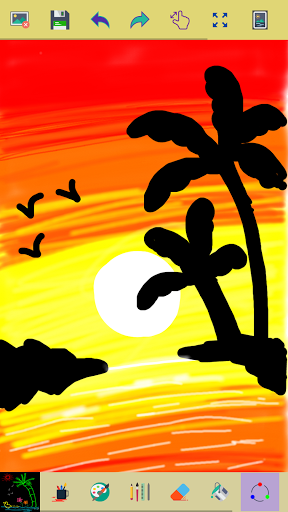
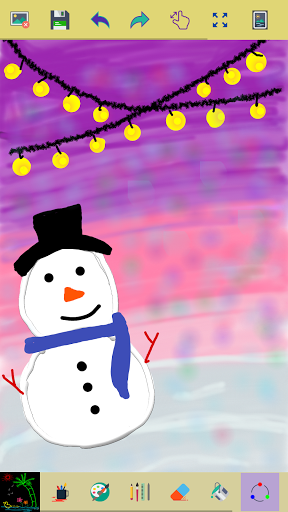
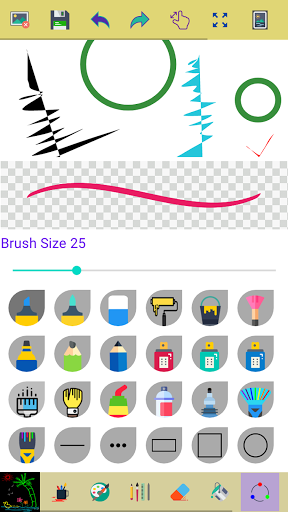

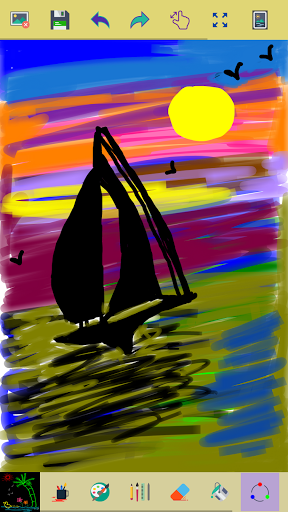

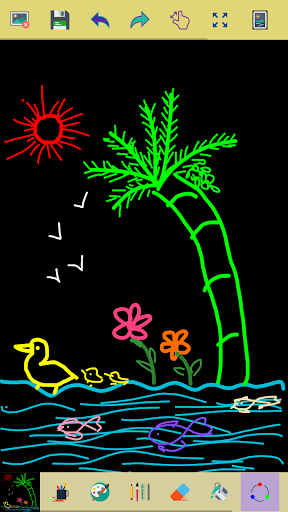

About Paint
The description on the store listing
This app is made for creative professionals and anyone who likes to capture their ideas and creative thinking into a beautiful picture.
<strong>Key Features of this Application</strong>
✓ Start with a new drawing by clicking the clear button
✓ Draw creative pictures using an array of brushes and painting tools
✓ Feel the smoothness of drawing while drawing in fingers
✓ Multiple brushes, pens, and pencils are available
✓ Adjust a width for the brushes and eraser by using the slider bar
✓ Draw with finger or stylus
✓ Erase part of the drawing when needed any correction
✓ Zoom in and Zoom out to make small corrections in drawing
✓ On clicking the reset zoom button your drawing …
Read the full description
This app is made for creative professionals and anyone who likes to capture their ideas and creative thinking into a beautiful picture. <strong>Key Features of this Application</strong> ✓ Start with a new drawing by clicking the clear button ✓ Draw creative pictures using an array of brushes and painting tools ✓ Feel the smoothness of drawing while drawing in fingers ✓ Multiple brushes, pens, and pencils are available ✓ Adjust a width for the brushes and eraser by using the slider bar ✓ Draw with finger or stylus ✓ Erase part of the drawing when needed any correction ✓ Zoom in and Zoom out to make small corrections in drawing ✓ On clicking the reset zoom button your drawing will fit into the screen ✓ All your drawings are available in My Art Gallery ✓ Activating random brush color will act each stroke and shapes with different color ✓ Undo and Redo last action and few strokes ✓ Click an area on the canvas to fill it with background-color ✓ Edit images/ photos ✓ Your drawings have been saved into the photo gallery ✓ Choose background color on easy color picker tool ✓ Using the color picker tool select brush and background-color ✓ Share your drawings with family and friends Permissions note: ✓ Storage: Needed to allow the user to access your device storage to save your drawings into a photo gallery and display drawings into My Art Gallery. Don't keep the "Paint" app a secret! We grow with your support, keep sharing :) Please don't leave negative feedback! Instead, please contact us @ [email protected] and we'll do our best to solve your issues.
Installs, last 30 days Measured
Exact Google Play install counts, collected daily
Ratings
18,775 ratings, 612 reviews
- 5 ★68%
- 4 ★9.7%
- 3 ★4.1%
- 2 ★4.9%
- 1 ★14%
Recent reviews
Latest public reviews from the store
- 27 Apr 2026
Such an awesome app!! I remember drawing on this app some years ago when I was younger. I dunno if it really is this app but I'm still satisfied. easy controls,And everything! I love the thing where you exit and Then come back to the app,your art is still there on the canvas. although I want you to add the eyedropper tool where you use it on a color and get that same color. idk how to explain but yeah. again,This is an awesome app! and good for kids to express their creativity. 5/5
- 24 Mar 2025
A One app. I would like to request that please add the option to add and edit the text too. it'll be the top app in addition of this feature. I'm a government School teacher and I've introduced hundred of teaching staff the app magic slate. thanks for convenience.
- 20 May 2022
This app is very glitchy & is not very reactive on my screen. It makes it very hard to enjoy coloring the pics. But i love the colors & i think itll really be amazing with a few updates. Please add a swipe & fill tool & add some adult type pics as well. Thank you
- 10 Oct 2021
It's a really usefull app, to teach the students in any level.we can writing over it using different colours, We can share any pic, zoom it , and can write over the picture, that's really helps the students to notice a particular point.
What reviewers bring up
Topics mentioned in the latest 10 reviews, by how many reviews mention them
Liked in good reviews (8 reviews)
- drawing 3
- feature 3
- add 3
- especially 2
- definitely 2
- satisfied 2
- writing 2
- colour 2
Raised in bad reviews (1 reviews)
No topic comes up twice.
Top chart positions
Latest Google Play chart ranks by country, last 10 days
- Countries ranked
- 8
- Best rank
- #51
- Top 10 placements
- 0
- of 8 chart placements
- Average rank
- #101.6
Best countries on Google Play
- 🇫🇷 France · Top free, Art & Design#51
- 🇩🇪 Germany · Top free, Art & Design#56
- 🇦🇺 Australia · Top free, Art & Design#68
- 🇬🇧 United Kingdom · Top free, Art & Design#69
- 🇨🇦 Canada · Top free, Art & Design#81
- 🇺🇸 United States · Top free, Art & Design#138
| Country | Chart | Category | Rank | Best (10 days) | Date |
|---|---|---|---|---|---|
| 🇫🇷 France | Top free | Art & Design | #51 | #43 | 19 Nov 2026 |
| 🇩🇪 Germany | Top free | Art & Design | #56 | #44 | 19 Nov 2026 |
| 🇦🇺 Australia | Top free | Art & Design | #68 | #68 | 19 Nov 2026 |
| 🇬🇧 United Kingdom | Top free | Art & Design | #69 | #61 | 19 Nov 2026 |
| 🇨🇦 Canada | Top free | Art & Design | #81 | #75 | 19 Nov 2026 |
| 🇺🇸 United States | Top free | Art & Design | #138 | #123 | 19 Nov 2026 |
| 🇮🇩 Indonesia | Top free | Art & Design | #172 | #129 | 19 Nov 2026 |
| 🇮🇳 India | Top free | Art & Design | #178 | #152 | 19 Nov 2026 |
Paint history
Release, install milestones, listing and store changes
- First released on the store 1 Jan 2018
Update frequency
How often Paint ships a new version, month by month
1 updates in the last 12 months. Less often than most similar apps: they shipped a median of 8 updates in the same year.
Recent versions
Current version 3.9
- Version 3.8.26 Nov 2026
✓ Text tool: add text to your drawing and style it: fonts, size, bold/italic, color, alignment, outline, shadow and highlight. Drag, rotate and resize text right on the canvas. ✓ Sharper imported photos, images now come in at full resolution instead of being scaled down. ✓ Experience a fresh new look and feel with these enhancements, giving you more creative options than ever before.
- Version 3.6.231 May 2025
Thank you for selecting the Paint app! This release brings you the following enhancements: ✓ Performance improvements and various other enhancements.
Listing keywords
Words and phrases Paint repeats most in its store listing
Top phrases: background color (3), color picker tool (2), art gallery (2), color picker (2), photo gallery (2).
Highlighted words also appear in the title. Counts cover the title, short description and description.
Business model and tech
From the store listing and declared permissions
- Business model
- Free to downloadShows ads
- Sensitive access
- No sensitive permission declared
Compliance
What the listing and the app package show
- Store status
- Live
- Upkeep
- Updated 6 Nov 2026
- Privacy policy
- Linked on the listing
- Advertising
- Shows ads
- In-app purchases
- None declared
- Age rating
- Everyone
Apps like Paint
Trace Drawing-Sketch and PaintGeniusTools Labs5.6M installs★ 4.37
Cosmos: Search & DiscoverCosmos Entity1.4M installs★ 4.56
AI Photo Video Generator: IRMOMOBIVERSITE YAZILIM BILISIM REKLAM VE DANISMANLIK656K installs★ 4.5
All Wishes & Greetings MakerRaxa Apps504K installs★ 4.62
PaintNVSTUDIO5.3M installs★ 3.48
Draw Anime: AR Sketch AppBG.Studio4.1M installs★ 4.76
Mod Terlengkap Bussid 2026Sumpiit811K installs★ 4.6
YearCam: AI Video GeneratorFillog Studio7.3M installs★ 4.09
Draw with AR: Trace and SketchVeewa Labs3.3M installs★ 4.56
Paint: questions and answers
How many downloads does Paint have?
Paint has 7,162,958 installs on Google Play, measured from the store's own count on 19 Nov 2026.
Who makes Paint?
Paint is published by ng-labs.
When was Paint last updated?
The latest version (3.9) was released on 6 Nov 2026.
Is Paint free?
Yes. Paint is free to download, and it shows ads.
Is Paint still available?
Yes. Paint is live on Google Play as of 19 Nov 2026.
Track Paint and its competitors
Watch any app for new versions, rating drops, chart moves and removals. Free plan, no card.