
Passbolt - password manager
Secure and open source. Safely take your passwords with you on-the-go
- Installs
- 67K
- Measured
- Rating
- 4.42
- Ratings
- 1.1K
- 23 reviews
- Version
- 3.4.1
- Updated 16 Oct 2026
- Released
- 25 Nov 2021
- Tracked since 13 May 2026
- Size
- —
Also on App Store: Passbolt - password manager (198 ratings)
Screenshots
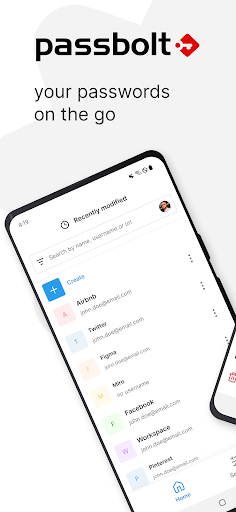
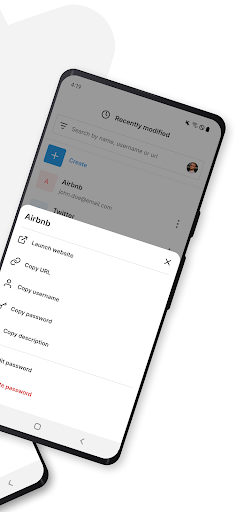
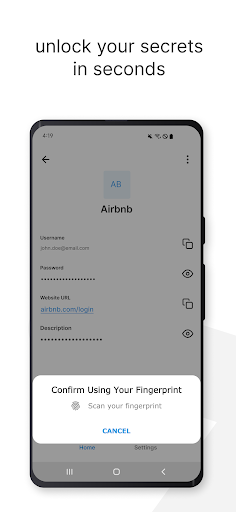


About Passbolt - password manager
The description on the store listing
Take your team's passwords with you wherever you go by downloading Passbolt's open-source mobile app. It offers all the beloved features of the web application, including industry-leading password sharing security, form autofill, plus biometric and multi-factor authentication.
Why choose Passbolt mobile?
- Setting the highest standards in password collaboration security.
- Biometric authentication allows you to log in and access your passwords using fingerprint or facial recognition.
- Secure MFA login is enhanced with NFC-enabled Yubikey support.
- The autofill feature simplifies credential input on your mobile device.
- Fully Open Source.
Passbolt is based in Luxembourg and …
Read the full description
Take your team's passwords with you wherever you go by downloading Passbolt's open-source mobile app. It offers all the beloved features of the web application, including industry-leading password sharing security, form autofill, plus biometric and multi-factor authentication. Why choose Passbolt mobile? - Setting the highest standards in password collaboration security. - Biometric authentication allows you to log in and access your passwords using fingerprint or facial recognition. - Secure MFA login is enhanced with NFC-enabled Yubikey support. - The autofill feature simplifies credential input on your mobile device. - Fully Open Source. Passbolt is based in Luxembourg and complies with the EU's strict data privacy regulations. The app's security model follows strict end-to-end encryption principles. A key aspect of this is the secure transfer of private keys from the browser to the app, achieved offline through the scanning of multiple QR codes. Accessibility Features: Passbolt utilizes these features provided by Android to assist you in signing into both web and native applications using the credentials stored in it. Discover more at passbolt.com.
Installs since 29 Aug 2026 Measured
Exact Google Play install counts, collected daily
Ratings
1,107 ratings, 23 reviews
- 5 ★73%
- 4 ★11%
- 3 ★5.1%
- 2 ★2.1%
- 1 ★8.2%
Recent reviews
Latest public reviews from the store
No reviews in our sample for this app yet.
Top chart positions
Latest Google Play chart ranks by country, last 10 days
Not in any tracked top chart in the last 10 days.
Passbolt - password manager history
Release, install milestones, listing and store changes
- Reached 50,000+ installs 6 Jan 2026
- Reached 10,000+ installs 31 Jan 2023
- Reached 5,000+ installs 5 Jul 2022
- First released on the store 25 Nov 2021
Update frequency
How often Passbolt - password manager ships a new version, month by month
5 updates in the last 12 months. More often than most similar apps: they shipped a median of 0 updates in the same year.
Recent versions
Current version 3.4.1
- Version 3.4.016 Oct 2026
This release adds a new MFA provider — you can now use a passkey as an additional authentication factor. Security hardening: metadata key fingerprints are now verified locally. Performance improvements include removing redundant metadata fetches, more efficient database-backed search, and a GC optimization. Fixes include a metadata key trust dialog padding issue and a missing toast on TOTP creation. Note: Android 11 is no longer supported.
- Version 3.2.04 Aug 2026
This release brings many performance improvements: sign-in and data refresh are much faster, and the app now picks the best API page size for your device so your data loads quicker. It also adds a banner to upgrade your resources from v4 to v5, an advanced password generator across secret flows, a new pull to refresh indicator, and a deterministic progress bar that fills up while your data loads. Plus a large repository layer refactor and several bug fixes.
- Version 3.1.010 Jun 2026
We added TOTP autofill, support for PIN resources, and a new expert setting to reduce re-authentication prompts. Orientation lock has been relaxed, so the app now adapts to screen orientation on large screens with improved split-screen behaviour. On the security side, the pwned password check is back, and we've introduced Gradle lock files to harden the build. We also fixed a foreground service crash and an overlapping MFA keyboard, and improved UX on the resource list preventing list jumps.
- Version 3.0.026 May 2026
Version 3.0.0 is a major milestone — the full migration to MVI architecture is done, and we're celebrating with a major version bump! This release also adds paginated folder fetching for large datasets, polishes the sign-in experience, unifies biometric wording, and updates TOTP success screens. Plus several bug fixes including a bottom sheet glitch and a low conditions face recognition crash.
Listing keywords
Words and phrases Passbolt - password manager repeats most in its store listing
Top phrases: open source (3).
Highlighted words also appear in the title. Counts cover the title, short description and description.
Business model and tech
From the store listing and declared permissions
- Business model
- Free to download
- Sensitive access
- No sensitive permission declared
Compliance
What the listing and the app package show
- Store status
- Live
- Upkeep
- Updated 16 Oct 2026
- Registered in
- Luxembourg
- Privacy policy
- Linked on the listing
- Advertising
- No ads declared
- In-app purchases
- None declared
- Age rating
- Everyone
Apps like Passbolt - password manager
Appointments Planner SchedulerLaurentiu Popa395K installs★ 3.99
PDF Editor: Remove Page & PassSmartapps store109K installs★ 4.38
PDF Scanner & Doc Scanner AppWdream Limited480K installs★ 4.64
Hindi Thoughts (Suvichar)Arvind Chand Katoch116K installs★ 3.5
note book - daily writingLixi LLC112K installs★ 4.42
Pdf Studio: Reader & ListenerSAT One Plus150K installs★ 3.51
Direct Messages, Delete ChatSuper Ludo™ Games430K installs★ 3.88
All Document Reader & ViewerApp Bulls Inc - Office Suite330K installs★ 4.05
Breeding WheelEmbrapa168K installs★ 4.32
Passbolt - password manager: questions and answers
How many downloads does Passbolt - password manager have?
Passbolt - password manager has 67,003 installs on Google Play, measured from the store's own count on 14 Nov 2026.
Who makes Passbolt - password manager?
Passbolt - password manager is published by Passbolt SA, a developer based in LU.
When was Passbolt - password manager last updated?
The latest version (3.4.1) was released on 16 Oct 2026.
Is Passbolt - password manager free?
Yes. Passbolt - password manager is free to download.
Is Passbolt - password manager still available?
Yes. Passbolt - password manager is live on Google Play as of 14 Nov 2026.
Track Passbolt - password manager and its competitors
Watch any app for new versions, rating drops, chart moves and removals. Free plan, no card.