
Password Manager - SecureX
Storage of your passwords, notes, cards, and Photo Vault. Organized. Encrypted.
- Installs
- 85.68K
- Measured
- Rating
- 3.96
- Ratings
- 644
- 18 reviews
- Version
- 1.6.3
- Updated 5 Oct 2026
- Released
- 17 May 2019
- Tracked since 13 May 2026
- Size
- 22 MB
- Needs 5.0
Screenshots

About Password Manager - SecureX
The description on the store listing
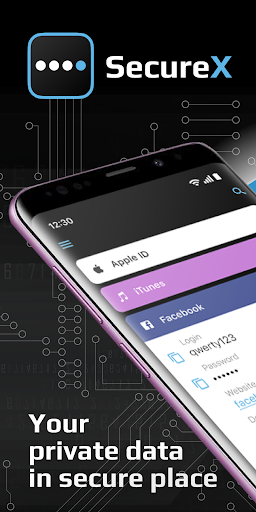
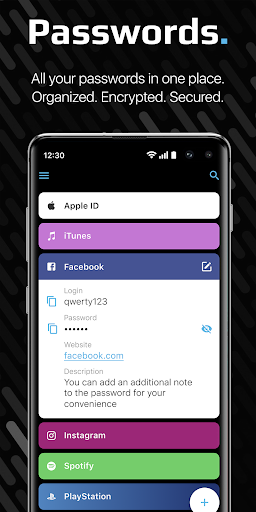
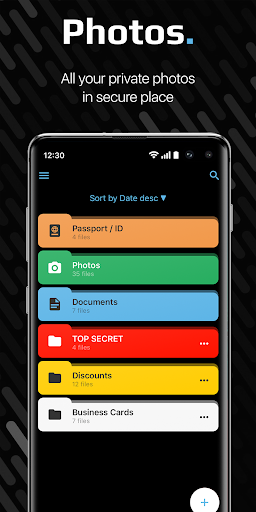
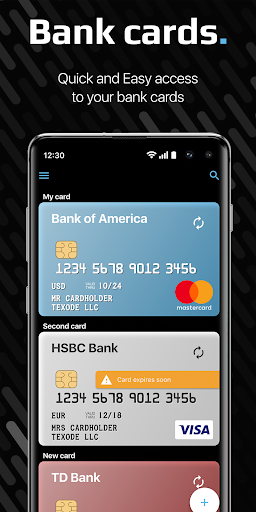
SecureX is an app for secure storage of your passwords and logins, notes, bank cards, photos (Photo Vault for scanned documents, passport, private photos etc.). Use our password generator, autofill, synchronization and other functions for a safe and convenient experience with our password manager.
<b> WHY OUR PASSWORD MANAGER IS SAFE? </b>
We use AES encryption with a key length of 256 bits. This key is generated on your device and without it, no one will be able to access your data that is stored locally on the device (in encrypted form) or on your cloud storage (with active synchronization).
The keys are stored in the Android Keystore, which prevents anyone (even the application …
Read the full description
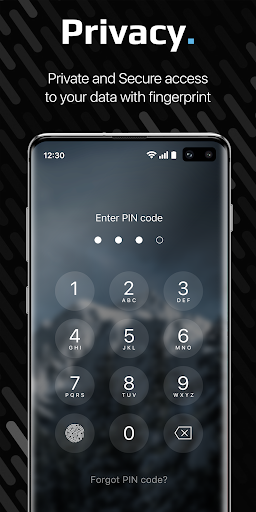
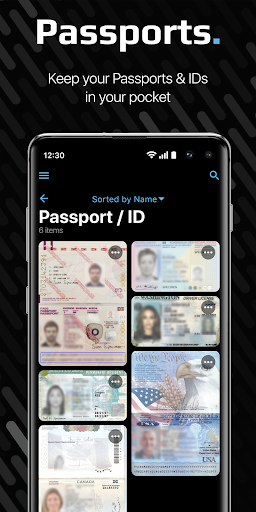
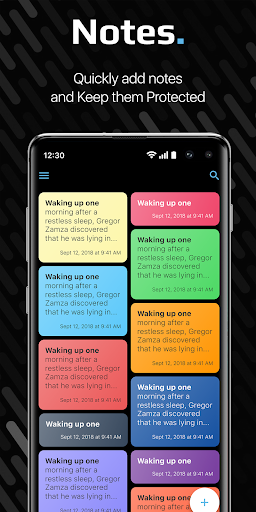
SecureX is an app for secure storage of your passwords and logins, notes, bank cards, photos (Photo Vault for scanned documents, passport, private photos etc.). Use our password generator, autofill, synchronization and other functions for a safe and convenient experience with our password manager. <b> WHY OUR PASSWORD MANAGER IS SAFE? </b> We use AES encryption with a key length of 256 bits. This key is generated on your device and without it, no one will be able to access your data that is stored locally on the device (in encrypted form) or on your cloud storage (with active synchronization). The keys are stored in the Android Keystore, which prevents anyone (even the application itself) from exporting the keys. On some devices, the Keystore may reside in a chip specifically designed for this purpose. Therefore, when the device is flashed, data may be lost. Data is not sent to the network, is not stored and is not processed on our servers. Therefore, for the safety of your data, we recommend using synchronization with your cloud storage. <b> Important </b>: If you lose your PIN or Master Password, - it will be impossible to restore your data (Due the security policy); However, if you activated Sync and have your Master Password, you can restore your data on any device. Despite the serious internal structure, the application interface is simple, intuitive and understandable. <b> There are no restrictions on the storage of data in the free version. </b> <i> Selected by SecureNews as <b> The best password manager for mobile platforms </b>: "A convenient, reliable, optimized for 9 languages application, fully made for mobile devices." </i> <b> SecureX advantages: </b> PHOTO VAULT You can keep your photos, documents, passports, IDs and other photos that you don't want others to see! Photos are stored encrypted and secure! OFFLINE MODE Just download and use it without registration. You do not need the Internet to work with SecureX. Wherever you are, data is always in your pocket! CONVENIENT ADDING OF DATA Filling our SecureX is very convenient. Create complex and unique passwords using the Password Generator. Add your credit card details using your device’s camera and NFC. SENDING DATA Share your passwords, notes, credit cards as a text message through instant messengers, social. network, SMS or e-mail. SEARCH AND SORTING Convenient sorting and search by item name. AUTOFILL Autofill passwords on websites and in mobile applications, as well as filling in the payment information of bank cards. SECURITY Protecting your data from the curious: access via fingerprint or pin code. Additional functions: Face Down Lock (opening another application of your choice when the screen is rotated), Emergency Pin (entering a code that will delete all your data), deleting data when you enter an incorrect PIN more than 10 times, etc. We won’t be able to get access to your data, even if we want to. The key is stored only on your device and we won’t be able to get access to the key. SYNCHRONIZATION Use our password keeper on multiple devices by connecting your Dropbox and Google Drive cloud storage. We do not have access to your data and do not see them. Use synchronization to keep your data relevant on all devices! <h2><b>Free Password Manager</b></h2> SecureX in the free version has no restrictions on the number of elements. Keep your data unlimited. <b>TRY A PREMIUM</b> Try for free 1 week all the features of our application: additional security features and synchronization on your cloud storage. Synchronization allows you to protect data from loss and share it between devices on different platforms.
Installs since 29 Aug 2026 Measured
Exact Google Play install counts, collected daily
Ratings
644 ratings, 18 reviews
- 5 ★63%
- 4 ★10%
- 3 ★8.3%
- 2 ★4.1%
- 1 ★15%
Recent reviews
Latest public reviews from the store
No reviews in our sample for this app yet.
Top chart positions
Latest Google Play chart ranks by country, last 10 days
Not in any tracked top chart in the last 10 days.
Password Manager - SecureX history
Release, install milestones, listing and store changes
- Moved from Productivity to Tools 28 Aug 2024
- Reached 50,000+ installs 9 Aug 2022
- Reached 10,000+ installs 14 Mar 2020
- Reached 5,000+ installs 23 Nov 2019
- Reached 1,000+ installs 20 Jul 2019
- Reached 500+ installs 23 Jun 2019
- Reached 100+ installs 10 Jun 2019
- Reached 50+ installs 8 Jun 2019
Update frequency
How often Password Manager - SecureX ships a new version, month by month
1 updates in the last 12 months. More often than most similar apps: they shipped a median of 0 updates in the same year.
Recent versions
Current version 1.6.3
- Version 1.6.35 Oct 2026
- Fixed several bugs.
- Version 1.5.42 Feb 2022
- Version 1.5.37 Dec 2021
- Version 1.5.228 Sep 2021
Listing keywords
Words and phrases Password Manager - SecureX repeats most in its store listing
Top phrases: password manager (5), cloud storage (4), photo vault (3), restore your data (2), won’t be able (2).
Highlighted words also appear in the title. Counts cover the title, short description and description.
Business model and tech
From the store listing, the SDKs in the app package and its declared permissions
- Business model
- Free to downloadIn-app purchasesSubscriptions
- Built with
- No cross-platform framework or game engine detected
- Ad networks (0)
- None detected
- Subscriptions and payments
- RevenueCatGoogle Play billing
- Attribution and measurement
- AppsFlyer
- Analytics and crash reports
- Firebase
- Sensitive access
- CameraPhone and callsPhotos, videos and filesAccounts on the deviceAdvertising ID
2 ad, attribution and analytics SDKs detected. SDKs are read from the app package and permissions from the store listing, so code that loads later is not seen.
Technology
32 SDKs found in the app package
Ad networks
Advertising and install-attribution SDKs found in the app package
- AppsFlyer
21 permissions
0 special access, 6 sensitive, 15 standard
- Take photos and videosSensitive
- See accounts on the deviceSensitive
- Change or delete shared storageSensitive
- Read shared storageSensitive
- Show notificationsPOST_NOTIFICATIONSSensitive
- Read phone status and identitySensitive
- Read how it was installed (install referrer)BIND_GET_INSTALL_REFERRER_SERVICEStandard
- Read the advertising IDAD_IDStandard
- Control vibrationStandard
- Foreground service (data sync)FOREGROUND_SERVICE_DATA_SYNCStandard
- Keep the phone awakeStandard
- Run a foreground serviceFOREGROUND_SERVICEStandard
Compliance
What the listing and the app package show
- Store status
- Live
- Upkeep
- Updated 5 Oct 2026
- Registered in
- Belarus
- Privacy policy
- Linked on the listing
- Advertising
- No ads declared
- In-app purchases
- Offered
- Age rating
- Everyone
- Sensitive permissions
- 6 sensitive of 21
- Location access
- No
- Camera and microphone
- Camera
Apps like Password Manager - SecureX
Color LED ControllerStonez56 (Kevin Chen)494K installs★ 2.46
Bigg VPNBigg Software Ltd72.2K installs★ 4.86
Junk Cleaner - Cleanup Phoneepazarturkiye.com161K installs★ 3.9
CloverPool - Multi-coins PoolCloverPool Team122K installs★ 3.94
Afghan Sim (خدمات سیم کارت ها)Yasin Mohammadi52.7K installs★ 3.91
Drink Water TrackerWe Soft Global221K installs★ 4.05
ХваляГосударственное предприятие "БелГИЭ"19.2K installs★ 2.29
QR code scanner & generatorDual Design Studio333K installs★ 3.53
فیلتر شکن قوی پرسرعت اریزوSol Sol App654472293K installs★ 4.39
Password Manager - SecureX: questions and answers
How many downloads does Password Manager - SecureX have?
Password Manager - SecureX has 85,678 installs on Google Play, measured from the store's own count on 14 Nov 2026.
Who makes Password Manager - SecureX?
Password Manager - SecureX is published by Texode Technologies LLC, a developer based in BY.
When was Password Manager - SecureX last updated?
The latest version (1.6.3) was released on 5 Oct 2026.
Is Password Manager - SecureX free?
Yes. Password Manager - SecureX is free to download and offers in-app purchases.
Is Password Manager - SecureX still available?
Yes. Password Manager - SecureX is live on Google Play as of 14 Nov 2026.
Track Password Manager - SecureX and its competitors
Watch any app for new versions, rating drops, chart moves and removals. Free plan, no card.