
PDF Reader - All PDF Viewer
Read PDF files on your device with all PDF reader & PDF viewer, open PDF anytime
- Installs
- 6.68M
- Measured
- Rating
- 4.49
- Ratings
- 45.7K
- 206 reviews
- Version
- 1.8.10
- Updated 1 Oct 2026
- Released
- 1 Oct 2021
- Tracked since 13 May 2026
- Size
- 57 MB
- Needs 5.0
Screenshots



About PDF Reader - All PDF Viewer
The description on the store listing
PDF Reader - All PDF Viewer is a complete PDF solution that allows you to read, edit, scan, convert, and manage PDF files with ease. Whether you need a fast PDF viewer, a professional PDF editor, or a smart PDF scanner, this all-in-one app is designed to simplify your work and study needs. With features like image to PDF conversion, merge and split PDF, compress PDF, password protection, bookmarks, and offline access, this app is the perfect productivity tool for students, professionals, and everyday users.
<b>Key Features</b>
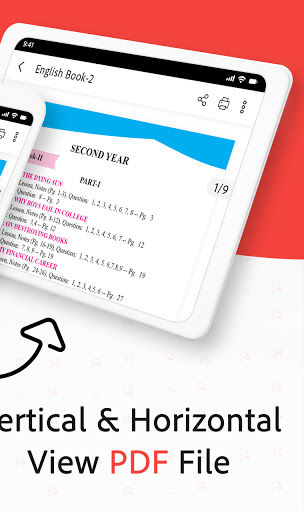
✅ Fast and smooth PDF Reader & PDF Viewer
✅ Edit PDF: add text, highlight, annotate, and modify files
✅ PDF Scanner: scan documents, ID cards, receipts, notes …
Read the full description
PDF Reader - All PDF Viewer is a complete PDF solution that allows you to read, edit, scan, convert, and manage PDF files with ease. Whether you need a fast PDF viewer, a professional PDF editor, or a smart PDF scanner, this all-in-one app is designed to simplify your work and study needs. With features like image to PDF conversion, merge and split PDF, compress PDF, password protection, bookmarks, and offline access, this app is the perfect productivity tool for students, professionals, and everyday users. <b>Key Features</b> ✅ Fast and smooth PDF Reader & PDF Viewer ✅ Edit PDF: add text, highlight, annotate, and modify files ✅ PDF Scanner: scan documents, ID cards, receipts, notes into PDF ✅ Image to PDF Converter: JPG to PDF, PNG to PDF, JPEG to PDF ✅ Merge, split, rotate, and compress PDF files ✅ Organize documents with built-in PDF File Manager ✅ Search text inside PDF, add bookmarks & manage pages ✅ Secure your files with password-protected PDFs ✅ 100% offline and works without internet or login ✅ Lightweight, free, and optimized for all Android devices <b>📖 Professional PDF Reader & PDF Viewer</b> Open and view any PDF file stored on your phone. Enjoy smooth scrolling, zooming, page navigation, and night mode for comfortable reading. Perfect for ebooks, assignments, business reports, invoices, manuals, and contracts. <b>✏️ PDF Editor & Annotator</b> Edit PDFs like never before. Add text, highlight important content, insert annotations, or sign documents digitally. Ideal for students reviewing notes, professionals editing reports, or anyone making changes to a PDF file. <b>📷 PDF Scanner - Scan Documents to PDF</b> Turn your phone camera into a powerful PDF scanner. Scan receipts, ID cards, books, notes, or certificates and save them as clear, high-quality PDF documents with auto-edge detection. <b>🖼️ Image to PDF Converter</b> Convert JPG, JPEG, PNG, and other image formats into PDF instantly. Great for digitizing photos, homework, handwritten notes, ID cards, and business documents. <b>🗂️ Merge, Split & Organize PDF Files</b> Combine multiple PDF documents into one, split large files, or rotate and reorder pages. Manage your PDFs easily with the built-in PDF file manager. <b>📑 Smart Search & Bookmarks</b> Find content inside PDFs within seconds using the advanced search tool. Save important pages with bookmarks for quick reference later. <b>🔒 Secure & Private PDF Files</b> Protect sensitive documents with password encryption. All processing happens locally on your device, ensuring complete privacy and offline security. <b>⚡ Lightweight & Offline PDF Tool</b> This free PDF app is designed to be fast, reliable, and battery-friendly. No internet or login required – enjoy smooth PDF reading, editing, scanning, and converting anytime. <b>📥 Download Now</b> Take control of your documents with PDF Reader - All PDF Viewer. Download today and experience the fastest way to read, edit, scan, convert, and manage PDF files in one powerful app.
Installs, last 30 days Measured
Exact Google Play install counts, collected daily
Ratings
45,701 ratings, 206 reviews
- 5 ★78%
- 4 ★9.9%
- 3 ★3.7%
- 2 ★1.2%
- 1 ★7.4%
Recent reviews
Latest public reviews from the store
- 17 May 2026
really helpful.
- 25 Apr 2026
very good app. but need more option like selected text font style and size changing
- 21 Apr 2026
The app is underrated but is very very useful
- 15 Apr 2026
App features satisfies my quest...
What reviewers bring up
Topics mentioned in the latest 45 reviews, by how many reviews mention them
Liked in good reviews (41 reviews)
- text 7
- ads 6
- pdf 5
- convert 3
- without 3
- save 3
- file 3
- fast 3
Raised in bad reviews (2 reviews)
No topic comes up twice.
Top chart positions
Latest Google Play chart ranks by country, last 10 days
Not in any tracked top chart in the last 10 days.
PDF Reader - All PDF Viewer history
Release, install milestones, listing and store changes
- Reached 5,000,000+ installs 2 Mar 2023
- Reached 1,000,000+ installs 7 Nov 2021
- Reached 500,000+ installs 10 Oct 2021
- First released on the store 1 Oct 2021
- Reached 100,000+ installs 9 May 2021
- Reached 50,000+ installs 28 Mar 2021
Update frequency
How often PDF Reader - All PDF Viewer ships a new version, month by month
5 updates in the last 12 months. More often than most similar apps: they shipped a median of 2 updates in the same year.
Recent versions
Current version 1.8.10
- Version 1.8.101 Oct 2026
- Version 1.8.52 Apr 2026
Manage PDFs at one place View & read unlimited PDF files Improved application performance
- Version 1.8.419 Feb 2026
- Version 1.8.310 Feb 2026
Listing keywords
Words and phrases PDF Reader - All PDF Viewer repeats most in its store listing
Top phrases: pdf viewer (7), pdf files (6), pdf reader (6), pdf file (4), pdf scanner (4).
Highlighted words also appear in the title. Counts cover the title, short description and description.
Business model and tech
From the store listing, the SDKs in the app package and its declared permissions
- Business model
- Free to downloadIn-app purchasesShows ads
- Built with
- No cross-platform framework or game engine detected
- Ad networks (2)
- AdMobFacebook Audience Network
- Subscriptions and payments
- Google Play billing
- Analytics and crash reports
- Firebase
- Sensitive access
- CameraPhotos, videos and filesAccounts on the deviceAdvertising ID
3 ad, attribution and analytics SDKs detected. SDKs are read from the app package and permissions from the store listing, so code that loads later is not seen.
Technology
21 SDKs found in the app package
Ad networks
Advertising and install-attribution SDKs found in the app package
- AdMob
- Facebook Audience Network
23 permissions
1 special access, 6 sensitive, 16 standard
- Manage all filesMANAGE_EXTERNAL_STORAGESpecial access
- Take photos and videosSensitive
- See accounts on the deviceSensitive
- Change or delete shared storageSensitive
- Read photosREAD_MEDIA_IMAGESSensitive
- Read shared storageSensitive
- Show notificationsPOST_NOTIFICATIONSSensitive
- Ad attribution (Privacy Sandbox)ACCESS_ADSERVICES_ATTRIBUTIONStandard
- Ad topics (Privacy Sandbox)ACCESS_ADSERVICES_TOPICSStandard
- Read how it was installed (install referrer)BIND_GET_INSTALL_REFERRER_SERVICEStandard
- Read the advertising IDAD_IDStandard
- Read the advertising ID (Privacy Sandbox)ACCESS_ADSERVICES_AD_IDStandard
Compliance
What the listing and the app package show
- Store status
- Live
- Upkeep
- Updated 1 Oct 2026
- Registered in
- United Arab Emirates
- Privacy policy
- Linked on the listing
- Advertising
- Shows ads
- In-app purchases
- Offered
- Age rating
- Everyone
- Sensitive permissions
- 6 sensitive, 1 special access of 23
- Location access
- No
- Camera and microphone
- Camera
Apps like PDF Reader - All PDF Viewer
Sticker Maker – WA Stickershighsecure6.3M installs★ 4.25
Mega Zoom Camera - xZoomJust4Fun Utilities7.6M installs★ 4.38
WiFi Connection Managerroamingsoft11.3M installs★ 3.61
Gallery Photo Lock, GalleryA+XiX Tech3.2M installs★ 4.78
Video Downloader for Twitter XAculix Technologies LLP2.3M installs★ 4.62
Android Device PolicyGoogle LLC503M installs★ 3.62
Recover Deleted Photos - DSDetective Studio9.7M installs★ 3.68
Game Booster Pro: Turbo ModeScoteam589K installs★ 4.48
Home WiFi AlertDoubleDot Studios24.9M installs★ 4.16
PDF Reader - All PDF Viewer: questions and answers
How many downloads does PDF Reader - All PDF Viewer have?
PDF Reader - All PDF Viewer has 6,676,792 installs on Google Play, measured from the store's own count on 19 Nov 2026.
Who makes PDF Reader - All PDF Viewer?
PDF Reader - All PDF Viewer is published by Office Tools., a developer based in AE.
When was PDF Reader - All PDF Viewer last updated?
The latest version (1.8.10) was released on 1 Oct 2026.
Is PDF Reader - All PDF Viewer free?
Yes. PDF Reader - All PDF Viewer is free to download and offers in-app purchases, and it shows ads.
Is PDF Reader - All PDF Viewer still available?
Yes. PDF Reader - All PDF Viewer is live on Google Play as of 19 Nov 2026.
Track PDF Reader - All PDF Viewer and its competitors
Watch any app for new versions, rating drops, chart moves and removals. Free plan, no card.