PDF Reader and PDF Editor App
Read, scan and edit PDF files with PDF Reader & Editor. Create, Split and Merge
- Installs
- 269K
- Measured
- Rating
- —
- Ratings
- —
- Version
- Varies with device
- Updated 20 Jan 2026
- Released
- 16 Feb 2026
- Tracked since 14 May 2026
- Size
- —
Screenshots




About PDF Reader and PDF Editor App
The description on the store listing
📚 <b>PDF Reader & PDF Editor: The Ultimate PDF Solution for Android</b>
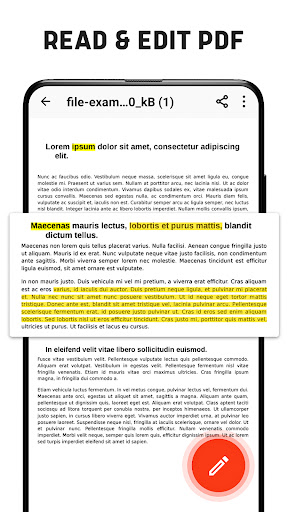
📄 PDF Reader for Android is your all-in-one tool to read, edit, annotate, create, compress, merge, and secure PDF documents. Whether you’re managing eBooks, contracts, or work files, this app offers powerful features to simplify your tasks.
🌟 <b>Read PDF Files Seamlessly</b>
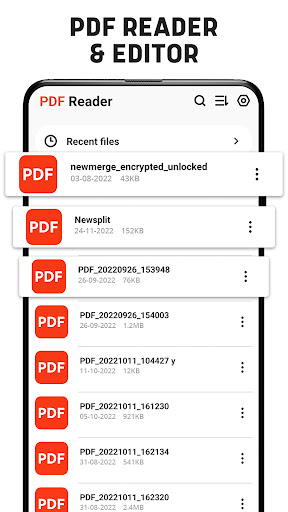
The smart PDF Reader ensures offline access, letting you view PDFs anywhere, anytime without an internet connection. 🌙 Switch to Dark Mode for comfortable reading in low-light environments. Navigate long documents effortlessly with the Go-to-Page option and enjoy flexible viewing in vertical or horizontal modes. Easily manage your PDFs by …
Read the full description
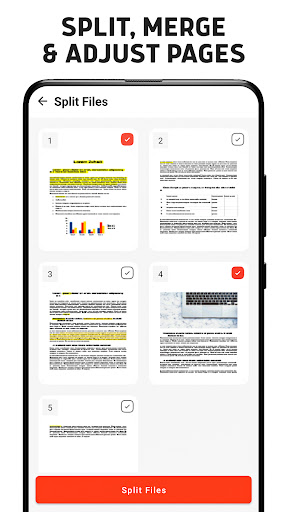
📚 <b>PDF Reader & PDF Editor: The Ultimate PDF Solution for Android</b> 📄 PDF Reader for Android is your all-in-one tool to read, edit, annotate, create, compress, merge, and secure PDF documents. Whether you’re managing eBooks, contracts, or work files, this app offers powerful features to simplify your tasks. 🌟 <b>Read PDF Files Seamlessly</b> The smart PDF Reader ensures offline access, letting you view PDFs anywhere, anytime without an internet connection. 🌙 Switch to Dark Mode for comfortable reading in low-light environments. Navigate long documents effortlessly with the Go-to-Page option and enjoy flexible viewing in vertical or horizontal modes. Easily manage your PDFs by renaming, deleting, or sharing them directly from the app. ✏️ <b>Annotate & Edit PDFs with Ease</b> Edit your PDFs like a pro! Highlight, underline, and strikethrough text for better organization. Add e-signatures or digital signatures to your files with just a few taps. The annotation tools allow you to draw, mark, or take notes directly on your documents, making collaboration or personal review a breeze. 📑 <b>Create & Convert PDF Files</b> Transform your files effortlessly! Use this app to create PDFs from text or images in seconds. 📷 Future updates will include advanced converters, such as: ◉ <b>Word to PDF</b> ◉ <b>Image to PDF</b> ◉ <b>Excel to PDF</b> ◉ <b>PPT to PDF</b> Upcoming features will also let you convert PDFs back to Word, Excel, or PowerPoint formats, giving you unmatched flexibility. 🔧 <b>Organize Your Documents</b> Easily manage large PDF files with the built-in splitter and merger. Split lengthy PDFs into smaller sections or combine multiple files into one seamless document. For users needing smaller file sizes, the PDF compressor reduces file sizes 📉 without compromising quality, perfect for sharing or saving storage space. 🔒 <b>Secure Your Files with Passwords</b> Your documents deserve the best protection. Lock sensitive PDFs with the password protection feature, ensuring your files remain private and secure. ✨ <b>Perfect for Everyone</b> 📚 Whether you’re a student reading academic notes, a professional managing contracts, or a casual user enjoying eBooks, this app is designed to meet your needs. Its user-friendly interface and offline functionality make it the ideal choice for on-the-go document management. 🚀 <b>What’s Coming Next?</b> Exciting updates are on the horizon! Soon, you’ll be able to: Convert documents like Word, Excel, PPT, and images to PDFs. Convert PDFs to other formats like Word, Excel, and PowerPoint. 📥 <b>Download PDF Reader for Android</b> today and unlock the smartest way to manage your PDF files. From reading and editing to converting and securing, this app has it all. Simplify your work, study, or personal tasks with the ultimate PDF solution at your fingertips!
Installs since 14 Nov 2026 Measured
Exact Google Play install counts, collected daily
Daily history starts once this app is in our daily install sample.
Ratings
- 5 ★0.0%
- 4 ★0.0%
- 3 ★0.0%
- 2 ★0.0%
- 1 ★0.0%
Recent reviews
Latest public reviews from the store
- 19 May 2026
Nice Little AP. very useful 👌
- 19 May 2026
good very good app
- 19 May 2026
effecient
- 19 May 2026
great
What reviewers bring up
Topics mentioned in the latest 50 reviews, by how many reviews mention them
Liked in good reviews (38 reviews)
- pdf reader 3
- useful 2
Raised in bad reviews (11 reviews)
- file 3
- ads 3
Top chart positions
Latest Google Play chart ranks by country, last 10 days
Not in any tracked top chart in the last 10 days.
PDF Reader and PDF Editor App history
Release, install milestones, listing and store changes
- First released on the store 16 Feb 2026
- Reached 100,000+ installs 21 Feb 2023
- Reached 50,000+ installs 18 Nov 2022
Update frequency
How often PDF Reader and PDF Editor App ships a new version, month by month
1 updates in the last 12 months. More often than most similar apps: they shipped a median of 0 updates in the same year.
Recent versions
Current version Varies with device
- Version 1.2.620 Jan 2026
- Version 1.2.510 Nov 2025
- Version 1.2.430 Jul 2025
- Version 1.2.29 Sep 2024
Listing keywords
Words and phrases PDF Reader and PDF Editor App repeats most in its store listing
Top phrases: pdf reader (6), pdf files (5), word excel (3), reader for android (2), ultimate pdf solution (2).
Highlighted words also appear in the title. Counts cover the title, short description and description.
Business model and tech
From the store listing and declared permissions
- Business model
- Free to downloadShows ads
- Sensitive access
- No sensitive permission declared
Compliance
What the listing and the app package show
- Store status
- Live
- Upkeep
- Updated 20 Jan 2026
- Registered in
- United Arab Emirates
- Privacy policy
- Linked on the listing
- Advertising
- Shows ads
- In-app purchases
- None declared
- Age rating
- Everyone
Apps like PDF Reader and PDF Editor App
영산강 안심 알림eICT융합소프트 & 스마트오더18.3K installs★ 4.0
JBLETRADOC Mobile10.3K installs★ 4.5
Two Point HeightOmega Centauri Software15.3K installs★ 2.22
Sheridan RecyclesCity of Sheridan634 installs★ 4.67
NAFNorges Automobil-Forbund200K installs★ 3.9
Ipsos Adria CAPIIpsos Serbia7.4K installs★ 3.9
Clock: Alarm Clock & TimerIntratech so36.1K installs★ 3.79
Süzme Sayaç HesaplamaNotsup30.3K installs★ 3.6
Cattle & Goat Record KeepingVetzKin10.3K installs★ 2.5
PDF Reader and PDF Editor App: questions and answers
How many downloads does PDF Reader and PDF Editor App have?
PDF Reader and PDF Editor App has 268,653 installs on Google Play, measured from the store's own count on 14 Nov 2026.
Who makes PDF Reader and PDF Editor App?
PDF Reader and PDF Editor App is published by Trusted PDF Tools, a developer based in AE.
When was PDF Reader and PDF Editor App last updated?
The latest version (Varies with device) was released on 20 Jan 2026.
Is PDF Reader and PDF Editor App free?
Yes. PDF Reader and PDF Editor App is free to download, and it shows ads.
Is PDF Reader and PDF Editor App still available?
Yes. PDF Reader and PDF Editor App is live on Google Play as of 14 Nov 2026.
Track PDF Reader and PDF Editor App and its competitors
Watch any app for new versions, rating drops, chart moves and removals. Free plan, no card.