PDF Reader: PDF Viewer
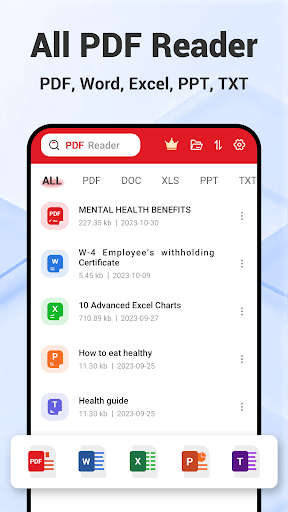
Read PDF effortlessly! Plus, easily view Word, Excel, PPT, and TXT files!
- Installs
- 5.56M
- Measured
- Rating
- 4.36
- Ratings
- 32K
- 89 reviews
- Version
- 1.0.39
- Updated 21 Sep 2026
- Released
- 2 Apr 2024
- Tracked since 14 May 2026
- Size
- —
Screenshots
About PDF Reader: PDF Viewer
The description on the store listing
🎉 Congratulations on discovering the ultimate PDF Reader: PDF Viewer app!
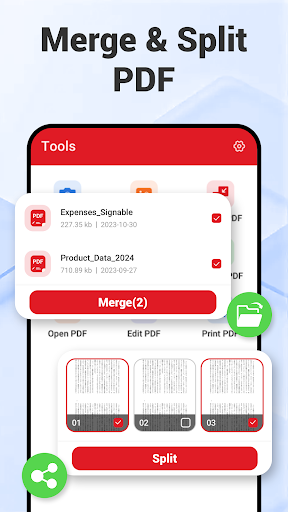
Unlock powerful features to easily <b>view, read, edit, convert, merge, and split your PDF files</b> with this intuitive PDF Reader: PDF Viewer app.
🚀 Ready to explore all the powerful features of our PDF Reader: PDF Viewer app?
<b><u>PDF Reader</u></b>
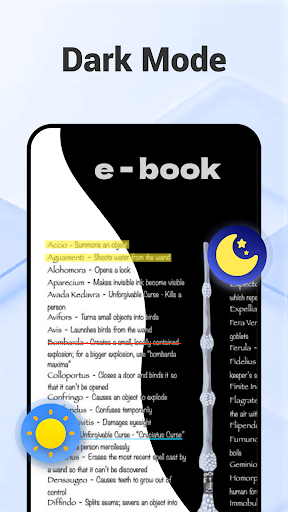
✔ <b>Dark Mode</b> in PDF Reader: Eye-friendly for late-night PDF reading.
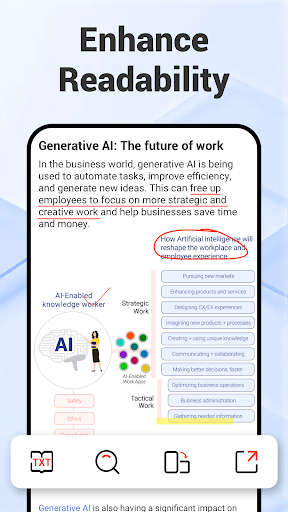
✔ <b>TXT Mode</b> in PDF Viewer: Adjust font size for enhanced readability of your PDF files.
✔ <b>View Mode</b> in PDF Reader: Customize your PDF view between vertical or horizontal orientations, with continuous scrolling or page-by-page options based on your preference. …
Read the full description
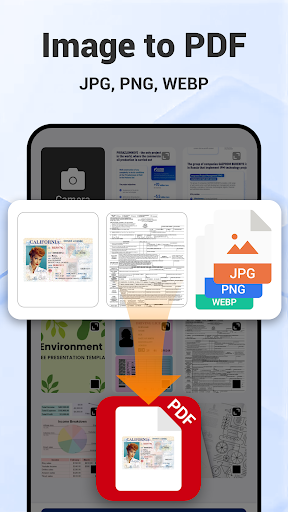
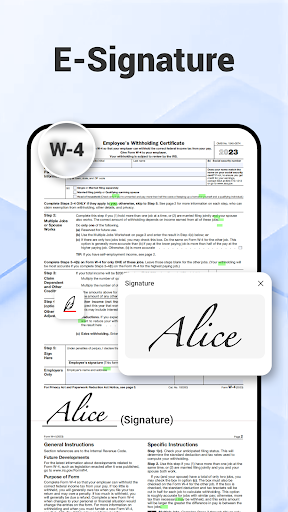
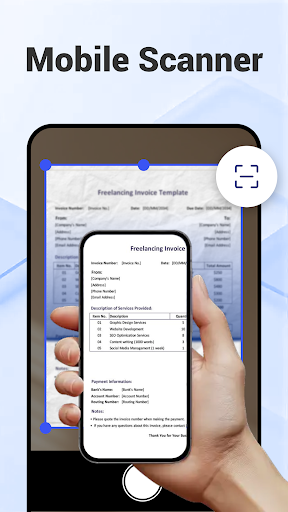
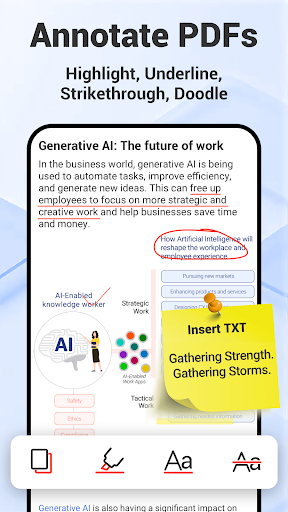
🎉 Congratulations on discovering the ultimate PDF Reader: PDF Viewer app! Unlock powerful features to easily <b>view, read, edit, convert, merge, and split your PDF files</b> with this intuitive PDF Reader: PDF Viewer app. 🚀 Ready to explore all the powerful features of our PDF Reader: PDF Viewer app? <b><u>PDF Reader</u></b> ✔ <b>Dark Mode</b> in PDF Reader: Eye-friendly for late-night PDF reading. ✔ <b>TXT Mode</b> in PDF Viewer: Adjust font size for enhanced readability of your PDF files. ✔ <b>View Mode</b> in PDF Reader: Customize your PDF view between vertical or horizontal orientations, with continuous scrolling or page-by-page options based on your preference. ✔<b>Preview Mode</b> in PDF Viewer: Quickly locate specific pages in your PDF. <b><u>PDF Viewer</u></b> ✔ <b>Go-to-Page</b> in PDF Viewer: Effortlessly jump to any page within your PDF files. ✔ <b>Full-Screen Reading</b> in PDF Reader: Enjoy distraction-free PDF reading. ✔ <b>PDF Rotation</b> in PDF Viewer: Easily rotate PDFs between landscape and portrait modes for optimal viewing. <b><u>PDF Editor</u></b> ✔ <b>Annotation</b> in PDF Editor: Easily highlight, underline, and strikethrough text in your PDFs. ✔ Edit PDF with <b>Doodle</b>: Add your creative touch by drawing directly within PDF editor. ✔<b>Insert Images</b> in PDF Editor: Quickly insert images into your PDFs to enhance visuals. ✔ Edit PDF by <b>Inserting Text</b>: Add text within PDF editor easily for detailed commentary. ✔ <b>PDF Search</b> in PDF Editor: Quickly search for words, phrases, or sentences within your PDF files. <b><u>E-Signature</u></b> ✔ <b>Create E-Signature</b> within PDF Editor: Easily create a handwritten e-signature to sign your PDFs in seconds. ✔ <b>Store Multiple E-Signatures</b>: Securely save multiple e-signatures within PDF editor for yourself and your family. ✔ <b>Apply E-Signature</b>: Effortlessly insert your e-signature into any PDF. <b><u>Image to PDF Converter</u></b> ✔ Effortlessly sort and select JPG files for a seamless image to PDF conversion. ✔ Use an all-in-one image to PDF converter to rotate, crop, and apply filters for perfect results. ✔ Reorder and organize JPG files within the image to PDF converter to create a PDF exactly how you need it. ✔ Simplify image to PDF conversion with user-friendly tools designed for efficiency. ✔ Transform JPG files into professional-looking PDFs effortlessly with our powerful image to PDF converter. <b><u>PDF Scanner</u></b> ✔Scan paper files and convert them to PDF using this powerful PDF scanner. ✔Apply popular filter effects in the PDF scanner to enhance your PDF. ✔The PDF scanner ensures seamless scanning, editing, and converting, making it your on-go scanner. <b><u>Merge PDF & Split PDF</u></b> ✔<b>Split PDF</b>: Easily split PDF files to extract or remove pages ✔ <b>Merge PDF</b>: Quickly merge PDF documents into one file ✔ Reorder and search PDFs for seamless merging or splitting PDFs. ✨Wait, there's more for you! ✔ Open PDFs directly from device storage by setting the PDF Reader as your default PDF viewer. ✔ Access recent PDFs quickly from the widget for easy navigation. ✔ Open PDFs from other apps without any interruptions. ✔ Easily open PDFs from external USB or SD cards. ✔ Share PDFs with anyone for quick access. ✔ Print PDFs conveniently with just a few taps. 🚀 Embark on a journey of effortless PDF management – open and experience the power of our PDF Reader: PDF Viewer today!
Installs since 19 Jul 2026 Measured
Exact Google Play install counts, collected daily
Ratings
32,048 ratings, 89 reviews
- 5 ★83%
- 4 ★2.9%
- 3 ★1.0%
- 2 ★3.8%
- 1 ★9.6%
Recent reviews
Latest public reviews from the store
- 19 May 2026
very useful
- 18 May 2026
I can't open it
- 17 May 2026
ok
- 24 Apr 2026
agradeço
What reviewers bring up
Topics mentioned in the latest 50 reviews, by how many reviews mention them
Liked in good reviews (27 reviews)
No topic comes up twice.
Raised in bad reviews (20 reviews)
- ads 7
- malware 3
- other 3
- pdf 3
- uninstalled 2
- pop-ups 2
- tells 2
Top chart positions
Latest Google Play chart ranks by country, last 10 days
- Countries ranked
- 1
- Best rank
- #166
- Top 10 placements
- 0
- of 1 chart placements
- Average rank
- #166
Best countries on Google Play
- 🇯🇵 Japan · Top free, Productivity#166
| Country | Chart | Category | Rank | Best (10 days) | Date |
|---|---|---|---|---|---|
| 🇯🇵 Japan | Top free | Productivity | #166 | #166 | 14 Nov 2026 |
PDF Reader: PDF Viewer history
Release, install milestones, listing and store changes
- Reached 5,000,000+ installs 15 Apr 2026
- Reached 1,000,000+ installs 3 Nov 2024
- Reached 500,000+ installs 26 Oct 2024
- Reached 100,000+ installs 10 Oct 2024
- Reached 50,000+ installs 25 Jul 2024
- Reached 10,000+ installs 11 May 2024
- Reached 5,000+ installs 27 Apr 2024
- Reached 1,000+ installs 16 Apr 2024
Update frequency
How often PDF Reader: PDF Viewer ships a new version, month by month
7 updates in the last 12 months. More often than most similar apps: they shipped a median of 5 updates in the same year.
Recent versions
Current version 1.0.39
- Version 1.0.3921 Sep 2026
Dear PDF lovers, Our PDF Reader App now supports inserting text on your mobile directly anytime, anywhere! Edit your PDF documents, PDF files on the go! Also fix minor crash.
- Version 1.0.3817 Jun 2026
Dear PDF lovers, Our PDF Reader App now supports inserting text on your mobile directly anytime, anywhere! Edit your PDF documents, PDF files on the go! Also fix minor crash.
- Version 1.0.366 Jun 2026
Dear PDF lovers, Our PDF Reader App now supports inserting text on your mobile directly anytime, anywhere! Edit your PDF documents, PDF files on the go!
- Version 1.0.3517 Mar 2026
Smoother performance - General responsiveness improvements across common workflows (open, render, and annotate PDFs). Minor UI polish - Small visual and interaction tweaks to make reading and navigation feel cleaner.
Listing keywords
Words and phrases PDF Reader: PDF Viewer repeats most in its store listing
Top phrases: pdf viewer (11), pdf reader (10), pdf editor (8), image to pdf (6), pdf reader pdf (5).
Highlighted words also appear in the title. Counts cover the title, short description and description.
Business model and tech
From the store listing and declared permissions
- Business model
- Free to downloadIn-app purchasesShows ads
- Sensitive access
- No sensitive permission declared
Compliance
What the listing and the app package show
- Store status
- Live
- Upkeep
- Updated 21 Sep 2026
- Registered in
- Singapore
- Privacy policy
- Linked on the listing
- Advertising
- Shows ads
- In-app purchases
- Offered
- Age rating
- Everyone
Apps like PDF Reader: PDF Viewer
Orbi - AI Chatbot & AssistantAppLab Kamil Piekarz600K installs★ 4.42
Early Bird Alarm ClockONEYEAR1.1M installs★ 4.55
Alarm Clock: Mornings & NapsRV AppStudios4.9M installs★ 4.43
AI Translate - All languageDOSA Apps4.9M installs★ 4.72
Verifíquese CédulaVenko2.9M installs★ 4.59
GalleryMOTO Gallery5.5M installs★ 3.66
SólidesSólides Tecnologia2.3M installs★ 4.41
Printer App: Print & Scan PDFFirstOrder.Apps1.1M installs★ 4.21
UPCOPUttar Pradesh Police Technical Services8.2M installs★ 3.62
PDF Reader: PDF Viewer: questions and answers
How many downloads does PDF Reader: PDF Viewer have?
PDF Reader: PDF Viewer has 5,557,721 installs on Google Play, measured from the store's own count on 15 Nov 2026.
Who makes PDF Reader: PDF Viewer?
PDF Reader: PDF Viewer is published by FlexOffice, a developer based in SG.
When was PDF Reader: PDF Viewer last updated?
The latest version (1.0.39) was released on 21 Sep 2026.
Is PDF Reader: PDF Viewer free?
Yes. PDF Reader: PDF Viewer is free to download and offers in-app purchases, and it shows ads.
Is PDF Reader: PDF Viewer still available?
Yes. PDF Reader: PDF Viewer is live on Google Play as of 15 Nov 2026.
Track PDF Reader: PDF Viewer and its competitors
Watch any app for new versions, rating drops, chart moves and removals. Free plan, no card.