
PDF Scanner - Document Scanner
Scan PDF Documents, Photos, Text & Share with Document Scanner & PDF Scanner App
- Installs
- 478K
- Measured
- Rating
- 4.64
- Ratings
- 2.3K
- 18 reviews
- Version
- 4.5.0
- Updated 6 Nov 2026
- Released
- 2 Aug 2024
- Tracked since 12 May 2026
- Size
- —
Screenshots





About PDF Scanner - Document Scanner
The description on the store listing
<b>Looking for an easy, watermark-free document scanner online? The PDF Scanner App is here to help! Scan PDF Documents, anywhere, anytime, with no watermarks to worry about. Whether it’s receipts, business cards, or important documents, this document scanner online tool is your perfect solution for digitizing files with ease.</b>
Organize your scan to PDF files in folders for easy access and future use, all while ensuring the highest scan quality. 📁 Whether you’re working from home, the office, or while traveling, this pdf scanner online app makes document management effortless and efficient. 📲✨
<b>HOW IT WORKS:</b>
Using your device’s camera scanner, this free app can quickly …
Read the full description
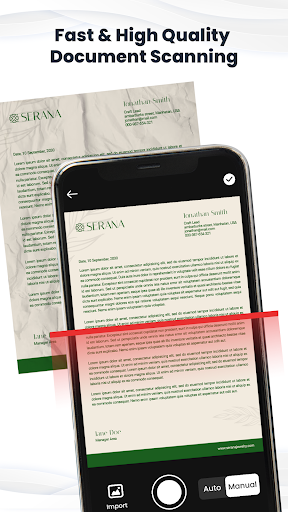
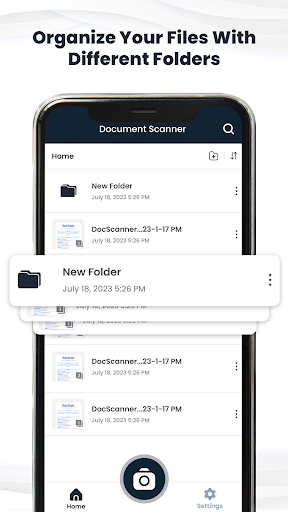
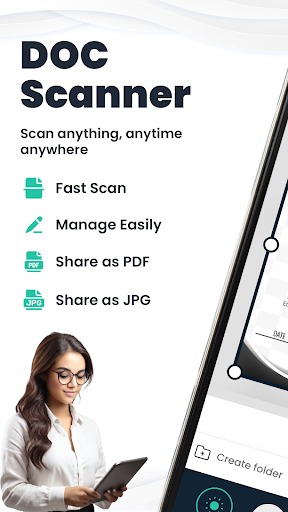
<b>Looking for an easy, watermark-free document scanner online? The PDF Scanner App is here to help! Scan PDF Documents, anywhere, anytime, with no watermarks to worry about. Whether it’s receipts, business cards, or important documents, this document scanner online tool is your perfect solution for digitizing files with ease.</b> Organize your scan to PDF files in folders for easy access and future use, all while ensuring the highest scan quality. 📁 Whether you’re working from home, the office, or while traveling, this pdf scanner online app makes document management effortless and efficient. 📲✨ <b>HOW IT WORKS:</b> Using your device’s camera scanner, this free app can quickly scan PDF Documents, ID cards, passports, documents, and more into PDFs. It can also recognize text in images, convert images to PDF, and allow you to share your scan results as PDF, JPG, or TXT with just one tap. <b>Key Features of the PDF Scanner App:</b> <b>1. Scan PDF Documents with High Quality:</b> With the camera scanner, you can quickly capture high-quality scans of your documents. Whether it’s a receipt, book, contract, or business portfolio, you can rely on the precision of the document scanner online. Enjoy high-quality Cam scans, enhanced automatically or manually, so your documents always look professional. <b>2. OCR Text Recognition:</b> Need to extract text from your scanned documents? PDF Scanner online gives you the text recognition OCR feature allows you to convert images to editable text quickly and efficiently. <b>3. Convert Scanned PDFs:</b> Want to edit your scanned documents? The PDF Scanner online makes it easy to convert scanned PDFs into Word, allowing you to modify text without starting from scratch. ✏️ Easily scan PDF Documents and save your documents in a format that’s universally accepted. <b>4. Image to PDF Converter:</b> Need to convert images from your gallery into PDFs? Camera Scanner scans the images and converts them into PDF. You just need to use the Image to PDF converter feature to do it all in a snap! <b>5. No Watermarks:</b> Our PDF Scanner online App gives you a clean, professional experience with no annoying watermarks to ruin your documents! <b>6. Easy File Management:</b> Organize your documents by creating folders and subfolders with the help of our camera scanner app. You can also rename, delete, or move files around as needed. 🗂️ <b>7. Share Your Files:</b> Once your document is scanned, you can instantly share it as a PDF or JPEG file. Share via email, as a fax, or on social media platforms. <b>8. E-Signature for Documents:</b> Add an e-signature to your documents to sign contracts or agreements directly from your phone. It’s fast, secure, and simple! <b>9. Convenient Printing:</b> Need a hard copy? 🖨️ Print your documents directly from the cam scanner app using any Wi-Fi-enabled printer. It’s that simple. <b>Why Choose Our PDF Scanner App?</b> ✔️ Scan to PDF your documents quickly with just a few taps. ✔️ Organize and rename your files in a folder system for easy access. ✔ ️ Convert scanned images to a pdf scanner online or Word with OCR technology. ✔️ Share your documents easily and professionally, without the hassle of watermarks. ✔️ Convert images to PDFs, protect PDFs with passwords, and extract text from scans. Don’t wait—scan to PDF and manage your documents seamlessly with the best Cam Scanner on the market. <b>📥 Download the PDF Scanner App now and start scanning smarter!</b>
Installs since 27 Aug 2026 Measured
Exact Google Play install counts, collected daily
Ratings
2,274 ratings, 18 reviews
- 5 ★65%
- 4 ★14%
- 3 ★7.0%
- 2 ★7.0%
- 1 ★7.0%
Recent reviews
Latest public reviews from the store
- 5 Dec 2025
the scanning is good
- 18 Nov 2025
life saver and easy to use
- 9 Nov 2025
cool and very easy to use
- 29 Oct 2025
its not that bad but the ads keep popping up🤦♀️
Top chart positions
Latest Google Play chart ranks by country, last 10 days
- Countries ranked
- 5
- Best rank
- #132
- Top 10 placements
- 0
- of 5 chart placements
- Average rank
- #160.4
Best countries on Google Play
- 🇲🇽 Mexico · Top free, Business#132
- 🇧🇷 Brazil · Top free, Business#141
- 🇮🇩 Indonesia · Top free, Business#145
- 🇫🇷 France · Top free, Business#190
- 🇨🇦 Canada · Top free, Business#194
PDF Scanner - Document Scanner history
Release, install milestones, listing and store changes
- Reached 10,000+ installs 31 Oct 2025
- Reached 5,000+ installs 17 Oct 2025
- Moved from Productivity to Business 12 Sep 2025
- Reached 1,000+ installs 6 Sep 2024
- Reached 500+ installs 23 Aug 2024
- Reached 100+ installs 9 Aug 2024
- Reached 50+ installs 8 Aug 2024
- First released on the store 2 Aug 2024
Update frequency
How often PDF Scanner - Document Scanner ships a new version, month by month
4 updates in the last 12 months. About as often as similar apps, which shipped a median of 4 updates in the same year.
Recent versions
Current version 4.5.0
- Version 4.3.06 Nov 2026
High-Quality Scanning Multi-Page Scanning Automatic Edge Detection
- Version 4.1.023 Jul 2026
High-Quality Scanning Multi-Page Scanning Automatic Edge Detection
- Version 4.0.030 Jun 2026
High-Quality Scanning Multi-Page Scanning Automatic Edge Detection
- Version 3.0.030 May 2026
High-Quality Scanning Multi-Page Scanning Automatic Edge Detection
Listing keywords
Words and phrases PDF Scanner - Document Scanner repeats most in its store listing
Top phrases: pdf scanner (11), scanner online (8), pdf scanner online (5), scan pdf documents (5), document scanner (5).
Highlighted words also appear in the title. Counts cover the title, short description and description.
Business model and tech
From the store listing and declared permissions
- Business model
- Free to downloadIn-app purchasesShows ads
- Subscriptions and payments
- Google Play billing
- Sensitive access
- Photos, videos and filesAdvertising ID
16 permissions
0 special access, 3 sensitive, 13 standard
- Change or delete shared storageSensitive
- Read shared storageSensitive
- Show notificationsPOST_NOTIFICATIONSSensitive
- Ad attribution (Privacy Sandbox)ACCESS_ADSERVICES_ATTRIBUTIONStandard
- Ad topics (Privacy Sandbox)ACCESS_ADSERVICES_TOPICSStandard
- Read how it was installed (install referrer)BIND_GET_INSTALL_REFERRER_SERVICEStandard
- Read the advertising IDAD_IDStandard
- Read the advertising ID (Privacy Sandbox)ACCESS_ADSERVICES_AD_IDStandard
- Keep the phone awakeStandard
- Run a foreground serviceFOREGROUND_SERVICEStandard
- Full internet accessStandard
- See network connectionsStandard
Compliance
What the listing and the app package show
- Store status
- Live
- Upkeep
- Updated 6 Nov 2026
- Registered in
- India
- Privacy policy
- Linked on the listing
- Advertising
- Shows ads
- In-app purchases
- Offered
- Age rating
- Everyone
- Sensitive permissions
- 3 sensitive of 16
- Location access
- No
- Camera and microphone
- Neither
Apps like PDF Scanner - Document Scanner
FortiClientFortinet683K installs★ 3.29
myCokeCONA Services50.4K installs★ 4.8
MoreApp FormsMoreApp Forms532K installs★ 4.27
Identity+Canada Post Corporation74.7K installs★ 4.41
Работа в России. Поиск работыЦентр занятости501K installs★ 5.0
SonicWall Mobile ConnectSonicWall Cloud733K installs★ 2.59
TMHubCarnival Corporation175K installs★ 4.29
Dulux ConnectAkzoNobel434K installs★ 2.92
FreeAgent MobileFreeAgent Central Ltd184K installs★ 4.33
PDF Scanner - Document Scanner: questions and answers
How many downloads does PDF Scanner - Document Scanner have?
PDF Scanner - Document Scanner has 478,369 installs on Google Play, measured from the store's own count on 19 Nov 2026.
Who makes PDF Scanner - Document Scanner?
PDF Scanner - Document Scanner is published by Technozer Solution, a developer based in IN.
When was PDF Scanner - Document Scanner last updated?
The latest version (4.5.0) was released on 6 Nov 2026.
Is PDF Scanner - Document Scanner free?
Yes. PDF Scanner - Document Scanner is free to download and offers in-app purchases, and it shows ads.
Is PDF Scanner - Document Scanner still available?
Yes. PDF Scanner - Document Scanner is live on Google Play as of 19 Nov 2026.
Track PDF Scanner - Document Scanner and its competitors
Watch any app for new versions, rating drops, chart moves and removals. Free plan, no card.