PDF scanner - Scan Documents
Scan, Convert & Share any document to PDF with your mobile phone
- Installs
- 1.60M
- Measured
- Rating
- 4.36
- Ratings
- 5.6K
- 232 reviews
- Version
- 1.3.5
- Updated 27 Aug 2026
- Released
- 23 Feb 2021
- Tracked since 14 May 2026
- Size
- 157 MB
- Needs 7.0
Screenshots
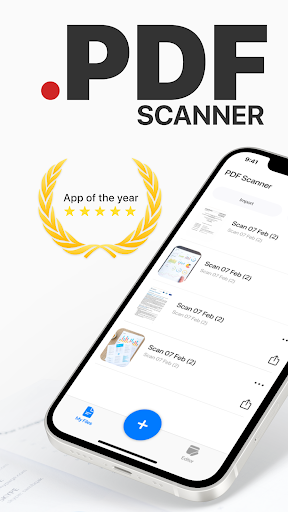

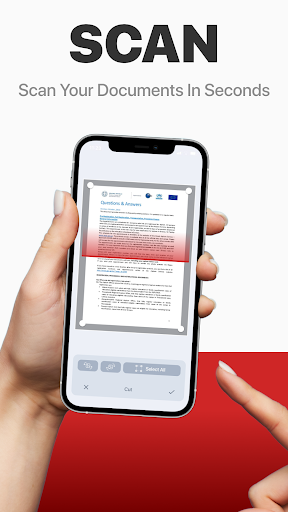


About PDF scanner - Scan Documents
The description on the store listing
PDF Scanner can scan PDF files, ID Photo and books for recognition. After processing the file, get the result. Fast and easy HD scanning! Highly accurately recognizes different materials, scan identity documents, accurately prepares the sources, exports to office formats. PDF scanning app allows you to create, edit and view PDFs, work with content, convert, improve the quality of content and work with scanner. Just in one click!
File formats
Images: jpg, jpeg, png
Multi-page documents: pdf
Functions:
* Camera scanner allows recognition of scanned files and photos that contain text
* Formatting paper and PDF multiple documents into editable formats
* Doc scanner & OCR - Online …
Read the full description
PDF Scanner can scan PDF files, ID Photo and books for recognition. After processing the file, get the result. Fast and easy HD scanning! Highly accurately recognizes different materials, scan identity documents, accurately prepares the sources, exports to office formats. PDF scanning app allows you to create, edit and view PDFs, work with content, convert, improve the quality of content and work with scanner. Just in one click! File formats Images: jpg, jpeg, png Multi-page documents: pdf Functions: * Camera scanner allows recognition of scanned files and photos that contain text * Formatting paper and PDF multiple documents into editable formats * Doc scanner & OCR - Online document editing by and retrieving Printed Text * Quickly scan - Easy and convenient interface * Genius scanner has features of Multilanguage, fast text recognition and unlimited requests * Data protection. * Conversion of scanned works, recognition of different formats and data editing Do you have a textbook or any magazine you want to get the text from, but don't have time to print the text? Recognizing Text has never been easier. With PDF scanner document all you need is to scan or photograph the text, then select the file and upload it to our text recognition service. If the image with the text was accurate enough, then you will receive recognized and readable text. What can be done by scannerpro: PDF scan & photo scanner easily scans all documents. ID scanner - simply take a photo of the document, just as you usually photograph food, cats or yourself. It also can scan ID cards, passports, driving licenses, visas, and other identity documents. Isn't it cool? Scan Book, your favorite books and literature also can be scanned. Scan novels, magazines to PDF by using our document edge recognition system in the section of document scan or OCR. Scan Photo and save your favorite pictures by using a pro photo scanner app and OCR scanner. Program for scanning documents, allows you to recognize and identify texts and images, digitize materials, convert them and much more. The PDF format allows you to preserve formatting, regardless of which screen and in which program the file is viewed. In addition, printing documents becomes more convenient, all elements of the document in picture scanner will remain in place, the text will not be able to go beyond the boundaries of the sheet, and the pagination of the text will remain exactly as it is on the device screen. PDF scanner application differs in a set of useful functions, advanced features and settings. Utilities with additional options, intelligent components and high-quality work algorithms are available. Easily analyzes and recognizes and scans documents, files and photos thanks to an intelligent system, also exports recognized material for correction and editing.
Installs, last 30 days Measured
Exact Google Play install counts, collected daily
Ratings
5,603 ratings, 232 reviews
- 5 ★80%
- 4 ★5.7%
- 3 ★0.8%
- 2 ★0.8%
- 1 ★12%
Recent reviews
Latest public reviews from the store
- 23 Apr 2026
Good
- 15 Apr 2026
excited
- 4 Dec 2024
Nice
- 4 Jul 2024
Nice
What reviewers bring up
Topics mentioned in the latest 50 reviews, by how many reviews mention them
Liked in good reviews (42 reviews)
No topic comes up twice.
Raised in bad reviews (7 reviews)
- ocr 3
- find 2
Top chart positions
Latest Google Play chart ranks by country, last 10 days
Not in any tracked top chart in the last 10 days.
PDF scanner - Scan Documents history
Release, install milestones, listing and store changes
- Reached 1,000,000+ installs 22 Dec 2021
- Reached 500,000+ installs 19 Jul 2021
- Reached 100,000+ installs 28 Apr 2021
- Reached 50,000+ installs 9 Apr 2021
- Reached 10,000+ installs 22 Mar 2021
- First released on the store 23 Feb 2021
Update frequency
How often PDF scanner - Scan Documents ships a new version, month by month
1 updates in the last 12 months. Less often than most similar apps: they shipped a median of 5 updates in the same year.
Recent versions
Current version 1.3.5
- Version 1.3.527 Aug 2026
* Improved page capture when scanning photos to PDF * Fix visual bugs when sending PDF * Improved document signing function
- Version 1.3.323 Sep 2025
* Improved page capture when scanning photos to PDF * Fix visual bugs when sending PDF * Improved document signing function
- Version 1.3.126 Jun 2025
- Version 1.2.928 May 2025
Listing keywords
Words and phrases PDF scanner - Scan Documents repeats most in its store listing
Top phrases: pdf scanner (4), files and photos (2), identity documents (2), photo scanner (2), scan photo (2).
Highlighted words also appear in the title. Counts cover the title, short description and description.
Business model and tech
From the store listing and declared permissions
- Business model
- Free to downloadIn-app purchasesShows ads
- Sensitive access
- No sensitive permission declared
Compliance
What the listing and the app package show
- Store status
- Live
- Upkeep
- Updated 27 Aug 2026
- Registered in
- Belarus
- Privacy policy
- Linked on the listing
- Advertising
- Shows ads
- In-app purchases
- Offered
- Age rating
- Everyone
Apps like PDF scanner - Scan Documents
Pride of CowsParag Milk Foods Ltd.194K installs★ 4.3
가다 - 건설 일용직 일자리 · 일당 당일 지급웍스메이트 가다 - 건설 인력 일용직 중개 플랫폼564K installs★ 3.18
Part time Job, Work from HomePayR Jobs471K installs★ 3.78
Work from HomeOnline Jobs & Remote Work3.8M installs★ 3.95
ZUMIMALLShenzhen Junan Technology Co., Ltd378K installs★ 4.6
WB PartnersWildberries LLC856K installs★ 4.08
Primerica OnlinePrimerica®944K installs★ 4.14
Letterhead MakerZipoApps1.2M installs★ 4.27
AI Business Plan GeneratorDDR Technologies INC364K installs★ 4.4
PDF scanner - Scan Documents: questions and answers
How many downloads does PDF scanner - Scan Documents have?
PDF scanner - Scan Documents has 1,603,250 installs on Google Play, measured from the store's own count on 19 Nov 2026.
Who makes PDF scanner - Scan Documents?
PDF scanner - Scan Documents is published by Captain Show LLC, a developer based in BY.
When was PDF scanner - Scan Documents last updated?
The latest version (1.3.5) was released on 27 Aug 2026.
Is PDF scanner - Scan Documents free?
Yes. PDF scanner - Scan Documents is free to download and offers in-app purchases, and it shows ads.
Is PDF scanner - Scan Documents still available?
Yes. PDF scanner - Scan Documents is live on Google Play as of 19 Nov 2026.
Track PDF scanner - Scan Documents and its competitors
Watch any app for new versions, rating drops, chart moves and removals. Free plan, no card.