PDF Tools: Edit, Split, Merge
Convert, edit, compress, and merge PDF files with ease. The ultimate PDF tool.
- Installs
- 32.67K
- Measured
- Rating
- —
- Ratings
- —
- Version
- Varies with device
- Updated 14 Dec 2023
- Released
- 16 Feb 2023
- Tracked since 13 May 2026
- Size
- —
Screenshots


About PDF Tools: Edit, Split, Merge
The description on the store listing
PDF Tools: Edit, Split, Merge App is the ultimate tool for managing your PDF files. With a range of powerful tools and features, this app makes it easy to work with PDFs in a way that suits your needs. From editing and converting to merging and splitting, PDF Master has everything you need to get the job done.
PDF Converter: The PDF Tools feature allows you to perform a wide range of tasks on your PDF files. This includes adding text, images, and shapes to your PDF, as well as annotating, highlighting, and underlining text. You can also add or remove watermarks and headers and footers, as well as rotate pages, and crop and resize your PDFs.
PDF Editor: The PDF Editor is a powerful …
Read the full description
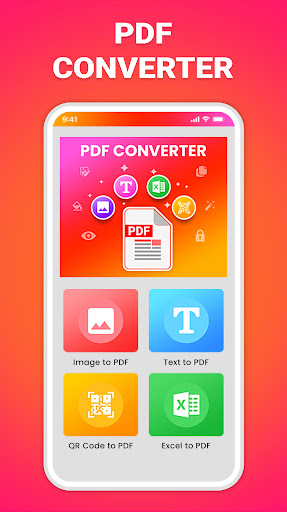
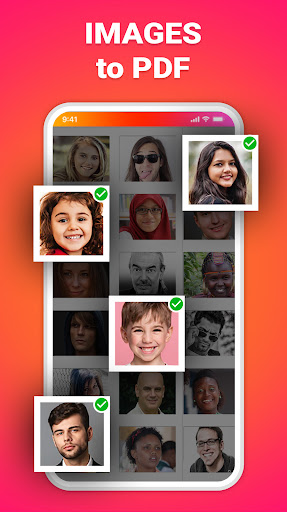
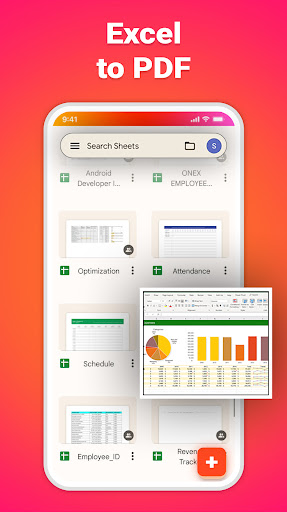
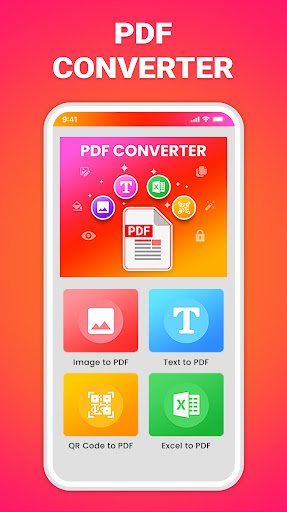
PDF Tools: Edit, Split, Merge App is the ultimate tool for managing your PDF files. With a range of powerful tools and features, this app makes it easy to work with PDFs in a way that suits your needs. From editing and converting to merging and splitting, PDF Master has everything you need to get the job done. PDF Converter: The PDF Tools feature allows you to perform a wide range of tasks on your PDF files. This includes adding text, images, and shapes to your PDF, as well as annotating, highlighting, and underlining text. You can also add or remove watermarks and headers and footers, as well as rotate pages, and crop and resize your PDFs. PDF Editor: The PDF Editor is a powerful feature that allows you to edit the content of your PDF files. This includes the ability to edit text, images, and links. You can also add, delete, or rearrange pages, as well as insert, extract, and replace pages from other PDF files. PDF Reader and Viewer: The PDF Reader and Viewer make it easy to view and navigate through your PDF files. You can search for specific text or keywords within your PDF, as well as zoom in and out of pages. You can also use the page thumbnails to quickly navigate to different pages within your PDF. PDF Compressor: The PDF Compressor allows you to compress your PDF files to reduce their size. This can be useful when you need to email or upload your PDFs and want to minimize the file size. PDF Merge: The PDF Merge feature lets you combine multiple PDF files into one. This can be useful when you need to merge multiple documents or reports into one PDF file. PDF Split: The PDF Split feature lets you split a single PDF file into multiple files. This can be useful when you need to break up a large document or report into smaller, more manageable files. PDF Conversion: The PDF Conversion feature allows you to convert your PDF files to and from various formats. This includes converting PDFs to images, text, and Excel spreadsheets, as well as converting images, text, and Excel files to PDFs. Image to PDF: The Image to PDF feature lets you convert image files, such as JPGs and PNGs, to PDFs. Text to PDF: The Text to PDF feature lets you convert plain text files to PDFs. QR Code to PDF: The QR Code to PDF feature lets you convert QR codes to PDFs. PDF Encryption: The PDF Encryption feature lets you encrypt your PDF files to protect them from unauthorized access. You can add passwords to your PDFs to ensure that only authorized users can view or edit the content. PDF Master is easy to use and features an intuitive and user-friendly interface. With a wide range of powerful tools and features, PDF Master is the ultimate tool for managing your PDF files. Try it today and experience the power of PDF Master.
Installs since 28 Aug 2026 Measured
Exact Google Play install counts, collected daily
Daily history starts once this app is in our daily install sample.
Ratings
- 5 ★0.0%
- 4 ★0.0%
- 3 ★0.0%
- 2 ★0.0%
- 1 ★0.0%
Recent reviews
Latest public reviews from the store
- 18 Aug 2023
Good
Top chart positions
Latest Google Play chart ranks by country, last 10 days
Not in any tracked top chart in the last 10 days.
PDF Tools: Edit, Split, Merge history
Release, install milestones, listing and store changes
- Reached 10,000+ installs 21 Feb 2023
- First released on the store 16 Feb 2023
- Reached 5,000+ installs 7 Feb 2023
Recent versions
Current version Varies with device
- Version 4.514 Dec 2023
- Version 4.210 Jul 2023
- Version 4.129 May 2023
- Version 4.018 Apr 2023
Listing keywords
Words and phrases PDF Tools: Edit, Split, Merge repeats most in its store listing
Top phrases: pdf files (11), feature lets (6), pdf master (4), lets you convert (3), pdf feature lets (3).
Highlighted words also appear in the title. Counts cover the title, short description and description.
Business model and tech
From the store listing, the SDKs in the app package and its declared permissions
- Business model
- Free to downloadShows ads
- Built with
- No cross-platform framework or game engine detected
- Ad networks (2)
- AdMobFacebook Audience Network
- Analytics and crash reports
- Firebase
- Sensitive access
- CameraPhotos, videos and filesAdvertising ID
3 ad, attribution and analytics SDKs detected. SDKs are read from the app package and permissions from the store listing, so code that loads later is not seen.
Technology
49 SDKs found in the app package
Ad networks
Advertising and install-attribution SDKs found in the app package
- AdMob
- Facebook Audience Network
20 permissions
2 special access, 4 sensitive, 14 standard
- Change system settingsWRITE_SETTINGSSpecial access
- Manage all filesMANAGE_EXTERNAL_STORAGESpecial access
- Take photos and videosSensitive
- Change or delete shared storageSensitive
- Read shared storageSensitive
- Show notificationsPOST_NOTIFICATIONSSensitive
- Read how it was installed (install referrer)BIND_GET_INSTALL_REFERRER_SERVICEStandard
- Read the advertising IDAD_IDStandard
- App icon badge countsBADGE_COUNT_READStandard
- Control vibrationStandard
- Keep the phone awakeStandard
- Reorder running appsStandard
Compliance
What the listing and the app package show
- Store status
- Live
- Upkeep
- No update since 14 Dec 2023
- Registered in
- India
- Privacy policy
- Linked on the listing
- Advertising
- Shows ads
- In-app purchases
- None declared
- Age rating
- Everyone
- Sensitive permissions
- 4 sensitive, 2 special access of 20
- Location access
- No
- Camera and microphone
- Camera
Apps like PDF Tools: Edit, Split, Merge
영산강 안심 알림eICT융합소프트 & 스마트오더18.3K installs★ 4.0
JBLETRADOC Mobile10.3K installs★ 4.5
Two Point HeightOmega Centauri Software15.3K installs★ 2.22
Sheridan RecyclesCity of Sheridan634 installs★ 4.67
NAFNorges Automobil-Forbund200K installs★ 3.9
Ipsos Adria CAPIIpsos Serbia7.4K installs★ 3.9
Clock: Alarm Clock & TimerIntratech so36.1K installs★ 3.79
Süzme Sayaç HesaplamaNotsup30.3K installs★ 3.6
Cattle & Goat Record KeepingVetzKin10.3K installs★ 2.5
PDF Tools: Edit, Split, Merge: questions and answers
How many downloads does PDF Tools: Edit, Split, Merge have?
PDF Tools: Edit, Split, Merge has 32,666 installs on Google Play, measured from the store's own count on 28 Aug 2026.
Who makes PDF Tools: Edit, Split, Merge?
PDF Tools: Edit, Split, Merge is published by AppTech Studios, a developer based in IN.
When was PDF Tools: Edit, Split, Merge last updated?
The latest version (Varies with device) was released on 14 Dec 2023.
Is PDF Tools: Edit, Split, Merge free?
Yes. PDF Tools: Edit, Split, Merge is free to download, and it shows ads.
Is PDF Tools: Edit, Split, Merge still available?
Yes. PDF Tools: Edit, Split, Merge is live on Google Play as of 28 Aug 2026.
Track PDF Tools: Edit, Split, Merge and its competitors
Watch any app for new versions, rating drops, chart moves and removals. Free plan, no card.