- Installs
- 68
- Measured
- Rating
- —
- Ratings
- —
- Version
- Varies with device
- Updated 27 Apr 2026
- Released
- 28 Aug 2023
- Tracked since 13 May 2026
- Size
- —
Screenshots

About PDF Viewer
The description on the store listing
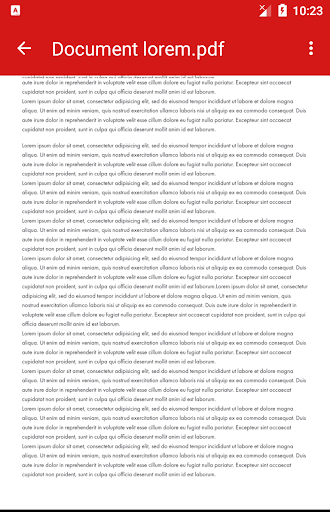
Step into the world of seamless PDF viewing with our streamlined app! Whether you're a student, a professional, or simply an avid PDF reader, our PDF Viewer Lite is designed to provide you with a hassle-free and efficient reading experience.
Key Features:
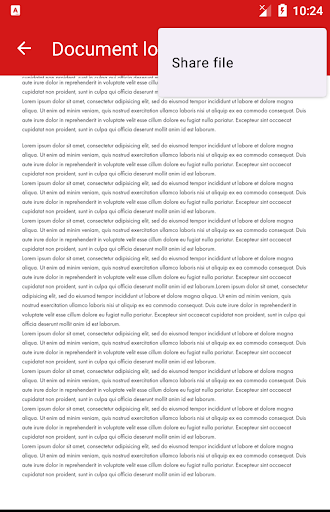
1. Simplified PDF Access: With PDF Viewer Lite, accessing and reading PDF files on your device has never been easier. Enjoy a clutter-free environment where all your PDFs are neatly organized for quick access.
2. Read with Ease: Immerse yourself in your PDF documents with our user-friendly interface. Enjoy smooth scrolling and optimized page rendering, ensuring a comfortable reading journey.
3. Double Tap Zoom: Dive into the …
Read the full description
Step into the world of seamless PDF viewing with our streamlined app! Whether you're a student, a professional, or simply an avid PDF reader, our PDF Viewer Lite is designed to provide you with a hassle-free and efficient reading experience. Key Features: 1. Simplified PDF Access: With PDF Viewer Lite, accessing and reading PDF files on your device has never been easier. Enjoy a clutter-free environment where all your PDFs are neatly organized for quick access. 2. Read with Ease: Immerse yourself in your PDF documents with our user-friendly interface. Enjoy smooth scrolling and optimized page rendering, ensuring a comfortable reading journey. 3. Double Tap Zoom: Dive into the finer details of your PDFs by effortlessly double tapping the screen. Our intuitive zoom feature lets you explore content up close, without any hassle. 4. Effortless Sharing: Share entire PDF files effortlessly. Whether you need to send a document to a colleague or share a manual with a friend, our app lets you seamlessly share PDF files via various platforms. 5. Your Default PDF Reader: Make PDF Viewer your default PDF reading app and enjoy a consistent reading experience across your device. Say goodbye to unnecessary app switching! Why Choose PDF Viewer? Simplicity in Action: We believe in a minimalist approach that doesn't compromise on functionality. PDF Viewer’s clean design ensures that accessing and reading your PDFs is straightforward and uncomplicated. Instant Access: With the ability to read any PDF file on your device, you're always prepared. From important work documents to captivating eBooks, your PDFs are just a tap away. Essential Reading: Whether you're catching up on research papers or enjoying the latest bestseller, PDF Viewer caters to all your reading needs. It's the perfect companion for both productivity and leisure. Embrace the future of lightweight PDF reading with PDF Viewer. Download now and unlock a world of simplicity, efficiency, and enhanced reading pleasure. Note: For a seamless experience, grant PDF Viewer Lite the necessary permissions to access your device's storage. Elevate your PDF reading experience with PDF Viewer – the essential choice for reading, sharing, and enjoying entire PDF documents. Download now!
Installs Measured
Exact Google Play install counts, collected daily
Daily history starts once this app is in our daily install sample.
Ratings
- 5 ★0.0%
- 4 ★0.0%
- 3 ★0.0%
- 2 ★0.0%
- 1 ★0.0%
Recent reviews
Latest public reviews from the store
- 19 Mar 2026
Sehr gute App zum Entfernen von Text aus PDFs. Funktioniert schnell, sicher und komplett offline.
Top chart positions
Latest Google Play chart ranks by country, last 10 days
Not in any tracked top chart in the last 10 days.
PDF Viewer history
Release, install milestones, listing and store changes
- Reached 50+ installs 27 Apr 2026
- Reached 10+ installs 12 Jan 2026
- Reached 1+ installs 5 Feb 2024
- First released on the store 28 Aug 2023
Recent versions
Current version Varies with device
- Version 1.0.212 Aug 2025
Listing keywords
Words and phrases PDF Viewer repeats most in its store listing
Top phrases: pdf viewer (10), pdf viewer lite (3), pdf files (3), pdf reading (3), reading experience (3).
Highlighted words also appear in the title. Counts cover the title, short description and description.
Business model and tech
From the store listing and declared permissions
- Business model
- Free to downloadShows ads
- Sensitive access
- Photos, videos and filesAdvertising ID
12 permissions
1 special access, 2 sensitive, 9 standard
- Manage all filesMANAGE_EXTERNAL_STORAGESpecial access
- Change or delete shared storageSensitive
- Read shared storageSensitive
- Ad attribution (Privacy Sandbox)ACCESS_ADSERVICES_ATTRIBUTIONStandard
- Ad topics (Privacy Sandbox)ACCESS_ADSERVICES_TOPICSStandard
- Read the advertising IDAD_IDStandard
- Read the advertising ID (Privacy Sandbox)ACCESS_ADSERVICES_AD_IDStandard
- Keep the phone awakeStandard
- Run a foreground serviceFOREGROUND_SERVICEStandard
- Full internet accessStandard
- See network connectionsStandard
- Internal app permissionDYNAMIC_RECEIVER_NOT_EXPORTED_PERMISSIONStandard
Compliance
What the listing and the app package show
- Store status
- Live
- Upkeep
- Updated 27 Apr 2026
- Privacy policy
- Linked on the listing
- Advertising
- Shows ads
- In-app purchases
- None declared
- Age rating
- Everyone
- Sensitive permissions
- 2 sensitive, 1 special access of 12
- Location access
- No
- Camera and microphone
- Neither
Apps like PDF Viewer
Birthday Cardsdroidblitz6.4K installs★ 4.17
Chi EnergyBantoRad7.3K installs★ 3.86
Verdade IgrejainChurch8K installs★ 5.0
RoktoBinduChowdhury eLab111 installs★ 5.0
Tarot TimeMemoryLibrary5K installs★ 4.44
Sadolin Dulux Visualizer OmanAkzoNobel8.5K installs★ 4.1
Trimetal NLAkzoNobel4.1K installs★ 4.3
Huge Time Watch Faceamoledwatchfaces™6.9K installs★ 4.47
GetDismissedThe Ticket Advocate, LLC6.3K installs★ 3.29
PDF Viewer: questions and answers
How many downloads does PDF Viewer have?
PDF Viewer has 68 installs on Google Play, measured from the store's own count on 13 May 2026.
Who makes PDF Viewer?
PDF Viewer is published by AppsLib.
When was PDF Viewer last updated?
The latest version (Varies with device) was released on 27 Apr 2026.
Is PDF Viewer free?
Yes. PDF Viewer is free to download, and it shows ads.
Is PDF Viewer still available?
Yes. PDF Viewer is live on Google Play as of 13 May 2026.
Track PDF Viewer and its competitors
Watch any app for new versions, rating drops, chart moves and removals. Free plan, no card.