
PDF Viewer Pro
Annotate, Sign, Fill Forms, Merge Documents and Redact Content like a PDF Expert
- Installs
- 1.03M
- Measured
- Rating
- 3.96
- Ratings
- 5.4K
- 167 reviews
- Version
- 2026.19
- Updated 2 Nov 2026
- Released
- 2 Feb 2017
- Tracked since 13 May 2026
- Size
- 35 MB
- Needs 4.4
Screenshots


About PDF Viewer Pro
The description on the store listing
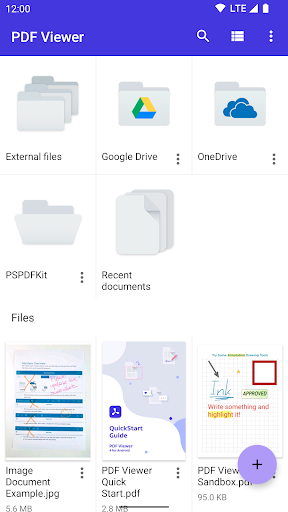
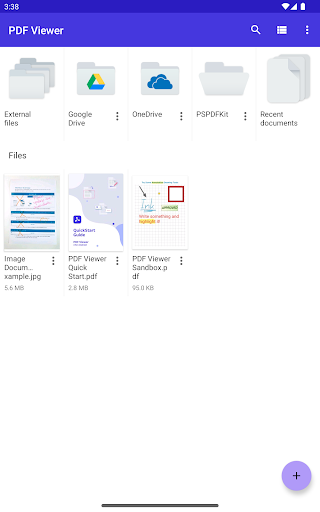
Whether you're working on your own or collaborating with a team, PDF Viewer maximizes productivity, allowing you to view, search, and annotate PDF documents with ease on your Android phone, tablet, or Chromebook.
<b>VIEW DOCUMENTS ON THE GO</b>
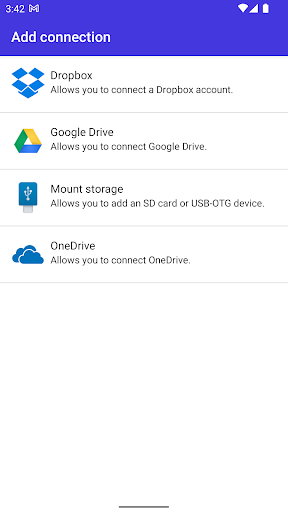
• Easily open a PDF from your favorite cloud service provider, email, or directly off a website you're browsing.
• Search for the exact text you are looking for within the document.
• Double tap on the screen to Smart Zoom directly to the text you want to read.
• Make PDF Viewer your own by choosing from 12 beautifully crafted themes (*PRO).
• Configure every inch of the app with our advanced PDF Viewer settings (*PRO).
<b>ANNOTATE …
Read the full description
Whether you're working on your own or collaborating with a team, PDF Viewer maximizes productivity, allowing you to view, search, and annotate PDF documents with ease on your Android phone, tablet, or Chromebook. <b>VIEW DOCUMENTS ON THE GO</b> • Easily open a PDF from your favorite cloud service provider, email, or directly off a website you're browsing. • Search for the exact text you are looking for within the document. • Double tap on the screen to Smart Zoom directly to the text you want to read. • Make PDF Viewer your own by choosing from 12 beautifully crafted themes (*PRO). • Configure every inch of the app with our advanced PDF Viewer settings (*PRO). <b>ANNOTATE WITH EASE</b> • While reviewing a document, use your finger or stylus to highlight and markup text. • Leave comments by adding a note, text, or drawing directly on the PDF. • Quickly undo changes for hassle-free editing. • Rotate stamps and text annotations to create sophisticated reviews (*PRO). • Annotate JPEGs and PNGs and share the editable images with your collaborators (*PRO). <b>CREATE AND EDIT PDFs</b> • Create new documents from existing documents by moving, rotating, deleting, or adding new pages to your existing document. • Mark important pages by adding bookmarks to your document. • Merge multiple documents into a single PDF (*PRO). <b>STORE, ORGANIZE AND SHARE</b> • Open documents from your device, your browser, or any other app. • Share documents by printing, emailing or saving your edits back to Google Drive, Dropbox, Box, OneDrive or any other cloud service. • Quickly review important document information or edit document metadata (*PRO). <b>TRUSTED BY COMPANIES YOU KNOW</b> • PDF Viewer is built on top of and powered by PSPDFKit, the industry leading PDF engine trusted by thousands of companies and developers throughout the world. (*PRO): The basic functionality of PDF Viewer is free of any charges. You can unlock the full feature set by purchasing PDF Viewer Pro with a yearly or three-monthly subscription. Be part of the PDF Viewer community: Web: http://PDFViewer.io Facebook: https://www.facebook.com/PDFViewer Twitter: https://twitter.com/pdfviewerapp
Installs, last 30 days Measured
Exact Google Play install counts, collected daily
Ratings
5,379 ratings, 167 reviews
- 5 ★65%
- 4 ★7.0%
- 3 ★4.9%
- 2 ★4.9%
- 1 ★18%
Recent reviews
Latest public reviews from the store
- 17 Apr 2026
adfree and best app
- 23 Feb 2026
everything is well suitable for studying with stylus. But I only have one request to the developers, please add the eraser beside the pencil if possible and the undo button sometimes removes the entire annotations which needs to be fixed. Also a scroll button would help a lot to move to large documents.
- 7 Feb 2026
Great reader. One suggestion: Please make it possible to highlight across pages.
- 31 Jan 2026
very good
What reviewers bring up
Topics mentioned in the latest 50 reviews, by how many reviews mention them
Liked in good reviews (32 reviews)
- pdf 9
- reader 5
- viewer 4
- add 4
- documents 3
- subscription 2
- annotating 2
- possible 2
Raised in bad reviews (16 reviews)
- text 3
- response 2
- pressed 2
- months 2
- issue 2
- right 2
- mode 2
Top chart positions
Latest Google Play chart ranks by country, last 10 days
Not in any tracked top chart in the last 10 days.
PDF Viewer Pro history
Release, install milestones, listing and store changes
- Reached 1,000,000+ installs 28 Mar 2026
- Reached 500,000+ installs 16 Nov 2020
- First released on the store 2 Feb 2017
Update frequency
How often PDF Viewer Pro ships a new version, month by month
15 updates in the last 12 months. More often than most similar apps: they shipped a median of 2 updates in the same year.
Recent versions
Current version 2026.19
- Version 2026.192 Nov 2026
2026.19 • Refreshes the app with a blue accent on switches, tabs, buttons and the current page. • Fixes status bar icons being hard to read in dark mode. • Fixes documents being corrupted when saved over a larger file from device storage. • Performance, stability and security improvements, plus the latest Nutrient Android SDK. Feel free to share your feedback. You can contact us via [email protected].
- Version 2026.1322 Jul 2026
2026.13 • fixes high resolution zoomed render to be 1:1 with pixel density. Feel free to share your feedback. You can contact us via [email protected].
- Version 2026.1217 Jul 2026
2026.12 • Performance, stability, and security improvements. • Updates to the latest Nutrient Android SDK. Feel free to share your feedback. You can contact us via [email protected].
- Version 2026.111 Jul 2026
2026.11 • Performance, stability, and security improvements. • Updates to the latest Nutrient Android SDK. Feel free to share your feedback. You can contact us via [email protected].
Listing keywords
Words and phrases PDF Viewer Pro repeats most in its store listing
Top phrases: pdf viewer (8), pdf viewer pro (2), cloud service (2), pro annotate (2), viewer pro (2).
Highlighted words also appear in the title. Counts cover the title, short description and description.
Business model and tech
From the store listing, the SDKs in the app package and its declared permissions
- Business model
- Free to downloadIn-app purchases
- Built with
- No cross-platform framework or game engine detected
- Ad networks (0)
- None detected
- Subscriptions and payments
- Google Play billing
- Analytics and crash reports
- FirebaseCrashlyticsfabric
- Sensitive access
- CameraMicrophonePhotos, videos and filesAdvertising ID
1 ad, attribution and analytics SDKs detected. SDKs are read from the app package and permissions from the store listing, so code that loads later is not seen.
Technology
21 SDKs found in the app package
18 permissions
1 special access, 5 sensitive, 12 standard
- Manage all filesMANAGE_EXTERNAL_STORAGESpecial access
- Record audioSensitive
- Take photos and videosSensitive
- Change or delete shared storageSensitive
- Read shared storageSensitive
- Show notificationsPOST_NOTIFICATIONSSensitive
- Ad attribution (Privacy Sandbox)ACCESS_ADSERVICES_ATTRIBUTIONStandard
- Read how it was installed (install referrer)BIND_GET_INSTALL_REFERRER_SERVICEStandard
- Read the advertising IDAD_IDStandard
- Read the advertising ID (Privacy Sandbox)ACCESS_ADSERVICES_AD_IDStandard
- Keep the phone awakeStandard
- Run a foreground serviceFOREGROUND_SERVICEStandard
Compliance
What the listing and the app package show
- Store status
- Live
- Upkeep
- Updated 2 Nov 2026
- Registered in
- Austria
- Privacy policy
- Linked on the listing
- Advertising
- No ads declared
- In-app purchases
- Offered
- Age rating
- Everyone
- Sensitive permissions
- 5 sensitive, 1 special access of 18
- Location access
- No
- Camera and microphone
- Both
Apps like PDF Viewer Pro
Plume HomePlume Design, Inc.645K installs★ 3.21
DS camSynology Inc.1.3M installs★ 2.52
EZ Notes - Notes Voice NotesAlexander Madani438K installs★ 3.8
QSROnline SchedulingQSROnline.com, Inc.298K installs★ 4.01
Thai keyboardSimple Keyboard, theme & emoji1.4M installs★ 4.4
Pashto keyboard - پشتو کیبوردDOSA Apps1.9M installs★ 4.07
HourglassCongregation Software Foundation1.1M installs★ 4.62
AR Drawing & Anime DrawingMonkey AI Studio2.5M installs★ 4.25
МТС ПартнерMWS LLC242K installs★ 3.33
PDF Viewer Pro: questions and answers
How many downloads does PDF Viewer Pro have?
PDF Viewer Pro has 1,031,717 installs on Google Play, measured from the store's own count on 19 Nov 2026.
Who makes PDF Viewer Pro?
PDF Viewer Pro is published by Nutrient, a developer based in AT.
When was PDF Viewer Pro last updated?
The latest version (2026.19) was released on 2 Nov 2026.
Is PDF Viewer Pro free?
Yes. PDF Viewer Pro is free to download and offers in-app purchases.
Is PDF Viewer Pro still available?
Yes. PDF Viewer Pro is live on Google Play as of 19 Nov 2026.
Track PDF Viewer Pro and its competitors
Watch any app for new versions, rating drops, chart moves and removals. Free plan, no card.