
보안카드+ pro
Faithful Security card management app for security Even if the data file is leaked absolute safety.
- Installs
- 4.02K
- Measured
- Rating
- 4.2
- Ratings
- 45
- Version
- Varies with device
- Updated 1 Apr 2026
- Released
- 4 Sep 2019
- Tracked since 13 May 2026
- Size
- 11 MB
- Needs 5.0
Screenshots
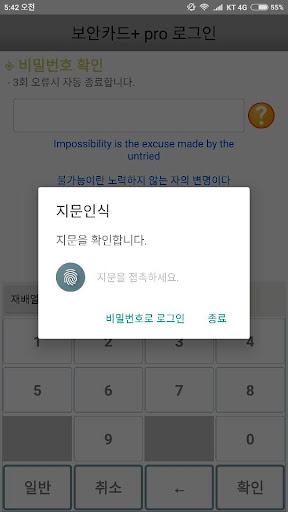
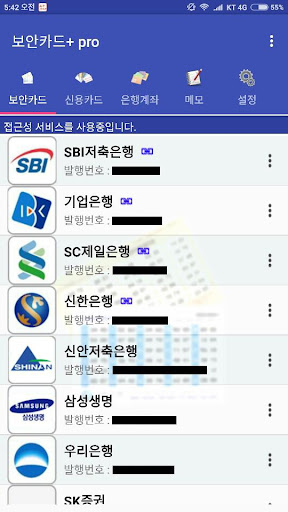


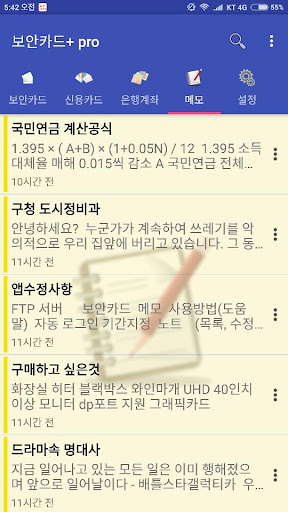


About 보안카드+ pro
The description on the store listing
Features of the paid version of the app
1. Remove Network Permissions
2. Remove Ads
3. Improved loading speed
4. Developer sponsored version. There is no difference in functionality from the free version.
Important
- Try the free version (security card +) first.
- The free version contains ads, but the functionality is 100% the same.
- The data of the free version and the paid version are compatible.
- Backup in the free version and restore after installing the paid version.
There are often people who forget their passwords and send e-mails asking questions.
As explained below, data recovery is absolutely impossible if you do not know the password.
Be sure to save the hint …
Read the full description
Features of the paid version of the app 1. Remove Network Permissions 2. Remove Ads 3. Improved loading speed 4. Developer sponsored version. There is no difference in functionality from the free version. Important - Try the free version (security card +) first. - The free version contains ads, but the functionality is 100% the same. - The data of the free version and the paid version are compatible. - Backup in the free version and restore after installing the paid version. There are often people who forget their passwords and send e-mails asking questions. As explained below, data recovery is absolutely impossible if you do not know the password. Be sure to save the hint so only you know it. function 1. Stick to security There are many security card management apps, but it seems that none of them are faithful to security. I received a few other security card apps and analyzed them, but I was able to decrypt the data very easily. The data file of the app I created is absolutely impossible without knowing the password set by the user. However, in case of using the automatic login and fingerprint recognition functions, decryption is possible if the security card plus source and the terminal in which the data is stored are secured. The security key was 256 bits. The password entered by the user is not stored anywhere on the device. (However, if you use the automatic login/fingerprint recognition login function, the currently used terminal information is encrypted and stored.) All data is encrypted by extracting the encryption key from the plaintext entered at the time of login. It is encrypted using the extracted encryption key, so it is safe even if the data file is leaked. The encryption key was generated and the encryption/decryption process was hidden using JNI. When changing the password, all data is re-encrypted with the key extracted from the changed password and stored. If a hacker tries to decrypt a data file, it will take up to 256 to the power of 32 attempts. The calculator spit it out like this. 1.1579208923731619542357098500869e+77 Of course, decryption is by no means impossible. It's just that it's taking a long time... It would take tens of thousands of years if we substitute all of the above numbers with a general computer. And the password found in that way is just the password of the specific user data. Other users' data is safe. 2. Security card input convenience I made the security card so that it can be registered by recognizing the code by taking a picture with the camera. Photos taken with the camera exist only in memory and disappear after recognition. 3. Provides a mini pop-up window to increase the ease of use. Try using it by clicking the pop-up on the security code inquiry screen. Automatic login function, fingerprint recognition login Permissions Required for Installation Fingerprint Recognition - Camera - Security card code recognition SD card - data backup (restore) AccessibilityService API It is necessary to check whether the bank app is running. When the set app is executed, the security card pop-up window is executed. We do not use this API to collect or share personal or sensitive user data.
Installs since 8 Nov 2026 Measured
Exact Google Play install counts, collected daily
Daily history starts once this app is in our daily install sample.
Ratings
45 ratings
- 5 ★0.0%
- 4 ★0.0%
- 3 ★0.0%
- 2 ★0.0%
- 1 ★0.0%
Recent reviews
Latest public reviews from the store
- 3 May 2026
Best App In MSRIT
Top chart positions
Latest Google Play chart ranks by country, last 10 days
Not in any tracked top chart in the last 10 days.
보안카드+ pro history
Release, install milestones, listing and store changes
- First released on the store 4 Sep 2019
- Reached 1,000+ installs 1 Sep 2019
- Reached 500+ installs 5 Nov 2018
Update frequency
How often 보안카드+ pro ships a new version, month by month
3 updates in the last 12 months. More often than most similar apps: they shipped a median of 0 updates in the same year.
Recent versions
Current version Varies with device
- Version 7.3.51 Apr 2026
- Version 7.3.14 Mar 2026
- Version 7.2.83 Feb 2026
- Version 7.2.727 Aug 2025
Listing keywords
Words and phrases 보안카드+ pro repeats most in its store listing
Top phrases: security card (9), data file (4), fingerprint recognition (4), automatic login (3), encryption key (3).
Highlighted words also appear in the title. Counts cover the title, short description and description.
Business model and tech
From the store listing and declared permissions
- Business model
- Paid, $2.49
- Sensitive access
- CameraPhotos, videos and filesDraws over other apps
11 permissions
1 special access, 4 sensitive, 6 standard
- Draw over other appsSpecial access
- Take photos and videosSensitive
- Change or delete shared storageSensitive
- Read shared storageSensitive
- Show notificationsPOST_NOTIFICATIONSSensitive
- Use fingerprint or face unlockUSE_BIOMETRICStandard
- Use the fingerprint readerUSE_FINGERPRINTStandard
- Full internet accessStandard
- See network connectionsStandard
- Internal app permissionDYNAMIC_RECEIVER_NOT_EXPORTED_PERMISSIONStandard
- Google Play license checkStandard
Compliance
What the listing and the app package show
- Store status
- Live
- Upkeep
- Updated 1 Apr 2026
- Registered in
- South Korea
- Privacy policy
- Linked on the listing
- Advertising
- No ads declared
- In-app purchases
- None declared
- Age rating
- Everyone
- Sensitive permissions
- 4 sensitive, 1 special access of 11
- Location access
- No
- Camera and microphone
- Camera
Apps like 보안카드+ pro
Lettuce Portfolio ManagerLettuce Digital12K installs★ 3.88
eChallan Online Govt. ReceiptsNational Informatics Centre.68.7K installs★ 3.6
岡三オンラインFX ‐ 取引所FX(くりっく365)岡三証券株式会社(岡三オンライン)22.6K installs★ 3.6
Breakwater Federal CUBreakwater Federal Credit Union2.5K installs★ 4.15
EnergyMobileEnergy@Mobile1.2K installs★ 4.75
MyUSA Credit Union MobileMyUSA CU8.9K installs★ 3.36
USEFCUUSE Federal Credit Union2.2K installs★ 4.05
증권통 하나증권Tomato Group29.7K installs★ 4.0
CryptoTracker - Bitcoin PriceWartechwick4.5K installs★ 4.73
보안카드+ pro: questions and answers
How many downloads does 보안카드+ pro have?
보안카드+ pro has 4,019 installs on Google Play, measured from the store's own count on 8 Nov 2026.
Who makes 보안카드+ pro?
보안카드+ pro is published by High Soft, a developer based in KR.
When was 보안카드+ pro last updated?
The latest version (Varies with device) was released on 1 Apr 2026.
Is 보안카드+ pro free?
No. 보안카드+ pro is a paid app priced at $2.49.
Is 보안카드+ pro still available?
Yes. 보안카드+ pro is live on Google Play as of 8 Nov 2026.
Track 보안카드+ pro and its competitors
Watch any app for new versions, rating drops, chart moves and removals. Free plan, no card.