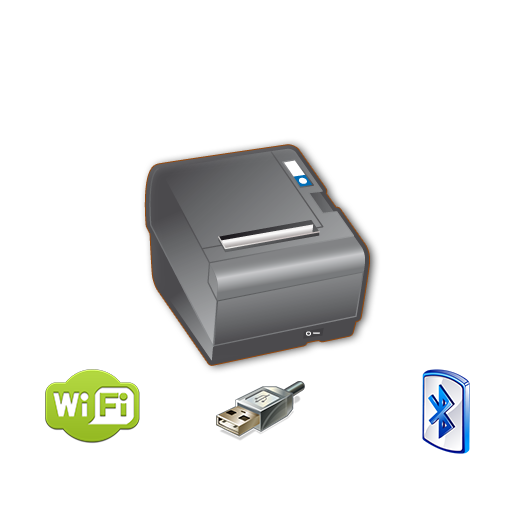
POS PRINTER DRIVER ESC/POS
Print ESC/POS commands & LOGO pic easily without driver via Net, WIFI, USB & BT.
- Installs
- 245K
- Measured
- Rating
- 2.33
- Ratings
- 371
- 6 reviews
- Version
- Varies with device
- Updated 24 Aug 2026
- Released
- 16 Dec 2014
- Tracked since 12 May 2026
- Size
- 1 MB
- Needs 4.0.3
Screenshots


About POS PRINTER DRIVER ESC/POS
The description on the store listing
2024 Versión MultiPrinting
====
You can be printing in minutes with just a couple lines of code. It's as simple as creating your intent, adding your ESC formatted string and start the (service) intent.
See demo in:
https://bitbucket.org/fidelier/posprinterdrivertest/src
Now it si possible direct logo printing on pro version, just choose a logo on config, and it will be printed on top of every document.
Inverse colors of the logo, make gradient colors.
Print From Web in an android device web. Just make a link:
a href="com.fidelier.printfromweb://?$biguhw$Print From Web$intro$$small$Print small letter$intro$->$intro$->$intro$->$intro$$intro$$intro$$intro$$cut$$intro$"Test …
Read the full description
2024 Versión MultiPrinting ==== You can be printing in minutes with just a couple lines of code. It's as simple as creating your intent, adding your ESC formatted string and start the (service) intent. See demo in: https://bitbucket.org/fidelier/posprinterdrivertest/src Now it si possible direct logo printing on pro version, just choose a logo on config, and it will be printed on top of every document. Inverse colors of the logo, make gradient colors. Print From Web in an android device web. Just make a link: a href="com.fidelier.printfromweb://?$biguhw$Print From Web$intro$$small$Print small letter$intro$->$intro$->$intro$->$intro$$intro$$intro$$intro$$cut$$intro$"Test print from web/a Print direct from Server! Read instruction in the web Open and close a tag Include easy helpers for ESC commands like Easy font size selection. $qr-s-e-text$ Example $qr-8-50-www.posprinterdriver.com$ Size (1-16) Error correction (48-51) 7%,15%25%,30% $small$ For small size $smallh$ For small size with double hight $smallw$ For small size with double width $smallhw$ For small size with double hight and width $smallu$ For small size underline $smalluh$ For small size with double hight underline $smalluw$ For small size with double width underline $smalluhw$ For small size with double hight and width underline $big$ For big size $bigh$ For big size with double hight $bigw$ For big size with double width $bighw$ For big size with double hight and width Add u to underline $cut$ To cut the paper $drawer$ To open the first drawer Example String dataToPrint="$big$This is a printer test$intro$posprinterdriver.com$intro$$intro$$cut$$intro$"; Intent intentPrint = new Intent(); intentPrint.setAction(Intent.ACTION_SEND); intentPrint.putExtra(Intent.EXTRA_TEXT, dataToPrint); intentPrint.setType("text/plain"); this.startActivity(intentPrint); Direct link print: String dataToPrint="$big$This is a printer test$intro$posprinterdriver.com$intro$$intro$$cut$$intro$"; Intent intentPrint = new Intent(); intentPrint.setAction(Intent.ACTION_SEND); intentPrint.putExtra(Intent.EXTRA_TEXT, dataToPrint); // Link IP:port direct intentPrint.putExtra("printer_type_id", "1");// For IP intentPrint.putExtra("printer_ip", printerIpAddress); intentPrint.putExtra("printer_port", printerPort); // Link USB:port direct intentPrint.putExtra("printer_type_id", "3");// For USB intentPrint.putExtra("printer_usb_product_id", usbProductID); intentPrint.putExtra("printer_usb_vendor_id", usbVendorId); intentPrint.putExtra("printer_usb_device_id", usbDeviceID); // Link BT:port direct intentPrint.putExtra("printer_type_id", "4");// For bluetooth intentPrint.putExtra("printer_bt_adress", BtDevice); intentPrint.setType("text/plain"); intentPrint.setType("text/plain"); Log.i(internalClassName, "sendDataToBTPrinter Start Intent"); **Free version could print ads on your ticket**
Installs since 29 Aug 2026 Measured
Exact Google Play install counts, collected daily
Ratings
371 ratings, 6 reviews
- 5 ★17%
- 4 ★0.0%
- 3 ★25%
- 2 ★0.0%
- 1 ★58%
Recent reviews
Latest public reviews from the store
- 24 Jan 2026
Fidelik is an excellent digital loyalty solution. Easy point management, QR code system, and smooth customer experience. Perfect for shops and brands that want to modernize their loyalty programs. Well designed and efficient app.
Top chart positions
Latest Google Play chart ranks by country, last 10 days
Not in any tracked top chart in the last 10 days.
POS PRINTER DRIVER ESC/POS history
Release, install milestones, listing and store changes
- Reached 100,000+ installs 6 Aug 2019
- Reached 50,000+ installs 26 Jan 2018
- Reached 10,000+ installs 17 May 2016
- Reached 5,000+ installs 16 Jan 2016
- Reached 1,000+ installs 19 Apr 2015
- Reached 500+ installs 28 Feb 2015
- Reached 100+ installs 10 Jan 2015
- Reached 50+ installs 29 Dec 2014
Update frequency
How often POS PRINTER DRIVER ESC/POS ships a new version, month by month
1 updates in the last 12 months. More often than most similar apps: they shipped a median of 0 updates in the same year.
Recent versions
Current version Varies with device
- Version 20.3024 Aug 2026
Android 16 compatibility and stability improvements for printing and Google Play Billing.
- Version 20.2823 Jul 2025
Actualizada para SDK34
- Version 18.03 Dec 2019
- Version 17.017 Dec 2018
Listing keywords
Words and phrases POS PRINTER DRIVER ESC/POS repeats most in its store listing
Top phrases: intentprint putextra (11), intentprint putextra printer (9), size with double (9), putextra printer (9), intro intro (8).
Highlighted words also appear in the title. Counts cover the title, short description and description.
Business model and tech
From the store listing and declared permissions
- Business model
- Free to downloadIn-app purchases
- Sensitive access
- No sensitive permission declared
Compliance
What the listing and the app package show
- Store status
- Live
- Upkeep
- Updated 24 Aug 2026
- Registered in
- Spain
- Privacy policy
- Linked on the listing
- Advertising
- No ads declared
- In-app purchases
- Offered
- Age rating
- Everyone
Apps like POS PRINTER DRIVER ESC/POS
Apk GeneratorAks Apps92.9K installs★ 3.54
Total Control 2.0Extraflame S.p.A.30K installs★ 2.67
EASI DriverHungrypanda Au Pty Ltd43.8K installs★ 3.67
Waste calendarZampogna Gianluca33.5K installs★ 3.0
Offline Password ManagerYogesh Dama21.4K installs★ 3.77
OBD Pluswanbaolu46.9K installs★ 2.67
Dreamy Light Jar ThemesTheme Design Apps for Android31.1K installs★ 4.75
- Apk Plus Sharing app - Application ManagerApp Sharing Management Lab226K installs★ 4.56
LaserPecker Design SpaceShenzhen Hingin Technology Co., Ltd.80.4K installs★ 2.05
POS PRINTER DRIVER ESC/POS: questions and answers
How many downloads does POS PRINTER DRIVER ESC/POS have?
POS PRINTER DRIVER ESC/POS has 244,964 installs on Google Play, measured from the store's own count on 14 Nov 2026.
Who makes POS PRINTER DRIVER ESC/POS?
POS PRINTER DRIVER ESC/POS is published by Fidelier Medios de Pago S.L., a developer based in ES.
When was POS PRINTER DRIVER ESC/POS last updated?
The latest version (Varies with device) was released on 24 Aug 2026.
Is POS PRINTER DRIVER ESC/POS free?
Yes. POS PRINTER DRIVER ESC/POS is free to download and offers in-app purchases.
Is POS PRINTER DRIVER ESC/POS still available?
Yes. POS PRINTER DRIVER ESC/POS is live on Google Play as of 14 Nov 2026.
Track POS PRINTER DRIVER ESC/POS and its competitors
Watch any app for new versions, rating drops, chart moves and removals. Free plan, no card.