Power Menu : Software Button
Software power button Shortcut to open the system default Power Menu.
- Installs
- 1.29M
- Measured
- Rating
- 3.63
- Ratings
- 3.5K
- 72 reviews
- Version
- 2.1G8i
- Updated 26 Nov 2024
- Released
- 6 Jun 2020
- Tracked since 13 May 2026
- Size
- 0 MB
- Needs 5.0
Screenshots
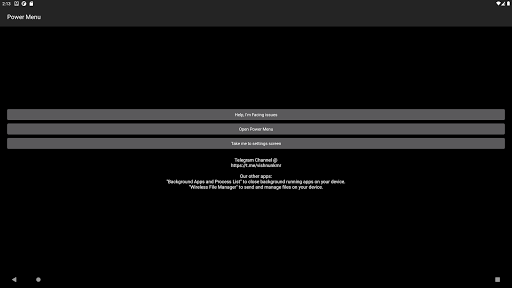
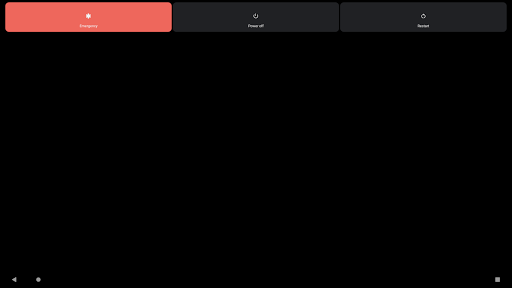
About Power Menu : Software Button
The description on the store listing
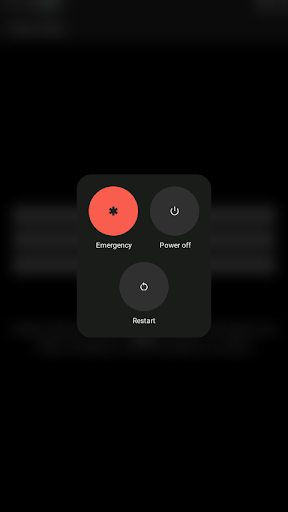
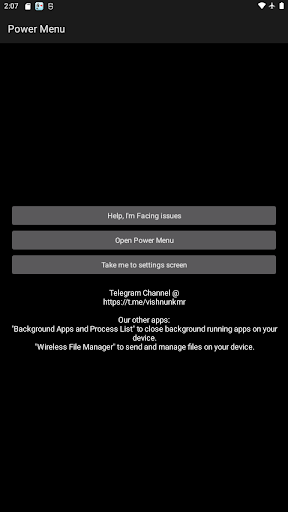
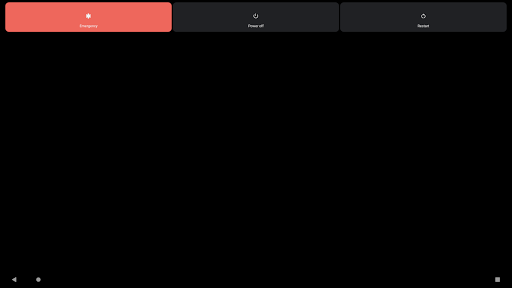
Quickly open the system default Power Menu UI on your device.
Prolong Power button lifespan, breathe new life into devices having defective Power key.
► Additional feature:
★ Lock screen shortcut (widget,quick launch shortcut) [For Android 9.0+ only] (Please note: This feature is not available for Android 5.0~8.1)
★ Take Screenshot (quick launch shortcut) [For Android 7.0+ only]
★ Split Screen (quick launch shortcut) [For Android 7.0+ only]
<b>Why does the app need Accessibility Service API, or Accessibility Permission</b>
Power Menu uses Accessibility Service API to support the following core functions:
- Open power menu (In App Button, Widget,Quick Launch Shortcut),
- Lock …
Read the full description
Quickly open the system default Power Menu UI on your device. Prolong Power button lifespan, breathe new life into devices having defective Power key. ► Additional feature: ★ Lock screen shortcut (widget,quick launch shortcut) [For Android 9.0+ only] (Please note: This feature is not available for Android 5.0~8.1) ★ Take Screenshot (quick launch shortcut) [For Android 7.0+ only] ★ Split Screen (quick launch shortcut) [For Android 7.0+ only] <b>Why does the app need Accessibility Service API, or Accessibility Permission</b> Power Menu uses Accessibility Service API to support the following core functions: - Open power menu (In App Button, Widget,Quick Launch Shortcut), - Lock Screen (Widget,Quick Launch Shortcut), - Take a screenshot (Quick Launch Shortcut), - Toggle Split Screen (Quick Launch Shortcut), The application only uses the accessibility permission for the sole purpose of supporting core functionalities listed above. Power menu does not ever transmit personal or sensitive information nor does it ever gather user's data or information. Please note that Accessibility service API is mandatory for Power Menu to function. How to access the "Lock Screen" widget? ◼ For devices running Android version 7.1 ~ 13 1) Tap and hold the Power Menu app icon, you'll see those options displayed. 2) Furthermore, you can tap and hold the preferred option and drag it to your home screen launcher. ◼ For devices running Android version 5.0 ~ 7.0 1) Use "add widget" from your home screen launcher, and navigate to find "Lock Screen". 2) Drag the above widget to your home screen launcher, you'll find an app icon being created on your home screen. ⚠️<u>Important</u> Please note that this app can't power on a device. Due to physical restrictions, Android applications can't launch if the phone is OFF, so it is impossible to power on any phone with any Android app. This app is only designed to "Slow Down" the damage progress of the power button but not completely replace it. Usually, the crumbling of the power button is a long process. Before it is completely damaged, there may be a period when the power button has poor contact. You should use the app during this time, avoid unnecessary use of the physical buttons, and only use the physical button when necessary (such as when starting the phone). If your power button is already broken, it may be too late. ⚠️Please note that the screenshots, video tutorial displays the power menu of the android emulator; the actual power menu shown will be the default power menu of your particular device; it varies based on your device manufacturer and android version. Post your Suggestions, feedback and issues if any @ https://github.com/visnkmr/visnkmr/issues. Thanks for your time.
Installs since 19 Jul 2026 Measured
Exact Google Play install counts, collected daily
Ratings
3,493 ratings, 72 reviews
- 5 ★55%
- 4 ★8.8%
- 3 ★7.0%
- 2 ★7.0%
- 1 ★22%
Recent reviews
Latest public reviews from the store
- 29 Mar 2026
dùng cho glitch slay the spire 2 ngon luôn :D
- 4 Feb 2026
Certainly needs improvement, but the basic idea is just what I need on tablet: no annoying constant keyboard popping up when just scrolling thru an (online) doc that I'm editing. It stays down untill I (yes, me) tell it to show again. Major flaws: on some pages it stopped being able to backspace any \W ([^\w]) chars while other keyboards have no problem (eg in the code editor at siteground) and the '\' (pretty useful for file paths!), '€' and some other chars are missing on this board.
- 23 Jan 2026
great app
- 30 Nov 2025
works fine
What reviewers bring up
Topics mentioned in the latest 50 reviews, by how many reviews mention them
Liked in good reviews (28 reviews)
- keyboard 13
- physical 4
- hide 4
- android 3
- screen 3
- device 3
- bluetooth 2
- external 2
Raised in bad reviews (16 reviews)
No topic comes up twice.
Top chart positions
Latest Google Play chart ranks by country, last 10 days
Not in any tracked top chart in the last 10 days.
Power Menu : Software Button history
Release, install milestones, listing and store changes
- Reached 1,000,000+ installs 26 Nov 2024
- Reached 500,000+ installs 17 Sep 2021
- Reached 100,000+ installs 12 Oct 2020
- Reached 50,000+ installs 27 Aug 2020
- Reached 10,000+ installs 30 Jul 2020
- Reached 5,000+ installs 16 Jul 2020
- Reached 1,000+ installs 30 Jun 2020
- Reached 500+ installs 25 Jun 2020
Update frequency
How often Power Menu : Software Button ships a new version, month by month
0 updates in the last 12 months. Less often than most similar apps: they shipped a median of 2 updates in the same year.
Recent versions
Current version 2.1G8i
- Version 2.1G8i24 Aug 2024
Bug Fixes for widgets. Note: If you already were using the widgets or shortcuts from previous versions, Remove all previous widgets of Power Menu and add them again. UI updated. Post your Suggestions, feedback and issues if any @ https://github.com/visnkmr/visnkmr/issues
- Version 2.1G7i30 Aug 2023
- Version 2.1G5i23 Aug 2023
- Version 1.225 Sep 2020
Listing keywords
Words and phrases Power Menu : Software Button repeats most in its store listing
Top phrases: power menu (11), quick launch shortcut (7), launch shortcut (7), quick launch (7), power button (6).
Highlighted words also appear in the title. Counts cover the title, short description and description.
Business model and tech
From the store listing and declared permissions
- Business model
- Free to download
- Sensitive access
- No sensitive permission declared
Compliance
What the listing and the app package show
- Store status
- Live
- Upkeep
- Updated 26 Nov 2024
- Registered in
- India
- Privacy policy
- Linked on the listing
- Advertising
- No ads declared
- In-app purchases
- None declared
- Age rating
- Everyone
Apps like Power Menu : Software Button
Modern Analog Clock-7Style-7790K installs★ 4.33
ENSA PanamáENSA Panama596K installs★ 1.88
Screen Lock ProMahesh Kumar Nayak30.5K installs★ 4.44
Phone Clone - Phone SwitchGlobal Private Networks397K installs★ 4.28
INFRANOTE - TRÂNSITOALD INFORMATICA378K installs★ 4.2
Prayer points with bible verseSystemsbase Solutions298K installs★ 4.75
Button BarViltoolsApps646K installs★ 4.2
VedaNetSunnyFuture1.6M installs★ 4.13
MyDocs : Documents OrganizerOpale Mobile231K installs★ 4.71
Power Menu : Software Button: questions and answers
How many downloads does Power Menu : Software Button have?
Power Menu : Software Button has 1,290,024 installs on Google Play, measured from the store's own count on 15 Nov 2026.
Who makes Power Menu : Software Button?
Power Menu : Software Button is published by Vishnu N K, a developer based in IN.
When was Power Menu : Software Button last updated?
The latest version (2.1G8i) was released on 26 Nov 2024.
Is Power Menu : Software Button free?
Yes. Power Menu : Software Button is free to download.
Is Power Menu : Software Button still available?
Yes. Power Menu : Software Button is live on Google Play as of 15 Nov 2026.
Track Power Menu : Software Button and its competitors
Watch any app for new versions, rating drops, chart moves and removals. Free plan, no card.