Print Master: Docs Printer
Print directly from Android device to any printer. Documents, Photos, and more.
- Installs
- 255K
- Measured
- Rating
- 4.44
- Ratings
- 1.6K
- 39 reviews
- Version
- Varies with device
- Updated 27 Mar 2026
- Released
- 24 Jan 2025
- Tracked since 13 May 2026
- Size
- —
Screenshots
About Print Master: Docs Printer
The description on the store listing
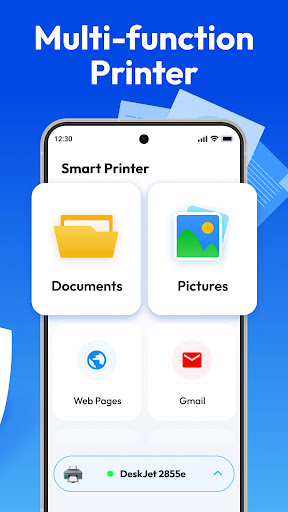
Print Master makes printing easy and simple, helping you print photos, documents, web pages, emails, and more with one click, directly from your Android phone to almost any printer—no computer needed!
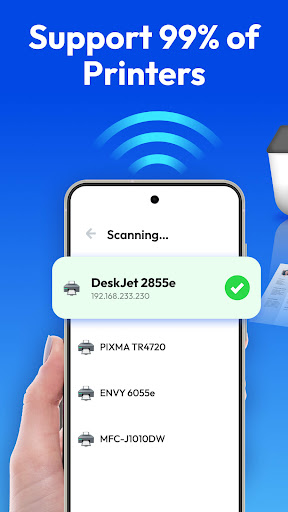
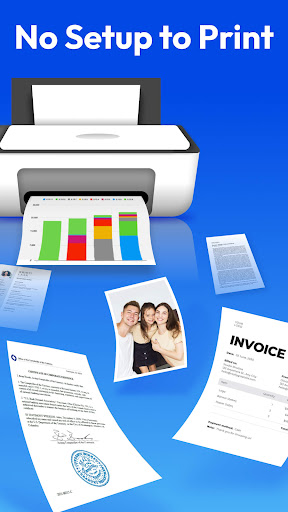
No setup—simply connect to wireless printers, Bluetooth printers, or USB printers to start printing.
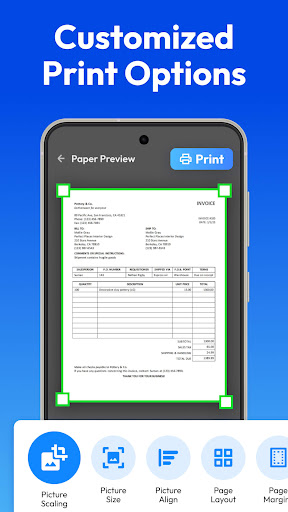
With a full range of essential printing options like paper size, page orientation, page range, duplex mode, print quality, color mode, picture alignment, page layout, and margins, every print is customized to meet your exact needs.
What You Can Print
Documents: PDF
Photos: high-quality printing for JPG, PNG, GIF, and other image formats
Emails: directly print from your inbox
Web …
Read the full description
Print Master makes printing easy and simple, helping you print photos, documents, web pages, emails, and more with one click, directly from your Android phone to almost any printer—no computer needed! No setup—simply connect to wireless printers, Bluetooth printers, or USB printers to start printing. With a full range of essential printing options like paper size, page orientation, page range, duplex mode, print quality, color mode, picture alignment, page layout, and margins, every print is customized to meet your exact needs. What You Can Print Documents: PDF Photos: high-quality printing for JPG, PNG, GIF, and other image formats Emails: directly print from your inbox Web pages: print directly using the built-in browser ... Highlight Features - Connect printer via nearby WiFi, Bluetooth, USB - Works with inkjet, laser, or thermal printers from leading manufacturers—fully compatible with popular wireless and mobile printing technologies - Print without a computer or extra tools - Flexible printing options with paper size, orientation, number of copies, print quality, layout, color/monochrome, duplex mode(two-sided printing), media tray and more - Print test page to easily verify printer setup - Print multiple images per sheet for efficiency - Preview PDFs, images, and documents before printing for accuracy - Automatically search for printers nearby - Print to pdf - Print anytime, anywhere—whether at home, the office, or on the go Transform your Android device into a smart printer. Try this smart printer - Print Master now and make printing simpler, faster, and smarter!
Installs, last 30 days Measured
Exact Google Play install counts, collected daily
Ratings
1,607 ratings, 39 reviews
- 5 ★86%
- 4 ★1.2%
- 3 ★1.2%
- 2 ★0.0%
- 1 ★12%
Recent reviews
Latest public reviews from the store
No reviews in our sample for this app yet.
Top chart positions
Latest Google Play chart ranks by country, last 10 days
Not in any tracked top chart in the last 10 days.
Print Master: Docs Printer history
Release, install milestones, listing and store changes
- Reached 100,000+ installs 25 Feb 2026
- Reached 50,000+ installs 5 Jun 2025
- Reached 10,000+ installs 9 Mar 2025
- Reached 5,000+ installs 16 Feb 2025
- Reached 1,000+ installs 3 Feb 2025
- Reached 500+ installs 1 Feb 2025
- First released on the store 24 Jan 2025
Update frequency
How often Print Master: Docs Printer ships a new version, month by month
2 updates in the last 12 months. Less often than most similar apps: they shipped a median of 3 updates in the same year.
Recent versions
Current version Varies with device
- Version 1.0.2127 Mar 2026
- Version 1.0.2018 Mar 2026
- Version 1.0.194 Jul 2025
- Version 1.0.1826 Jun 2025
Listing keywords
Words and phrases Print Master: Docs Printer repeats most in its store listing
Top phrases: print master (3), android device (2), duplex mode (2), paper size (2), print directly (2).
Highlighted words also appear in the title. Counts cover the title, short description and description.
Business model and tech
From the store listing and declared permissions
- Business model
- Free to downloadIn-app purchasesShows ads
- Subscriptions and payments
- Google Play billing
- Sensitive access
- LocationContactsPhotos, videos and filesAccounts on the deviceNearby devicesDraws over other appsAdvertising ID
29 permissions
2 special access, 9 sensitive, 18 standard
- Draw over other appsSpecial access
- Set exact alarmsSCHEDULE_EXACT_ALARMSpecial access
- Read contactsSensitive
- See accounts on the deviceSensitive
- Change or delete shared storageSensitive
- Read photos and videos the user picksREAD_MEDIA_VISUAL_USER_SELECTEDSensitive
- Read shared storageSensitive
- Precise locationSensitive
- Connect to paired Bluetooth devicesBLUETOOTH_CONNECTSensitive
- Find nearby Bluetooth devicesBLUETOOTH_SCANSensitive
- Show notificationsPOST_NOTIFICATIONSSensitive
- Ad attribution (Privacy Sandbox)ACCESS_ADSERVICES_ATTRIBUTIONStandard
Compliance
What the listing and the app package show
- Store status
- Live
- Upkeep
- Updated 27 Mar 2026
- Registered in
- Hong Kong SAR China
- Privacy policy
- Linked on the listing
- Advertising
- Shows ads
- In-app purchases
- Offered
- Age rating
- Everyone
- Sensitive permissions
- 9 sensitive, 2 special access of 29
- Location access
- Yes, while in use
- Camera and microphone
- Neither
Apps like Print Master: Docs Printer
BanlanXspledapps734K installs★ 2.57
Landa vpnamiraxy4151K installs★ 3.85
Font SizeByte Sculptor Apps320K installs★ 4.5
Age Calculator AppCalc de Calc265K installs★ 3.8
Camel VPNMutaz Awad338K installs★ 4.02
Wifi UnlockerTime, Translator, Downloader and Blocker App58.9K installs★ 4.47
PlacasVE: Consulta de placasPurpleDevApps99.9K installs★ 2.97
PDF Toolkit: Viewer & Editoryaohuo1.3M installs★ 3.59
DexplorerAddons Detector363K installs★ 3.94
Print Master: Docs Printer: questions and answers
How many downloads does Print Master: Docs Printer have?
Print Master: Docs Printer has 255,451 installs on Google Play, measured from the store's own count on 20 Nov 2026.
Who makes Print Master: Docs Printer?
Print Master: Docs Printer is published by Hitchhike Tech, a developer based in HK.
When was Print Master: Docs Printer last updated?
The latest version (Varies with device) was released on 27 Mar 2026.
Is Print Master: Docs Printer free?
Yes. Print Master: Docs Printer is free to download and offers in-app purchases, and it shows ads.
Is Print Master: Docs Printer still available?
Yes. Print Master: Docs Printer is live on Google Play as of 20 Nov 2026.
Track Print Master: Docs Printer and its competitors
Watch any app for new versions, rating drops, chart moves and removals. Free plan, no card.