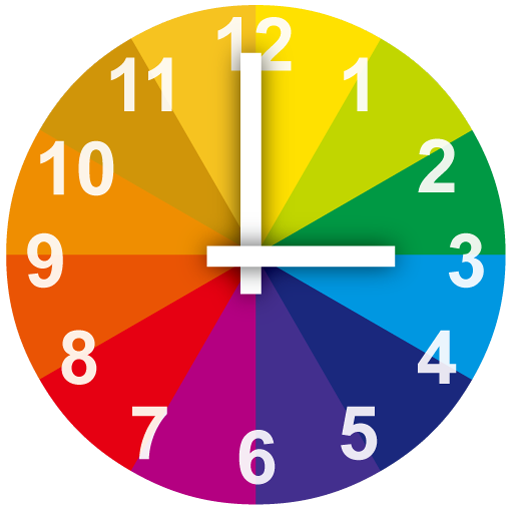
Rainbow Clock
A beautiful clock widget on your phone desktop, it help you master the time
- Installs
- 218K
- Measured
- Rating
- 4.0
- Ratings
- 563
- 9 reviews
- Version
- 3.9.53
- Updated 15 Oct 2026
- Released
- 19 Oct 2013
- Tracked since 13 May 2026
- Size
- 8 MB
- Needs 4.1
Screenshots


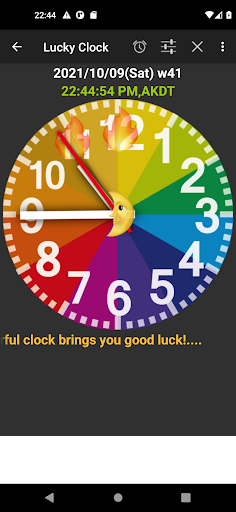


About Rainbow Clock
The description on the store listing
This is a clock desktop widget.
A beautiful colorful Clock Desktop Widget with many colorful clock type and brings you lucky day.
There are a lot of clock type can be choiced: rainbow, blue, black and
yellow, standard 24-color color,Olive, Green,Vermilion.
Lightweight phone desktop widget, and can display seconds in the app.
Click widget can goto the phone's Alarm Setting page.
if you select the clock type in standard 24-color card.
Tap it will show the standard 24-color card pattern image for you.
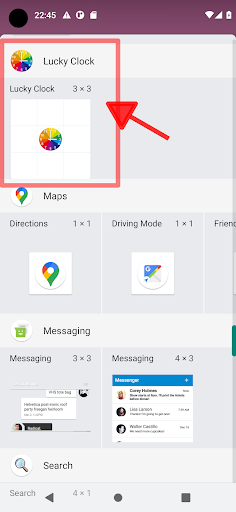
After installation, you need to add it by yourself in widget page.
Install notice:
devices are coming with more security for battery power consumption. By
default devices …
Read the full description
This is a clock desktop widget. A beautiful colorful Clock Desktop Widget with many colorful clock type and brings you lucky day. There are a lot of clock type can be choiced: rainbow, blue, black and yellow, standard 24-color color,Olive, Green,Vermilion. Lightweight phone desktop widget, and can display seconds in the app. Click widget can goto the phone's Alarm Setting page. if you select the clock type in standard 24-color card. Tap it will show the standard 24-color card pattern image for you. After installation, you need to add it by yourself in widget page. Install notice: devices are coming with more security for battery power consumption. By default devices keep almost all apps in power saving mode. It means in some devices your background work won't work as soon as you come out from the app. Go to the Battery => Power => App battery Saver => select your app and choose No restrictions (for Background settings), then Allow clock running.
Installs since 29 Aug 2026 Measured
Exact Google Play install counts, collected daily
Ratings
563 ratings, 9 reviews
- 5 ★67%
- 4 ★8.2%
- 3 ★8.2%
- 2 ★8.2%
- 1 ★8.2%
Recent reviews
Latest public reviews from the store
No reviews in our sample for this app yet.
Top chart positions
Latest Google Play chart ranks by country, last 10 days
Not in any tracked top chart in the last 10 days.
Rainbow Clock history
Release, install milestones, listing and store changes
- Reached 100,000+ installs 14 Sep 2018
- Reached 50,000+ installs 28 Sep 2017
- Reached 10,000+ installs 29 Nov 2015
- Reached 5,000+ installs 8 Sep 2014
- Reached 1,000+ installs 7 Dec 2013
- Reached 500+ installs 19 Nov 2013
- First released on the store 19 Oct 2013
Update frequency
How often Rainbow Clock ships a new version, month by month
1 updates in the last 12 months. About as often as similar apps, which shipped a median of 1 updates in the same year.
Recent versions
Current version 3.9.53
- Version 3.9.5315 Oct 2026
fix minor bug.
- Version 3.9.517 Sep 2025
fix crash issue,
- Version 3.9.4819 Jul 2025
- Version 3.9.4617 Sep 2024
Listing keywords
Words and phrases Rainbow Clock repeats most in its store listing
Top phrases: clock type (3), desktop widget (3), standard color (3), clock desktop widget (2), standard color card (2).
Highlighted words also appear in the title. Counts cover the title, short description and description.
Business model and tech
From the store listing, the SDKs in the app package and its declared permissions
- Business model
- Free to downloadShows ads
- Built with
- No cross-platform framework or game engine detected
- Ad networks (1)
- AdMob
- Analytics and crash reports
- Firebase
- Sensitive access
- Advertising ID
2 ad, attribution and analytics SDKs detected. SDKs are read from the app package and permissions from the store listing, so code that loads later is not seen.
Technology
7 SDKs found in the app package
Ad network libraries
Ad networks
Advertising and install-attribution SDKs found in the app package
- AdMob
16 permissions
0 special access, 1 sensitive, 15 standard
- Show notificationsPOST_NOTIFICATIONSSensitive
- Ad attribution (Privacy Sandbox)ACCESS_ADSERVICES_ATTRIBUTIONStandard
- Read how it was installed (install referrer)BIND_GET_INSTALL_REFERRER_SERVICEStandard
- Read the advertising IDAD_IDStandard
- Read the advertising ID (Privacy Sandbox)ACCESS_ADSERVICES_AD_IDStandard
- Ask to skip battery optimisationREQUEST_IGNORE_BATTERY_OPTIMIZATIONSStandard
- Control vibrationStandard
- Foreground service (data sync)FOREGROUND_SERVICE_DATA_SYNCStandard
- Keep the phone awakeStandard
- Run a foreground serviceFOREGROUND_SERVICEStandard
- Full internet accessStandard
- See network connectionsStandard
Compliance
What the listing and the app package show
- Store status
- Live
- Upkeep
- Updated 15 Oct 2026
- Privacy policy
- Linked on the listing
- Advertising
- Shows ads
- In-app purchases
- None declared
- Age rating
- Everyone
- Sensitive permissions
- 1 sensitive of 16
- Location access
- No
- Camera and microphone
- Neither
Apps like Rainbow Clock
Lighter Launcher ThemeCMM Launcher INC65K installs★ 4.71
Draw on Sand Live WallpaperGeniusTools Labs123K installs★ 3.14
Bear and Panda Theme+HOME by Ateam Entertainment153K installs★ 3.75
Theme for Applle iPad Pro 12.9Extreme Themers319K installs★ 3.34
2026 Happy NewYear ThemeBeautiful Themes144K installs★ 4.54
My Keyboard: Themes & FontsWaleed Adel5.7M installs★ 1.7
Marine Digital 2 Watch FaceSmart Art Studios115K installs★ 3.24
All Black Wallpaper CollectionBit Rain Games128K installs★ 4.43
VALKYRIE CONNECT +HOME Theme+HOME by Ateam Entertainment58.7K installs★ 4.46
Rainbow Clock: questions and answers
How many downloads does Rainbow Clock have?
Rainbow Clock has 218,373 installs on Google Play, measured from the store's own count on 15 Nov 2026.
Who makes Rainbow Clock?
Rainbow Clock is published by Mark App Design.
When was Rainbow Clock last updated?
The latest version (3.9.53) was released on 15 Oct 2026.
Is Rainbow Clock free?
Yes. Rainbow Clock is free to download, and it shows ads.
Is Rainbow Clock still available?
Yes. Rainbow Clock is live on Google Play as of 15 Nov 2026.
Track Rainbow Clock and its competitors
Watch any app for new versions, rating drops, chart moves and removals. Free plan, no card.