Remo Locker
Hide private or confidential data like pictures, videos, documents & audio files
- Installs
- 9.17K
- Measured
- Rating
- 1.0
- Ratings
- 66
- 2 reviews
- Version
- Varies with device
- Updated 19 Jun 2018
- Released
- 9 Jan 2014
- Tracked since 13 May 2026
- Size
- 1 MB
- Needs 4.0
Screenshots

About Remo Locker
The description on the store listing
Always hesitate in sharing your Android Phone with known people, strangers or guest users? Protect your files against unauthorized access by using the freeware Remo Locker app. This application hides the selected files and no one will ever know that the files exist. If you have any private or confidential data like pictures, videos, documents and audio files that you want to hide, then Remo Locker is right for you.
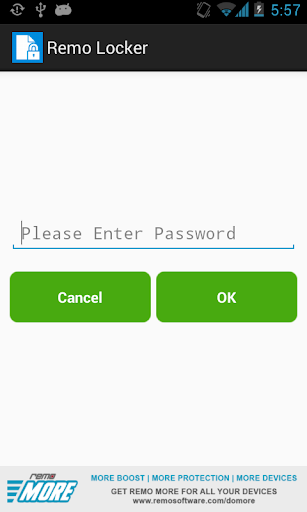
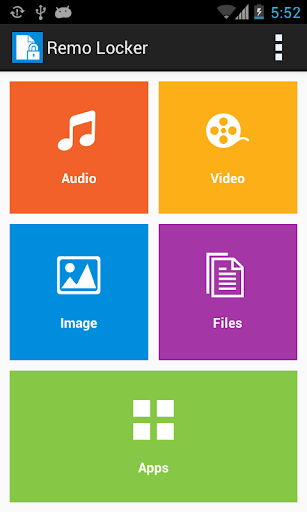
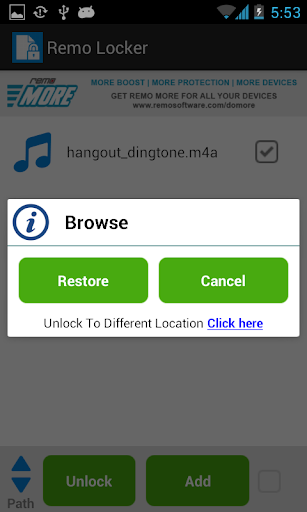
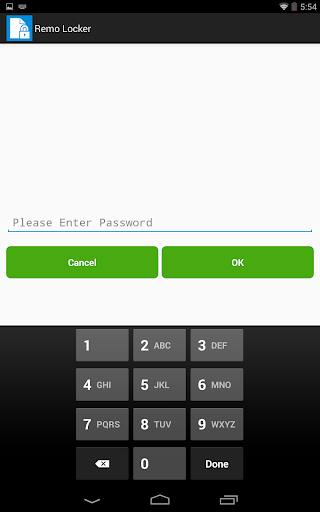
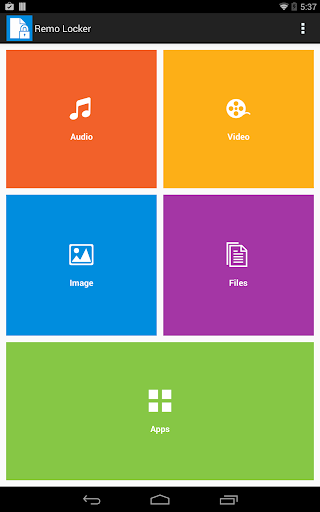
This app provides single tap Toggle app status to lock and unlock and also gives the separate options to lock audio, video, images and files by hiding them. In order to access them after locking, the user has to provide the Master password.
Master password can be set when …
Read the full description
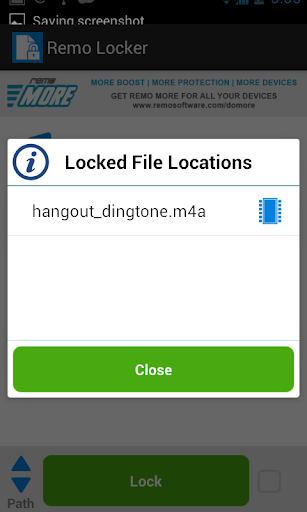
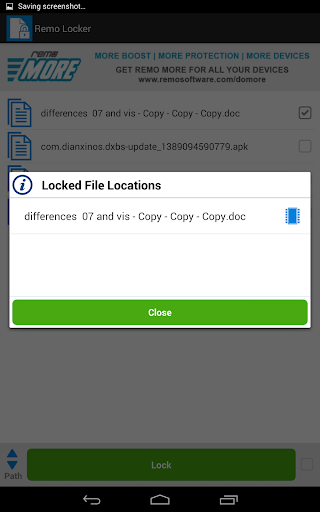
Always hesitate in sharing your Android Phone with known people, strangers or guest users? Protect your files against unauthorized access by using the freeware Remo Locker app. This application hides the selected files and no one will ever know that the files exist. If you have any private or confidential data like pictures, videos, documents and audio files that you want to hide, then Remo Locker is right for you. This app provides single tap Toggle app status to lock and unlock and also gives the separate options to lock audio, video, images and files by hiding them. In order to access them after locking, the user has to provide the Master password. Master password can be set when Remo Locker app is launched for the first time after installation. Later the user can change it by going to the settings option. In settings, other than changing the Master password, the user can also set Fake password. This fake password can be useful when someone asks your password and you cannot deny. By using the Fake password, the user can just see the files that were locked using it; files hidden using Master password will not be visible. To change the Master password and Fake password also, only Master password can give access. Features that makes Remo Locker better than others – - Toggle app status to lock and unlock in a single tap - Easy and fast way to hide files - Hide files, so that no one can know about their existence, instead of locking them - Provide separate options to hide different kind of files - Same app can be used to unhide and restore the hidden files to their original location or a user-specified location - Pictures, audio, video and files will be immediately removed from their location and places like gallery, music player, etc. as soon as they are made hidden - Smooth and intuitive UI to make the hide / unhide process easy
Installs since 27 Aug 2026 Measured
Exact Google Play install counts, collected daily
Ratings
66 ratings, 2 reviews
- 5 ★0.0%
- 4 ★0.0%
- 3 ★0.0%
- 2 ★0.0%
- 1 ★100%
Recent reviews
Latest public reviews from the store
No reviews in our sample for this app yet.
Top chart positions
Latest Google Play chart ranks by country, last 10 days
Not in any tracked top chart in the last 10 days.
Remo Locker history
Release, install milestones, listing and store changes
- Reached 5,000+ installs 19 Jun 2018
- Reached 1,000+ installs 8 Oct 2014
- Reached 500+ installs 28 May 2014
- Reached 100+ installs 31 Jan 2014
- Reached 10+ installs 15 Jan 2014
- Reached 5+ installs 12 Jan 2014
- Reached 1+ installs 11 Jan 2014
- First released on the store 9 Jan 2014
Update frequency
How often Remo Locker ships a new version, month by month
0 updates in the last 12 months. Less often than most similar apps: they shipped a median of 1 updates in the same year.
Recent versions
Current version Varies with device
- Version 1.0.0.220 Jan 2014
Listing keywords
Words and phrases Remo Locker repeats most in its store listing
Top phrases: master password (6), remo locker (5), fake password (4), data like pictures (2), lock and unlock (2).
Highlighted words also appear in the title. Counts cover the title, short description and description.
Business model and tech
From the store listing, the SDKs in the app package and its declared permissions
- Business model
- Free to download
- Built with
- No cross-platform framework or game engine detected
- Ad networks (0)
- None detected
- Sensitive access
- Photos, videos and files
0 ad, attribution and analytics SDKs detected. SDKs are read from the app package and permissions from the store listing, so code that loads later is not seen.
Technology
2 SDKs found in the app package
Development tools
4 permissions
0 special access, 2 sensitive, 2 standard
- Change or delete shared storageSensitive
- Read shared storageSensitive
- See running appsStandard
- Start when the phone turns onStandard
Compliance
What the listing and the app package show
- Store status
- Live
- Upkeep
- No update since 19 Jun 2018
- Registered in
- India
- Privacy policy
- Linked on the listing
- Advertising
- No ads declared
- In-app purchases
- None declared
- Age rating
- Everyone
- Sensitive permissions
- 2 sensitive of 4
- Location access
- No
- Camera and microphone
- Neither
Apps like Remo Locker
Smart talkieHangzhou Zhidou Technology Co., Ltd.4.1K installs★ 4.45
WiFi File Browser ProBytes Lounge2K installs★ 5.0
AI Puzzle SolverSolver Works8.8K installs★ 2.75
CharacterBookмакс апшер7.3K installs★ 3.42
Flashlight: LED Torch + ScreenApplab Studios8.6K installs★ 4.41
RUserLAnd Technologies2.6K installs★ 2.63
Onforu HomeOnforu19.1K installs★ 2.22
Countdown Calendar - WidgetTuxerito24.4K installs★ 1.8
CodeAssist - Android IDESketchub225K installs★ 5.0
Remo Locker: questions and answers
How many downloads does Remo Locker have?
Remo Locker has 9,168 installs on Google Play, measured from the store's own count on 19 Nov 2026.
Who makes Remo Locker?
Remo Locker is published by Remo Software, a developer based in IN.
When was Remo Locker last updated?
The latest version (Varies with device) was released on 19 Jun 2018.
Is Remo Locker free?
Yes. Remo Locker is free to download.
Is Remo Locker still available?
Yes. Remo Locker is live on Google Play as of 19 Nov 2026.
Track Remo Locker and its competitors
Watch any app for new versions, rating drops, chart moves and removals. Free plan, no card.