
Remote Access Plus
Access and troubleshoot Windows, Mac, and Linux endpoints anywhere, anytime!
- Installs
- 8.74K
- Measured
- Rating
- —
- Ratings
- —
- Version
- Varies with device
- Updated 14 Mar 2026
- Released
- 18 Nov 2020
- Tracked since 13 May 2026
- Size
- 14 MB
- Needs 4.4
Also on App Store: Remote Access Plus (7 ratings)
Screenshots


About Remote Access Plus
The description on the store listing
Remote into your computer while you're on the move!
ManageEngine Remote Access Plus helps you access remote computers irrespective of their location and lets you resolve troubleshooting requests at lightning speed. Available both on cloud and on-premises, Remote Access Plus can be deployed in organizations of any size without any hassle.
What can I do using the Remote Access Plus application?
Access endpoints right from your mobile device
• Connect to remote computers on the go with unattended remote access.
• Perform administrative operations using "Quick Launch".
Diagnose computers without hindering productivity
• Access Command Prompt and execute commands using …
Read the full description
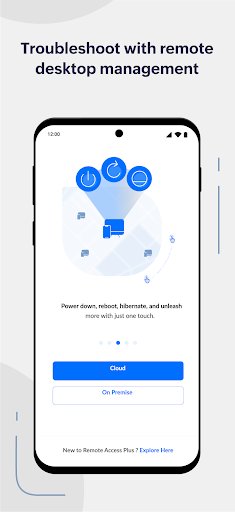
Remote into your computer while you're on the move! ManageEngine Remote Access Plus helps you access remote computers irrespective of their location and lets you resolve troubleshooting requests at lightning speed. Available both on cloud and on-premises, Remote Access Plus can be deployed in organizations of any size without any hassle. What can I do using the Remote Access Plus application? Access endpoints right from your mobile device • Connect to remote computers on the go with unattended remote access. • Perform administrative operations using "Quick Launch". Diagnose computers without hindering productivity • Access Command Prompt and execute commands using system account • Cut-down production costs by turning off computers with no active users • Wake computers on LAN and kick-start your troubleshooting without hiccups How do I activate the app? Step 1: Install the Remote Access Plus mobile app on your Android device. Step 2: If you're using the Remote Access Plus on-premises solution, provide the server name and the port being used, followed by the credentials. Step 3: If you're using the cloud edition, log in to your Remote Access Plus account. Step 4: You can now access the Remote Access Plus console from your mobile device.
Installs since 1 Sep 2026 Measured
Exact Google Play install counts, collected daily
Ratings
- 5 ★0.0%
- 4 ★0.0%
- 3 ★0.0%
- 2 ★0.0%
- 1 ★0.0%
Recent reviews
Latest public reviews from the store
- 4 Mar 2026
I have been using the Op Manager Network monitoring app and it is very helpful for monitoring our network devices anytime and anywhere. The app interface is simple and easy to understand, so checking device status, downtime and alerts is very convenient. I especially like the real time notifications which help me quickly identify and fix issues.
- 25 Aug 2025
perfect application
- 24 Aug 2025
OpManager automatically discovers and maps network topology, visually representing network layout and device relationships. It also tracks device performance metrics like bandwidth usage, CPU, memory, and disk utilization to aid in performance optimization.
- 3 Jun 2025
It is an excellent product that offers you real-time network monitoring features. It enables you to identify and resolve network issues faster. it also helps you to optimize network performance.
What reviewers bring up
Topics mentioned in the latest 50 reviews, by how many reviews mention them
Liked in good reviews (41 reviews)
- monitoring 10
- network 10
- performance 7
- opmanager 6
- application 4
- real-time 4
- device 4
- downtime 3
Raised in bad reviews (6 reviews)
No topic comes up twice.
Top chart positions
Latest Google Play chart ranks by country, last 10 days
Not in any tracked top chart in the last 10 days.
Remote Access Plus history
Release, install milestones, listing and store changes
- Reached 5,000+ installs 18 Mar 2025
- Reached 1,000+ installs 24 May 2022
- Reached 500+ installs 16 Sep 2021
- Reached 100+ installs 21 Jan 2021
- Reached 50+ installs 17 Dec 2020
- Reached 10+ installs 23 Nov 2020
- First released on the store 18 Nov 2020
Update frequency
How often Remote Access Plus ships a new version, month by month
2 updates in the last 12 months. About as often as similar apps, which shipped a median of 2 updates in the same year.
Recent versions
Current version Varies with device
- Version 26.03.0114 Mar 2026
- Version 26.02.0117 Feb 2026
- Version 25.09.0111 Oct 2025
- Version 25.08.0125 Aug 2025
Listing keywords
Words and phrases Remote Access Plus repeats most in its store listing
Top phrases: remote access (9), remote access plus (8), access plus (8), step if you're (2), mobile device (2).
Highlighted words also appear in the title. Counts cover the title, short description and description.
Business model and tech
From the store listing, the SDKs in the app package and its declared permissions
- Business model
- Free to download
- Built with
- No cross-platform framework or game engine detected
- Ad networks (0)
- None detected
- Analytics and crash reports
- Firebase
- Sign-in and social
- Sensitive access
- CameraPhotos, videos and files
1 ad, attribution and analytics SDKs detected. SDKs are read from the app package and permissions from the store listing, so code that loads later is not seen.
Technology
43 SDKs found in the app package
18 permissions
0 special access, 4 sensitive, 14 standard
- Take photos and videosSensitive
- Change or delete shared storageSensitive
- Read shared storageSensitive
- Show notificationsPOST_NOTIFICATIONSSensitive
- Read how it was installed (install referrer)BIND_GET_INSTALL_REFERRER_SERVICEStandard
- Use accounts on the deviceStandard
- Control vibrationStandard
- Keep the phone awakeStandard
- Run a foreground serviceFOREGROUND_SERVICEStandard
- Start when the phone turns onStandard
- Use fingerprint or face unlockUSE_BIOMETRICStandard
- Use the fingerprint readerUSE_FINGERPRINTStandard
Compliance
What the listing and the app package show
- Store status
- Live
- Upkeep
- Updated 14 Mar 2026
- Registered in
- United States
- Privacy policy
- Linked on the listing
- Advertising
- No ads declared
- In-app purchases
- None declared
- Age rating
- Everyone
- Sensitive permissions
- 4 sensitive of 18
- Location access
- No
- Camera and microphone
- Camera
Apps like Remote Access Plus
Tanka For AI-Native CompaniesTanka, Inc.21.4K installs★ 4.0
Benny's Car WashPatron Points, LLC10.6K installs★ 4.64
StrobboStrobbo129K installs★ 4.2
- CV | Curriculum vitaeunpublishedtech59K installs★ 4.2
MahleIdeia 200158.2K installs★ 4.3
Systemar SGCOnlineSystemar Informatica Ltda68.4K installs★ 3.4
Auror FrontlineAuror Limited35.8K installs★ 2.72
MySnoPUDVertexOne20.1K installs★ 3.98
Symmetry BlueAMAG Technology, Inc.27.1K installs★ 1.8
Remote Access Plus: questions and answers
How many downloads does Remote Access Plus have?
Remote Access Plus has 8,739 installs on Google Play, measured from the store's own count on 10 Nov 2026.
Who makes Remote Access Plus?
Remote Access Plus is published by ManageEngine, a developer based in US.
When was Remote Access Plus last updated?
The latest version (Varies with device) was released on 14 Mar 2026.
Is Remote Access Plus free?
Yes. Remote Access Plus is free to download.
Is Remote Access Plus still available?
Yes. Remote Access Plus is live on Google Play as of 10 Nov 2026.
Track Remote Access Plus and its competitors
Watch any app for new versions, rating drops, chart moves and removals. Free plan, no card.