Remote Control Collection
Remotely control your PC or Mac! Mouse, Keyboard, Media Player, Slideshows, ...!
- Installs
- 6.54M
- Measured
- Rating
- 3.82
- Ratings
- 42.6K
- 1.8K reviews
- Version
- Varies with device
- Updated 9 Aug 2025
- Released
- 5 Nov 2011
- Tracked since 13 May 2026
- Size
- —
Also on App Store: Remote Control Collection (9 ratings)
Screenshots
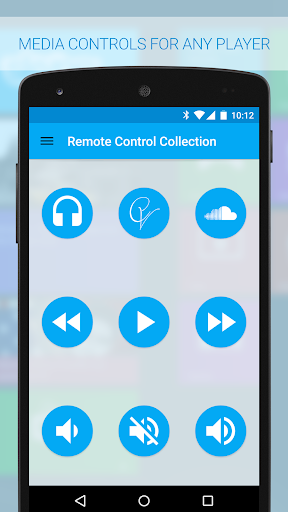
About Remote Control Collection
The description on the store listing
<b>Use your Android device as a remote for your Windows PC or Mac - Control the mouse, keyboard, media, presentations and more!</b>
The Remote Control Collection is a compilation of remotes, which you can use to wirelessly control your Windows PC or Mac. The unified remotes enable you to control the PC beyond mouse and keyboard!
<b>What others say:</b>
DotTech.org:
<i>Very responsive and very convenient to use</i>
Chip.de:
<i>Solid application with brilliant simplicity</i>
UnlockPWD.com:
<i>There are many remotes out there, this one is on another level</i>
Android-User.de:
<i>Setting up this app is a no-brainer</i>
TomsGuide.com:
<i>Top app for controlling your …
Read the full description
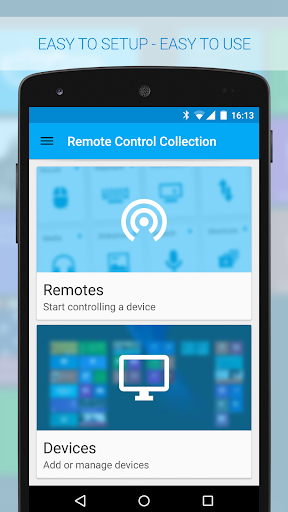
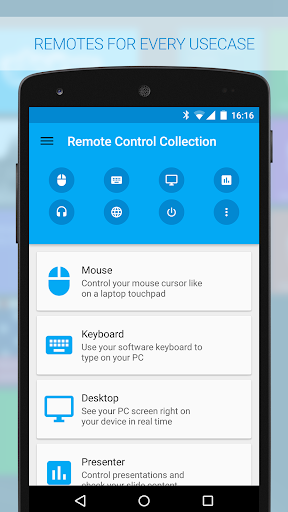
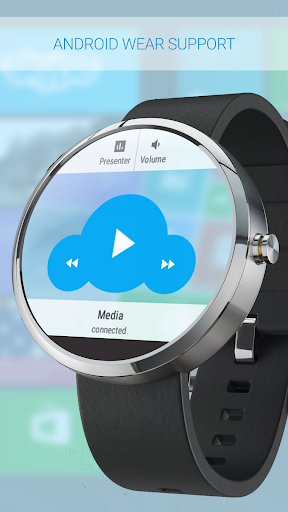
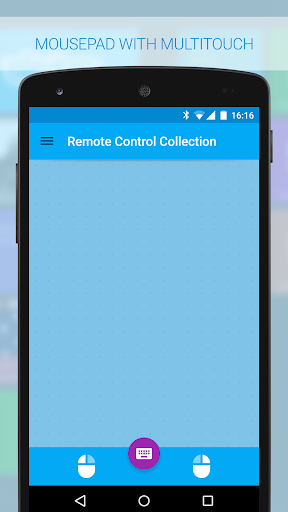
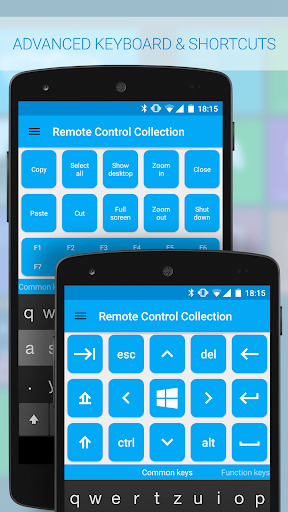
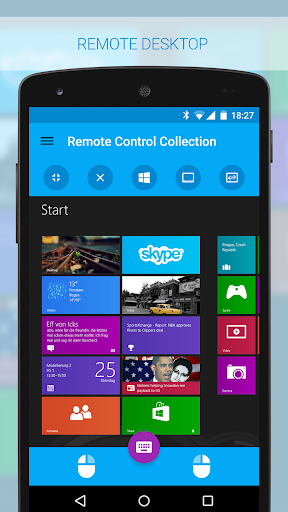
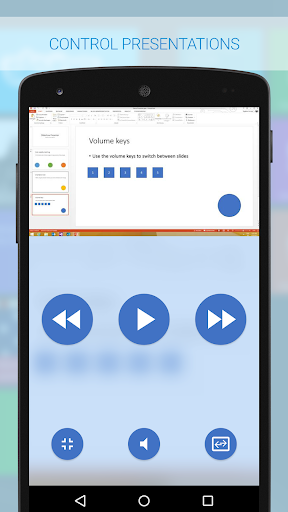
<b>Use your Android device as a remote for your Windows PC or Mac - Control the mouse, keyboard, media, presentations and more!</b> The Remote Control Collection is a compilation of remotes, which you can use to wirelessly control your Windows PC or Mac. The unified remotes enable you to control the PC beyond mouse and keyboard! <b>What others say:</b> DotTech.org: <i>Very responsive and very convenient to use</i> Chip.de: <i>Solid application with brilliant simplicity</i> UnlockPWD.com: <i>There are many remotes out there, this one is on another level</i> Android-User.de: <i>Setting up this app is a no-brainer</i> TomsGuide.com: <i>Top app for controlling your PC</i> <b>Included remote controls are:</b> -Mouse -Keyboard -Live Screen (Pro) -Media Player (Pro) -Slideshows (Pro) -Speech Recognition <b>Mouse Remote</b> Imagine your PC’s touchpad right on your Android device. Multitouch gestures like scrolling and zooming are supported. You can toggle the keyboard to send keys at the same time. <b>Keyboard Remote</b> Use the physical or virtual Android keyboard to type characters and they will appear on your PC. Important keys like Windows, Escape and Control are also available. <b>Live Screen Remote</b> See your PC's screen live right on your Android device and control the mouse in real time. <b>Media Remote</b> Control the media player of your choice! Supported are Windows Media Player, iTunes, VLC, Media Monkey, Songbird and more. <b>Slideshow Remote</b> Control your slideshows directly from your smartphone! The screen of your PC will be transmitted to your smartphone in real time! That works with Powerpoint, Impress and Adobe Reader, Windows Media Center and more. <b>Speech recognition</b> Simply say what you want to be typed on your PC. You can also use voice commands to control your PC's media, e.g. "skip this track" or "turn the volume up". <b>Android Wear Support</b> You can now control your PC directly from your wrist! Super handy for presentations or controlling a media player. <b>Much more</b> The Remote Control Server is open source and can be used to control any device in your network. You can use this app to control all your internet of things (IOT) ready devices - like Arduino, Raspberry Pi and so on. <small>To receive the commands from the Remote Control App, you will need the Remote Control Server. You can download it for free from: http://server.android-remote.com If you have trouble setting up a connection, follow this step-by-step guide or watch the video tutorial at: http://setup.android-remote.com/ Facebook fans can test the pro version for free: http://facebook.com/RemoteControlApps <b>Permissions:</b> Network For creating network sockets and using custom network protocols to connect with the pc. Call information Is needed to create a unique device id. Used to verify purchases and register unlock codes. Approximate location For analytics to improve localisation (translations, assets, etc.). Media & Files For caching to save network traffic. Vibration For haptic feedback.</small>
Installs, last 30 days Measured
Exact Google Play install counts, collected daily
Ratings
42,643 ratings, 1,785 reviews
- 5 ★55%
- 4 ★15%
- 3 ★7.0%
- 2 ★3.0%
- 1 ★20%
Recent reviews
Latest public reviews from the store
No reviews in our sample for this app yet.
Top chart positions
Latest Google Play chart ranks by country, last 10 days
Not in any tracked top chart in the last 10 days.
Remote Control Collection history
Release, install milestones, listing and store changes
- Reached 5,000,000+ installs 6 Oct 2019
- Reached 1,000,000+ installs 21 Mar 2014
- Reached 500,000+ installs 22 Sep 2013
- Reached 100,000+ installs 1 Jan 2013
- Reached 50,000+ installs 15 Sep 2012
- Reached 10,000+ installs 27 Feb 2012
- Reached 5,000+ installs 19 Jan 2012
- Reached 1,000+ installs 5 Dec 2011
Update frequency
How often Remote Control Collection ships a new version, month by month
0 updates in the last 12 months. Less often than most similar apps: they shipped a median of 8 updates in the same year.
Recent versions
Current version Varies with device
- Version 3.7.7.06 Aug 2025
- Version 3.7.6.02 Aug 2025
- Version 3.7.5.015 Oct 2022
- Version 3.7.4.026 Sep 2020
Listing keywords
Words and phrases Remote Control Collection repeats most in its store listing
Top phrases: remote control (7), media player (5), pc or mac (3), android device (3), mouse keyboard (3).
Highlighted words also appear in the title. Counts cover the title, short description and description.
Business model and tech
From the store listing, the SDKs in the app package and its declared permissions
- Business model
- Free to downloadIn-app purchases
- Built with
- No cross-platform framework or game engine detected
- Ad networks (0)
- None detected
- Subscriptions and payments
- Google Play billing
- Analytics and crash reports
- FirebaseGoogle Analytics
- Sensitive access
- Phone and callsAdvertising ID
2 ad, attribution and analytics SDKs detected. SDKs are read from the app package and permissions from the store listing, so code that loads later is not seen.
Technology
30 SDKs found in the app package
12 permissions
0 special access, 1 sensitive, 11 standard
- Read phone status and identitySensitive
- Ad attribution (Privacy Sandbox)ACCESS_ADSERVICES_ATTRIBUTIONStandard
- Read how it was installed (install referrer)BIND_GET_INSTALL_REFERRER_SERVICEStandard
- Read the advertising IDAD_IDStandard
- Read the advertising ID (Privacy Sandbox)ACCESS_ADSERVICES_AD_IDStandard
- Control vibrationStandard
- Keep the phone awakeStandard
- Full internet accessStandard
- See network connectionsStandard
- See Wi-Fi connectionsStandard
- Internal app permissionDYNAMIC_RECEIVER_NOT_EXPORTED_PERMISSIONStandard
- In-app purchases with Google PlayStandard
Compliance
What the listing and the app package show
- Store status
- Live
- Upkeep
- Updated 9 Aug 2025
- Registered in
- Germany
- Privacy policy
- Linked on the listing
- Advertising
- No ads declared
- In-app purchases
- Offered
- Age rating
- Everyone
- Sensitive permissions
- 1 sensitive of 12
- Location access
- No
- Camera and microphone
- Neither
Apps like Remote Control Collection
GICH — AI ассистентДинара3.7M installs★ 4.56
BLOAppElection Commission of India8.6M installs★ 3.75
Loud Alarm Clockj labs1.7M installs★ 4.8
Sentuh TanahkuKementerian Agraria Dan Tata Ruang/ BPN5.2M installs★ 3.75
Orange Max it SénégalOrange Sénégal11.1M installs★ 4.16
Telecel Play (Ghana)Telecel Ghana2.5M installs★ 4.59
My bpostbpost3.4M installs★ 3.04
Docs ViewerMelting Source8.9M installs★ 4.33
Replit: App & Website BuilderReplit8.3M installs★ 4.43
Remote Control Collection: questions and answers
How many downloads does Remote Control Collection have?
Remote Control Collection has 6,535,540 installs on Google Play, measured from the store's own count on 20 Nov 2026.
Who makes Remote Control Collection?
Remote Control Collection is published by Steppschuh, a developer based in DE.
When was Remote Control Collection last updated?
The latest version (Varies with device) was released on 9 Aug 2025.
Is Remote Control Collection free?
Yes. Remote Control Collection is free to download and offers in-app purchases.
Is Remote Control Collection still available?
Yes. Remote Control Collection is live on Google Play as of 20 Nov 2026.
Track Remote Control Collection and its competitors
Watch any app for new versions, rating drops, chart moves and removals. Free plan, no card.