
Remote Keyboard
Remote Keyboard and Mouse for PC, Mac and LG TV
- Installs
- 284K
- Measured
- Rating
- 4.0
- Ratings
- 734
- 12 reviews
- Version
- 3.4.0
- Updated 2 Oct 2026
- Released
- 9 May 2025
- Tracked since 13 May 2026
- Size
- —
Screenshots


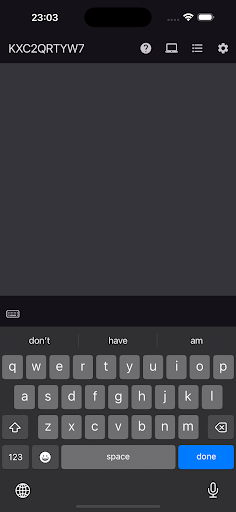


About Remote Keyboard
The description on the store listing
Remote Keyboard – Control Your PC, Mac and LG TV from Android
Remote Keyboard turns your Android phone into a wireless keyboard, mouse, and numeric keypad for your Mac or Windows computer. Whether you’re presenting, watching movies, or working remotely, this app gives you fast, secure, and flexible control—right from your mobile device.
Features
• Wireless Keyboard – Type on your computer using a full-featured keyboard from your Android device.
• Remote Mouse Control – Use your phone as a touchpad: move the cursor, click, scroll, and drag effortlessly.
• Built-in Numeric Keypad – Enter numbers quickly and comfortably—perfect for spreadsheets, finance, or data entry.
• Fast & Easy …
Read the full description
Remote Keyboard – Control Your PC, Mac and LG TV from Android Remote Keyboard turns your Android phone into a wireless keyboard, mouse, and numeric keypad for your Mac or Windows computer. Whether you’re presenting, watching movies, or working remotely, this app gives you fast, secure, and flexible control—right from your mobile device. Features • Wireless Keyboard – Type on your computer using a full-featured keyboard from your Android device. • Remote Mouse Control – Use your phone as a touchpad: move the cursor, click, scroll, and drag effortlessly. • Built-in Numeric Keypad – Enter numbers quickly and comfortably—perfect for spreadsheets, finance, or data entry. • Fast & Easy Connection – Connect over your local Wi-Fi network—no Bluetooth pairing or cables needed. • Secure HTTPS Communication – All data is encrypted to keep your inputs safe and private. • Cross-Platform Support – Works with both macOS and Windows computers when paired with the companion desktop app. Use Cases • Media Control from the Couch – Use your Mac or PC like a smart TV and control playback remotely. • Professional Presentations – Seamlessly navigate slides and control your screen during meetings or classes. • Remote Work Convenience – Control your desktop setup without being tied to your desk. • Efficient Number Input – Take advantage of the numeric pad for frequent data entry tasks. • Accessible Remote Input – Offers an intuitive alternative for users who prefer or require touchscreen input. How to Get Started Install the Remote Keyboard desktop app on your Mac or PC. Connect both devices to the same Wi-Fi network. Launch the app and start controlling your computer wirelessly. Download Remote Keyboard now and enjoy simple, secure, and powerful remote control from your Android device.
Installs since 29 Aug 2026 Measured
Exact Google Play install counts, collected daily
Ratings
734 ratings, 12 reviews
- 5 ★64%
- 4 ★9.8%
- 3 ★6.6%
- 2 ★0.0%
- 1 ★20%
Recent reviews
Latest public reviews from the store
- 19 May 2026
it's a real deal try this app.
- 18 May 2026
Good app but I am still testing the app
- 18 May 2026
it's great nothing bad
- 18 May 2026
I didn't believe is real until I confirm it
What reviewers bring up
Topics mentioned in the latest 50 reviews, by how many reviews mention them
Liked in good reviews (43 reviews)
- money 6
- trading 4
- job 3
- platform 2
- withdraw 2
- earning 2
- that's 2
- start 2
Raised in bad reviews (4 reviews)
- fake 2
Top chart positions
Latest Google Play chart ranks by country, last 10 days
Not in any tracked top chart in the last 10 days.
Remote Keyboard history
Release, install milestones, listing and store changes
- Reached 100,000+ installs 25 Jan 2026
- Reached 50,000+ installs 21 Nov 2025
- Reached 10,000+ installs 18 Aug 2025
- Reached 5,000+ installs 21 Jul 2025
- Reached 1,000+ installs 16 Jun 2025
- Reached 100+ installs 19 May 2025
- Reached 50+ installs 17 May 2025
- First released on the store 9 May 2025
Update frequency
How often Remote Keyboard ships a new version, month by month
9 updates in the last 12 months. More often than most similar apps: they shipped a median of 1 updates in the same year.
Recent versions
Current version 3.4.0
- Version 3.4.02 Oct 2026
New: Transfer files between your phone and computer! Send files and photos from the trackpad, including files copied to your clipboard. Receive files from your computer in the app or keyboard. File transfers require Premium and Remote Keyboard Desktop 3.4.0 or later. We've also improved transfer progress and updated the in-app help.
- Version 3.3.323 Jul 2026
1. New Clipboard button. 2. Bug fixes and performance improvements.
- Version 3.3.24 Jul 2026
1. New Clipboard button. 2. Bug fixes and performance improvements.
- Version 3.3.127 Jun 2026
1. New Clipboard button. 2. Bug fixes and performance improvements.
Listing keywords
Words and phrases Remote Keyboard repeats most in its store listing
Top phrases: remote keyboard (6), mac and lg (2), mac or pc (2), wi fi network (2), android device (2).
Highlighted words also appear in the title. Counts cover the title, short description and description.
Business model and tech
From the store listing and declared permissions
- Business model
- Free to downloadIn-app purchasesShows ads
- Subscriptions and payments
- Google Play billing
- Sensitive access
- LocationCameraAdvertising ID
18 permissions
0 special access, 3 sensitive, 15 standard
- Take photos and videosSensitive
- Approximate locationSensitive
- Precise locationSensitive
- Ad attribution (Privacy Sandbox)ACCESS_ADSERVICES_ATTRIBUTIONStandard
- Ad topics (Privacy Sandbox)ACCESS_ADSERVICES_TOPICSStandard
- Read how it was installed (install referrer)BIND_GET_INSTALL_REFERRER_SERVICEStandard
- Read the advertising IDAD_IDStandard
- Read the advertising ID (Privacy Sandbox)ACCESS_ADSERVICES_AD_IDStandard
- Keep the phone awakeStandard
- Run a foreground serviceFOREGROUND_SERVICEStandard
- Use fingerprint or face unlockUSE_BIOMETRICStandard
- Use the fingerprint readerUSE_FINGERPRINTStandard
Compliance
What the listing and the app package show
- Store status
- Live
- Upkeep
- Updated 2 Oct 2026
- Registered in
- France
- Privacy policy
- Linked on the listing
- Advertising
- Shows ads
- In-app purchases
- Offered
- Age rating
- Everyone
- Sensitive permissions
- 3 sensitive of 18
- Location access
- Yes, while in use
- Camera and microphone
- Camera
Apps like Remote Keyboard
X Sexy Video DownloaderVideo Studio Browser Apps145K installs★ 4.58
FileGenie AIChancey405K installs★ 3.86
Dualix: Web ScannerAegis Digital346K installs★ 4.67
PDF Viewer LiteIpsita Developer408K installs★ 3.89
HyToolsIMI Hydronic Engineering192K installs★ 1.58
Audio Memos SEImesart S.a.r.l.102K installs★ 3.64
Munily -Gestión de comunidadesTiko Technology Solutions S.A.225K installs★ 2.97
DeftPDF - PDF Editor, AnnotateSictec Infotech Inc.97.5K installs★ 3.94
TVTCTVTC - Technical & Vocational Training Corporation51.5K installs★ 2.71
Remote Keyboard: questions and answers
How many downloads does Remote Keyboard have?
Remote Keyboard has 283,506 installs on Google Play, measured from the store's own count on 14 Nov 2026.
Who makes Remote Keyboard?
Remote Keyboard is published by ZERO DEV, a developer based in FR.
When was Remote Keyboard last updated?
The latest version (3.4.0) was released on 2 Oct 2026.
Is Remote Keyboard free?
Yes. Remote Keyboard is free to download and offers in-app purchases, and it shows ads.
Is Remote Keyboard still available?
Yes. Remote Keyboard is live on Google Play as of 14 Nov 2026.
Track Remote Keyboard and its competitors
Watch any app for new versions, rating drops, chart moves and removals. Free plan, no card.