Router Admin DNS Setup
This app helps to change the network DNS and provides information of your Wifi.
- Installs
- 25.31K
- Measured
- Rating
- —
- Ratings
- —
- Version
- Varies with device
- Updated 25 Jan 2024
- Released
- 15 May 2023
- Tracked since 13 May 2026
- Size
- —
Screenshots

About Router Admin DNS Setup
The description on the store listing
<b>Router Admin DNS Setup</b>app helps to optimize your internet connection by connecting fast and secure DNS servers. In this, you can get all the information about your network. You can easily analyze your wifi by this.
In this, you get the WiFi list, as well as you can also see who uses your WiFi. You can also test WiFi speed and change DNS. It helps you to control your WiFi network. This app is secure and easy to use.
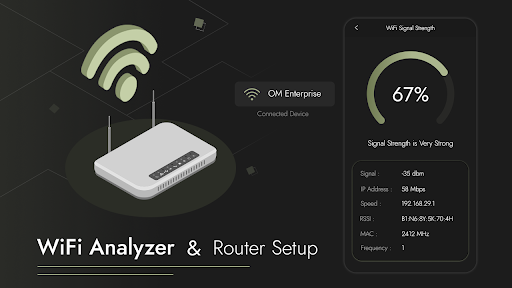
This app shows you the current connected Wifi name and location. In this you can get your connected WiFi information like SSID, Gateway, Subnet Mask, DNS Address, Broadcast Address, Frequency, Channel, Network ID and Signal Strength.
WiFi Analyzer provides the user with …
Read the full description
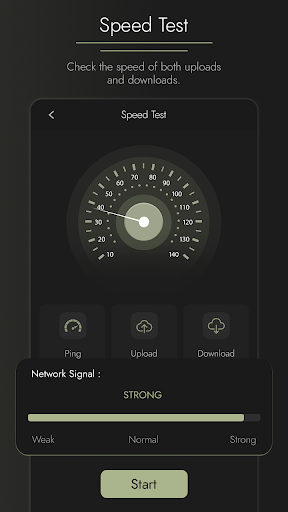
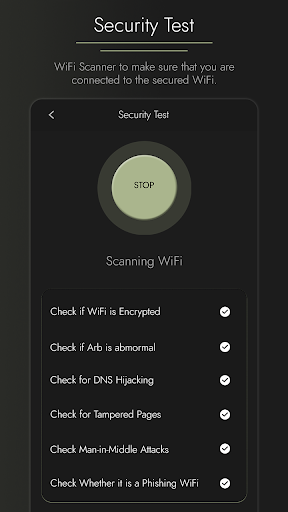
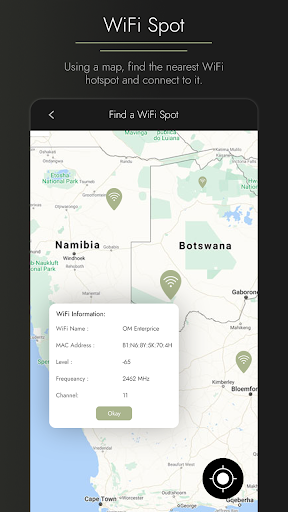
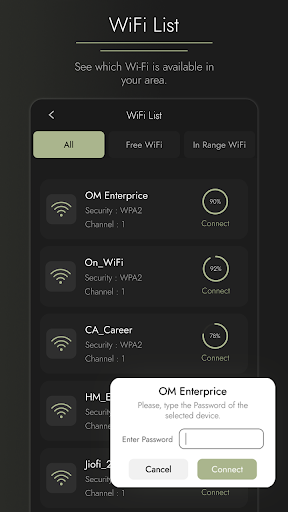
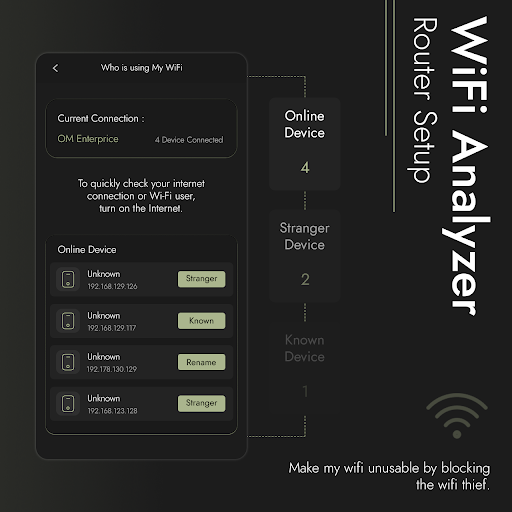
<b>Router Admin DNS Setup</b>app helps to optimize your internet connection by connecting fast and secure DNS servers. In this, you can get all the information about your network. You can easily analyze your wifi by this. In this, you get the WiFi list, as well as you can also see who uses your WiFi. You can also test WiFi speed and change DNS. It helps you to control your WiFi network. This app is secure and easy to use. This app shows you the current connected Wifi name and location. In this you can get your connected WiFi information like SSID, Gateway, Subnet Mask, DNS Address, Broadcast Address, Frequency, Channel, Network ID and Signal Strength. WiFi Analyzer provides the user with complete information about the connected wireless network. Wifi signal strength shows the details like wifi strength IP Address along with the speed, frequency, and channel of the network. Who is on my Wifi is a powerful Wifi protector. It easily detects who uses your wifi and protects your wifi security. It detects the number of devices connected to the Wifi. In this, you can see the Ip address of the device which are connected to your Wifi network. In the Test Wifi speed, you can test the speed of your network. You can test the Ping, download, and upload speed when your device is connected to the Wifi. In the Wifi Security test, you can check whether your wifi encrypted, Arb is abnormal, DNS hijacking, tampered pages, man-in-middle attacks, and its phishing wifi is safe or not. The WiFi Spot analyze the nearby Wifi networks and measure their Wifi signal strength on WiFi Map. In this, you can also see the available wifi network name, MAC Address, Level, frequency, and channel. In the Wifi list, you can get the list of available Wifi near you. In this, you see the available wifi name, Security, channel, and speed. In DNS Changer you can change your DNS and check the DNS server speed. You can also select the DNS provider you prefer, and then tap Start to connect. In this Custom DNS, you will see the status that you are connected to the network, the DNS provider name, your connection type, and the connected network name. In this, you can also add the custom DNS and also see the list of DNS customs. Main Features: • Fast, safe, and easy to use. • Analyze the network with wifi analyzer • Get a list of available Wifi. • Detect who is On My WiFi. • Show download, upload, and ping speed. • Get available WiFi MAC and IP address. • Change the DNS. • Test the Wifi signal strength. • Get the information of connected Wifi. • Display the network connection type. • Display the connected network name. • Display Connected Wi-Fi Information. • Test the Wifi Security. • Spot the local Wifi network on the map. • Find out who is the best internet provider in your surroundings. VPNService : Wifi Analyzer & Router Setup uses VPNService base class to create DNS connection. When your Android device connects to the Internet from a specific network, your address on the Internet (the location of your Android device in the virtual network) is called the IP address. And the IP address is a code system consisting of encrypted numbers. Wifi Analyzer & Router Setup processes these numbers as site addresses by using DNS servers, and the address can be reached when searched in this way.
Installs since 17 Nov 2026 Measured
Exact Google Play install counts, collected daily
Daily history starts once this app is in our daily install sample.
Ratings
- 5 ★0.0%
- 4 ★0.0%
- 3 ★0.0%
- 2 ★0.0%
- 1 ★0.0%
Recent reviews
Latest public reviews from the store
No reviews in our sample for this app yet.
Top chart positions
Latest Google Play chart ranks by country, last 10 days
Not in any tracked top chart in the last 10 days.
Router Admin DNS Setup history
Release, install milestones, listing and store changes
- Reached 10,000+ installs 6 Jan 2024
- Reached 5,000+ installs 23 Dec 2023
- First released on the store 15 May 2023
Recent versions
Current version Varies with device
- Version 8.025 Jan 2024
- Version 6.020 Dec 2023
- Version 5.04 Dec 2023
- Version 4.024 Nov 2023
Listing keywords
Words and phrases Router Admin DNS Setup repeats most in its store listing
Top phrases: available wifi (5), ip address (5), signal strength (4), wifi analyzer (4), wifi network (4).
Highlighted words also appear in the title. Counts cover the title, short description and description.
Business model and tech
From the store listing and declared permissions
- Business model
- Free to downloadIn-app purchasesShows ads
- Subscriptions and payments
- Google Play billing
- Sensitive access
- LocationAdvertising ID
23 permissions
1 special access, 3 sensitive, 19 standard
- Change system settingsWRITE_SETTINGSSpecial access
- Approximate locationSensitive
- Precise locationSensitive
- Show notificationsPOST_NOTIFICATIONSSensitive
- Ad attribution (Privacy Sandbox)ACCESS_ADSERVICES_ATTRIBUTIONStandard
- Ad topics (Privacy Sandbox)ACCESS_ADSERVICES_TOPICSStandard
- Read how it was installed (install referrer)BIND_GET_INSTALL_REFERRER_SERVICEStandard
- Read the advertising IDAD_IDStandard
- Read the advertising ID (Privacy Sandbox)ACCESS_ADSERVICES_AD_IDStandard
- App icon badge countsBADGE_COUNT_READStandard
- Control vibrationStandard
- Keep the phone awakeStandard
Compliance
What the listing and the app package show
- Store status
- Live
- Upkeep
- No update since 25 Jan 2024
- Registered in
- India
- Privacy policy
- Linked on the listing
- Advertising
- Shows ads
- In-app purchases
- Offered
- Age rating
- Everyone
- Sensitive permissions
- 3 sensitive, 1 special access of 23
- Location access
- Yes, while in use
- Camera and microphone
- Neither
Apps like Router Admin DNS Setup
들어서 화면켜기Won3.5K installs★ 4.0
Height PredictionEcliptic App Ventures45.9K installs★ 2.4
Speicers`Pro VPNEldiablolucifer202021.2K installs★ 4.14
Lightning Tracker with AlertsYaksh Software4.3K installs★ 3.0
Mana Pathi (Unit Converter)Shirish Koirala2.2K installs★ 4.6
Multi-tab Calc - A simple app.Naoyuki Rikiji1.3K installs★ 5.0
Photo Recovery PlusBillApps7.1K installs★ 4.53
Just Silence. Scheduled.Akid Soft1.6K installs★ 5.0
- WoWp AssistantВиталий Робиновский2K installs★ 4.2
Router Admin DNS Setup: questions and answers
How many downloads does Router Admin DNS Setup have?
Router Admin DNS Setup has 25,306 installs on Google Play, measured from the store's own count on 17 Nov 2026.
Who makes Router Admin DNS Setup?
Router Admin DNS Setup is published by VNK Soft, a developer based in IN.
When was Router Admin DNS Setup last updated?
The latest version (Varies with device) was released on 25 Jan 2024.
Is Router Admin DNS Setup free?
Yes. Router Admin DNS Setup is free to download and offers in-app purchases, and it shows ads.
Is Router Admin DNS Setup still available?
Yes. Router Admin DNS Setup is live on Google Play as of 17 Nov 2026.
Track Router Admin DNS Setup and its competitors
Watch any app for new versions, rating drops, chart moves and removals. Free plan, no card.