RScreen
RScreen is a simple and easy-to-operate screen projection artifact, which can project the computer/TV screen to the mobile phone/tablet in real time through the screen projection device, easily expand the display screen, make life more colorful and work more efficient!
- Installs
- 5K
- Measured
- Rating
- 1.55
- Ratings
- 26
- 9 reviews
- Version
- Varies with device
- Updated 23 Jul 2025
- Released
- 21 Jul 2023
- Tracked since 13 May 2026
- Size
- —
Also on App Store: RScreen (3 ratings)
Screenshots
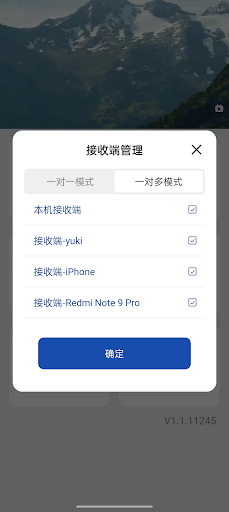
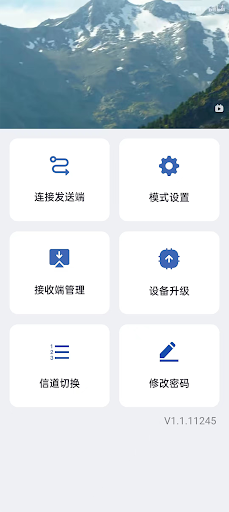
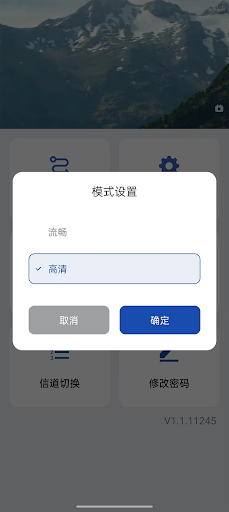


About RScreen
The description on the store listing
【Screen projection method】
1. Use your mobile phone/tablet to scan the QR code at the bottom of the device, download and install the APP "RScreen";
2. Plug the projection device into the computer/TV through the HDMI cable, and connect the power supply to power the device at the same time;
3. Open the APP "RScreen" and connect to the sending end WiFi starting with "RScreen...";
4. After the sender is connected, the screen projection can be successful;
【Highlights of projection】
Two connection modes:
One-to-one mode: cast the screen to a mobile phone to achieve precise screen projection;
One-to-many mode: Cast the screen to four mobile phones at the same time to realize multi-person …
Read the full description
【Screen projection method】 1. Use your mobile phone/tablet to scan the QR code at the bottom of the device, download and install the APP "RScreen"; 2. Plug the projection device into the computer/TV through the HDMI cable, and connect the power supply to power the device at the same time; 3. Open the APP "RScreen" and connect to the sending end WiFi starting with "RScreen..."; 4. After the sender is connected, the screen projection can be successful; 【Highlights of projection】 Two connection modes: One-to-one mode: cast the screen to a mobile phone to achieve precise screen projection; One-to-many mode: Cast the screen to four mobile phones at the same time to realize multi-person sharing. 【Enjoy mirroring】 -Conference mirroring Conference documents are projected to multiple mobile phone screens, the content is clearer, communication is more convenient, and teamwork is more efficient! -Movies and TV shows Cast TV, film and TV dramas to the screen of your mobile phone, and the location is not limited, you can watch movies and catch up with the drama even in bed!
Installs since 28 Aug 2026 Measured
Exact Google Play install counts, collected daily
Ratings
26 ratings, 9 reviews
- 5 ★0.0%
- 4 ★8.7%
- 3 ★0.0%
- 2 ★0.0%
- 1 ★91%
Recent reviews
Latest public reviews from the store
No reviews in our sample for this app yet.
Top chart positions
Latest Google Play chart ranks by country, last 10 days
Not in any tracked top chart in the last 10 days.
RScreen history
Release, install milestones, listing and store changes
- Reached 1,000+ installs 24 May 2024
- Reached 500+ installs 2 Feb 2024
- Reached 100+ installs 29 Sep 2023
- Reached 50+ installs 30 Aug 2023
- First released on the store 21 Jul 2023
Recent versions
Current version Varies with device
- Version 1.1.1379023 Jul 2025
- Version 1.1.1378810 Jul 2024
- Version 1.1.1374715 Sep 2023
- Version 1.1.1262321 Aug 2023
Listing keywords
Words and phrases RScreen repeats most in its store listing
Top phrases: mobile phone (5), screen projection (5), cast the screen (2), mobile phone tablet (2), computer tv (2).
Highlighted words also appear in the title. Counts cover the title, short description and description.
Business model and tech
From the store listing and declared permissions
- Business model
- Free to download
- Sensitive access
- LocationPhone and callsPhotos, videos and files
14 permissions
1 special access, 6 sensitive, 7 standard
- Read privileged phone stateREAD_PRIVILEGED_PHONE_STATESpecial access
- Change or delete shared storageSensitive
- Read shared storageSensitive
- Approximate locationSensitive
- Precise locationSensitive
- Access USB storage filesystemSensitive
- Read phone status and identitySensitive
- Close other appsStandard
- Change network connectivityStandard
- Connect to and disconnect from Wi-FiStandard
- Full internet accessStandard
- See network connectionsStandard
Compliance
What the listing and the app package show
- Store status
- Live
- Upkeep
- Updated 23 Jul 2025
- Registered in
- China
- Privacy policy
- Linked on the listing
- Advertising
- No ads declared
- In-app purchases
- None declared
- Age rating
- Everyone
- Sensitive permissions
- 6 sensitive, 1 special access of 14
- Location access
- Yes, while in use
- Camera and microphone
- Neither
Apps like RScreen
들어서 화면켜기Won3.5K installs★ 4.0
Height PredictionEcliptic App Ventures45.9K installs★ 2.4
Speicers`Pro VPNEldiablolucifer202021.2K installs★ 4.14
Lightning Tracker with AlertsYaksh Software4.3K installs★ 3.0
Mana Pathi (Unit Converter)Shirish Koirala2.2K installs★ 4.6
Multi-tab Calc - A simple app.Naoyuki Rikiji1.3K installs★ 5.0
Photo Recovery PlusBillApps7.1K installs★ 4.53
Just Silence. Scheduled.Akid Soft1.6K installs★ 5.0
- WoWp AssistantВиталий Робиновский2K installs★ 4.2
RScreen: questions and answers
How many downloads does RScreen have?
RScreen has 4,996 installs on Google Play, measured from the store's own count on 20 Nov 2026.
Who makes RScreen?
RScreen is published by 深圳市先智物联科技有限公司, a developer based in CN.
When was RScreen last updated?
The latest version (Varies with device) was released on 23 Jul 2025.
Is RScreen free?
Yes. RScreen is free to download.
Is RScreen still available?
Yes. RScreen is live on Google Play as of 20 Nov 2026.
Track RScreen and its competitors
Watch any app for new versions, rating drops, chart moves and removals. Free plan, no card.