
SafeInCloud 1
Password manager
- Installs
- 379K
- Measured
- Rating
- 4.74
- Ratings
- 37.4K
- 3.4K reviews
- Version
- Varies with device
- Updated 25 Sep 2026
- Released
- 14 May 2012
- Tracked since 13 May 2026
- Size
- —
Also on App Store: SafeInCloud 1 (2.3K ratings)
Screenshots


About SafeInCloud 1
The description on the store listing
SafeInCloud Password Manager allows you to keep your logins, passwords, and other private info safe and secure in an encrypted database. You can synchronize your data with another phone, tablet, Mac or PC via your own cloud account.
<b>KEY FEATURES</b>
◆ Easy to Use
◆ Material Design
◆ Black Theme
◆ Strong Encryption (256-bit Advanced Encryption Standard)
◆ Cloud Synchronization (Google Drive, Dropbox, Microsoft OneDrive, NAS, WebDAV)
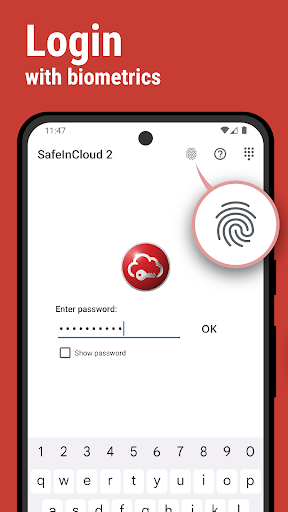
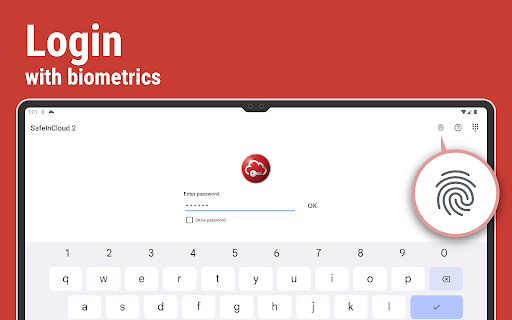
◆ Login with Fingerprint, Face, Retina
◆ Autofill in Apps
◆ Autofill in Chrome
◆ Browser Integration
◆ Wear OS App
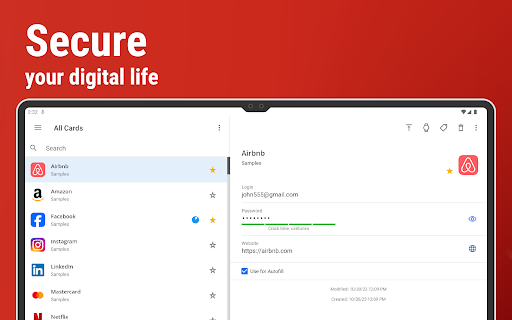
◆ Password Strength Analysis
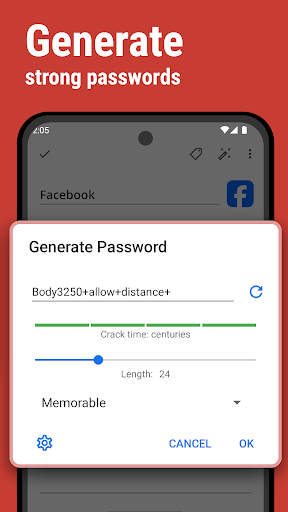
◆ Password Generator
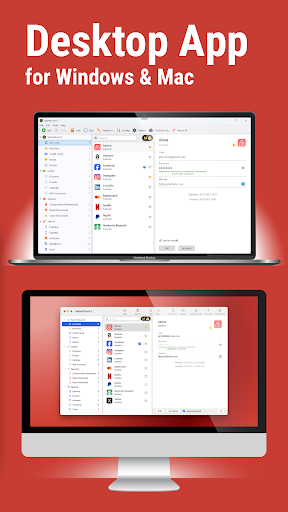
◆ Free Desktop App (Windows, Mac)
◆ Automatic Data Import
◆ Cross-Platform …
Read the full description
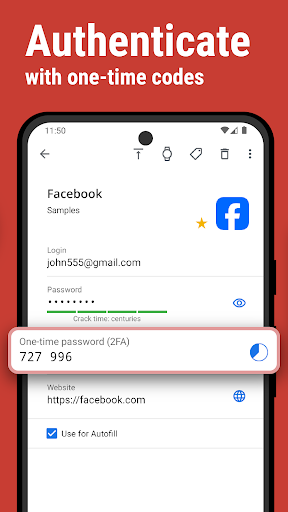
SafeInCloud Password Manager allows you to keep your logins, passwords, and other private info safe and secure in an encrypted database. You can synchronize your data with another phone, tablet, Mac or PC via your own cloud account. <b>KEY FEATURES</b> ◆ Easy to Use ◆ Material Design ◆ Black Theme ◆ Strong Encryption (256-bit Advanced Encryption Standard) ◆ Cloud Synchronization (Google Drive, Dropbox, Microsoft OneDrive, NAS, WebDAV) ◆ Login with Fingerprint, Face, Retina ◆ Autofill in Apps ◆ Autofill in Chrome ◆ Browser Integration ◆ Wear OS App ◆ Password Strength Analysis ◆ Password Generator ◆ Free Desktop App (Windows, Mac) ◆ Automatic Data Import ◆ Cross-Platform <b>EASY TO USE</b> Try it yourself and enjoy an easy-to-use yet powerful user interface. <b>MATERIAL DESIGN</b> SafeInCloud was completely redesigned to match new Material Design user interface language by Google. In addition to the standard Light theme SafeInCloud also has a Dark theme option to help you saving a significant amount of battery life. <b>STRONG ENCRYPTION</b> Your data is always encrypted on a device and in a cloud with a strong 256-bit Advanced Encryption Standard (AES). This algorithm is used by the U.S. Government for protection of a top secret information. AES is also widely adopted worldwide and became the de facto encryption standard. <b>CLOUD SYNCHRONIZATION</b> Your database is automatically synchronized with your own cloud account. Thus you can easily restore your entire database from a cloud to a new phone or computer (in case of a loss or an upgrade). Your phone, tablet and computer are also automatically synchronized between each other via a cloud. <b>LOGIN WITH FINGERPRINT</b> You can instantly unlock SafeInCloud with a fingerprint on devices with a fingerprint sensor. This feature is available on all Samsung devices. Devices from other manufacturers should have Android 6.0 or higher. <b>AUTOFILL IN APPS</b> You can autofill login and password fields into any app on your phone directly from SafeInCloud. You don't need to copy and paste them manually. <b>AUTOFILL IN CHROME</b> You can autofill logins and passwords on webpages in Chrome. For that you should enable SafeInCloud Autofill service in the phone's Accessibility settings. <b>WEAR OS APP</b> You can put some selected cards on your wrist to easily access them on the run. These could be your credit card PINs, door and locker codes. <b>PASSWORD STRENGTH ANALYSIS</b> SafeInCloud analyses your password strengths and shows a strength indicator next to each password. The strength indicator displays an estimated crack time for a password. All cards with weak passwords are marked with a red sign. <b>PASSWORD GENERATOR</b> The password generator helps you generating random and secure passwords. There is also an option to generate memorable, but still strong passwords. <b>FREE DESKTOP APP</b> Download a free Desktop application for Windows or Mac OS from www.safe-in-cloud.com to be able access your database on your computer. The Desktop application also makes data entry and editing fast and easy using a hardware keyboard. <b>AUTOMATIC DATA IMPORT</b> The Desktop application can automatically import your data from another password manager. You don't need to manually reenter all your passwords. <b>CROSS PLATFORM</b> SafeInCloud is available on the following platforms: Mac (OS X), iOS (iPhone and iPad), Windows, and Android.
Installs since 20 Jul 2026 Measured
Exact Google Play install counts, collected daily
Ratings
37,431 ratings, 3,374 reviews
- 5 ★87%
- 4 ★6.9%
- 3 ★1.5%
- 2 ★1.5%
- 1 ★3.5%
Recent reviews
Latest public reviews from the store
- 11 May 2026
Safe in Cloud is a great app. I've been using it for ages and wouldn't be without it to keep my passwords secure.
- 11 May 2026
Good
- 17 Apr 2026
This is the most important app on my phone by far! I not only use it for all of my passcodes, but I also use it to archive my important documents, physical I.D.'s, and other personal information that I don't want to lose. SafeinCloud works flawlessly! Everything in one secure vault makes life SO much easier!
- 14 Apr 2026
App is not opening on my mobile, earlier it was working fine.
What reviewers bring up
Topics mentioned in the latest 50 reviews, by how many reviews mention them
Liked in good reviews (42 reviews)
- password 9
- secure 4
- cloud 4
- safe 4
- highly recommend 3
- personal 3
- reliable 3
- features 3
Raised in bad reviews (7 reviews)
- recently 2
- bought 2
- show 2
Top chart positions
Latest Google Play chart ranks by country, last 10 days
Not in any tracked top chart in the last 10 days.
SafeInCloud 1 history
Release, install milestones, listing and store changes
- First released on the store 14 May 2012
Update frequency
How often SafeInCloud 1 ships a new version, month by month
0 updates in the last 12 months. Less often than most similar apps: they shipped a median of 6 updates in the same year.
Recent versions
Current version Varies with device
- Version 25.0.126 Mar 2025
- Version 25.0.914 Feb 2025
- Version 24.21.318 Jan 2025
- Version 24.9.823 Jul 2024
Listing keywords
Words and phrases SafeInCloud 1 repeats most in its store listing
Top phrases: desktop application (3), encryption standard (3), material design (3), password generator (3), password manager (3).
Highlighted words also appear in the title. Counts cover the title, short description and description.
Business model and tech
From the store listing, the SDKs in the app package and its declared permissions
- Business model
- Paid, $49.99
- Built with
- No cross-platform framework or game engine detected
- Ad networks (0)
- None detected
- Analytics and crash reports
- Firebase
- Sensitive access
- Photos, videos and filesAccounts on the deviceDraws over other appsAdvertising ID
1 ad, attribution and analytics SDKs detected. SDKs are read from the app package and permissions from the store listing, so code that loads later is not seen.
Technology
22 SDKs found in the app package
20 permissions
2 special access, 3 sensitive, 15 standard
- Draw over other appsSpecial access
- See every installed appQUERY_ALL_PACKAGESSpecial access
- See accounts on the deviceSensitive
- Read shared storageSensitive
- Show notificationsPOST_NOTIFICATIONSSensitive
- Ad attribution (Privacy Sandbox)ACCESS_ADSERVICES_ATTRIBUTIONStandard
- Read how it was installed (install referrer)BIND_GET_INSTALL_REFERRER_SERVICEStandard
- Read the advertising ID (Privacy Sandbox)ACCESS_ADSERVICES_AD_IDStandard
- Use accounts on the deviceStandard
- Control vibrationStandard
- Keep the phone awakeStandard
- Use fingerprint or face unlockUSE_BIOMETRICStandard
Compliance
What the listing and the app package show
- Store status
- Live
- Upkeep
- Updated 25 Sep 2026
- Registered in
- Uruguay
- Privacy policy
- Linked on the listing
- Advertising
- No ads declared
- In-app purchases
- None declared
- Age rating
- Everyone
- Sensitive permissions
- 3 sensitive, 2 special access of 20
- Location access
- No
- Camera and microphone
- Neither
Apps like SafeInCloud 1
Digidentity WalletDigidentity B.V.1.7M installs★ 4.41
RoboForm Password ManagerSiber Systems Inc1.3M installs★ 4.73
Smart Quick SettingsSMARTWHO10M installs★ 4.35
Post - Parcel Tracking AppÖsterreichische Post AG1M installs★ 4.46
FlitFlit App Tecnologia367K installs★ 4.62
Mi carpeta CiudadanaAgencia Estatal de Administración Digital4.4M installs★ 4.75
BharatAgri: Krushidukan AppKisanwala Technologies5.5M installs★ 4.23
SANDISK© Sandisk Corporation or its affiliates.1.2M installs★ 4.78
Color Notes, Notebook, NotepadTidy Notes & Diary & Focus4.2M installs★ 4.35
SafeInCloud 1: questions and answers
How many downloads does SafeInCloud 1 have?
SafeInCloud 1 has 378,581 installs on Google Play, measured from the store's own count on 15 Nov 2026.
Who makes SafeInCloud 1?
SafeInCloud 1 is published by SafeInCloud SAS - Password Security, a developer based in UY.
When was SafeInCloud 1 last updated?
The latest version (Varies with device) was released on 25 Sep 2026.
Is SafeInCloud 1 free?
No. SafeInCloud 1 is a paid app priced at $49.99.
Is SafeInCloud 1 still available?
Yes. SafeInCloud 1 is live on Google Play as of 15 Nov 2026.
Track SafeInCloud 1 and its competitors
Watch any app for new versions, rating drops, chart moves and removals. Free plan, no card.