
Scanr - Scan, manage documents
Document scanner, Cloud storage sync, No water marks, Secure documents storage
- Installs
- 31.73K
- Measured
- Rating
- 3.5
- Ratings
- 177
- 3 reviews
- Version
- 5.0.73
- Updated 11 Dec 2023
- Released
- 17 Feb 2017
- Tracked since 12 May 2026
- Size
- 44 MB
- Needs 5.0
Screenshots


About Scanr - Scan, manage documents
The description on the store listing
Scanr is not just another scanner app, but a complete and secure document management system.
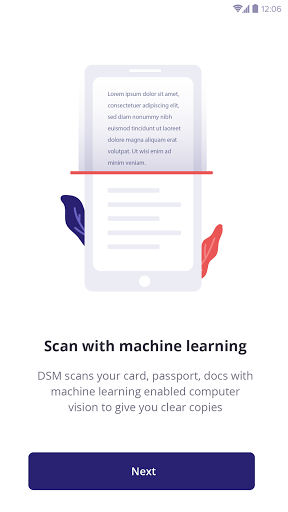
With real time document detection and automatic shutter at the perfect moment, perspective correction and intelligent color correction, you achieve a perfect scan result.
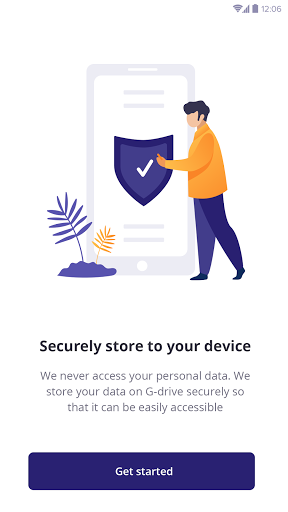
You can use your Drive connection to secure your data from loss and synchronize to Drive Storage.
Optional index information when saving e.g. title, tags, address, tax relevance, text recognition (OCR) and more help to organize and retrieve your documents.
Scanr allows you not only to manage your scanned paper documents, but also images and PDF files which are already stored on your device. These files can be easily …
Read the full description
Scanr is not just another scanner app, but a complete and secure document management system. With real time document detection and automatic shutter at the perfect moment, perspective correction and intelligent color correction, you achieve a perfect scan result. You can use your Drive connection to secure your data from loss and synchronize to Drive Storage. Optional index information when saving e.g. title, tags, address, tax relevance, text recognition (OCR) and more help to organize and retrieve your documents. Scanr allows you not only to manage your scanned paper documents, but also images and PDF files which are already stored on your device. These files can be easily imported to Scanr and edited with the same features as for a scan. Find documents using the detailed search mask, your own defined criteria or via the OCR-recognized text in the document. In addition, quick searches via tags document types or addresses are available. Scan Invoices, university documents, insurance papers, recipes and many more can be digitized, organized and exported as PDF-files using Scanr. Scanr provides automatic edge detection and image procession in best quality. Edit Manual crop, color filter, add, rearrange, remove or edit pages. Even after saving, these options are still available. Organize Title, tags, address, document type, amount, text recognition, date, tax relevance. Each document can be saved including this information. Organizing documents was never that extensive and easy at the same time. Safety To secure your data from loss, you can not only save them locally, but also connect Scanr to a cloud service of your Drive and synchronise your data with your device. Find Each document can be found by the information specified when saving. In addition, the text recognition (OCR) enables all documents to be searched for individual terms via the full-text search. Use cases for Scanr Invoice and contracts All important documents can be safely stored and organised with the relevant information in one place. Tax return Which documents were tax-relevant again? With Scanr you can find all tax-relevant documents with one simple search. Never has a tax return been so quick and easy. Study Exercise sheets, lecture notes, presentations and much more. You can carry your bag and you already lost the overview? Digitize your documents with Scanr instead of carrying heavy bags. And many more. Let us know your use case! With Scanr you conquer every paper mountain!
Installs since 29 Aug 2026 Measured
Exact Google Play install counts, collected daily
Ratings
177 ratings, 3 reviews
- 5 ★50%
- 4 ★9.7%
- 3 ★9.7%
- 2 ★0.0%
- 1 ★30%
Recent reviews
Latest public reviews from the store
- 2 Aug 2021
best experience app
- 31 Jul 2021
Osm app easily enjoy that application
- 20 Mar 2021
Best app , everyone must try this.. this is not only the replacement of CamScanner but also provides better interface than CamScanner.. Go support our made in india app😌
- 19 Mar 2021
Excellent application for scanning of documents and merge PDF. Easy to use and faster
What reviewers bring up
Topics mentioned in the latest 50 reviews, by how many reviews mention them
Liked in good reviews (43 reviews)
- pdf 12
- documents 7
- scanner 7
- application 5
- scanning 4
- scanned 4
- easily 4
- other 4
Raised in bad reviews (6 reviews)
No topic comes up twice.
Top chart positions
Latest Google Play chart ranks by country, last 10 days
Not in any tracked top chart in the last 10 days.
Scanr - Scan, manage documents history
Release, install milestones, listing and store changes
- Reached 10,000+ installs 11 Oct 2020
- Reached 5,000+ installs 27 Jul 2018
- Reached 1,000+ installs 15 Jun 2017
- Reached 500+ installs 1 May 2017
- Reached 100+ installs 5 Apr 2017
- Reached 50+ installs 3 Mar 2017
- First released on the store 17 Feb 2017
- Reached 10+ installs 29 Jan 2017
Update frequency
How often Scanr - Scan, manage documents ships a new version, month by month
0 updates in the last 12 months. Less often than most similar apps: they shipped a median of 1 updates in the same year.
Recent versions
Current version 5.0.73
- Version 5.0.7311 Dec 2023
- Improvements and minor bug fixes.
- Version 5.0.7022 Jan 2021
- Version 5.0.6824 Nov 2020
- Version 5.0.4621 Oct 2020
Listing keywords
Words and phrases Scanr - Scan, manage documents repeats most in its store listing
Top phrases: text recognition (3), data from loss (2), secure your data (2), text recognition ocr (2), title tags address (2).
Highlighted words also appear in the title. Counts cover the title, short description and description.
Business model and tech
From the store listing, the SDKs in the app package and its declared permissions
- Business model
- Free to downloadIn-app purchasesShows ads
- Built with
- No cross-platform framework or game engine detected
- Ad networks (1)
- AdMob
- Analytics and crash reports
- Firebase
- Sign-in and social
- Sensitive access
- No sensitive permission declared
2 ad, attribution and analytics SDKs detected. SDKs are read from the app package and permissions from the store listing, so code that loads later is not seen.
Technology
50 SDKs found in the app package
Ad networks
Advertising and install-attribution SDKs found in the app package
- AdMob
Compliance
What the listing and the app package show
- Store status
- Live
- Upkeep
- No update since 11 Dec 2023
- Registered in
- India
- Privacy policy
- Linked on the listing
- Advertising
- Shows ads
- In-app purchases
- Offered
- Age rating
- Everyone
Apps like Scanr - Scan, manage documents
MDC - Multi Diamond CalcDiamond Calc45.7K installs★ 3.57
BookingKoala For ProvidersBookingKoala37.4K installs★ 3.91
IMC Power DirectIMC COMPANIES5.5K installs★ 4.57
NLDSL LDBNLDS – NICDC LOGISTICS DATA SERVICES LTD.45.1K installs★ 4.6
MiniCRMMiniCRM Zrt.40.5K installs★ 4.5
WaterBills - Water Bill MainteAwaysoft Technology124K installs★ 2.94
Mocha TN3270 LiteMochaSoft59K installs★ 4.25
Turkey Homes - Real EstateTurkey Homes150K installs★ 5.0
Roof HubSRS Distribution12K installs★ 4.64
Scanr - Scan, manage documents: questions and answers
How many downloads does Scanr - Scan, manage documents have?
Scanr - Scan, manage documents has 31,735 installs on Google Play, measured from the store's own count on 14 Nov 2026.
Who makes Scanr - Scan, manage documents?
Scanr - Scan, manage documents is published by Seven Bits Technologies LLP, a developer based in IN.
When was Scanr - Scan, manage documents last updated?
The latest version (5.0.73) was released on 11 Dec 2023.
Is Scanr - Scan, manage documents free?
Yes. Scanr - Scan, manage documents is free to download and offers in-app purchases, and it shows ads.
Is Scanr - Scan, manage documents still available?
Yes. Scanr - Scan, manage documents is live on Google Play as of 14 Nov 2026.
Track Scanr - Scan, manage documents and its competitors
Watch any app for new versions, rating drops, chart moves and removals. Free plan, no card.