Scene Sketcher
Scene Sketcher is an Artist toolkit to assist in working from photos.
- Installs
- 5.57K
- Measured
- Rating
- 4.0
- Ratings
- 29
- 1 reviews
- Version
- 3.1.6
- Updated 20 Aug 2023
- Released
- 23 Sep 2015
- Tracked since 13 May 2026
- Size
- 5 MB
- Needs 5.0
Screenshots


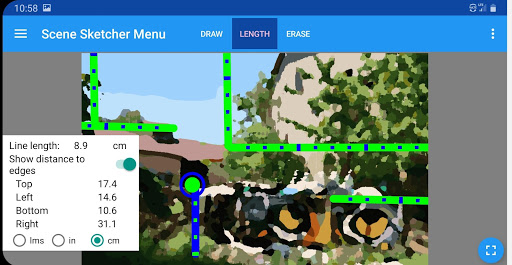
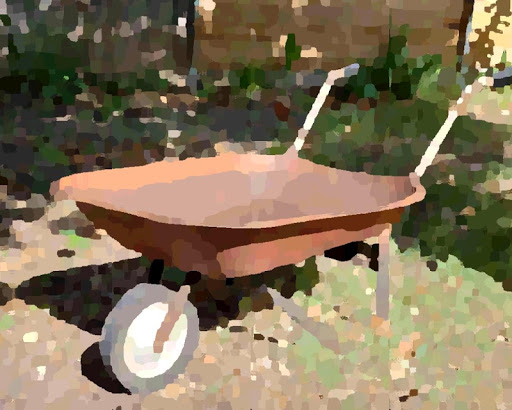
About Scene Sketcher
The description on the store listing
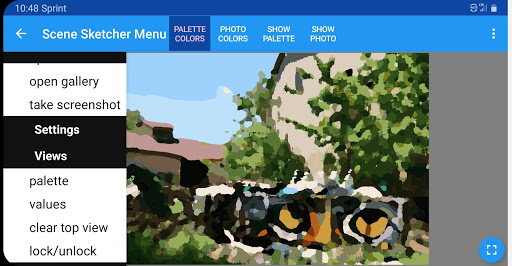
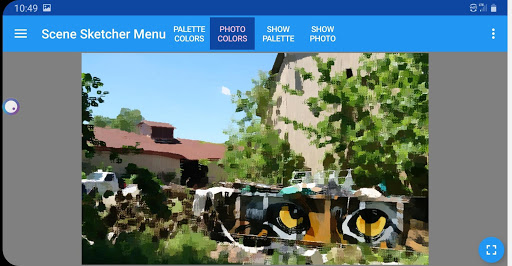
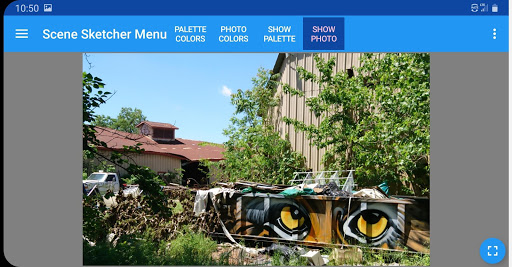
Scene Sketcher can help you simplify a photo to its main values, pick a palette, see which colors have the same value, and setup an accurate drawing. Use it as an aid to sketch on location or make photo references for studio work.
Starting from your device's camera, usb drive, photo gallery or cloud accounts, photos are easily cropped, zoomed and panned into the proportions of your canvas. You can auto-generate or touch points to choose colors to add to a custom palette for the photo. Using a wide range of gray-scale, half-tone and blur settings, you can make simplified images to see the main value patterns.
Scene Sketcher has a unique touchscreen capability to toggle portions of an …
Read the full description
Scene Sketcher can help you simplify a photo to its main values, pick a palette, see which colors have the same value, and setup an accurate drawing. Use it as an aid to sketch on location or make photo references for studio work. Starting from your device's camera, usb drive, photo gallery or cloud accounts, photos are easily cropped, zoomed and panned into the proportions of your canvas. You can auto-generate or touch points to choose colors to add to a custom palette for the photo. Using a wide range of gray-scale, half-tone and blur settings, you can make simplified images to see the main value patterns. Scene Sketcher has a unique touchscreen capability to toggle portions of an image between gray-scale and color based on the value at the point you touch. This feature helps simplify a scene into color groups of similar value. The palette is automatically filtered to show the colors you've chosen in selected value ranges. You can also filter the image to show areas of similar color from palette or touch point colors. The app has customizable gridding as well as a touchscreen measuring tool that emulates traditional arms-length sighting and measurement against a key landmark. You can use it to find proportional relationships between elements of a scene, or to get measurements in inches or centimeters to transfer to your canvas. You can make high quality screen capture photos for studio reference at any point as you work with an image, or export your palette as a photo. These exports can be convenient starting references for use in a digital painting app. An in-app upgrade adds three additional features: Two 'palette views' simplify the colors and shapes of your photo to help you see the basic composition. A broad range of control is provided so you can vary the abstraction and color mode of each view. One view scans the photo for colors, the other makes a poster from the palette colors you've chosen. A group of 'layout' controls saves all the view settings of the photo you are working with, so you can pick up in another session and resume the view you were using, including its measurement landmark. You can also use the layout to pan and zoom your current image, then snap it back to its saved composition. For more info on how to use the app, please visit http://www.scenesketcher.com This app uses advanced graphics and requires OS 5.0 (Lollipop) or later. A minimum screen width of 720 px and 1.5 GB RAM is recommended.
Installs since 16 Nov 2026 Measured
Exact Google Play install counts, collected daily
Daily history starts once this app is in our daily install sample.
Ratings
29 ratings, 1 reviews
- 5 ★77%
- 4 ★0.0%
- 3 ★0.0%
- 2 ★0.0%
- 1 ★23%
Recent reviews
Latest public reviews from the store
- 28 Oct 2019
Very useful.
- 17 Feb 2019
Good stuff. Very flexible and versatile.
- 30 Nov 2017
Good fun & you can still draw on a blank canvas if you just paint the canvas white all over1st(or what ever color you want?)
- 2 Sep 2017
Very versatile and useful put this in your tool box.
What reviewers bring up
Topics mentioned in the latest 6 reviews, by how many reviews mention them
Liked in good reviews (5 reviews)
- versatile 2
- useful 2
Raised in bad reviews (1 reviews)
No topic comes up twice.
Top chart positions
Latest Google Play chart ranks by country, last 10 days
Not in any tracked top chart in the last 10 days.
Scene Sketcher history
Release, install milestones, listing and store changes
- Reached 5,000+ installs 12 Jul 2023
- Reached 1,000+ installs 23 Jul 2020
- Reached 500+ installs 1 Apr 2018
- Moved from Productivity to Art & Design 3 Oct 2016
- Moved from Video Players & Editors to Productivity 8 Aug 2016
- Reached 100+ installs 1 Jul 2016
- Reached 50+ installs 31 Dec 2015
- First released on the store 23 Sep 2015
Recent versions
Current version 3.1.6
- Version 3.1.619 Aug 2023
Updates permission and billing libraries. Update to Android 13. Bug fixes.
- Version 3.1.56 Apr 2022
- Version 3.0.715 Feb 2021
- Version 3.0.523 Dec 2020
Listing keywords
Words and phrases Scene Sketcher repeats most in its store listing
Top phrases: scene sketcher (4), colors you've chosen (2), colors you've (2), gray scale (2), you've chosen (2).
Highlighted words also appear in the title. Counts cover the title, short description and description.
Business model and tech
From the store listing, the SDKs in the app package and its declared permissions
- Business model
- Free to downloadIn-app purchases
- Built with
- No cross-platform framework or game engine detected
- Ad networks (0)
- None detected
- Subscriptions and payments
- Google Play billing
- Sensitive access
- CameraPhotos, videos and files
0 ad, attribution and analytics SDKs detected. SDKs are read from the app package and permissions from the store listing, so code that loads later is not seen.
Technology
14 SDKs found in the app package
8 permissions
0 special access, 4 sensitive, 4 standard
- Take photos and videosSensitive
- Change or delete shared storageSensitive
- Read photosREAD_MEDIA_IMAGESSensitive
- Read shared storageSensitive
- Full internet accessStandard
- See network connectionsStandard
- Internal app permissionDYNAMIC_RECEIVER_NOT_EXPORTED_PERMISSIONStandard
- In-app purchases with Google PlayStandard
Compliance
What the listing and the app package show
- Store status
- Live
- Upkeep
- No update since 20 Aug 2023
- Registered in
- United States
- Privacy policy
- Linked on the listing
- Advertising
- No ads declared
- In-app purchases
- Offered
- Age rating
- Everyone
- Sensitive permissions
- 4 sensitive of 8
- Location access
- No
- Camera and microphone
- Camera
Apps like Scene Sketcher
iLoomSpice Box Product Development9.7K installs★ 2.44
Soft Pink Blue Watch Facejigu watchface9K installs★ 4.38
Mehndi Designs offlineRR Mobile Apps4K installs★ 4.9
Sesame Street Art MakerSesame Workshop15.1K installs★ 4.0
FumiFumiSorasu Software11.2K installs★ 4.5
Inspiring Quotes Coloring BookAulaul apps9K installs★ 4.21
Design Studio for Cut MachineColoring Laze8.5K installs★ 4.0
Brand My ClinicWEBOO DIGITAL10.4K installs★ 4.0
AR Anime: AR Drawing & Sketchsachin chahar38.6K installs★ 4.6
Scene Sketcher: questions and answers
How many downloads does Scene Sketcher have?
Scene Sketcher has 5,569 installs on Google Play, measured from the store's own count on 16 Nov 2026.
Who makes Scene Sketcher?
Scene Sketcher is published by Robert Strauss, a developer based in US.
When was Scene Sketcher last updated?
The latest version (3.1.6) was released on 20 Aug 2023.
Is Scene Sketcher free?
Yes. Scene Sketcher is free to download and offers in-app purchases.
Is Scene Sketcher still available?
Yes. Scene Sketcher is live on Google Play as of 16 Nov 2026.
Track Scene Sketcher and its competitors
Watch any app for new versions, rating drops, chart moves and removals. Free plan, no card.