
SchoolCam. Camera for Schools
Easily capture and organize school photos. For schools using Google Drive
- Installs
- 2.32K
- Measured
- Rating
- 3.0
- Ratings
- 8
- 2 reviews
- Version
- Varies with device
- Updated 18 Nov 2019
- Released
- 2 Nov 2015
- Tracked since 12 May 2026
- Size
- 6 MB
- Needs 4.3
Also on App Store: SchoolCam. Camera for schools (61 ratings)
Screenshots
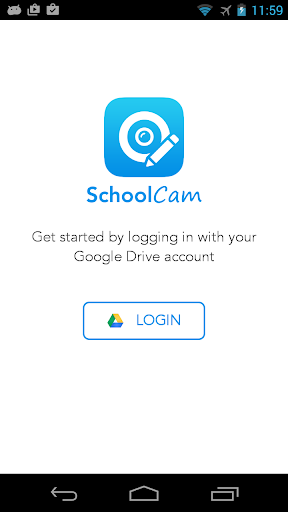
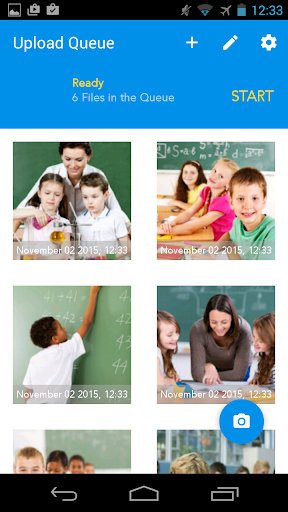
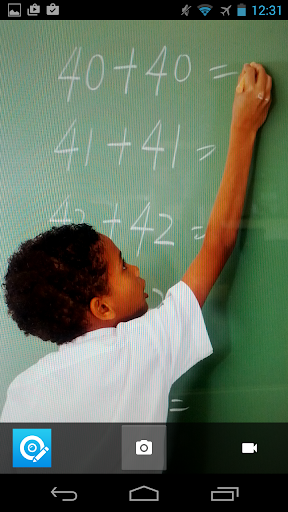
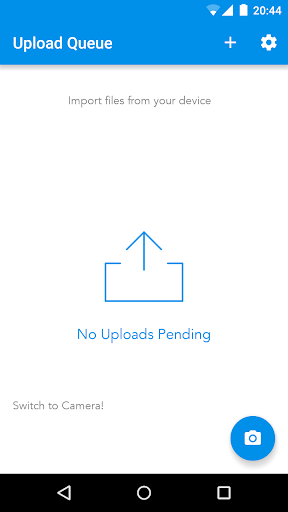


About SchoolCam. Camera for Schools
The description on the store listing
SchoolCam: Secure Photo & Video Management for Schools
SchoolCam helps schools capture, organize, and securely store photos and videos directly in their existing Google Drive, without cluttering personal devices.
Designed for teachers, staff, and school administrators, SchoolCam keeps media organized, private, and under full institutional control.
== Automatic Cloud Uploads (No Local Storage Required) ==
Photos and videos taken with SchoolCam are uploaded directly to your school’s Google Drive, so:
• Media stays off personal devices
• No manual transfers
• No mixing school and personal photos
• Full ownership and control by the school
== Built for School-Wide Use == …
Read the full description
SchoolCam: Secure Photo & Video Management for Schools SchoolCam helps schools capture, organize, and securely store photos and videos directly in their existing Google Drive, without cluttering personal devices. Designed for teachers, staff, and school administrators, SchoolCam keeps media organized, private, and under full institutional control. == Automatic Cloud Uploads (No Local Storage Required) == Photos and videos taken with SchoolCam are uploaded directly to your school’s Google Drive, so: • Media stays off personal devices • No manual transfers • No mixing school and personal photos • Full ownership and control by the school == Built for School-Wide Use == SchoolCam works best when deployed across an entire school. Administrators can: • Create shared school folders • Assign folders to specific staff or groups • Organize folders by class, event, trip, or department • Ensure all media is centralized and easy to access Teachers simply select a folder and start capturing — SchoolCam handles the rest. == Smart Folder Organization == • Choose or create folders before capturing • Upload existing photos and videos from your device • Keep trips, events, and classrooms organized • Maintain a clean, consistent media structure == Reliable Background Uploads == SchoolCam uses Android’s foreground service for active upload operations. When photos or videos are being uploaded: • A visible notification shows upload progress • Uploads continue reliably even if you switch apps • The service stops automatically when uploads finish This ensures large photo and video uploads complete successfully, even during busy school days. == Privacy & Control == • Uses your school’s existing Google Drive • No separate cloud account required • Media stays within your institution’s environment • Designed with school privacy needs in mind == Perfect For == • Classroom documentation • School trips • Events and performances • Communications teams • Administration records == Important == SchoolCam is available for participating schools and school districts. If your school is not yet set up, please contact us. [email protected]
Installs Measured
Exact Google Play install counts, collected daily
Daily history starts once this app is in our daily install sample.
Ratings
8 ratings, 2 reviews
- 5 ★50%
- 4 ★0.0%
- 3 ★0.0%
- 2 ★0.0%
- 1 ★50%
Recent reviews
Latest public reviews from the store
- 15 Dec 2025
one of the best app i found on the play store. it help to keep photos directly into Google or one drive. no need to worry about storage. and also it stamps time and location on photos. wonderful app.
- 25 Nov 2025
I'm super happy with this camera app! As a reseller, I love that it has the 1:1 format for product listings, AND the images save separately from your personal photos, which was driving my husband crazy with all the flat lay pictures of clothes. Now I can keep them separate! That's a big deal. The team is really responsive and wants you to have a great experience. I highly recommend this app!
- 13 Jan 2024
I don't usually write reviews but I saw there weren't any on this so thought, given my experience, I would this time. I needed an app that would take pictures, bypass all of my phone's galleries, and automatically upload them to a Google drive folder. I take survey pictures for work on my phone and don't want all the images cluttering up my personal gallery. I found this app, with no reviews, but thought I'd give it a go... I'm so glad I did. It's exactly what I needed! Really affordable too.
- 16 Aug 2021
This app is wonderful for our business. Jaden on the other device is using the beta and finding bugs and suggesting changes. We would like to see another option implemented for taking pics at 1:1 scale like eBay and default camera app has for taking pictures and better focus options as well for taking pics quickly. Having 1:1 scale will allow us to not have to crop images as often saving our team members valuable time. Thank you so much for making this app
What reviewers bring up
Topics mentioned in the latest 10 reviews, by how many reviews mention them
Liked in good reviews (6 reviews)
- pictures 3
- google 3
- camera 3
- images 3
- drive 3
- experience 2
- wonderful 2
- personal 2
Raised in bad reviews (3 reviews)
- subscription 2
- upload 2
Top chart positions
Latest Google Play chart ranks by country, last 10 days
Not in any tracked top chart in the last 10 days.
SchoolCam. Camera for Schools history
Release, install milestones, listing and store changes
- First released on the store 2 Nov 2015
Listing keywords
Words and phrases SchoolCam. Camera for Schools repeats most in its store listing
Top phrases: google drive (4), photos and videos (3), existing google drive (2), existing google (2), media stays (2).
Highlighted words also appear in the title. Counts cover the title, short description and description.
Business model and tech
From the store listing and declared permissions
- Business model
- Free to downloadIn-app purchases
- Subscriptions and payments
- Google Play billing
- Sensitive access
- LocationCameraMicrophonePhotos, videos and filesAccounts on the deviceAdvertising ID
27 permissions
0 special access, 10 sensitive, 17 standard
- Record audioSensitive
- Take photos and videosSensitive
- See accounts on the deviceSensitive
- Change or delete shared storageSensitive
- Read photosREAD_MEDIA_IMAGESSensitive
- Read shared storageSensitive
- Read videosREAD_MEDIA_VIDEOSensitive
- Approximate locationSensitive
- Precise locationSensitive
- Show notificationsPOST_NOTIFICATIONSSensitive
- Ad attribution (Privacy Sandbox)ACCESS_ADSERVICES_ATTRIBUTIONStandard
- Read how it was installed (install referrer)BIND_GET_INSTALL_REFERRER_SERVICEStandard
Compliance
What the listing and the app package show
- Store status
- Live
- Upkeep
- No update since 18 Nov 2019
- Registered in
- Spain
- Privacy policy
- Linked on the listing
- Advertising
- No ads declared
- In-app purchases
- Offered
- Age rating
- Everyone
- Sensitive permissions
- 10 sensitive of 27
- Location access
- Yes, while in use
- Camera and microphone
- Both
Apps like SchoolCam. Camera for Schools
GB CamOscar R.C.7K installs★ 3.42
Stop Motion: Dreamlapse CameraShush Creative28.8K installs★ 3.0
RGM ThermalCAM 1-external camRGM Vision10.1K installs★ 3.36
Kuvat.fi uploaderMediadrive Ltd3.1K installs★ 2.7
Beautiful Rose Flower FramesMy Photo Apps15.2K installs★ 2.5
Vintage Retro Camera - Retro FArt Photo Studio21K installs★ 3.67
Red Eye Corrector: RedFixerpaciosdev apps7.8K installs★ 1.67
Night Dual Photo FramesWallpaper Collection14.1K installs★ 4.0
DOF Calculatorio:io21K installs★ 3.67
SchoolCam. Camera for Schools: questions and answers
How many downloads does SchoolCam. Camera for Schools have?
SchoolCam. Camera for Schools has 2,317 installs on Google Play, measured from the store's own count on 1 Jul 2026.
Who makes SchoolCam. Camera for Schools?
SchoolCam. Camera for Schools is published by Bitwise Software SL, a developer based in ES.
When was SchoolCam. Camera for Schools last updated?
The latest version (Varies with device) was released on 18 Nov 2019.
Is SchoolCam. Camera for Schools free?
Yes. SchoolCam. Camera for Schools is free to download and offers in-app purchases.
Is SchoolCam. Camera for Schools still available?
Yes. SchoolCam. Camera for Schools is live on Google Play as of 1 Jul 2026.
Track SchoolCam. Camera for Schools and its competitors
Watch any app for new versions, rating drops, chart moves and removals. Free plan, no card.