
Screen Gestures - Navigation
Smart gesture touch through Full-Screen Gestures - Navigation Gestures app
- Installs
- 299K
- Measured
- Rating
- 2.33
- Ratings
- 559
- 4 reviews
- Version
- Varies with device
- Updated 8 Jan 2024
- Released
- 19 Aug 2019
- Tracked since 11 May 2026
- Size
- 6 MB
- Needs 4.2
Screenshots
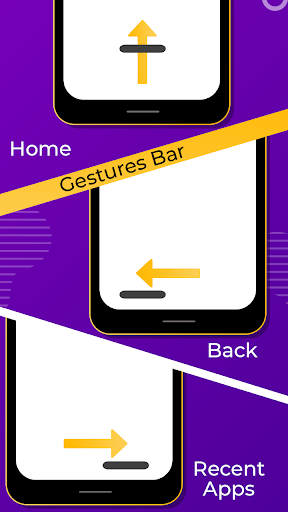
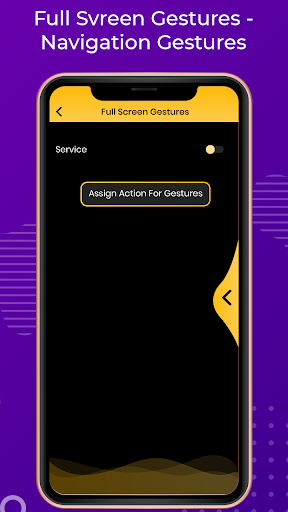
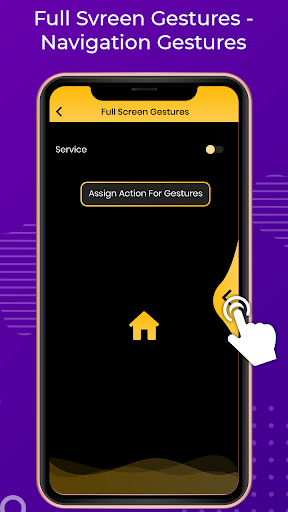


About Screen Gestures - Navigation
The description on the store listing
Change your navigation bar with smart gesture touch through this <b> Full-Screen Gestures - Navigation Gestures</b> application. It is a simple and smart way to change your navigation bar with awesome screen gesture. An application which is best to easily convert your simple mobile navigation gestures into smart touch, Just swipe your finger into navigation area and get instant mobile touch with your gesture choice.
<b> Full-Screen Gestures - Navigation Gestures</b> with you don't have to buy a new phone just install the application and gett swipe gesture controls easily in your android device. <b>Navigation Gestures</b> brings swipe gestures to any Android device! Change you're the same …
Read the full description
Change your navigation bar with smart gesture touch through this <b> Full-Screen Gestures - Navigation Gestures</b> application. It is a simple and smart way to change your navigation bar with awesome screen gesture. An application which is best to easily convert your simple mobile navigation gestures into smart touch, Just swipe your finger into navigation area and get instant mobile touch with your gesture choice. <b> Full-Screen Gestures - Navigation Gestures</b> with you don't have to buy a new phone just install the application and gett swipe gesture controls easily in your android device. <b>Navigation Gestures</b> brings swipe gestures to any Android device! Change you're the same as old navigation bar buttons and get gesture controls with Smart Navigation Gestures easily with your way. <b>Full Screen Gestures - Navigation Gestures</b> with get some smart gesture touch like... Swipe left Swipe left and hold Swipe right Swipe right and hold Change the following actions on this smart gesture touch _Home _Back _Recent apps _Power Dialog _Notifications _Quick Settings _Split Screen _Turn Off-Screen _Launch App _Volume up _Volume down FEATURES _Make easy touch _Use smart gesture without any smart gesture android device _Many more action keys _Change your gesture touch to swipe left, right, hold and swipe or many more _Easy to use This app uses Accessibility services.\n\nAccessibility services are used to start several actions (start multi-task, pull down notification panel, pull down quick settings, open power menu, simulate back). These actions can help people that need to use their phone with only one hand to start actions that are not easy to do with only one hand (for example pull down notifications). Accessibility services are only used to these actions.
Installs since 29 Aug 2026 Measured
Exact Google Play install counts, collected daily
Ratings
559 ratings, 4 reviews
- 5 ★33%
- 4 ★0.0%
- 3 ★0.0%
- 2 ★0.0%
- 1 ★67%
Recent reviews
Latest public reviews from the store
- 16 Jan 2021
Easy little game to play on the side. Not very hard, but does hit those spots where you struggle to find the proper pattern to match up the puzzle well.
- 26 Dec 2020
Good game. Once you complete one puzzle. You have to continue.
- 18 Dec 2020
Great Game! lots of fun! I wish there was a way to play it multiplayer, like VS a friend, seeing who can finish the puzzle first :) edit: thanks for the reply! I made it 5 stars now because of the great staff ;)
- 17 Dec 2020
I don't like the game. I find it boring and redundant. However it seems to me to do what it's made to do well enough, so I'll give it an okay rating. Also I have two quality upgrade suggestions. Firstly, upon opening the app it should start upon the lowest stage not yet completed on the most recent difficulty played. Secondly, ads should be played based on time spent in app, not by stage completion. (otherwise a good player spends more time in ads than playing when clearing lower levels)
What reviewers bring up
Topics mentioned in the latest 10 reviews, by how many reviews mention them
Liked in good reviews (5 reviews)
- puzzle 3
Raised in bad reviews (4 reviews)
- there's 3
- ads 3
- downloaded 2
Top chart positions
Latest Google Play chart ranks by country, last 10 days
Not in any tracked top chart in the last 10 days.
Screen Gestures - Navigation history
Release, install milestones, listing and store changes
- Reached 100,000+ installs 9 Jan 2021
- Reached 50,000+ installs 7 Sep 2020
- Reached 10,000+ installs 11 Jan 2020
- Reached 5,000+ installs 12 Dec 2019
- Reached 1,000+ installs 13 Sep 2019
- Reached 500+ installs 6 Sep 2019
- First released on the store 19 Aug 2019
Update frequency
How often Screen Gestures - Navigation ships a new version, month by month
0 updates in the last 12 months. Less often than most similar apps: they shipped a median of 1 updates in the same year.
Recent versions
Current version Varies with device
- Version 7.08 Jan 2024
- Version 6.020 Jul 2021
- Version 5.07 Jan 2021
- Version 4.014 Oct 2020
Listing keywords
Words and phrases Screen Gestures - Navigation repeats most in its store listing
Top phrases: navigation gestures (7), smart gesture (6), screen gestures navigation (5), gesture touch (5), gestures navigation (5).
Highlighted words also appear in the title. Counts cover the title, short description and description.
Business model and tech
From the store listing, the SDKs in the app package and its declared permissions
- Business model
- Free to downloadShows ads
- Built with
- No cross-platform framework or game engine detected
- Ad networks (1)
- Facebook Audience Network
- Analytics and crash reports
- Firebase
- Sensitive access
- Draws over other appsAdvertising ID
2 ad, attribution and analytics SDKs detected. SDKs are read from the app package and permissions from the store listing, so code that loads later is not seen.
Technology
24 SDKs found in the app package
Ad networks
Advertising and install-attribution SDKs found in the app package
- Facebook Audience Network
21 permissions
3 special access, 1 sensitive, 17 standard
- Act as an accessibility serviceBIND_ACCESSIBILITY_SERVICESpecial access
- Change system settingsWRITE_SETTINGSSpecial access
- Draw over other appsSpecial access
- Show notificationsPOST_NOTIFICATIONSSensitive
- Ad attribution (Privacy Sandbox)ACCESS_ADSERVICES_ATTRIBUTIONStandard
- Ad topics (Privacy Sandbox)ACCESS_ADSERVICES_TOPICSStandard
- Read how it was installed (install referrer)BIND_GET_INSTALL_REFERRER_SERVICEStandard
- Read the advertising IDAD_IDStandard
- Read the advertising ID (Privacy Sandbox)ACCESS_ADSERVICES_AD_IDStandard
- App icon badge countsBADGE_COUNT_READStandard
- Control vibrationStandard
- Keep the phone awakeStandard
Compliance
What the listing and the app package show
- Store status
- Live
- Upkeep
- No update since 8 Jan 2024
- Privacy policy
- Linked on the listing
- Advertising
- Shows ads
- In-app purchases
- None declared
- Age rating
- Everyone
- Sensitive permissions
- 1 sensitive, 3 special access of 21
- Location access
- No
- Camera and microphone
- Neither
Apps like Screen Gestures - Navigation
BraytechTom Chapman99.9K installs★ 4.18
Cool FlashlightChengdu Baoya Rabbit Network Technology Co., Ltd649K installs★ 2.5
Compass - Photo & Video LockerJeilleeiJoubM79.1K installs★ 4.8
SMS Backup ProMohammed Malhas22.9K installs★ 4.43
H Wash MobileKioSoft Technologies LLC41.3K installs★ 3.2
LDPlayer: Gaming ToolsFUNEASE TECH LTD.203K installs★ 3.73
SIPREL - Recargas ElectrónicasDAIO Technology LLC207K installs★ 3.73
GalleryHC App Solution92.2K installs★ 3.94
Keylines - Grid Tool for DevsFaiz Malkani13.9K installs★ 4.4
Screen Gestures - Navigation: questions and answers
How many downloads does Screen Gestures - Navigation have?
Screen Gestures - Navigation has 299,110 installs on Google Play, measured from the store's own count on 14 Nov 2026.
Who makes Screen Gestures - Navigation?
Screen Gestures - Navigation is published by Born Seeds.
When was Screen Gestures - Navigation last updated?
The latest version (Varies with device) was released on 8 Jan 2024.
Is Screen Gestures - Navigation free?
Yes. Screen Gestures - Navigation is free to download, and it shows ads.
Is Screen Gestures - Navigation still available?
Yes. Screen Gestures - Navigation is live on Google Play as of 14 Nov 2026.
Track Screen Gestures - Navigation and its competitors
Watch any app for new versions, rating drops, chart moves and removals. Free plan, no card.