
Screen Mirroring & Sharing
Screen Mirroring - Fast & Simple! Share screen and cast to tv or other devices!
- Installs
- 32.68M
- Measured
- Rating
- 3.86
- Ratings
- 67.8K
- 447 reviews
- Version
- 1.9.12
- Updated 30 Oct 2026
- Released
- 21 Jun 2017
- Tracked since 13 May 2026
- Size
- 4 MB
- Needs 5.1
Also on App Store: Screen Mirroring : Sharing
Screenshots


About Screen Mirroring & Sharing
The description on the store listing
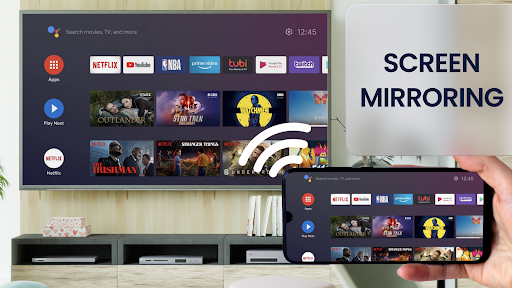
Best mirror screen on market. Now the screen sharing is instant and easy. Enjoy flawless screen mirroring features. Duplicate screen of your phone or tablet to any device on your WiFi network.
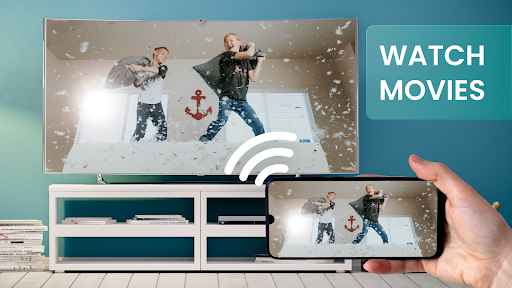
Screen mirroring your phone screen to TV can be helpful when you're showing photos, videos, watching movies, or playing games. Stable and free screen sharing with the Screen Mirror app. Share screen to a TV or other devices on your WiFi network.
Screen mirror your phone to a TV or any other android device with a screen mirroring feature! Screen sharing has never been easier!
Screen Mirroring is ideal if you need a screen sharing to show your phone's screen at a presentation in front of an …
Read the full description
Best mirror screen on market. Now the screen sharing is instant and easy. Enjoy flawless screen mirroring features. Duplicate screen of your phone or tablet to any device on your WiFi network. Screen mirroring your phone screen to TV can be helpful when you're showing photos, videos, watching movies, or playing games. Stable and free screen sharing with the Screen Mirror app. Share screen to a TV or other devices on your WiFi network. Screen mirror your phone to a TV or any other android device with a screen mirroring feature! Screen sharing has never been easier! Screen Mirroring is ideal if you need a screen sharing to show your phone's screen at a presentation in front of an audience. Easily connect your device to any other android device. Use the screen mirroring feature for instant mirror cast. 🔍 <b>Screen Mirror app helpful information:</b> ✔️ Screen Mirroring requires that your Android device and your target device are on the same WiFi network. ✔️ SmartTV's might not work since some of their browsers do not support the needed features for Mirror app. ✔️ Furthermore, an internet connection is required for screen mirror - cast to TV or other devices. ✔️ Mirror app requires Android 5.0 or higher. ✔️ Please be aware that Screen Mirroring transmits the content of your display (share screen), but not your device's audio signals. ✔️ Mirror app works great with Google Chrome, Apple Safari, Firefox, and Samsung MU Series. ✔️ For more information, please watch our how-to video on youtube (name: Android Screen Mirroring - Mirror your screen with Screen Mirror - Screen Mirroring via WiFi). Mirroring made easy. Mirror Cast to TV and enjoy photos, videos, movies and games. Screen Mirror your mobile screen on your TV can be useful when you're showing off photos from a recent trip, playing a game or giving a demonstration. With this Mirror App, you'll be able to cast your Android phone's screen on the TV screen. This Mirror Cast App allows you to easily connect your device and your TV. It provides you a secure connection to protect your data, files and applications. Share screen is simple and easy to use and most importantly a free app! With this Mirror app you can stream to TV from your phone without limitation. It helps you to stream movies, music and photos to your TV! This is one of the best screen sharing apps for android users. Please be aware that the transmission offset (the amount of time the share screen is delayed) highly depends on your Androids Device computation power and the speed of the WiFi connection. For the best mirror cast results, ensure your WiFi connection is good. You should use a device with a strong processor. 🔥<b>Share screen with screen mirroring feature easily:</b>🔥 - Open screenmirrorapp.com on your device - Share screen to any device. - Start the screen mirror process on your Android device - Fast mirror cast. - Scan the QR code and screen sharing starts immediately. ✔️ Yes, screen sharing is as simple as that. No additional software on your remote device is needed for screen mirror. Screen Sharing app mirrors the entire mobile screen to your smart TV without any lag or buffering. You can Play Videos, Music and Photos very easily from your phone. Sharing your screen with TV is very easy with the Mirror app. Screen Mirroring - Share Screen app provides you a secure connection between your mobile and TV to protect your data, files and applications. 📺 Now you can enjoy screen sharing! Mirror Cast phone to a TV or other devices and share screen instantly!
Installs, last 30 days Measured
Exact Google Play install counts, collected daily
Ratings
67,810 ratings, 447 reviews
- 5 ★66%
- 4 ★2.7%
- 3 ★2.0%
- 2 ★2.7%
- 1 ★26%
Recent reviews
Latest public reviews from the store
- 15 Jul 2023
Awesome app
Top chart positions
Latest Google Play chart ranks by country, last 10 days
- Countries ranked
- 2
- Best rank
- #118
- Top 10 placements
- 0
- of 2 chart placements
- Average rank
- #137
Best countries on Google Play
- 🇮🇩 Indonesia · Top grossing, Tools#118
- 🇧🇷 Brazil · Top grossing, Tools#156
| Country | Chart | Category | Rank | Best (10 days) | Date |
|---|---|---|---|---|---|
| 🇮🇩 Indonesia | Top grossing | Tools | #118 | #118 | 20 Nov 2026 |
| 🇧🇷 Brazil | Top grossing | Tools | #156 | #151 | 20 Nov 2026 |
Screen Mirroring & Sharing history
Release, install milestones, listing and store changes
- Reached 10,000,000+ installs 4 Oct 2022
- Reached 5,000,000+ installs 9 Apr 2020
- Reached 1,000,000+ installs 16 Jun 2018
- Reached 500,000+ installs 22 Dec 2017
- Reached 100,000+ installs 20 Sep 2017
- Reached 10,000+ installs 10 Aug 2017
- Reached 5,000+ installs 30 Jul 2017
- Reached 1,000+ installs 18 Jul 2017
Update frequency
How often Screen Mirroring & Sharing ships a new version, month by month
0 updates in the last 12 months. Less often than most similar apps: they shipped a median of 2 updates in the same year.
Recent versions
Current version 1.9.12
- Version 1.9.1211 Nov 2025
- Version 1.9.116 Mar 2025
- Android 11 Support - Fix for Tethering mode - New pro features: Orientation Mode, Manual Connection Mode, Auto Stop - New feature: toggle screen visibility by pressing key 'b' on the keyboard of your target device - Improvements and bugfixes Please note: If you face any problems or discover bugs, please send an email to [email protected]. If you like Screen Mirror, we would appreciate it if you rate it in the Play Store. Thanks!
- Version 1.9.10.118 Dec 2024
- Version 1.9.1014 Oct 2024
Listing keywords
Words and phrases Screen Mirroring & Sharing repeats most in its store listing
Top phrases: screen mirroring (13), screen sharing (9), share screen (9), screen mirror (8), mirror cast (7).
Highlighted words also appear in the title. Counts cover the title, short description and description.
Business model and tech
From the store listing, the SDKs in the app package and its declared permissions
- Business model
- Free to downloadIn-app purchasesShows ads
- Built with
- No cross-platform framework or game engine detected
- Ad networks (3)
- AdMobAppLovinFacebook Audience Network
- Subscriptions and payments
- Google Play billing
- Attribution and measurement
- Open Measurement
- Analytics and crash reports
- Firebase
- Sensitive access
- CameraAdvertising ID
4 ad, attribution and analytics SDKs detected. SDKs are read from the app package and permissions from the store listing, so code that loads later is not seen.
Technology
29 SDKs found in the app package
Ad networks
Advertising and install-attribution SDKs found in the app package
- AdMob
- AppLovin
- Facebook Audience Network
- Open Measurement
19 permissions
0 special access, 2 sensitive, 17 standard
- Take photos and videosSensitive
- Show notificationsPOST_NOTIFICATIONSSensitive
- Ad attribution (Privacy Sandbox)ACCESS_ADSERVICES_ATTRIBUTIONStandard
- Ad topics (Privacy Sandbox)ACCESS_ADSERVICES_TOPICSStandard
- Read how it was installed (install referrer)BIND_GET_INSTALL_REFERRER_SERVICEStandard
- Read the advertising IDAD_IDStandard
- Read the advertising ID (Privacy Sandbox)ACCESS_ADSERVICES_AD_IDStandard
- Control vibrationStandard
- Foreground service (media projection)FOREGROUND_SERVICE_MEDIA_PROJECTIONStandard
- Keep the phone awakeStandard
- Run a foreground serviceFOREGROUND_SERVICEStandard
- Full internet accessStandard
Compliance
What the listing and the app package show
- Store status
- Live
- Upkeep
- Updated 30 Oct 2026
- Registered in
- Israel
- Privacy policy
- Linked on the listing
- Advertising
- Shows ads
- In-app purchases
- Offered
- Age rating
- Everyone
- Sensitive permissions
- 2 sensitive of 19
- Location access
- No
- Camera and microphone
- Camera
Apps like Screen Mirroring & Sharing
Stylish Text, Fonts & KeyboardWisdomlogix Solutions10.5M installs★ 4.21
Download managerMagdalm8.5M installs★ 3.92
Show Wifi PasswordMatic Studio2.8M installs★ 4.09
Mano PILDYKTele2 LT705K installs★ 4.8
APNA TUNNEL LITEAPNA TUNNEL17.5M installs★ 4.22
Дядя Ваня VPNKONDAKOV3.3M installs★ 3.76
Stark VPN ReloadedEveryday Connected LLC18.6M installs★ 4.31
The TranslatorRecomendados5M installs★ 4.72
Screen Mirroring with All TVi6 Games7.2M installs★ 4.21
Screen Mirroring & Sharing: questions and answers
How many downloads does Screen Mirroring & Sharing have?
Screen Mirroring & Sharing has 32,675,186 installs on Google Play, measured from the store's own count on 20 Nov 2026.
Who makes Screen Mirroring & Sharing?
Screen Mirroring & Sharing is published by ZipoApps, a developer based in IL.
When was Screen Mirroring & Sharing last updated?
The latest version (1.9.12) was released on 30 Oct 2026.
Is Screen Mirroring & Sharing free?
Yes. Screen Mirroring & Sharing is free to download and offers in-app purchases, and it shows ads.
Is Screen Mirroring & Sharing still available?
Yes. Screen Mirroring & Sharing is live on Google Play as of 20 Nov 2026.
Track Screen Mirroring & Sharing and its competitors
Watch any app for new versions, rating drops, chart moves and removals. Free plan, no card.