
Screen Mirroring App
Screen Mirroring with sound for Samsung TV, LG TV, Sony TV, Smart TV and Browser
- Installs
- 11.25M
- Measured
- Rating
- 4.04
- Ratings
- 49.7K
- 822 reviews
- Version
- 2.1
- Updated 27 Oct 2026
- Released
- 19 Aug 2019
- Tracked since 13 May 2026
- Size
- 20 MB
- Needs 5.0
Also on App Store: Screen Mirroring+ App (11.8K ratings), Screen Mirroring App (29.3K ratings)
Screenshots




About Screen Mirroring App
The description on the store listing
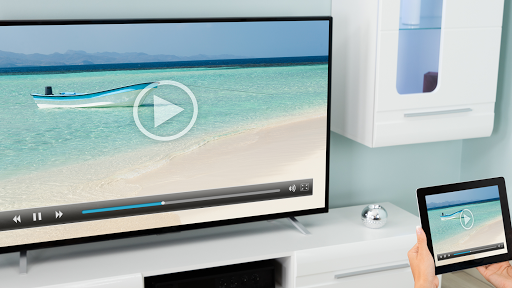
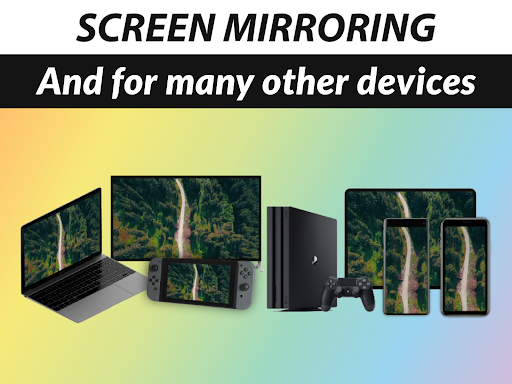
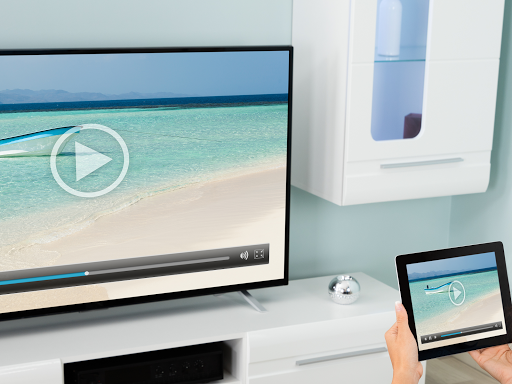
Screen Mirroring enables universal screen sharing with sound to Samsung Smart TV, LG TV, Sony TV, Smart Fridge, Gaming Console, PC, Laptop, Windows, Mac, Android, iPhone, iPad and Web Browsers. Connect wireless via Wi-Fi or Internet (DSL / Cable / Fibre). Present and view your wireless display live in HD quality, similar but more flexible than Airplay, Miracast, Chromecast and SmartView.
The Screen Mirroring App is the #1 Universal Screen Mirror, fast, easy and user friendly. Screen share your photos, videos, games, websites, apps, presentations and documents with your friends, family and co-workers.
*** For phones & tablets: This app works as a sender on Android phones and tablets. …
Read the full description
Screen Mirroring enables universal screen sharing with sound to Samsung Smart TV, LG TV, Sony TV, Smart Fridge, Gaming Console, PC, Laptop, Windows, Mac, Android, iPhone, iPad and Web Browsers. Connect wireless via Wi-Fi or Internet (DSL / Cable / Fibre). Present and view your wireless display live in HD quality, similar but more flexible than Airplay, Miracast, Chromecast and SmartView. The Screen Mirroring App is the #1 Universal Screen Mirror, fast, easy and user friendly. Screen share your photos, videos, games, websites, apps, presentations and documents with your friends, family and co-workers. *** For phones & tablets: This app works as a sender on Android phones and tablets. To mirror the screen, please connect to a Smart TV or web browser. *** *** For Android TV: This app works as a receiver on Android TV. To connect your phone to Android TV, and mirror the screen, please also download the app on Android or iOS. *** *** IMPORTANT: Your Android Phone and Smart TV must be connected to the same Wi-Fi *** * Best device support: Screen sharing works with any device that has an integrated web browser, e.g. Samsung TV, LG TV, Panasonic TV, Hisense TV, Philips TV, Hitachi TV, Grundig TV, TCL TV. * Unique features: Mirror your screen wireless over Internet. Share your display on exotic smart devices such as a fridge or a switch console. Display Sharing over mobile hotspot with super fast Wi-Fi direct connection. * Screen Mirroring performance is super fast when you have a fast and stable Wi-Fi network. 5Ghz Wi-Fi is recommended. * Screen Mirror supports sound on Android 10+. Compatibility depends on the capabilities of the receiver device. * You don't need a companion app for universal screen sharing on your Smart TV or other wireless display devices. * For support regarding mirroring and sharing your mobile display, please contact us via e-mail at [email protected]. This app is brought to you by the developers of VIDEO & TV CAST, the #1 web video casting software in the world with more than 100.000.000 downloads across all platforms and devices. Disclaimer: The Screen Mirroring App is not affiliated with any of the trademarks mentioned here.
Installs, last 30 days Measured
Exact Google Play install counts, collected daily
Ratings
49,675 ratings, 822 reviews
- 5 ★63%
- 4 ★8.0%
- 3 ★7.3%
- 2 ★3.8%
- 1 ★18%
Recent reviews
Latest public reviews from the store
- 2 Apr 2026
Very good.
- 7 Jan 2026
good
- 25 Oct 2025
good
- 1 Oct 2025
good
What reviewers bring up
Topics mentioned in the latest 50 reviews, by how many reviews mention them
Liked in good reviews (20 reviews)
No topic comes up twice.
Raised in bad reviews (29 reviews)
- refund 5
- money 4
- cast 4
- buy 4
- screen 3
- waste 3
- paid 3
- expected 2
Top chart positions
Latest Google Play chart ranks by country, last 10 days
Not in any tracked top chart in the last 10 days.
Screen Mirroring App history
Release, install milestones, listing and store changes
- Reached 10,000,000+ installs 27 Mar 2026
- Reached 5,000,000+ installs 15 May 2022
- First released on the store 19 Aug 2019
Update frequency
How often Screen Mirroring App ships a new version, month by month
7 updates in the last 12 months. More often than most similar apps: they shipped a median of 2 updates in the same year.
Recent versions
Current version 2.1
- Version 2.127 Oct 2026
- Bugfixes Don't forget to rate the app on Google Play! Thank you.
- Version 2.013 Aug 2026
- Bugfixes Don't forget to rate the app on Google Play! Thank you.
- Version 1.9120 Apr 2026
- Bugfixes Don't forget to rate the app on Google Play! Thank you.
- Version 1.909 Mar 2026
Listing keywords
Words and phrases Screen Mirroring App repeats most in its store listing
Top phrases: screen mirroring (6), smart tv (5), wi fi (5), tv lg tv (3), android tv (3).
Highlighted words also appear in the title. Counts cover the title, short description and description.
Business model and tech
From the store listing, the SDKs in the app package and its declared permissions
- Business model
- Free to downloadIn-app purchasesShows ads
- Built with
- No cross-platform framework or game engine detected
- Ad networks (1)
- AdMob
- Subscriptions and payments
- Google Play billing
- Analytics and crash reports
- Firebase
- Sensitive access
- CameraMicrophoneAdvertising ID
2 ad, attribution and analytics SDKs detected. SDKs are read from the app package and permissions from the store listing, so code that loads later is not seen.
Technology
16 SDKs found in the app package
Ad networks
Advertising and install-attribution SDKs found in the app package
- AdMob
19 permissions
0 special access, 3 sensitive, 16 standard
- Record audioSensitive
- Take photos and videosSensitive
- Show notificationsPOST_NOTIFICATIONSSensitive
- Ad attribution (Privacy Sandbox)ACCESS_ADSERVICES_ATTRIBUTIONStandard
- Ad topics (Privacy Sandbox)ACCESS_ADSERVICES_TOPICSStandard
- Read how it was installed (install referrer)BIND_GET_INSTALL_REFERRER_SERVICEStandard
- Read the advertising IDAD_IDStandard
- Read the advertising ID (Privacy Sandbox)ACCESS_ADSERVICES_AD_IDStandard
- Ask to skip battery optimisationREQUEST_IGNORE_BATTERY_OPTIMIZATIONSStandard
- Foreground service (media projection)FOREGROUND_SERVICE_MEDIA_PROJECTIONStandard
- Keep the phone awakeStandard
- Run a foreground serviceFOREGROUND_SERVICEStandard
Compliance
What the listing and the app package show
- Store status
- Live
- Upkeep
- Updated 27 Oct 2026
- Registered in
- Germany
- Privacy policy
- Linked on the listing
- Advertising
- Shows ads
- In-app purchases
- Offered
- Age rating
- Everyone
- Sensitive permissions
- 3 sensitive of 19
- Location access
- No
- Camera and microphone
- Both
Apps like Screen Mirroring App
WiFi Connection Managerroamingsoft11.3M installs★ 3.61
Sticker Maker – WA Stickershighsecure6.3M installs★ 4.29
Mega Zoom Camera - xZoomJust4Fun Utilities7.6M installs★ 4.38
Gallery Photo Lock, GalleryA+XiX Tech3.2M installs★ 4.78
Video Downloader for Twitter XAculix Technologies LLP2.3M installs★ 4.63
Android Device PolicyGoogle LLC504M installs★ 3.62
Recover Deleted Photos - DSDetective Studio9.7M installs★ 3.68
Game Booster Pro: Turbo ModeScoteam589K installs★ 4.48
Home WiFi AlertDoubleDot Studios25M installs★ 4.16
Screen Mirroring App: questions and answers
How many downloads does Screen Mirroring App have?
Screen Mirroring App has 11,245,437 installs on Google Play, measured from the store's own count on 20 Nov 2026.
Who makes Screen Mirroring App?
Screen Mirroring App is published by 2kit consulting, a developer based in DE.
When was Screen Mirroring App last updated?
The latest version (2.1) was released on 27 Oct 2026.
Is Screen Mirroring App free?
Yes. Screen Mirroring App is free to download and offers in-app purchases, and it shows ads.
Is Screen Mirroring App still available?
Yes. Screen Mirroring App is live on Google Play as of 20 Nov 2026.
Track Screen Mirroring App and its competitors
Watch any app for new versions, rating drops, chart moves and removals. Free plan, no card.