
- Installs
- 98.99K
- Measured
- Rating
- 3.91
- Ratings
- 454
- 3 reviews
- Version
- Varies with device
- Updated 31 May 2023
- Released
- 14 Mar 2023
- Tracked since 13 May 2026
- Size
- —
Screenshots



About Screen recording
The description on the store listing
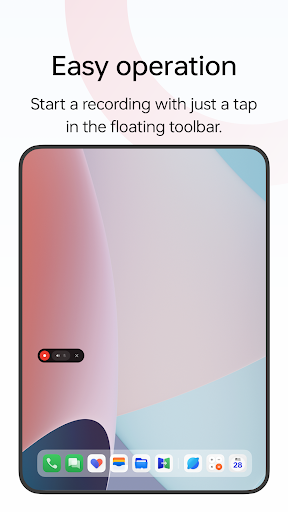
Screen recording is a tool provided by OPPO that lets you conveniently record your screen.
Multiple ways to open this tool
- Bring up the Smart Sidebar from the screen edge and tap "Screen recording".
- Swipe down from the top of the screen to bring up Quick Settings and tap "Screen recording".
- Swipe down in an empty area on the Home screen, search for "Screen recording" and tap the icon of this tool.
- Open a game in Game Space, swipe from the upper-left corner of the screen to the lower-right corner, and choose "Screen recording" from the menu.
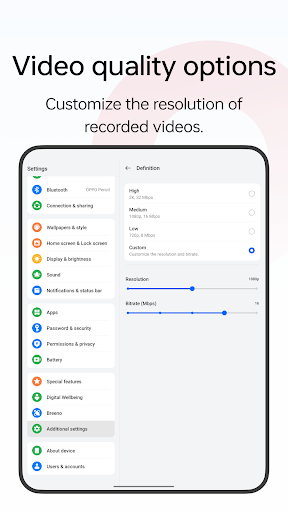
Various video quality options
- Choose the definition, frame rate, and coding format you want to record with.
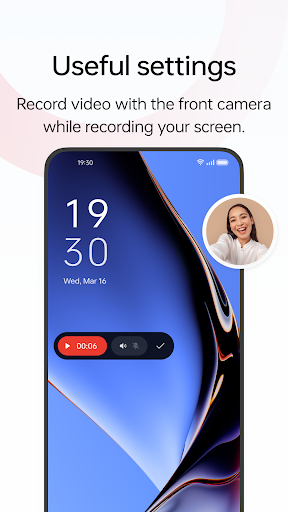
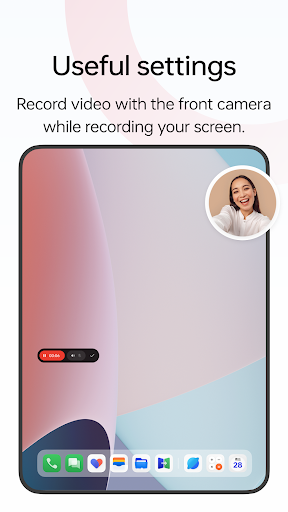
Useful settings …
Read the full description
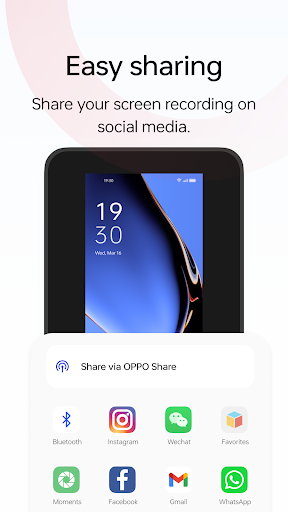
Screen recording is a tool provided by OPPO that lets you conveniently record your screen. Multiple ways to open this tool - Bring up the Smart Sidebar from the screen edge and tap "Screen recording". - Swipe down from the top of the screen to bring up Quick Settings and tap "Screen recording". - Swipe down in an empty area on the Home screen, search for "Screen recording" and tap the icon of this tool. - Open a game in Game Space, swipe from the upper-left corner of the screen to the lower-right corner, and choose "Screen recording" from the menu. Various video quality options - Choose the definition, frame rate, and coding format you want to record with. Useful settings - You can record the system sound, external sound through the microphone, or both at once. - You can record video with the front camera while simultaneously recording your screen. - Screen touches can also be recorded. - You can pause or resume a recording by tapping the button on the recorder toolbar. Share your recordings - When a recording is complete, a floating window will appear. You can tap "Share" under the window to share it or tap the window itself to edit the video before sharing.
Installs since 29 Aug 2026 Measured
Exact Google Play install counts, collected daily
Ratings
454 ratings, 3 reviews
- 5 ★50%
- 4 ★9.9%
- 3 ★20%
- 2 ★9.9%
- 1 ★9.9%
Recent reviews
Latest public reviews from the store
No reviews in our sample for this app yet.
Top chart positions
Latest Google Play chart ranks by country, last 10 days
Not in any tracked top chart in the last 10 days.
Screen recording history
Release, install milestones, listing and store changes
- Reached 50,000+ installs 31 May 2023
- First released on the store 14 Mar 2023
Update frequency
How often Screen recording ships a new version, month by month
0 updates in the last 12 months. Less often than most similar apps: they shipped a median of 1 updates in the same year.
Listing keywords
Words and phrases Screen recording repeats most in its store listing
Top phrases: screen recording (7), recording swipe down (2), screen recording swipe (2), tap screen recording (2), recording swipe (2).
Highlighted words also appear in the title. Counts cover the title, short description and description.
Business model and tech
From the store listing and declared permissions
- Business model
- Free to download
- Sensitive access
- No sensitive permission declared
Compliance
What the listing and the app package show
- Store status
- Live
- Upkeep
- No update since 31 May 2023
- Registered in
- Singapore
- Privacy policy
- Linked on the listing
- Advertising
- No ads declared
- In-app purchases
- None declared
- Age rating
- Everyone
Apps like Screen recording
BraytechTom Chapman99.9K installs★ 4.18
Cool FlashlightChengdu Baoya Rabbit Network Technology Co., Ltd649K installs★ 2.5
Compass - Photo & Video LockerJeilleeiJoubM79.1K installs★ 4.8
SMS Backup ProMohammed Malhas22.9K installs★ 4.43
H Wash MobileKioSoft Technologies LLC41.3K installs★ 3.2
LDPlayer: Gaming ToolsFUNEASE TECH LTD.203K installs★ 3.73
SIPREL - Recargas ElectrónicasDAIO Technology LLC207K installs★ 3.73
GalleryHC App Solution92.2K installs★ 3.94
Keylines - Grid Tool for DevsFaiz Malkani13.9K installs★ 4.4
Screen recording: questions and answers
How many downloads does Screen recording have?
Screen recording has 98,991 installs on Google Play, measured from the store's own count on 14 Nov 2026.
Who makes Screen recording?
Screen recording is published by ColorOS, a developer based in SG.
When was Screen recording last updated?
The latest version (Varies with device) was released on 31 May 2023.
Is Screen recording free?
Yes. Screen recording is free to download.
Is Screen recording still available?
Yes. Screen recording is live on Google Play as of 14 Nov 2026.
Track Screen recording and its competitors
Watch any app for new versions, rating drops, chart moves and removals. Free plan, no card.