
ServerDoor - SSH Client
Control your servers anytime with SSH and Telnet protocols
- Installs
- 22.34K
- Measured
- Rating
- 3.9
- Ratings
- 164
- 5 reviews
- Version
- 1.2.0
- Updated 28 Aug 2025
- Released
- 24 Jul 2023
- Tracked since 13 May 2026
- Size
- —
Also on App Store: ServerDoor - SSH Client
Screenshots

About ServerDoor - SSH Client
The description on the store listing
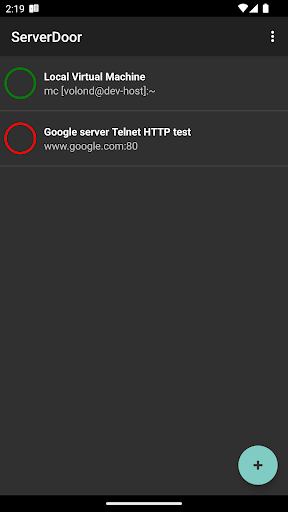
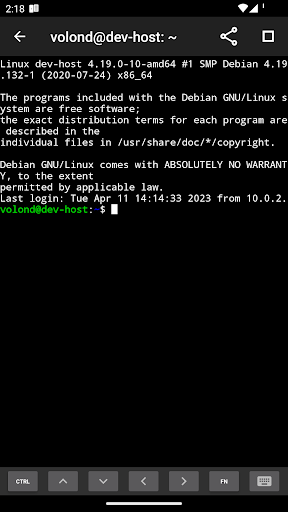
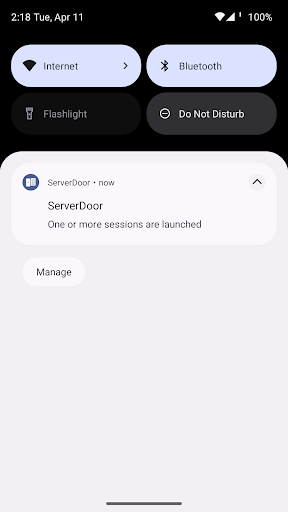
ServerDoor allows you to use your smartphone like a secure door for remote access to your personal server. A user-friendly session manager with a simple and intuitive interface, a full-featured terminal emulator that supports gesture control, as well as a tool for working with SSH keys - now all those thing can be placed in your pocket. Connect to your servers with using telnet and ssh protocols to administrate them in any situation anytime.
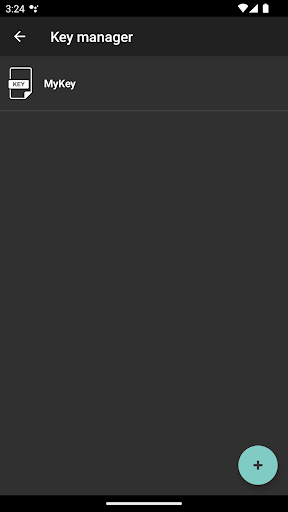
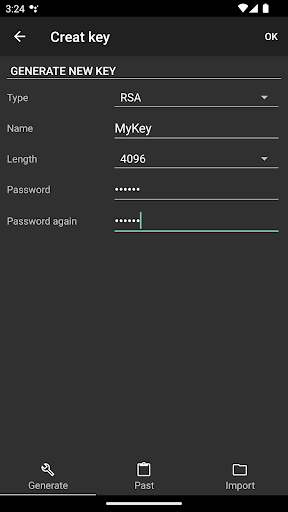
• The tool for working with SSH keys allows you to generate them, as well as to import and export them. RSA, DSA, EC, ED25519 keys are supported, and the openssh-key-v1 format is used to store them.
• Thanks to the built-in password manager, you do …
Read the full description
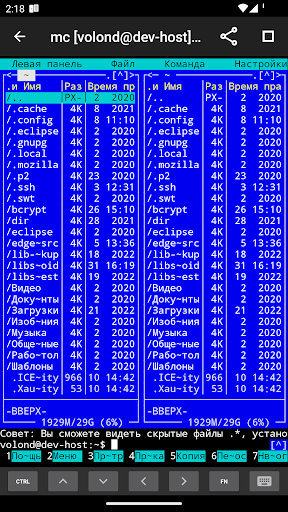
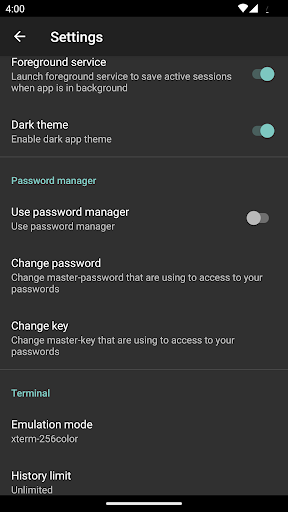
ServerDoor allows you to use your smartphone like a secure door for remote access to your personal server. A user-friendly session manager with a simple and intuitive interface, a full-featured terminal emulator that supports gesture control, as well as a tool for working with SSH keys - now all those thing can be placed in your pocket. Connect to your servers with using telnet and ssh protocols to administrate them in any situation anytime. • The tool for working with SSH keys allows you to generate them, as well as to import and export them. RSA, DSA, EC, ED25519 keys are supported, and the openssh-key-v1 format is used to store them. • Thanks to the built-in password manager, you do not have to keep in mind the passwords for each server and key. The password database is stored on the device and encrypted with AES256-CBC using the master key. You can manage the password manager or disable it altogether in the settings. • Snippets system will be useful for advanced shell admins and can be used for make scripts those you can call from terminal session anytime. • Export and import app data features allows you exchange data between different devices or make backups anytime. • Convenient gesture control makes it possible to change the font size in the terminal by simply stretching instead of constantly switching to settings, and sticky scrolling allows you to quickly navigate even in the most voluminous sessions. • Advanced terminal emulator, supports most ESC sequences, SGR and utf8 encoding. • Additional keyboard and hot buttons, allow you to use most commands and keyboard shortcuts, as well as emulate mouse clicks in terminal applications. • Supports simultaneous operation of an unlimited number of running sessions, including in the background, when the application is minimized. • The ability to manually set a limit on the number of lines stored for each session (or disable the limit altogether), allows you to flexibly configure the device's memory consumption by running sessions. Whether you want to store the whole session or set a hard limit to save memory is up to you. • To save memory, session data is compressed and stored in a fragmented way, which allows you to turn off the limit and store even the most voluminous sessions without large buffer allocation errors. Tired of Telnet clients cutting HTTP responses without even allowing you to view the header? Then this app is for you!
Installs since 27 Aug 2026 Measured
Exact Google Play install counts, collected daily
Ratings
164 ratings, 5 reviews
- 5 ★48%
- 4 ★11%
- 3 ★23%
- 2 ★0.0%
- 1 ★17%
Recent reviews
Latest public reviews from the store
- 28 Mar 2024
Good
- 6 Feb 2024
Nice app for rural vendors to boost up their sales.
- 1 Feb 2024
Excllent
- 1 Feb 2024
Excellent
What reviewers bring up
Topics mentioned in the latest 10 reviews, by how many reviews mention them
Liked in good reviews (8 reviews)
- excllent 2
Raised in bad reviews (2 reviews)
No topic comes up twice.
Top chart positions
Latest Google Play chart ranks by country, last 10 days
Not in any tracked top chart in the last 10 days.
ServerDoor - SSH Client history
Release, install milestones, listing and store changes
- Reached 10,000+ installs 2 Feb 2025
- Reached 5,000+ installs 4 Aug 2024
- Reached 1,000+ installs 24 Dec 2023
- Reached 500+ installs 1 Oct 2023
- Reached 100+ installs 7 Aug 2023
- Reached 50+ installs 4 Aug 2023
- First released on the store 24 Jul 2023
Recent versions
Current version 1.2.0
- Version 1.2.028 Aug 2025
-App is optimized for Android 15
- Version 1.1.922 Nov 2024
- Version 1.1.78 Nov 2024
- Version 1.1.617 Sep 2024
Listing keywords
Words and phrases ServerDoor - SSH Client repeats most in its store listing
Top phrases: tool for working (2), working with ssh (2), gesture control (2), password manager (2), running sessions (2).
Highlighted words also appear in the title. Counts cover the title, short description and description.
Business model and tech
From the store listing, the SDKs in the app package and its declared permissions
- Business model
- Free to downloadIn-app purchases
- Built with
- No cross-platform framework or game engine detected
- Ad networks (0)
- None detected
- Subscriptions and payments
- Google Play billing
- Analytics and crash reports
- Firebase
- Sensitive access
- No sensitive permission declared
1 ad, attribution and analytics SDKs detected. SDKs are read from the app package and permissions from the store listing, so code that loads later is not seen.
Technology
21 SDKs found in the app package
8 permissions
0 special access, 1 sensitive, 7 standard
- Show notificationsPOST_NOTIFICATIONSSensitive
- Foreground service (special use)FOREGROUND_SERVICE_SPECIAL_USEStandard
- Run a foreground serviceFOREGROUND_SERVICEStandard
- Full internet accessStandard
- See network connectionsStandard
- Internal app permissionDYNAMIC_RECEIVER_NOT_EXPORTED_PERMISSIONStandard
- Internet accessINTERNET_ACCESSStandard
- In-app purchases with Google PlayStandard
Compliance
What the listing and the app package show
- Store status
- Live
- Upkeep
- Updated 28 Aug 2025
- Privacy policy
- Linked on the listing
- Advertising
- No ads declared
- In-app purchases
- Offered
- Age rating
- Everyone
- Sensitive permissions
- 1 sensitive of 8
- Location access
- No
- Camera and microphone
- Neither
Apps like ServerDoor - SSH Client
My India VPNAppPulse Tech42.2K installs★ 4.42
Light Bulb Security CameraRockyTeach63.1K installs★ 2.88
TCL Smart TV Screen mirroringTech-Tools95.2K installs★ 3.85
Easy Schedule Notebookoxdb.net51.5K installs★ 5.0
Land Parcels Areas CalculatorGeoZidan46K installs★ 1.73
Gallery Vault - Hide PhotoMerryblue51K installs★ 4.2
Heat Index Calculator - How toVnMobileSolutions Inc.3.7K installs★ 4.24
2D OwnerTechnologyGateway46K installs★ 4.8
3D Print Cost CalculatorReme Le Hane38.5K installs★ 3.95
ServerDoor - SSH Client: questions and answers
How many downloads does ServerDoor - SSH Client have?
ServerDoor - SSH Client has 22,338 installs on Google Play, measured from the store's own count on 19 Nov 2026.
Who makes ServerDoor - SSH Client?
ServerDoor - SSH Client is published by First Row.
When was ServerDoor - SSH Client last updated?
The latest version (1.2.0) was released on 28 Aug 2025.
Is ServerDoor - SSH Client free?
Yes. ServerDoor - SSH Client is free to download and offers in-app purchases.
Is ServerDoor - SSH Client still available?
Yes. ServerDoor - SSH Client is live on Google Play as of 19 Nov 2026.
Track ServerDoor - SSH Client and its competitors
Watch any app for new versions, rating drops, chart moves and removals. Free plan, no card.